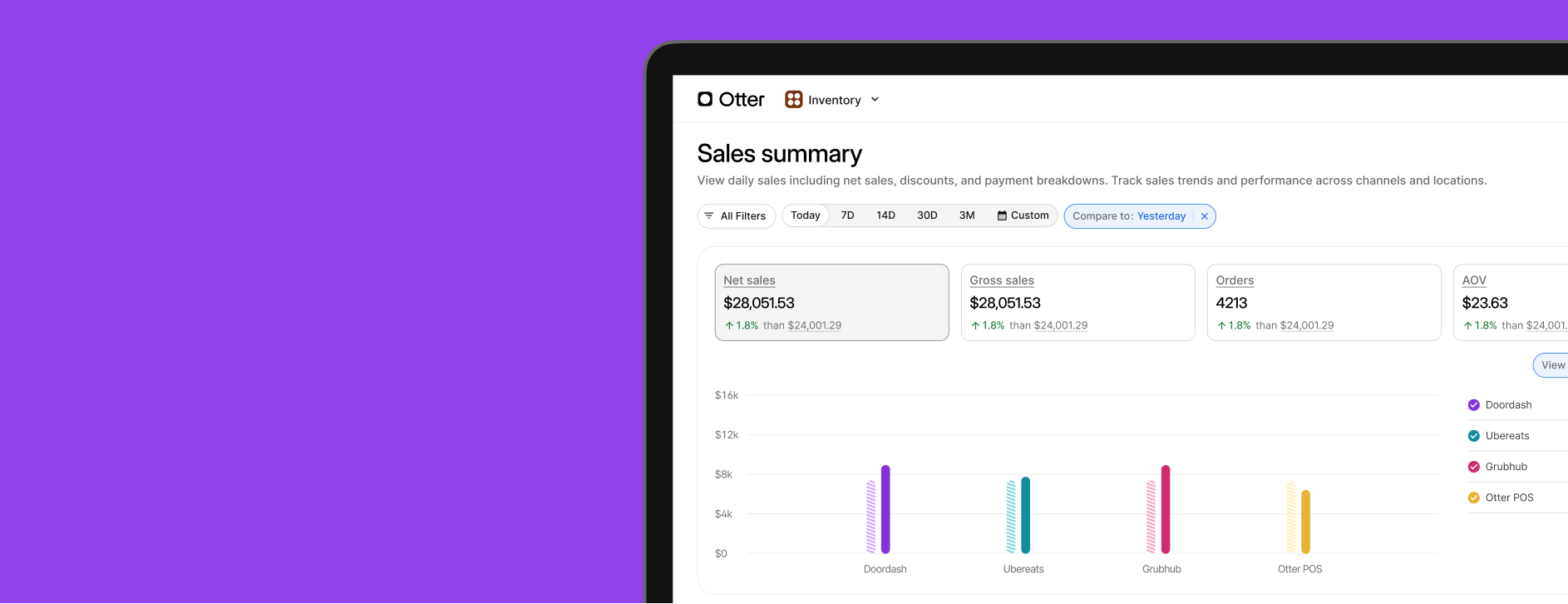
Analytics: Merged with Financials
What’s new: All Financials reports are now in Analytics.
Why it matters: Previously, you had to navigate to either Analytics or Financials for reports. With all your reporting being located in Analytics, you no longer have to switch between the two. You can find the data you need faster and more efficiently.
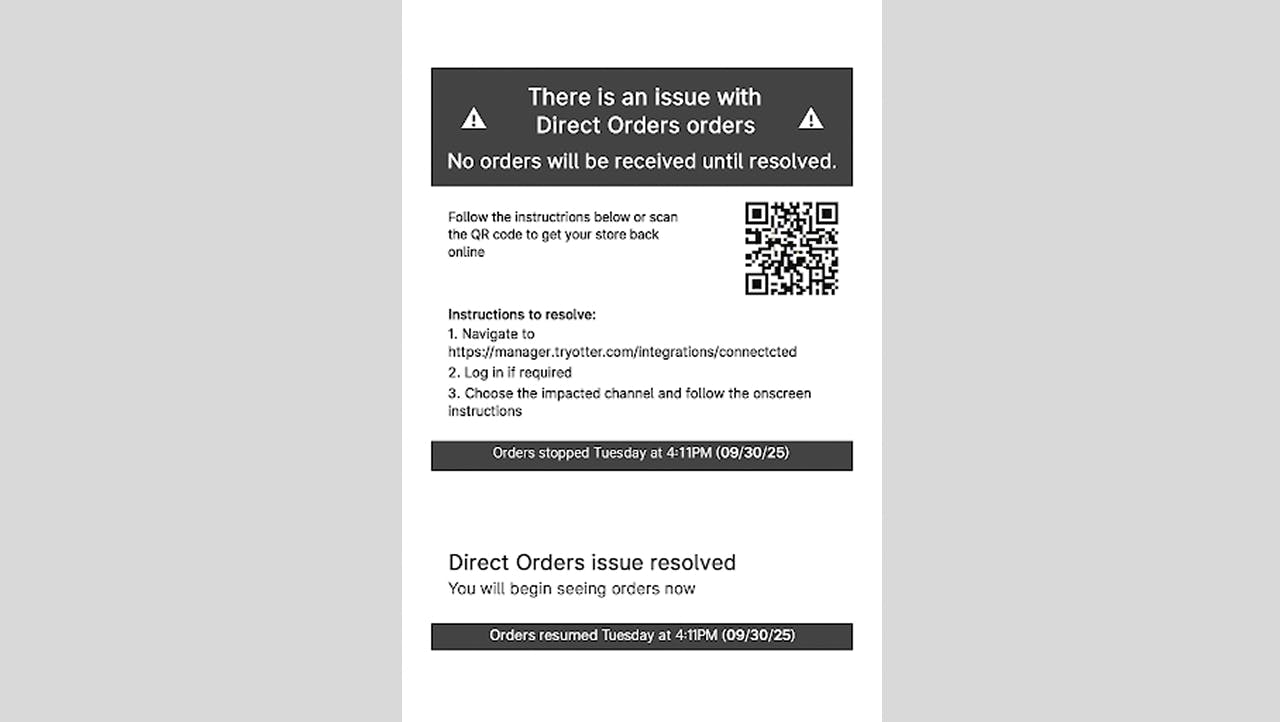
Otter POS: Printed Outage Alerts
What’s new: Your station printer can now print tickets that alert staff whenever there is an outage. Steps to resolve it can be found on the printout.
Why it matters: Outages bring down your sales immediately. Whether it’s your delivery platform, direct online orders, or POS, you won’t be able to accept and fulfill any orders when any of these channels are disconnected because of your internet connection or integration. With on-site notifications being printed from your station printer, your staff will quickly know there’s an outage and can take the steps to resolve it. Shorter outages mean more orders.
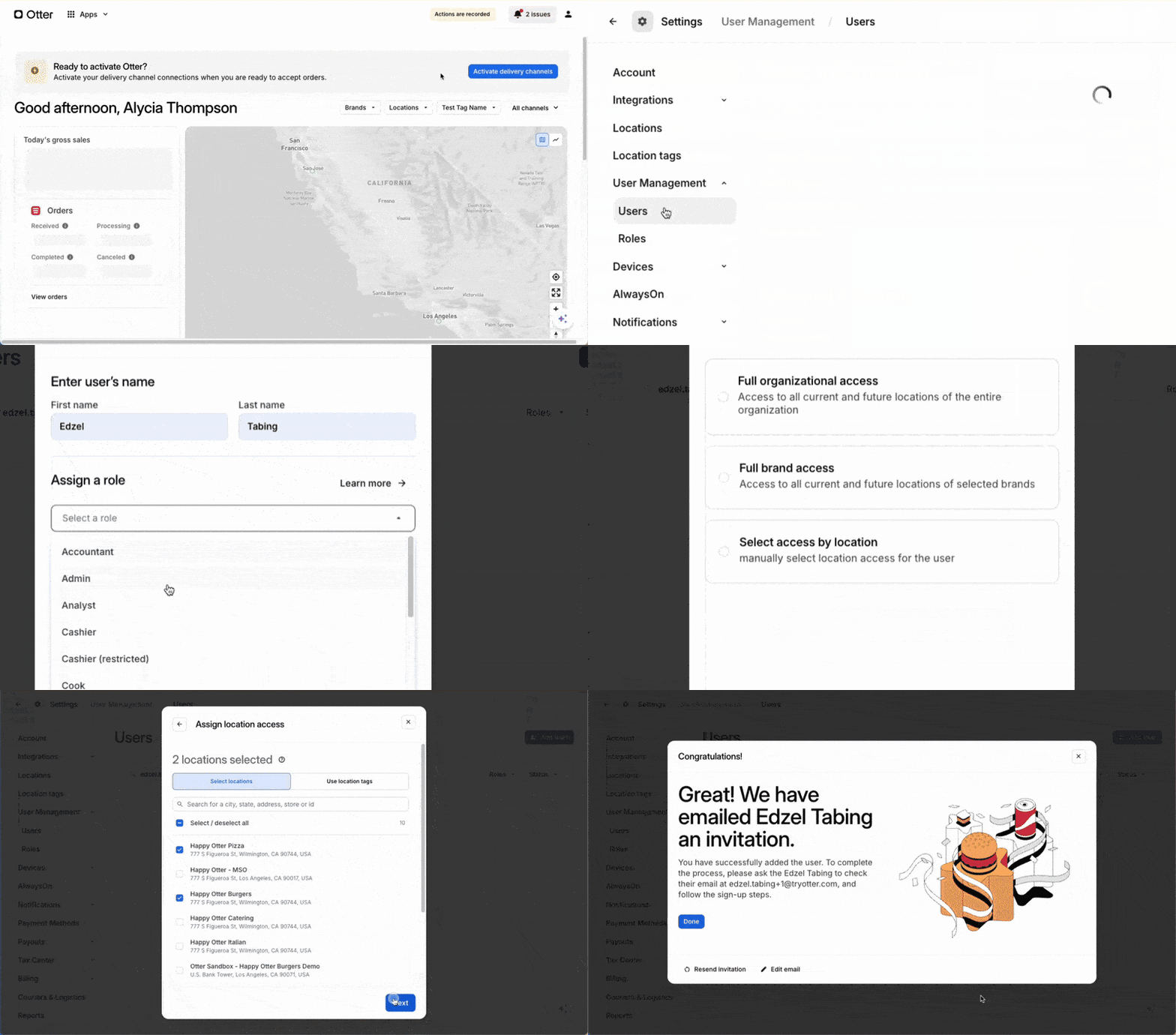
New user roles and permissions
What’s new: Managing your staff’s access to Otter is now easier and more flexible. You can invite your team to Otter right from your Otter Dashboard. Streamlined preset user roles let you quickly assign staff as cashier, supervisor, or admin. You can also create custom roles with permissions per app; this is perfect for teams where only a specific person can issue refunds or manage discounts.
Why it matters: Adding users previously required contacting Otter Support. With this enhancement, you can now set up new locations right away by granting your team access to Otter without the need for Otter Support. Flexible app permissions also help you control changes to your stores and devices.

Book a demo to see how Otter’s all-in-one platform can help your restaurant thrive.