Table of contents
- Restaurant kiosk costs at a glance
- What drives self-ordering kiosk cost up or down
- Kiosk cost by type: tablet, countertop, and freestanding
- How to compare kiosk quotes without getting surprised
- Calculating total cost of ownership
- Is a self-ordering kiosk worth the cost?
- What Otter's self-ordering kiosks cost
- Start with the smallest kiosk that fits your busiest hour
- Frequently asked questions about restaurant kiosk cost
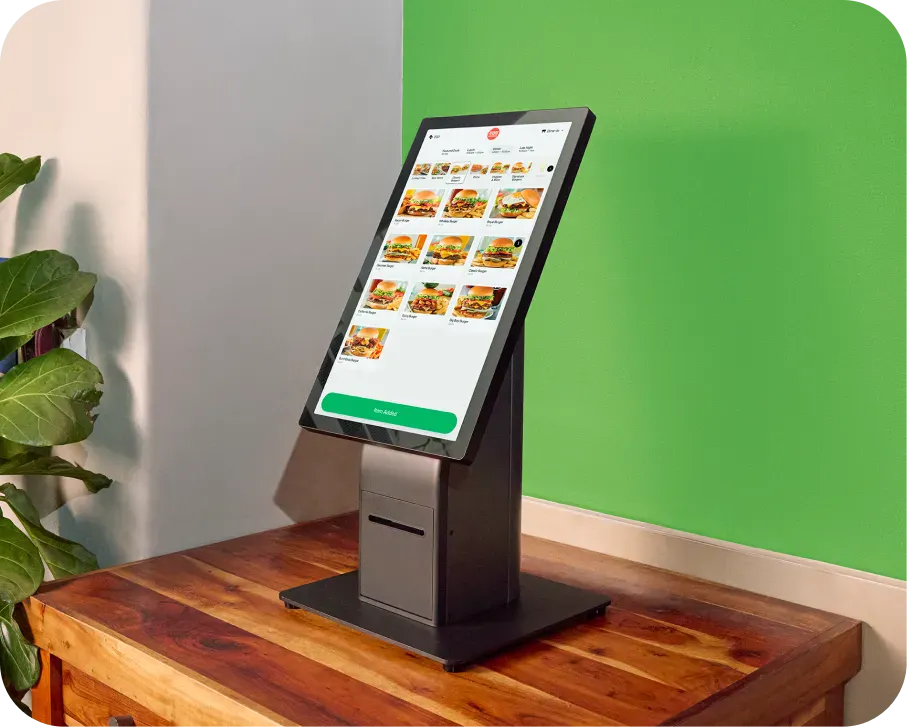
A restaurant self-ordering kiosk typically costs between $1,000 and $5,500 for the hardware, or $100 to $289 a month to rent, plus a software fee per device. Where you land inside that range depends on one thing more than any other: whether you want a small countertop unit or a full freestanding floor model.
That is the short answer. The longer answer is that hardware is rarely the number that surprises people. Installation, payment processing, support plans, and the software license per device are what turn an entry-level kiosk into a real line item. This guide breaks down every cost component, shows what self-ordering kiosks actually cost by type, and walks through how to work out whether the payback period makes sense for your restaurant.
Key insights
- Hardware is one of five costs. Software licensing, payment processing, installation, and support all recur, and together they usually outweigh the hardware over three years.
- The single biggest price variable is form factor: a tablet in an enclosure, a countertop unit, and a freestanding floor kiosk sit at very different price points.
- Renting rather than buying spreads the hardware cost into a monthly figure, which changes the payback math considerably for a first kiosk.
- The two returns worth modeling are labor reallocation and higher average checks. Model both with your own numbers rather than a vendor's.
Restaurant kiosk costs at a glance
Last verified: August 25, 2026. Every price in this article is in the two tables below. Vendor pricing moves, so treat these as a starting point for a quote rather than a budget, and check each provider's own pricing page for current figures.
Typical market ranges by cost component
Cost component | Typical range | Notes |
|---|---|---|
Tablet in a protective enclosure | $500 to $1,500 | Lowest entry point, shortest lifespan |
Countertop kiosk (roughly 15 to 22 inch screen) | $1,000 to $3,000 | Most common choice for small footprints |
Freestanding floor kiosk (22 inch and up) | $3,000 to $10,000 and up | Highest throughput, needs floor space and power |
Kiosk software, per device | Typically $30 to $300 per month | Varies with integrations, reporting, and languages |
Installation, tablet or countertop | $0 to $200 | Often self-install |
Installation, freestanding | $200 to $500 per unit | Usually professional |
Installation with electrical or custom mounting | $500 to $1,500 and up | Site-dependent |
Payment processing | Commonly 2.3% to 3.5% plus $0.10 to $0.30 per transaction | Quoted per merchant, ask in writing |
Premium support plan | $25 to $100 per month | Often optional |
Hardware maintenance plan | $50 to $150 per month | Often optional |
Extended warranty | $100 to $300 per year | Often optional |
Multi-unit or enterprise discount | Commonly 15% to 30% off per unit | Ask once you are past two or three units |
Otter's published kiosk pricing
Taken from Otter's kiosk product page, which lists pricing openly. Check it for current figures.
Product | Rent | Buy outright | Software |
|---|---|---|---|
Kiosk Mini | $100/mo | $1,000 | $99/mo per device |
Kiosk | $189/mo | $3,000 | $99/mo per device |
Kiosk Pro | $289/mo | $5,500 | $99/mo per device |
Otter also offers a POS Kiosk Mode, which turns an existing terminal into a self-checkout station rather than adding separate hardware. Payment processing is quoted with your plan rather than published, so ask for the card-present rate, the card-not-present rate, and the per-transaction fee in writing.

What drives self-ordering kiosk cost up or down
Hardware type and build quality
This is the biggest single variable. A consumer tablet in a protective enclosure and a purpose-built freestanding unit are different products with different lifespans. Commercial-grade kiosks are built for constant public use with commercial touchscreens, hardened enclosures, and serviceable components. Consumer tablets in cases are cheaper to start with and get replaced sooner.
Software features and integrations
Basic ordering software costs less than software that syncs your menu across channels, handles loyalty enrollment, supports multiple languages, and reports by channel. The integration question matters most: a kiosk that does not talk to your point of sale creates a second set of books, and reconciling those by hand costs more in staff time than the software difference.
Number of kiosks and locations
Per-unit pricing usually improves with volume, and most vendors have enterprise tiers that are not published. If you are deploying across more than a couple of locations, the list price is a starting position rather than the price.
Installation complexity
A countertop unit that plugs into an outlet is a very different job from a freestanding kiosk that needs a dedicated circuit, floor anchoring, or cabling to a distant network point. Walk your space with the vendor before signing, because installation quotes given without a site visit tend to move.
Payment processing
Processing is charged on every transaction, so at volume it becomes the largest recurring cost in the entire kiosk stack, well ahead of the software license. A rate difference that looks trivial on paper is not trivial across a year of kiosk orders. Get it in writing before you sign anything.
Kiosk cost by type: tablet, countertop, and freestanding
Tablet and mounted systems
The cheapest way in. A tablet in a secure enclosure mounted on a counter or stand runs the ordering software and takes payment through an attached reader. Best suited to restaurants testing the concept, tight counter space, or seasonal use. The trade-off is durability: consumer hardware in a public-facing role wears out faster than commercial equipment.
Countertop kiosks
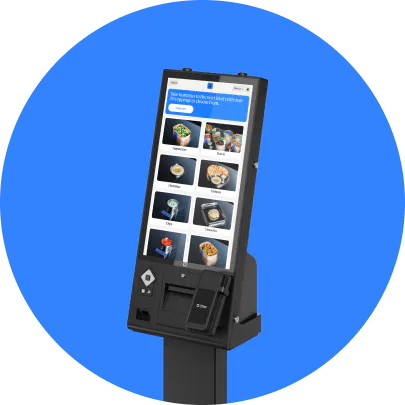
Purpose-built units designed to sit on an existing counter, generally with screens in the mid-teens to low twenties of inches. This is the most common choice for quick-service and fast-casual restaurants that want a real kiosk without giving up floor space. Commercial components mean a longer service life than a tablet setup.
Freestanding floor kiosks
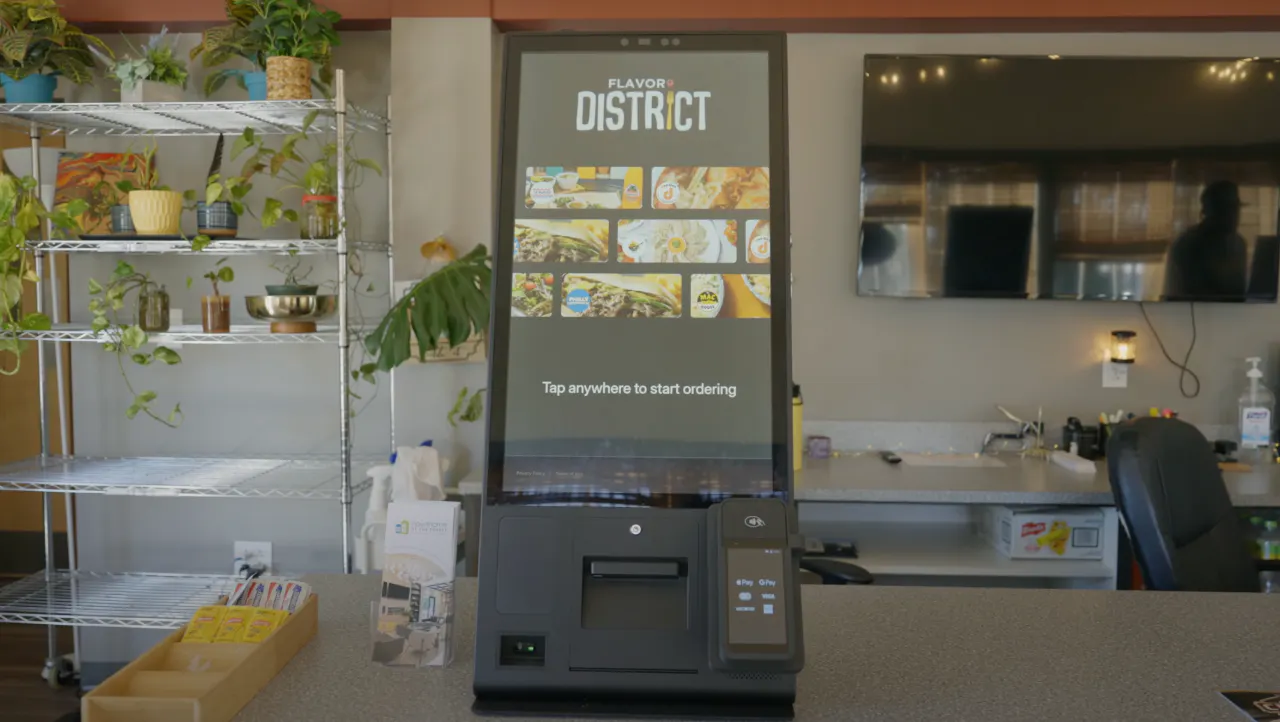
Large-screen units on their own base, designed for high throughput and visibility. They handle the most orders, present menu photography best, and are what most people picture when they think of a self-ordering kiosk. They also cost the most, need floor space and power, and usually require professional installation.
How to compare kiosk quotes without getting surprised
Understand the pricing model
Vendors price kiosks three different ways, and quotes are not comparable until you normalize them. Some sell hardware outright with a monthly software fee. Some rent hardware monthly with software bundled or separate. Some bundle the kiosk into a wider platform subscription. Convert every quote to the same shape: total upfront, total monthly, over the same number of years.
Separate what is included from what is an add-on
Ask each vendor explicitly which of these is included and which is extra: the software license per device, menu setup and configuration, staff training, the payment reader, installation, ongoing support, software updates, and the warranty. The gap between a cheap quote and an expensive one is usually here rather than in the hardware.
The costs vendors leave out
Four things that rarely appear in a first quote: electrical work if the kiosk needs a dedicated circuit, network capacity if your current connection cannot carry another device reliably, replacement parts once the warranty lapses, and the staff time to build and maintain the kiosk menu. None of these are hidden exactly, but none of them are volunteered either.
Calculating total cost of ownership
The mistake operators make is comparing hardware prices. The number that matters is total cost of ownership across the period you expect to keep the equipment, which for commercial kiosks is usually several years and for tablet setups is shorter.
Build it like this, using the ranges in the table above:
1. Upfront: hardware (or the first month of rental), installation, and any setup or configuration fee.
2. Recurring, monthly: software license per device, support or maintenance plan if you take one, and any platform subscription.
3. Variable: payment processing on the share of orders that will flow through the kiosk.
4. Periodic: warranty renewals and, at the end of the service life, replacement.
Run that over three years for each quote. Buying hardware outright usually wins over a long enough horizon; renting usually wins on cash flow and on the first unit, when you are still finding out whether kiosks suit your operation. Neither is universally right.
If you want the same exercise for the system the kiosk connects to, Otter's guide to what a restaurant POS system costs walks through the equivalent breakdown.
Is a self-ordering kiosk worth the cost?
Two returns are worth modeling, and both should use your numbers rather than a vendor's.
Labor reallocation
A kiosk does not usually remove a person from the schedule. What it does is move the ordering task off a staff member so they can be doing something else during the rush. Work out how many hours a week your team currently spends taking counter orders, multiply by your loaded hourly rate, and treat some share of that as recoverable. Be conservative: the realistic figure is a portion of those hours, not all of them.
Higher average checks
Kiosks tend to lift average order value, because a screen presents every modifier and add-on without a queue building behind the guest, and it never forgets to ask. Take your current average ticket, apply a modest lift, multiply by the number of orders you expect to move through the kiosk each week, and you have the revenue side. Do not borrow a headline percentage from a vendor's marketing page. Model a lift you would be unsurprised by, then check it against reality after a month.
"Customers can customize their orders without feeling rushed, which often leads to larger orders for us. It's a win-win: faster lines and higher sales."
Reda, owner of IDK Philly
Working out your payback period
Add the two annual figures together, then divide your total first-year cost by that number and multiply by twelve. That gives you a payback period in months, which is a more useful thing to argue about internally than a return-on-investment percentage.
If the payback lands inside a year, the case is usually easy. If it lands past two, look hard at whether a smaller unit or a rental would change the answer before dismissing the idea. And if you are unsure whether kiosks fit your service model at all, Otter's rundown of the benefits of self-service kiosks covers what changes operationally, and its guide to fast food kiosks covers the quick-service case specifically.
What Otter's self-ordering kiosks cost
Otter publishes kiosk pricing openly rather than gating it behind a quote, and the three hardware tiers plus the per-device software fee are in the table above. The practical differences between them are screen size and footprint rather than capability.
Every tier connects to Otter POS, so kiosk orders and counter orders land in the same system and the same reports, which is the integration point that saves the reconciliation work described earlier. Menu changes are made once and reach the kiosk along with every other channel.
When you are ready to compare Otter against other providers rather than just price the hardware, Otter's roundup of the best self-ordering kiosk systems covers the field.
Start with the smallest kiosk that fits your busiest hour
The most common mistake in this category is buying for the restaurant you imagine rather than the one you run. A freestanding kiosk in a room that never queues is expensive furniture. A single countertop unit that clears your lunch rush pays for itself and tells you whether a second one is worth it.
Work out what your counter actually does at its busiest, price the smallest unit that would relieve it, and get the processing rate and the installation quote in writing before you commit. Otter publishes its kiosk pricing openly, so if you want the two numbers that are not public, your processing rate and what installation looks like in your space, you can book a demo with Otter. The rest of the decision gets much easier after that.
Frequently asked questions about restaurant kiosk cost
How much does a restaurant kiosk cost on average?
Most restaurant self-ordering kiosks fall between $1,000 and $5,500 to buy outright, or roughly $100 to $289 a month to rent, with a software fee on top of either. Tablet-based setups in enclosures sit below that range and large freestanding units can exceed it. The full component-by-component breakdown, including software, installation, and processing, is in the table near the top of this guide.
How much does it cost to install a self-ordering kiosk?
Installation depends almost entirely on form factor. A tablet or countertop unit that plugs into an existing outlet is often a self-install at little or no cost. A freestanding kiosk usually needs professional installation, and anything requiring electrical work, floor anchoring, or new network cabling costs more again. Always get the installation quote after a site visit rather than before one.
Are self-service kiosks worth it for restaurants?
It depends on whether your counter queues. The two returns to model are labor reallocation, meaning the staff hours currently spent taking orders, and a lift in average check from consistent upselling on screen. Add both, divide your first-year cost by the annual total, and you have a payback period. Restaurants with a real rush usually get there quickly; restaurants that rarely queue usually do not.
What is the lifespan of a restaurant kiosk?
Commercial-grade kiosks generally last several years in constant public use with routine maintenance. Consumer tablets in protective enclosures have a shorter service life, since the hardware was not built for continuous public handling. Factor replacement into any comparison running longer than three years, because it is often what decides between a cheap setup and a durable one.
Do kiosks replace restaurant employees?
Usually not. In practice a kiosk moves the ordering task off a staff member rather than removing the role, which frees that person for food preparation, expediting, or guest service. Operators who deploy kiosks expecting a headcount cut are often disappointed; those who deploy them to get more out of the team they already have tend to be satisfied.
How do kiosks integrate with POS systems?
A kiosk should send orders straight into the point of sale so they appear alongside counter, online, and delivery orders in one place and one set of reports. If it does not, you end up reconciling two systems by hand, which usually costs more in staff time than any software saving. Integration is worth confirming before price when you compare vendors.
What is the difference between a countertop and a freestanding kiosk?
A countertop kiosk sits on an existing surface with a smaller screen and a smaller price, and suits restaurants short on floor space. A freestanding kiosk stands on its own base with a larger screen, handles more orders, displays menu photography better, and costs more to buy and install. Throughput and available space decide between them more than budget does.
What is the cheapest self-ordering kiosk option?
A tablet in a protective enclosure is the lowest-cost entry point, followed by a small countertop unit. Renting rather than buying lowers the upfront figure further, which is often the sensible route for a first kiosk while you find out whether it suits your service. Some providers also offer a kiosk mode that runs on an existing point of sale terminal, which avoids buying separate hardware altogether.

Price out a kiosk for your restaurant