Table of contents
- What online ordering actually costs a restaurant (the math most operators miss)
- Direct ordering vs. third-party apps: where your margin goes on every ticket
- What to look for in a direct online ordering system for restaurants
- How to add online ordering to your restaurant website
- Connecting your online ordering system to your POS
- How to move your third-party customers to your direct channel
- Running direct and delivery app orders without chaos in the kitchen
- Using your customer data to drive repeat orders
- How to know if your direct ordering setup is actually working
- Direct ordering is a margin decision, not just a technology decision
- Frequently asked questions about online ordering for restaurants
Every time a regular orders your food through DoorDash or Uber Eats, you are paying 15 to 30% of that ticket for the privilege of serving someone who already knows you. That is not a discovery cost. It is a loyalty tax, and it compounds with every single reorder, forever, with no cap.
This guide walks you through the full cost math on third-party delivery, what to look for in a direct ordering system, how to move your regulars off the apps without losing them, and how to keep your kitchen running cleanly while managing both channels.
Key insights
- At a $45 average ticket and a 25% platform commission, DoorDash costs you $11.25 on that single order, more than most independent restaurants clear as net profit on the same ticket. A flat-fee direct ordering system inverts that math inside 100 orders per month.
- Third-party apps do not just take your margin. They own your customer. Every order placed on a delivery app builds that platform's CRM, not yours. Direct ordering is how you convert transactions into a guest database you actually control and can market to.
- You do not have to choose between the apps and a direct channel. You have to manage both without doubling your kitchen chaos. Consolidated order management is the operational bridge that makes running both channels viable without adding tablets or headcount.
- The fastest lever for growing direct order volume is not technology. It is a bag stuffer and a staff script. Physical packaging inserts and cashier prompts convert existing delivery customers at near-zero cost and start paying back within the first reorder.
What online ordering actually costs a restaurant (the math most operators miss)
Most operators fixate on the commission line. Understandable. Twenty-five percent is a number that stings. But the full cost stack on a third-party order is worse than that.
On a $45 ticket at 25% commission:
- Platform commission: $11.25
- Credit card processing fees: approximately $1.31 (2.9% + $0.30)
- Packaging: $0.75 to $1.50 depending on your containers
- Labor to bag and hand off: $0.50 to $1.00 allocated
You are looking at $13.50 to $15 in costs before you even touch food cost. Most independent restaurants operate on net margins of 3 to 6% (National Restaurant Association, 2025 State of the Restaurant Industry). On a $45 ticket, that is $1.35 to $2.70 in actual profit, less than the platform commission alone.
A direct-channel cost stack looks completely different. A flat monthly fee of $40 amortized across 100 orders per month is $0.40 per order. Add 2.9% credit card processing ($1.31 on a $45 ticket) and you are at roughly $1.71 per order in platform costs. That is the difference between staying in business and subsidizing a tech company.
The problem is not delivery. Delivery is a real revenue channel. The problem is permanent dependency on platforms that extract commission fees as a percentage of every ticket, forever, with no ceiling.
Direct ordering vs. third-party apps: where your margin goes on every ticket
The side-by-side on three ticket sizes, using a 25% commission rate and a $40/month flat fee amortized across 100 orders:
| $35 ticket | $45 ticket | $60 ticket |
Third-party gross | $35.00 | $45.00 | $60.00 |
Platform commission (25%) | $8.75 | $11.25 | $15.00 |
Credit card processing | $1.32 | $1.61 | $2.04 |
Third-party net retained | $24.93 | $32.14 | $42.96 |
Direct channel gross | $35.00 | $45.00 | $60.00 |
Platform fee (amortized) | $0.40 | $0.40 | $0.40 |
Credit card processing | $1.32 | $1.61 | $2.04 |
Direct channel net retained | $33.28 | $42.99 | $57.56 |
"Commission-free" does not mean free. You still pay processing and a platform fee. The difference is that a flat monthly fee does not scale against your revenue. Whether you do 100 orders or 300 orders, the fee stays the same. A percentage commission scales up with every dollar you earn.
The discovery trade-off is real. Third-party delivery apps bring in customers you would not have found otherwise, and that value is legitimate. But paying 25% on a customer who orders from you every two weeks, someone who already has your online menu memorized, is a different conversation entirely.
The practical play for most independents: run both channels. Keep your app listings active for new-customer discovery. Move your repeat customers to direct ordering. Stop paying acquisition rates for customer retention.
What to look for in a direct online ordering system for restaurants
Non-negotiables
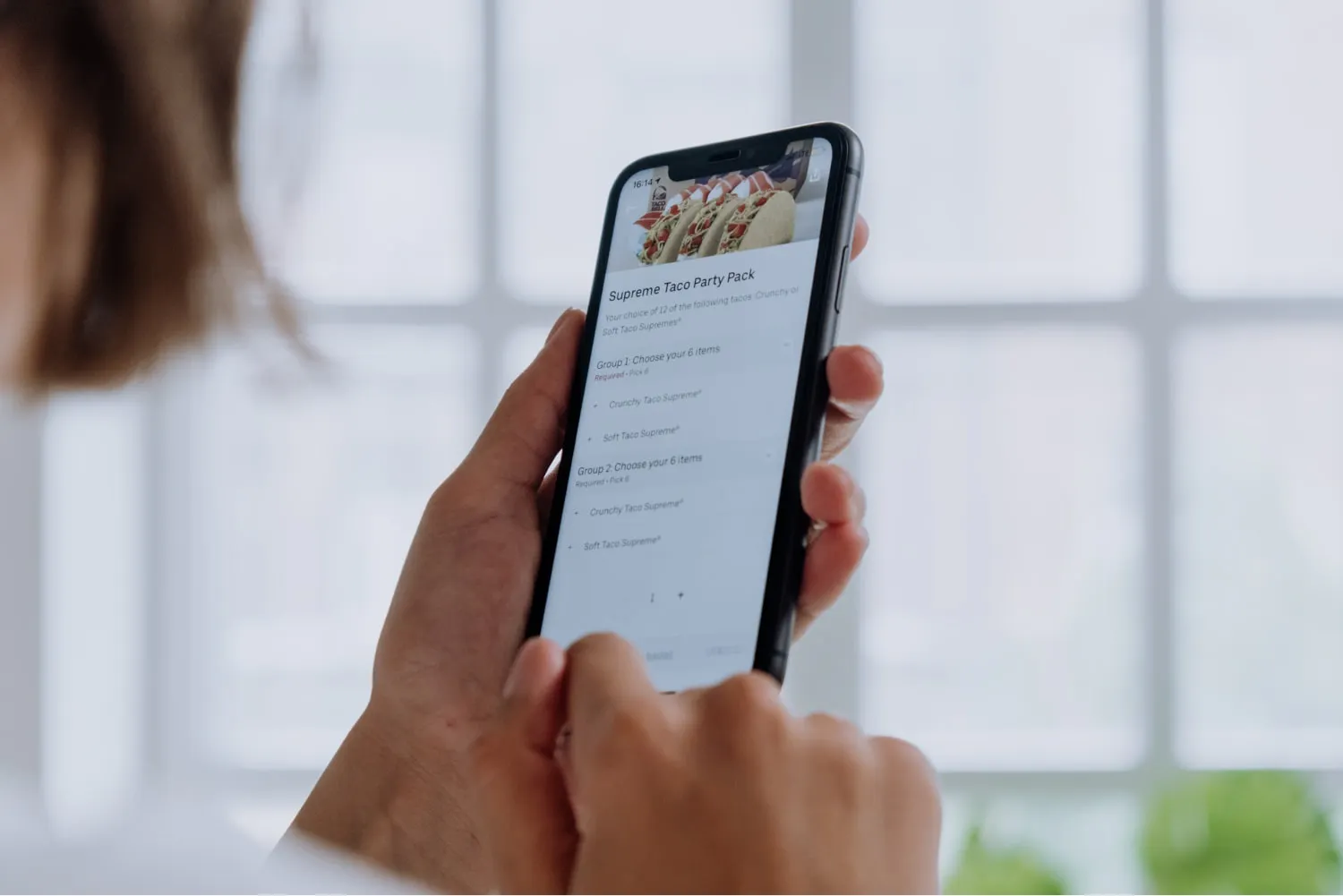
- Mobile ordering that requires no app download. Your customer should be able to tap a link and complete their order in under 60 seconds on their phone.
- POS integration so direct orders fire to your kitchen display or receipt printer automatically. No manual re-entry, no missed tickets.
- Guest email capture on every order: name, email, phone. This is your business asset and the foundation of real customer data ownership.
- Menu sync so a customer can never order a menu item you have 86'd.
- Online payments through major processors, including Apple Pay, Google Pay, PayPal, and credit cards via Stripe or similar providers, so guests can pay the way they prefer.
Strong-to-have features
- Branded direct-order link you can print on packaging or share on social media
- A branded mobile app or embedded ordering widget for your restaurant website that requires no app download from the customer
- QR code ordering support so dine-in guests can scan a table code and place their order directly
- Upsells and add-on prompts at checkout to lift average ticket with special offers and relevant suggestions
- Curbside pickup support with automated notifications when an order is ready
- Scheduled order support for catering and group orders
- Minimum order thresholds to protect kitchen throughput on small orders
Red flags
- Per-order fees rebranded as "marketing fees" (that is still a commission)
- No POS integration, requiring manual re-entry into a second system
- Platforms where the customer contact list belongs to the platform, not you
Otter Online Ordering ($55/month per location) lets guests place individual or group orders alongside catering, generates a branded direct-order link that requires no app download, and feeds orders directly into Otter's consolidated order management queue. For a comparison of the leading online food ordering system options, this guide to the best online ordering systems for restaurants covers how the main platforms differ.
How to add online ordering to your restaurant website
Two paths for adding an online ordering system to your site.
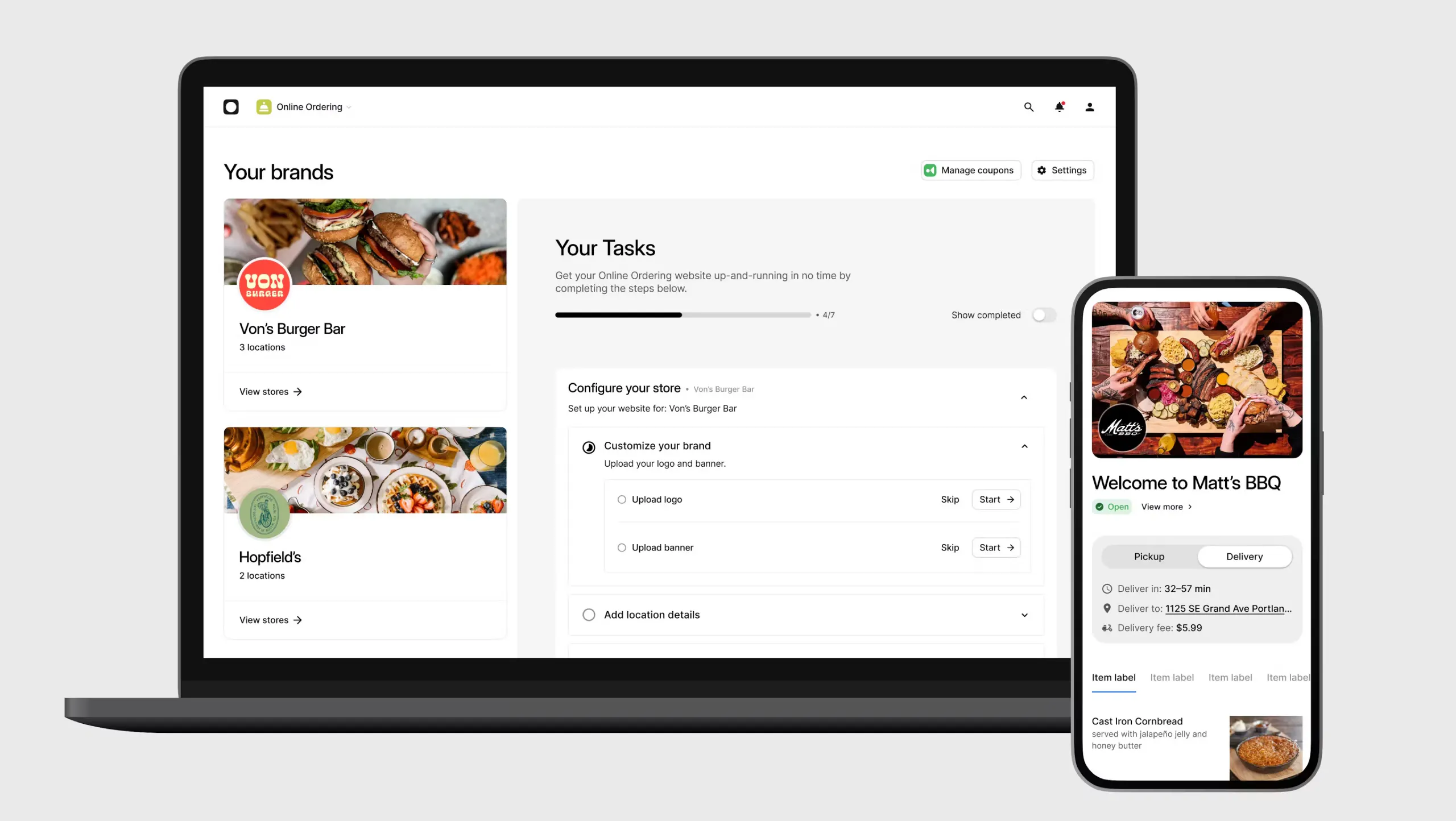
Path 1: Embed on your existing site. Most platforms give you an ordering widget (a snippet of code or a direct link) that you drop onto your existing restaurant website. For most restaurants, this takes under an hour and is enough.
Path 2: Build a restaurant-specific site with ordering built in. If you do not have a website, Otter's Website Builder creates an SEO-optimized page that hosts your online menu, your brand, and your order button together so customers and search engines can find you.
Pre-launch checklist before going live
- Sync your current menu with accurate descriptions and photos
- Configure your pickup radius and delivery zone
- Set your hours and prep-time buffer (be honest, pad it)
- Connect your payment processor
- Run a test order on a smartphone yourself
If your own test takes longer than 60 seconds from link to confirmation, your conversion will suffer. Fix the friction before you promote the link.
Connecting your online ordering system to your POS
Manual re-entry of online orders is the single biggest source of ticket errors and prep delays. When a customer pays and that order has to be typed into a second system by a staff member, you have introduced a delay and a human error point on every single ticket.
A direct POS integration fires the order to your kitchen the moment the customer completes payment. No tablet to check, no handoff, no missed menu items.
Not every point of sale system supports this natively. Older systems are often optimized for in-house service only and require middleware to bridge the gap.
Questions to ask your current POS vendor before choosing an ordering system
- Does it support direct integration with the platform you are evaluating?
- Do orders route to the kitchen automatically without staff intervention?
- Can you pause the online channel from the POS terminal during a rush?
Otter POS consolidates in-store, takeout, and third-party app orders (DoorDash, Uber Eats, Grubhub) into one view. Direct orders placed through Otter Online Ordering join that same queue, so your kitchen works one list, not four.
How to move your third-party customers to your direct channel
Your regulars already have DoorDash installed. Reordering takes two taps. You need a reason strong enough to change that habit, and you need to make switching easy.
Tactic 1: Bag stuffers and packaging inserts
What it is: A small card in every delivery or pickup order with your direct link and a first-order incentive.
Why it works: Every customer who receives your food is a warm lead. The insert reaches them at the highest-trust moment, when they are holding your food.
Quick tip: "Save $5 at [yourlink]" on a 3x4 card costs pennies per impression and converts at near-zero incremental cost.
Tactic 2: First-order discount on the direct channel
What it is: A 10 to 15% discount or free add-on as a special offer on a customer's first direct order.
Why it works: Paying a 10% incentive to migrate someone off a 25% commission platform is a breakeven win by order two and a margin gain every order after.
Quick tip: Frame the math for yourself. If a customer reorders even once without the commission, you have already recovered the discount cost.
Tactic 3: Staff prompts at pickup and counter
What it is: Train staff to say, "You can skip the app and order straight from us at [link]."
Why it works: This is the highest-trust conversion moment. The customer is already in your restaurant.
Quick tip: Put the direct link on a small counter card at the register so staff have a prop to point to.
Tactic 4: Automated email and social reactivation
What it is: Use the guest emails you capture from direct orders to send a one-time "order from us directly" message to your existing list, followed by automated email campaigns timed to typical reorder cadence.
Why it works: Customers who have already ordered directly are the easiest repeat orders. They have already done the hard part. Automated email follow-up, whether a reorder reminder at day 14 or a loyalty rewards offer at day 30, keeps your restaurant top of mind between visits.
Running direct and delivery app orders without chaos in the kitchen
Adding a direct channel without consolidation just means another tablet, another missed order, another ticket that does not print. Your line gets hit from multiple directions with no unified view.
The solution is consolidated order management: one dashboard that aggregates your direct orders alongside DoorDash, Uber Eats, Grubhub, and in-store into a single kitchen queue. Your team works one list. Delivery management becomes a kitchen discipline problem rather than a technology problem.
You also need channel-level control. During a dinner rush, you need to be able to pause your direct ordering channel, or any single app, without shutting down all your order channels at once. That is a kitchen throughput protection tool, not a nice-to-have.
Otter acts as a central hub for in-store, takeout, and multiple third-party apps. Direct orders through Otter Online Ordering flow into that same consolidated view, and Otter's Live Alerts notify you in real time when a channel has an issue, before it becomes a customer complaint or a missed order.
Using your customer data to drive repeat orders
On third-party apps, the platform owns the customer. You cannot see the email address, cannot use marketing tools to reach them directly, and cannot take that relationship with you if you ever leave the platform. That is the customer data ownership problem every independent operator faces on delivery apps.
Every direct order captures a guest profile: name, email, order history, frequency. That database compounds in value over time and supports everything from a loyalty program to targeted promotional campaigns.
Practical uses for your direct-order guest data
- Reorder reminders timed to a customer's typical cadence (day 14 post-order for a bi-weekly customer)
- Seasonal promotions sent to past buyers of relevant menu items
- Win-back campaigns for guests who have not ordered in 60 days
- Loyalty rewards for repeat customers, enrolled directly through your online ordering system or at the counter without a branded mobile app download required
Even a basic automated email tool paired with your direct-order guest list outperforms any platform algorithm, because you know your actual customers and they know your brand. That relationship exists outside the app. For a closer look at how loyalty programs connect to online ordering and turn transaction data into repeat visits, this guide to restaurant loyalty programs covers the core mechanics.
A direct-order guest database also makes your restaurant more resilient, less dependent on any single platform, and more valuable to a buyer if you ever sell.
How to know if your direct ordering setup is actually working
Track these weekly:
- Direct channel order volume
- Direct vs. third-party revenue mix (percentage)
- Average ticket on direct vs. apps
- Direct-channel repeat customer rate and customer retention trend
Set a 90-day baseline before drawing conclusions. Direct order volume builds slowly as more customers find the link, then accelerates after a bag stuffer campaign or a promotional push.
Watch for this red flag: direct order volume growing but average ticket shrinking may mean customers are using the direct channel only for small add-on orders. Address it with a minimum order threshold or upsell prompts at checkout.
Otter Analytics consolidates revenue across in-store, direct, and third-party channels by location, so you can see which channel is contributing to profit, not just to revenue volume.
Direct ordering is a margin decision, not just a technology decision
The math is clear. Third-party delivery apps are a legitimate acquisition channel, but paying acquisition rates on every repeat order is a margin problem that compounds every month. A direct ordering channel, paired with a simple bag stuffer and a staff script, starts shifting that math almost immediately. Add POS integration and consolidated order management, and you can run both channels without adding chaos to your kitchen.
Otter Online Ordering is $55 per month per location, with no commission fees, no per-order cuts, and your direct orders consolidated alongside your existing delivery app channels so your kitchen operates from one queue. See how Otter Online Ordering works and walk through the setup for your format.
Frequently asked questions about online ordering for restaurants
How much does a direct online ordering system cost for a restaurant?
Most direct ordering platforms charge a flat monthly fee per location instead of per-order commission fees. Otter Online Ordering is $55 per month per location. Your main variable cost is credit card processing, typically around 2.9% plus $0.30 per transaction via Stripe or similar processors, which you would pay on any channel anyway. At a $45 average ticket and 300 orders a month, a flat-fee model can save significantly versus staying exclusively on third-party apps at 25% commission.
Do I need to build a new website to accept direct online orders?
No. If you already have a restaurant website, most platforms let you embed an ordering widget with a single line of code or a link. If you do not have a site, Otter offers a Website Builder that pairs your online menu, your brand, and your order button on one SEO-optimized page.
Can I run direct orders and third-party delivery apps at the same time?
Yes, and for most independents that is the right play. Third-party delivery apps provide discovery for new customers. Direct ordering retains the guests you have already paid to acquire, at a much better margin. The key is using a consolidated order management system so both channels feed into one kitchen queue.
Do I need new hardware to accept online orders?
No. Online payments and orders from a direct channel can be received on a smartphone, tablet, or your existing POS terminal. If your POS integrates with your ordering system, online orders fire directly to your kitchen display or receipt printer with no additional equipment required.
How do I get my existing DoorDash and Uber Eats customers to order from me directly?
Start with a physical insert in every delivery bag: a small card with your direct ordering link and a first-order incentive like $5 off or a free add-on. Train counter staff to mention the link at every pickup. A 10 to 15% first-order discount to pull a customer off a 25% commission platform pays for itself on the second direct order. Platforms like ChowNow and GloriaFood also offer direct ordering tools if you want to compare options before committing.
Who owns my customers' data when they order through a direct channel?
You do. Every direct order captures the guest's name, email address, and order history inside your system. On third-party apps, that data stays with the platform. Your direct-channel guest list is a business asset you can use for automated email marketing, reorder campaigns, and loyalty programs, and it travels with you regardless of which apps you use.
Does online ordering work with table reservations and dine-in?
Online ordering and table reservations are typically handled by different tools, though some platforms offer both. QR code ordering is the most common bridge: a guest scans a code at the table, places their order on their phone, and the ticket fires directly to the kitchen. This works for dine-in, takeout, and curbside pickup and captures customer data at every touchpoint without requiring a separate branded mobile app or reservation flow.

Book a demo to see how Otter’s all-in-one platform can help your restaurant thrive.