
Table of contents
- What is ROI for a Restaurant POS System?
- Step 1: Determine Your Total POS Investment
- Step 2: Identify Key ROI Metrics
- Step 3: Measure Revenue Increases
- Step 4: Calculate Cost Savings
- Step 5: Factor in Intangible Benefits
- Step 6: Calculate Your POS ROI
- How to Gather the Right Data
- How to Maximize Your POS ROI
- Frequently Asked Questions (FAQs)
At least 78% of restaurants worldwide were using some form of POS software in 2024, up from just 42% in 2018 [1]—a surge driven by its impact on efficiency, margins, and guest experience. A point-of-sale system does more than process payments; it can streamline operations, reduce costs, and open new revenue channels. But like any business investment, it’s crucial to know if and when it starts actually paying off.
Calculating ROI on your restaurant POS system is key to comparing different systems and identifying where technology can improve your bottom line. Many operators install a new POS quickly, never looking back to measure its impact, and ultimately missing the opportunity to optimize its performance.
This guide walks you through a practical framework for calculating POS ROI, including key metrics to track and practical tips to maximize your POS return. You'll learn how to determine your total investment, assess whether your system is delivering results using real data, and make sound decisions based on realtime performance. Whether you're evaluating a current POS or considering a new one, this step-by-step approach gives you the clarity you need.
What is ROI for a Restaurant POS System?
Understanding ROI in restaurant terms means knowing whether your POS investment is improving your financial performance. Here's what it means and why it matters for your operation.
Defining ROI in Restaurant Context
ROI, or Return on Investment, measures the financial return you gain from an investment compared to what it cost. For restaurant POS systems, this means comparing the benefits your system delivers—such as higher sales and lower labor and food costs—against the total amount you spent on hardware, software, implementation, and ongoing fees.
The basic ROI formula is straightforward: ROI = (Net Profit from Investment – Cost of Investment) / Cost of Investment × 100. If you spent $15,000 on a POS system that generated $22,000 in combined revenue increases and cost savings, your ROI would be 46.7%.
Why Calculating POS ROI Matters
Operators should calculate ROI for three key reasons: it justifies your technology spending, helps you compare different systems objectively, and identifies which features or areas are underperforming. Without tracking ROI, you're making decisions in the dark about which features are actually working and where you could be making more money.
Many restaurant operators invest thousands in POS technology and never check to see whether it's delivering value. That's a missed opportunity. Understanding your actual ROI helps you make smarter decisions about future technology investments and ensure you're getting the most from the tools you already have.
Step 1: Determine Your Total POS Investment
The first step in calculating ROI is understanding exactly what you've spent. This goes beyond the sticker price of the system itself and includes everything required to get your POS up and running. When you add these pieces together, you get your total POS investment.
Hardware Costs
Start by listing all the physical equipment your POS requires, including terminals or tablets, card readers, receipt printers, kitchen display screens, cash drawers, and any extras like customer-facing displays or handhelds for tableside ordering. Make sure to include every piece of hardware in your calculation, even smaller items like mounting hardware or cables that might seem minor but eventually add up.
Software and Subscription Fees
Most modern POS systems operate on a subscription model with monthly or annual fees rather than one-time licenses. Beyond the base subscription, factor in costs for add-ons like online ordering platforms, loyalty programs, delivery integrations, and advanced reporting tools, which can significantly increase your total investment. All-in-one platforms like Otter POS bundle ordering, payments, and kitchen display into one subscription, which simplifies cost tracking and is often more affordable than buying each tool separately.
Implementation and Training Costs
Don't overlook the expenses involved in getting your system operational. This includes setup costs, data migration from your old system, and the time required to train your staff. Even if you're not paying direct fees, staff training time represents a real investment in labor hours. Some POS providers, including Otter, include onboarding support at no extra cost, which can reduce your upfront implementation expenses.
Ongoing Maintenance and Support
Factor in the recurring costs that come after installation. This includes support contracts, software updates (if not included in your subscription), potential hardware replacements, and technical assistance when issues arise. For the most accurate ROI calculation, plan for the next two to three years of these ongoing costs. A system that looks affordable in year one can become expensive once ongoing maintenance is factored in.
Step 2: Identify Key ROI Metrics
Once you know what you've invested, the next step is identifying which metrics will show whether that investment is paying off. The right metrics give you a clear picture of how your POS impacts your bottom line across three main areas: revenue increases, cost savings, and operational efficiency.
Revenue Increases
Your POS can drive revenue in several ways. Upselling prompts encourage guests to add items they might not have considered, while faster checkout speeds up table turns so you can seat more guests per shift. Integrated online ordering expands your reach beyond walk-in traffic, and loyalty programs turn one-time visitors into regulars. Some POS systems, like Otter, can help increase sales with smart upsells and loyalty programs that encourage customers to return and can be managed directly through the POS and online ordering.
Cost Savings
A modern POS reduces expenses across your operation. Self-service options and automation handle tasks that would otherwise require staff hours, while real-time inventory tracking helps you order smarter and waste less. Digital order entry eliminates the errors that lead to remakes and comped meals. And with programs like Otter Rebates, you can earn up to 3% cash back on eligible food purchases each month, turning your existing spend into an additional, measurable savings stream. These savings add up quickly and often represent the largest portion of your ROI.
Operational Efficiency Gains
Beyond direct revenue and cost impacts, your POS should make your operation run smoother. Guests move through service faster, kitchen staff work more efficiently with clear order displays, and managers spend less time on manual tasks. Tracking these metrics requires robust reporting, and Otter's Analytics dashboard consolidates sales, labor, and operational data in one place, making it easier to measure efficiency improvements without managing multiple spreadsheets.
Step 3: Measure Revenue Increases
Now that you know which metrics to track, it's time to quantify how your POS is actually boosting revenue. These increases often show up faster than cost savings and can make a significant impact on your bottom line.
Sales Uplift and Upselling Opportunities
Modern POS systems prompt staff to suggest add-ons, upgrades, and complementary items at the point of sale. A well-designed system makes upselling feel natural rather than pushy. To measure this impact, compare your average order value before and after implementing your POS. Otter POS customers using kiosks and online ordering increase their average order value by an average of 12%, showing how automated upsell prompts can drive consistent ticket growth.
Faster Table Turns
When ordering and payment processing happen quickly, you can serve more guests per shift. Faster table turns directly translate to more revenue without increasing your seating capacity or labor costs. Features like tableside ordering and contactless payments keep service moving, reducing the time guests spend waiting for checks or processing cards. Even shaving a few minutes off each table turn can add up to significant revenue gains during peak hours.
Online Ordering and Delivery Revenue
Integrated online ordering expands your revenue beyond walk-in traffic. When your POS connects directly to ordering platforms, you can track how much incremental revenue comes from digital channels. Otter's Online Ordering and Order Manager consolidate orders from multiple platforms like DoorDash and Uber Eats into one system, making it easy to track delivery revenue and attribute it directly to your POS ROI.
Loyalty Program Impact
Loyalty programs increase repeat visits and customer lifetime value. When your loyalty program integrates with your POS, you can track exactly how often members return and how much more they spend compared to non-members. Otter's Loyalty integrates directly with the POS, making it easy to track repeat customer revenue and measure the program's actual ROI without manual calculations.
Step 4: Calculate Cost Savings
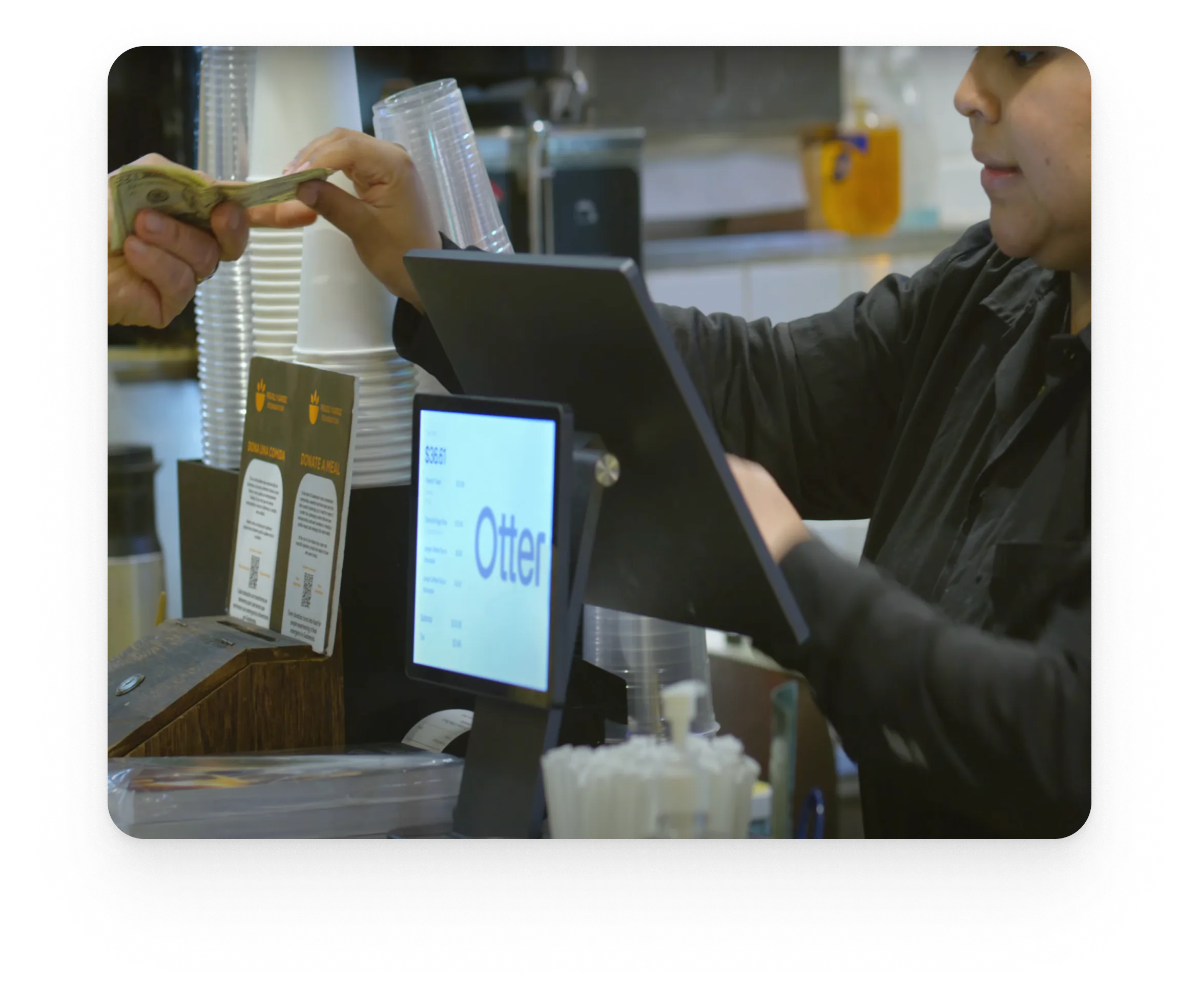
Revenue increases are only half the equation. Your POS should also reduce operating costs across labor, inventory management, order accuracy, and theft prevention. Quantifying these savings helps you see the full financial impact of your system. Additionally, Otter Rebates helps operators also lower ingredient costs by accessing exclusive pricing and cash-back incentives on qualifying purchases through their existing distributors, turning smarter inventory buying into another built-in source of savings.
Reduced Labor Costs
POS automation eliminates time-consuming manual tasks like order entry, end-of-day reconciliation, and report generation. Self-service options take this further by letting guests order and pay independently. Otter's Kiosk and QR Ordering solutions let guests place orders on their own, reducing front-of-house labor needs during peak hours. Otter Lockers also help diminish labor costs by allowing customers to pick up orders on their own, freeing up your team to focus on service and food quality.
Inventory Management and Waste Reduction
Real-time inventory tracking through your POS helps you make smarter purchasing decisions and reduce food waste. When you can see exactly what's selling and what's sitting, you avoid over-ordering items that spoil or go unused. Otter's Menus and 86ing allow real-time menu updates when items sell out, preventing both waste from over-prep and lost sales from taking orders you can't fulfill.
Error Reduction in Order Processing
Digital order entry eliminates the guesswork and miscommunication that comes with handwritten tickets. Fewer errors means less wasted food, fewer comped meals to make things right, and happier customers who get exactly what they ordered. Otter's Kitchen Display System ensures orders are displayed clearly to the kitchen, reducing miscommunication between front and back of house.
Theft and Shrinkage Prevention
A POS system tracks every transaction, making it much harder for cash to go missing or unauthorized discounts to slip through. Features like void tracking, discount approvals, and manager authorization create accountability at every step. Otter's Analytics dashboard provides detailed transaction reporting, making it easy to spot anomalies and reduce shrinkage before small losses become big problems.
Step 5: Factor in Intangible Benefits
Not every benefit of a POS system shows up directly in your profit and loss statement. These intangible benefits—improved customer experience, better data and decision-making, staff satisfaction, and scalability—are harder to quantify but contribute greatly to long-term profitability and business health.
Improved Customer Experience
Faster service, accurate orders, and seamless payment processing all improve guest satisfaction. Happier customers return more often, spend more per visit, and leave better reviews that attract new guests. Otter's Ratings and Reviews tool helps operators monitor customer feedback and tie it back to operational improvements from the POS, creating a clear connection between technology upgrades and guest satisfaction.
Better Data and Decision-Making
Your POS generates valuable data about sales trends, peak hours, top-performing menu items, and customer preferences. This information empowers smarter decisions about everything from menu pricing to staffing levels, promotional timing to inventory ordering. Otter's Analytics provides real-time insights into these patterns, giving you the information you need to optimize operations and respond quickly to changing conditions.
Staff Satisfaction and Retention
Intuitive POS systems reduce frustration and shorten training time for new hires. When technology is easy to use, staff can focus on serving guests rather than wrestling with complicated interfaces. Easier technology can improve staff morale and reduce turnover, which saves you money on recruiting and training replacement employees.
Scalability and Future Growth
A modern POS grows with your business. Whether you're adding new locations, expanding into catering or delivery, or launching new menu concepts, the right system adapts without requiring a complete overhaul. Think of your POS as an investment in future growth, not just current operations. The flexibility to scale means you won't need to replace your system every time your business evolves.
Step 6: Calculate Your POS ROI
With all your data gathered, you're ready to run the actual ROI calculation. This step turns all those revenue increases and cost savings into a single percentage that tells you whether your POS investment is paying off.
The ROI Formula
The formula is straightforward: ROI = (Total Benefits – Total Investment) / Total Investment × 100.
Break it down into two parts:
- Total Benefits = Revenue Increases + Cost Savings. This includes everything you measured in the previous steps: revenue increases from upselling, faster table turns, online ordering, and loyalty programs, plus cost savings from reduced labor, less waste, fewer errors, and theft prevention.
- Total Investment = Hardware + Software + Implementation + Ongoing Costs. This covers all equipment, software subscriptions, setup expenses, and ongoing maintenance over the time period you're measuring.
ROI Calculation Example
Here's how the math works in practice using our previous example, where we imagined your total investment in year one was $15,000. This number includes hardware, software, setup, and training. Now, imagine your POS generated $10,000 in new revenue from increased average ticket size and online ordering, plus $12,000 in cost savings from reduced labor and less food waste. Your total benefits equal $22,000. Using the formula: ($22,000 – $15,000) / $15,000 × 100 = 46.7% ROI. That means you earned nearly 47 cents in return for every dollar invested. Calculate your ROI over one-year, two-year, and three-year periods to see how returns compound as you spread implementation costs across more time.
What's a Good ROI for a Restaurant POS?
A positive ROI within 12 to 18 months is generally considered strong for restaurant technology. That said, ROI varies significantly by restaurant type, size, and how fully you utilize your POS features. A quick-service restaurant with high transaction volume might see faster returns than a fine-dining establishment with fewer covers. Set realistic expectations based on your specific operation and remember that underutilized features won't contribute to ROI no matter how powerful they are.

How to Gather the Right Data
Calculating ROI requires accurate data, which means you need to know what to measure and when. The key is capturing a clear baseline before implementation and tracking consistently afterward.
Baseline Metrics to Track Before Implementation
Before you switch POS systems, document your current performance across these key metrics:
- Average ticket size
- Table turn time
- Labor costs as a percentage of revenue
- Food waste levels
- Order error rates
Without this "before" snapshot, you won't have anything to compare against when measuring improvement. Take time to gather at least a few weeks of data so you're working with reliable averages rather than outliers from unusually busy or slow periods.
Post-Implementation Metrics
Start measuring the same metrics immediately after your POS goes live, but recognize that it takes time to see the full impact. Check your numbers at 30, 60, and 90 days to track early improvements, then again at six months and one year to see longer-term trends. Compare each checkpoint against your baseline to identify where the POS is making the biggest difference. Some benefits like faster checkout appear quickly, while others like loyalty program impact take months to materialize.
Tools for Tracking POS Performance
Use your POS reporting tools to track these metrics rather than building manual spreadsheets. Most modern systems generate the reports you need automatically. Otter's Analytics dashboards make it easy to track all key metrics in one place, including sales, labor, transactions, and operational data, without juggling multiple reports or exporting data to external tools.
How to Maximize Your POS ROI
Getting a strong return on your POS investment isn't automatic. The operators who see the best results are the ones who actively use their system's full capabilities and continuously optimize based on data.
Leverage Integrated Features
Use every feature your POS offers, not just the basics. Many operators invest in systems with online ordering, loyalty programs, delivery integrations, and advanced reporting, then only use them for payment processing. Full adoption drives higher ROI because you're extracting value from capabilities you're already paying for. Otter's integrated tools work together to maximize return: POS, Kiosk, Online Ordering, Loyalty, Live Alerts, Order Manager, Analytics, and Kitchen Display are all designed to complement each other rather than function as disconnected add-ons.
Train Your Staff Thoroughly
Your ROI depends entirely on how well your staff uses the system. Invest in thorough initial training and make ongoing education a priority, not just a one-time event during implementation. When staff understand how to use upsell prompts, process orders efficiently, and troubleshoot basic issues, your POS delivers better results. Schedule refresher sessions quarterly and train new hires properly from day one.
Review and Optimize Regularly
Set a schedule to review your POS performance at least quarterly. Use your data to identify opportunities for improvement, whether that's adjusting menu pricing based on sales trends, reallocating staff during slower periods, or enabling features you haven't tried yet. Otter's Live Alerts can notify operators of issues in real time, enabling faster optimization and preventing small problems from becoming costly ones.
Frequently Asked Questions (FAQs)
What is the formula to calculate ROI on a restaurant POS system?
The formula is: ROI = (Total Benefits – Total Investment) / Total Investment × 100. Total Benefits includes both revenue increases (from upselling, online ordering, loyalty, faster table turns) and cost savings (from reduced labor, less waste, fewer errors, theft prevention). Total Investment covers hardware, software subscriptions, implementation costs, and ongoing maintenance fees over the period you're measuring.
How quickly can I expect to see ROI from a new POS system?
Most restaurants see positive ROI within 12 to 18 months of implementation. However, results vary based on your restaurant type, transaction volume, and how fully you adopt the system's features. Quick-service restaurants with high daily transaction counts often see returns faster than fine-dining establishments. The key factor is utilization—restaurants that actively use online ordering, loyalty programs, and analytics tools typically achieve ROI sooner than those using only basic payment processing.
What metrics should I track to measure POS ROI?
Track these key metrics: average ticket size, table turn time, labor costs as a percentage of revenue, food waste levels, order error rates, online ordering revenue, and repeat customer visits. Capture baseline data before implementing your POS so you have a clear comparison point. Then measure at 30, 60, 90 days, six months, and one year to track both immediate and long-term improvements.
Can intangible benefits be included in ROI calculations?
Intangible benefits like improved customer satisfaction and better staff morale are harder to quantify, but they do contribute to long-term profitability. You can use proxy metrics to capture some of this value: track online review scores as a measure of customer satisfaction, monitor staff turnover rates to gauge employee morale, and watch repeat visit frequency to measure loyalty. While these don't fit neatly into an ROI formula, they're important indicators of whether your POS is supporting business health beyond pure financials.
Will every restaurant see positive ROI from a POS system?
Not automatically. ROI depends on proper implementation, thorough staff training, and consistent feature utilization. A sophisticated POS won't deliver returns if your team only uses 20% of its capabilities or if you skip training and let bad habits develop. Choose a system that fits your specific needs and operational style, then commit to using it fully. Restaurants that invest time in setup, training, and ongoing optimization consistently see better returns than those that treat their POS as a passive tool.

Book a demo to see how Otter’s all-in-one platform can help your restaurant thrive.