Table of contents
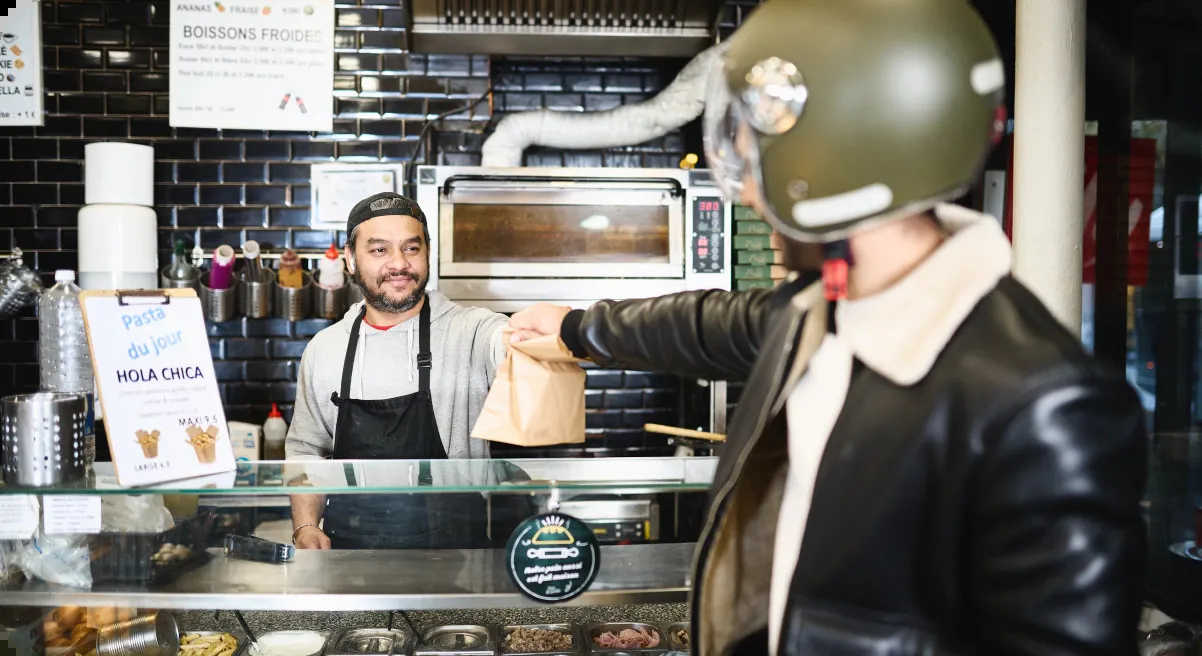
Most of your orders no longer come from the dining room. Off-premises traffic now accounts for 83% of all traffic at limited-service restaurants — up from 76% in 2019.
More volume should be good news. But without the right infrastructure, it’s the opposite: three tablets buzzing out of sync, an 86'd item still live on two platforms, and a ticket that prints twice. That's the reality of disconnected systems, and it costs you in errors, refunds, and staff burnout every shift.
A POS system with delivery integration fixes that. When every order channel, including delivery platforms, takeout, pickup, and dine-in, feeds into one point-of-sale workflow, your team can focus on the food instead of the chaos.
This guide walks through why delivery-POS integration is essential for fast-casual and QSR operators. It points out what features to look for, how direct integrations differ from third-party delivery aggregators, and how an all-in-one ecosystem like Otter brings it together.
5 Must-Have Features in a POS System With Delivery Integration
A multi-channel POS system connects orders from more than one source, such as your counter, website, and delivery apps, within a shared point-of-sale workflow. Delivery integration is one part of that setup. The goal is to reduce separate order entry, coordinate menu changes, and make sales easier to review across your connected channels.
Disconnected channels cost you in predictable places: cancelled orders, wasted food, stalled service, and decisions made in the dark. A solid integration closes each of these gaps.
Use the following five features as your checklist when comparing systems.
Centralized Order Management: One Screen for Every Channel
Juggling unconnected platforms is stressful for you and your team. No one wants to spend valuable time chasing notifications and doing manual entry during a rush; not to mention, it’s expensive. Otter found the average cancellation rate runs 1.5% to 3%, costing a restaurant with $10,000 in weekly delivery sales up to $300 a week, and most platforms pause your store after two cancellations in a row.
A strong integration pulls every channel, from DoorDash to dine-in, onto one ticket flow that routes straight to the kitchen.
Look for: native connections to every app you run during high-volume rushes, with tickets routing to the kitchen automatically, no middleman tablet. Otter's order management consolidates every channel into one view.
For your guests, fewer manual handoffs can mean fewer transcription errors and clearer pickup or delivery instructions. Test that each connected channel passes through item choices, modifiers, and special instructions correctly before going live.
Real-Time Menu Sync and 86ing: Update Once, Push Everywhere
Right now you probably update each app on its own. When you change a price on DoorDash, you have to do it again on Uber Eats, and once more on Grubhub. If you miss one update, though, an item could be selling at the old price for a while.
A connected menu tool lets you manage changes centrally and send them to supported channels. Update timing and the fields that sync can vary by integration, so confirm how prices, modifiers, and item availability reach each app, your kiosk, and your POS.
A platform like Otter's menu management supervises changes across every channel and location.
Look for: bulk menu updates, confirmation that changes reached each connected channel, and support for the daypart and location menus you use.
Inventory Tracking and Food Cost Control: Stock That Knows Your Delivery Orders
If your POS connects to an inventory tool, supported orders can update stock records based on how you map menu items and ingredients. Confirm whether delivery orders are included and whether low stock creates an alert, changes item availability automatically, or requires staff action.
Sales records can help you plan purchasing, but accurate food costs also depend on recipes, supplier prices, waste records, and physical counts. Inventory tracking and automatic 86ing are separate capabilities, so check both before choosing a setup.
Look for: inventory updates from supported ordering channels, clear ingredient mapping, and documented controls for low-stock alerts and item availability.
Unified Analytics and Reporting: Performance by Platform, in One Place
A consolidated dashboard helps you compare sales, order volume, refunds, and cancellations across supported channels without switching between separate reports. To assess profitability, you also need the relevant commissions, discounts, packaging costs, and food costs. A channel with the highest sales does not necessarily deliver the highest margin.
Stop guessing and start deciding using numbers you trust.
Look for: channel-level reporting that breaks out sales, refunds, and cancellations by platform. Otter's analytics pull performance into a single report.
Multi-Location Support: Control Every Store From One Place
For multi-site operators, a strong integration sends a single menu update to every location at once and compares delivery performance store by store. Spot which sites win on which platforms, then focus your attention where the numbers point.
If you open a fifth location, your admin work shouldn't be five times heavier. Central control keeps the workload steady.
Look for: centralized menu and pricing control across locations, plus cross-store delivery reporting in one view.
Direct POS Integrations vs. Third-Party Aggregators
Once you know what features to look for, the next decision is how to connect your delivery apps in the first place.
Two models dominate, and the right one depends on how many platforms you run and how much you want to manage from one place.
How Direct Integrations Work for 1–2 Apps
Some POS systems offer native connectors built for specific delivery apps. You link your POS straight to Uber Eats or DoorDash, and orders flow in without a middle layer. For a restaurant running one or two apps, this keeps the setup simple and the order path short.
The limits surface as you grow. Native connectors only cover the apps your POS vendor chooses to support, so a platform you want to add might not be available. Each integration can behave a little differently, which means your team will have to learn several workflows instead of one.
How Third-Party Aggregators Work for 3+ Apps
An aggregator sits between your delivery apps and your POS as a middleware layer, connecting many platforms at once and feeding every order into a single interface. Add a new delivery app, and it routes through the screen your team already knows.
That coverage comes with trade-offs. An aggregator is usually a separate subscription on top of your POS, so you're adding a cost line. And because orders pass through an extra step, it can result in a brief lag between the order and your kitchen.
Which Approach Is Right for Your Restaurant?
Start with how many delivery apps you run. One or two with native POS support? A direct integration may cover you. Three or more, multiple locations, or a need for channel-level analytics? An all-in-one ecosystem may just be a stronger fit.
Here's how the two models compare:
| Direct Integration | Third-Party Aggregator |
Multiple delivery apps | Best for 1–2 | Handles many at once |
Platform coverage | Limited to vendor's list | Broad, easy to expand |
Analytics by channel | Per-app, often siloed | Consolidated across platforms |
Effect on errors | Varies by connector | One workflow, fewer mistakes |
Some platforms combine both models, working as your POS and your aggregator at the same time. It gives you broad coverage and unified analytics without adding a separate middleware subscription. In the next section, we'll look at how an all-in-one ecosystem like Otter can combine the benefits of both approaches for delivery-first restaurants.
How to Integrate Delivery Services With Your POS System (Step by Step)
Switching to a unified system isn't complicated, but it’s easiest when done in a certain order. Follow these four steps for a seamless set up.
Step 1: Audit Your Current Tech Stack for Gaps
Start with what you already run. Write down your point-of-sale system, every delivery app you accept orders through, and the hardware on your counter: tablets, printers, payment processing, and your KDS. Count the tablets you reconcile each night, and note which apps generate the most cancellations or errors. This will help you identify which integration can build on your current setup and which would force a full replacement.
A more connected setup may be worth evaluating if you:
- Re-enter delivery orders into your POS
- Update the same menu separately on several platforms
- Switch between dashboards to compare channel sales
- Struggle to coordinate counter, pickup, and delivery tickets
You may be able to address these gaps by connecting your existing POS rather than replacing it. Start by checking which integrations support your current system and ordering channels.
Step 2: List the Delivery Apps That Drive Your Volume
Pull your order volume by platform for the last month or two. Most operators find the bulk of delivery orders concentrated in one or two apps. Rank them by volume. Your highest-volume channels are the ones any integration has to cover cleanly from day one, so they anchor your decision. Lower-volume apps still count, but they shouldn't be driving your decision.
Step 3: Evaluate Integration Options and Compare Features
Now match options against your audit in three parts.
- Confirm each system connects to the apps on your list, then compare them on the features from earlier: centralized orders, real-time menu sync, inventory management, and channel-level analytics.
- Ask vendors the delivery-specific questions that reveal how a system holds up under pressure: How does menu sync work across apps? Does an 86 in the kitchen pull the item from every platform at once? What does delivery reporting actually show?
- Read recent reviews from similarly-sized operators, ask each POS provider how pricing scales as you grow, and find out what support looks like when an order fails mid-rush.
Step 4: Set Up, Configure Menus, and Train Your Team
Build your menu once in the platform, then push it to every connected channel so prices and items match everywhere. Set your hours, modifiers, and 86 rules during onboarding, and automate what you can. Before go-live, run a simulated dinner rush: fire test orders across every app at once and watch how they land on the line. Then bring your team into that same dry run, walking the cooks through the new ticket flow and showing managers the reporting. A staff that has already worked a mock rush handles the real one without missing a beat.
How Otter Brings It All Together
A few platforms now combine the pieces this guide covers into one system, and Otter is one example built for delivery-first restaurants. Instead of running third-party apps, online ordering, and your POS as separate tools, Otter consolidates them so every delivery channel feeds the same restaurant management workflow.
Here's how the core pieces streamline delivery:
- Order Manager brings DoorDash, Uber Eats, Grubhub, and your own online ordering onto one ticket flow, which clears the wall of tablets and the manual re-entry that comes with it.
- Menu management helps you update prices and item availability across supported channels from one place, reducing separate menu edits. Confirm which channels are connected and how updates are applied
- The KDS routes those orders straight to the line, and unified analytics break down performance by channel so you can see which app earns its place.
- Loyalty program tools help you turn new customers into repeat delivery orders.
With 100+ integrations, the tools you already run plug into the same system.
After moving to Otter, Jim's Burgers in Los Angeles saw order volume climb 23% and cancelled orders drop 78%.
Frequently Asked Questions (FAQs) About POS Delivery Integration
How do POS integrations help reduce order errors during delivery rushes?
A POS integration can send orders from connected delivery apps into your kitchen workflow, reducing manual re-entry and the errors that can come with it. Correct menu mapping helps preserve item choices and modifiers. Test each channel and give staff a clear process for handling failed or missing orders.
How do I keep inventory tracking accurate with a delivery-integrated POS?
Confirm that your inventory tool receives orders from each supported delivery channel and that menu items are mapped to the correct ingredients and quantities. Continue recording waste, deliveries, and stock adjustments, and reconcile the records with physical counts. Automatic 86ing requires specific support from your inventory and menu tools, so verify whether low stock changes availability automatically or alerts your staff to act.
How long does it take to set up delivery integration with a POS system?
Timelines vary with the number of apps and locations involved, so a single store running two delivery platforms moves faster than a multi-site operation with a full menu rebuild. The bulk of the work is configuring your menu once and mapping it to each channel, then testing orders before you go live. Most operators plan for a short onboarding window rather than an overnight switch, with the vendor's support team guiding the menu and integration setup.

Book a demo to see how Otter's all-in-one ecosystem can help your restaurant streamline delivery, reduce errors, and grow revenue