
Table of contents
- What Are Restaurant POS Analytics?
- The Business Impact of Restaurant Analytics
- Essential POS Analytics Reports Every Restaurant Needs
- How to Analyze Your Restaurant POS Data Effectively
- Practical Applications: How Top Restaurants Use POS Analytics
- Key Performance Indicators (KPIs) Every Restaurant Should Track
- Best Practices for Successful POS Analytics Implementation
- Advanced Analytics Features and Technologies
- How to Choose the Right POS Analytics Solution
- Frequently Asked Questions
According to the Restaurant Technology Industry Report, 78% of restaurateurs check their metrics and finances every day. But checking data and using it to make better decisions are two very different things.
Picture two fast-casual concepts on the same street, similar menus, similar foot traffic, but one owner uses restaurant data analytics to spot a slipping margin item three weeks early and adjusts; the other finds out at the end of the quarter when the damage is done.
Your POS captures hundreds of data points every shift: what sold, when, at what price, through which channel. This guide covers what POS analytics are, which reports are most important, a step-by-step framework for turning data into decisions, and how to build habits your whole team can sustain.
What Are Restaurant POS Analytics?
Most POS systems can tell you what you sold yesterday. Restaurant POS analytics goes further, asking why it sold, how it should shape tomorrow's decisions, and where you're leaving money on the table.
Every time an order is placed, your POS logs a trail of data: the item, the time, the channel, the modifier, the discount applied, the payment method. Analytics is the layer that organizes all of it into patterns and actionable trends.
You’ll quickly see the practical difference. A sales report tells you Tuesday revenue was down 12%. Analytics tells you Tuesday dinner was fine, but late-night orders through your delivery channel dropped sharply after you ran out of a top-selling item at 8 p.m.
The Business Impact of Restaurant Analytics
Operators already know their numbers are trying to say something. The gap is in knowing which numbers to listen to and what to do with them.
Restaurant business analytics narrows that gap across four areas that affect the bottom line every week.
- Which sales make money. Move profitable up the menu, tweak pricing, or bundle them more aggressively. A mid-tier combo with a higher margin that gains just a 5% lift in sales mix can move weekly profit without adding a single cover.
- Where service breaks down. Order accuracy rates, wait times by daypart, and channel-level drop-offs all live in your POS data. Catching a recurring 10-minute bump in late-night wait times means you can fix a staffing or prep gap before it shows up in reviews.
- Where time and labor leak. A few weeks of hour-by-hour labor and sales data side by side shows you exactly where you're overstaffed and where you're leaving teams short-handed.
- When to say yes, no, or not yet. Historical POS data gives you a factual baseline for decisions about new locations, limited-time offers, or delivery expansion.
Essential POS Analytics Reports Every Restaurant Needs
These 10 reports provide the data you need to run tighter shifts, better menus, and smarter schedules. If you're newer to POS analytics, start with reports 1, 2, and 6, then layer in the others as your process matures.
1- Sales Summary Report
A high-level view of total revenue broken down by day, week, daypart, or channel. It's your baseline, every other metric runs through it.
Insight: Compare the same daypart week over week. Consistently soft Wednesday lunches are a targeted problem, not a general slump.
2- Menu Item Performance Report
A breakdown of how each menu item sells: volume, revenue contribution, and attach rate. Volume and profitability don't always move together, your best-selling item might not be your most profitable one.
Insight: Use this for simple menu decisions. Otter Analytics helps centralize sales performance by channel, so you're not reconciling numbers from three different tablets.
3- Labor and Employee Performance Report
Hours worked, labor cost as a percentage of sales, and individual staff output. Labor is one of your two biggest costs, small inefficiencies add up fast.
Insight: Run this by daypart. Consistently high Saturday morning labor percentage points to a scheduling problem, not a sales problem.
4- Inventory and Stock Levels Report
A log of ingredient usage, stock levels, and variance between expected and actual usage. Waste and over-ordering erode profit margins every week without showing up in your sales numbers.
Insight: Depending on your POS and connected inventory tools rather than within your POS analytics platform itself, cross-reference usage against your sales mix. Consistent variance usually points to portioning or recording errors.
5- Customer Behavior and Purchase History Report
Ordering patterns, visit frequency, channel preferences, and average spend per customer. Keeping a regular customer costs far less than finding a new one.
Insight: Your highest-frequency customers and what they consistently order is the most honest starting point for a loyalty program.
6- Peak Time and Traffic Pattern Report
An hour-by-hour breakdown of order volume and revenue across days and shifts. Staffing and prep decisions built on feel tend to miss.
Insight: If your data shows a consistent spike at 12:15 p.m. rather than noon, stage prep and staffing around the real rush.
7- Revenue by Location Report
A side-by-side performance comparison across all your locations. Averages hide a lot, one underperforming location can drag your overall numbers without it being obvious from the top line.
Insight: High labor cost percentage relative to peers is usually the first place to dig. For multi-location brands, Otter Analytics can help simplify cross-location comparisons from one place.
8- Sales Forecasting Report
A projection of future revenue built on historical trends, seasonality, and day-of-week patterns. Accurate forecasts drive smarter inventory orders and tighter staffing decisions.
Insight: Depending on your POS setup and any connected forecasting tools, give yourself at least 8 to 12 weeks of historical data before leaning on a forecast. This typically lives outside your core POS analytics and in dedicated forecasting or inventory modules.
9- Payment Method and Transaction Report
A breakdown of how customers pay: cash, card, mobile, third-party. Payment mix affects processing fees, cash handling costs, and fraud exposure.
Insight: High cash volume combined with rising shrinkage is a prompt for a direct conversation about controls and training.
10- Promotion and Discount Effectiveness Report
Which promotions ran, how many were redeemed, and what they did to revenue and margin. A discount that doesn't drive incremental visits just erodes margin. Learn more in our new Essential Guide to Delivery Platform Marketing.
Insight: If redemption didn't move average check size or visit frequency, the promotion isn't doing its job.
Platforms like Otter Analytics cover key sales and performance reports through real-time dashboards, so you spend time on decisions rather than spreadsheets. Inventory and forecasting capabilities typically live in connected tools alongside your POS analytics, rather than inside the analytics platform itself.

How to Analyze Your Restaurant POS Data Effectively
Most restaurant owners have more POS reports than they know what to do with. The discipline is in knowing which numbers to pull, what they're telling you, and what to change because of them.
Step 1: Define Clear Objectives and KPIs
Before you open a single report, decide what you're trying to improve. Pick two or three performance metrics per review cycle, i.e. food cost percentage, average check size, or average order value. Tie each to a decision you're prepared to make if the number moves.
Tip: Define the question first, then pull the data.
Step 2: Collect and Centralize Your Data
Your restaurant POS system captures sales data across every channel, but it's only useful when it's all in one place. Where possible, connect your ordering channels to a single analytics platform. Pull labor costs alongside sales data so you can read both together.
Tip: Fragmented data is one of the most common reasons analytics efforts stall.
Step 3: Organize and Segment Your Data
Segment data into views that match the decisions you actually make: by daypart, channel, menu items, or location. Break sales trends down by hour to understand peak hours versus slow periods, and separate in-house from third-party delivery to compare profitability by channel.
For example, "Saturday is busy" tells you nothing. "Saturday 12–2 p.m. delivery orders run a 22% higher average order value than dine-in" gives you something to build a staffing and upselling strategy around.
Tip: The more specific your segment, the more useful your output.
Step 4: Identify Trends and Patterns
Track sales trends over at least four to six weeks before adjusting pricing or pulling menu items. Use your POS reports to compare equivalent periods: this Tuesday versus last Tuesday, not this Tuesday versus last Saturday.
Tip: Set your analysis window before you look at results, not after.
Step 5: Apply Context to Your Data
POS data shows you what happened. Context explains why. Cross-reference sales data against outside variables, including local events, weather, school calendars. Account for menu changes or staffing disruptions that fall outside normal service. Talk to your team too; managers often know the story behind a number before the dashboard surfaces it.
Tip: One unusual week of data is rarely enough to act on. Give yourself enough context to separate a real pattern from a one-off.
Step 6: Take Action and Test Changes
If you don't change anything, the time spent in the dashboard didn't help you. Change one variable at a time, set a clear success metric before the test starts, and track sales reports daily during the window.
Tip: Test at one location before rolling changes across your portfolio.
Step 7: Monitor Results and Iterate
Review performance metrics weekly at a minimum, daily for high-stakes changes. When a change works, document it. When it doesn't, document that too.
Continuous improvement cycle: Data → Insights → Action → Measurement → Refinement → Repeat
Practical Applications: How Top Restaurants Use POS Analytics
Reading reports is the easy part. The harder part is changing prices, schedules, and orders based on what you see.
Menu Engineering and Pricing
Sort your menu into four groups:
- High popularity/high margin
- High popularity/low margin
- Low popularity/high margin
- Low popularity/low margin
Feature high-margin, high-volume items on digital boards and in upselling prompts. For popular items with thin margins, a modest pricing adjustment on a high-volume item has an outsized effect on profitability across a full week of service.
Use your POS analytics to test changes over a defined window and let the data tell you whether they held up.
Inventory Management and Waste Reduction
Inventory decisions made without sales data can result in overstocking perishables or running short on top-selling items during peak hours. To avoid this, try:
- Using week-over-week sales trends to set par levels by day rather than a flat weekly order
- Cross-referencing stock levels against your sales mix to catch variance early
- Setting automated alerts through your inventory management tools when stock levels drop below threshold
Staff Scheduling and Labor Management
Most operators schedule Friday nights heavy, then wonder why Tuesday lunch labor costs are eating into margin. Analyze peak hours and build your schedule around proven volume.
Calculate labor cost as a percentage of sales by daypart. A restaurant running 38% labor on Monday mornings and 24% on Friday lunch are two different problems inside one weekly average. Many operators aim for a labor cost percentage between 25 and 35%, though the right target varies by concept.
By integrating Order Management with your scheduling tools, you can align staffing decisions with what your POS data is showing.
Customer Experience and Retention
Most teams barely scratch the surface of what their POS data says about customer behavior. Use purchase history to build loyalty program tiers around real behavior: visit frequency, average order value, and channel preferences rather than arbitrary point thresholds.
Line up customer feedback with your POS data: a drop in average order value alongside rising negative feedback often points to a service issue before it shows up in revenue.
Sales Forecasting and Planning
Use at least 8 to 12 weeks of sales data as your baseline and layer in day-of-week patterns, seasonal trends, and known outside variables like marketing campaigns and local events. For multi-location brands, comparing forecast accuracy across sites often surfaces operational differences worth investigating.
Upselling and Cross-Selling
Upselling performs best when it's built on what customers do. Analyze item pairings in your sales data to find combinations customers already choose; those are your highest-probability upsell prompts. Track attach rate through your POS reports by item, channel, and time of day.
For operators using Otter Kiosk, the Menu Upsells feature lets you build upsell prompts around items you know perform well together, so suggestions reflect real customer behavior rather than random add‑ons.

Key Performance Indicators (KPIs) Every Restaurant Should Track
The core numbers most operators rely on fall into four categories. Use these as starting points and calibrate against your own historical performance. Tools like Otter Analytics make it easier to keep these KPIs in one place, so you're not chasing numbers across multiple systems.
Sales Metrics
Metric | Typical Range | What to watch for |
Daily/weekly/monthly sales trends | Varies by concept | Volume growing, flat, or slipping across comparable periods |
Average check size | $12–18 QSR / $25–45 casual dining | Trending down may signal a menu mix or upselling issue |
Sales per square foot | $150–300/sq ft | How efficiently your space converts to revenue |
Sales per labor hour | $80–150 | Revenue generated per staffed hour |
Profitability Metrics
Metric | Typical Range | What to watch for |
Food cost percentage | 28–35% | How efficiently ingredient spend converts to revenue |
Labor cost percentage | 25–35% | Whether staffing levels align with sales volume |
Prime cost (food + labor) | Under 60% | One of the most important numbers for overall profit margins |
Net profit margin | 10–15% | What remains after all costs |
Many operators watch prime cost as closely as any single number. When food and labor combined run above 60%, maintaining a healthy net margin becomes difficult regardless of sales volume.
Efficiency Metrics
Metric | Typical Range | What to watch for |
Order accuracy rate | 95%+ | Errors show up in customer satisfaction before they show up in revenue |
Average wait time | Under 15 min QSR / under 45 min casual | Whether workflows keep pace with demand during peak hours |
Table turnover rate | Varies by concept | How efficiently covers cycle through the dining room |
Covers per labor hour | Varies by concept | Output per staffed hour |
Customer Metrics
Metric | Typical Range | What to watch for |
Customer retention rate | 60–70% | How well you're holding onto customers across visits |
Customer lifetime value | Varies by concept | Useful for sizing loyalty program investment |
Order frequency | Varies by concept | How often customers return |
Average order value (AOV) | Varies by concept | Spend per transaction; a key lever for profitability |
Note: average order value and average check size are the same metric in different contexts. Average check size tends to apply to shift or daypart analysis; AOV is more common when reviewing customer behavior and loyalty data.
If retention holds steady but AOV declines, the issue is often discount-heavy behavior or customers trading down to lower-margin items; respond by tweaking the menu or pricing.
Best Practices for Successful POS Analytics Implementation
Most restaurants already have plenty of data in their POS. The difference is what one does with it every day.
Make Analytics Part of Daily Operations
Go for short routines instead of monthly deep dives. A five-minute morning review of yesterday's sales, labor costs, and anomalies in your POS reports compounds over time. Set a fixed review time before the first shift, focus on a handful of metrics tied to decisions you can make that day, and share key numbers with your team at the start of each shift.
Use Visual Dashboards and Automated Reporting
Visual tools let you scan sales, labor, and order mix in a few minutes. Customize dashboard views by role, set up automated reports on a schedule, and make sure your dashboard is accessible on mobile. Tools like Otter Analytics give teams role-friendly dashboards and scheduled reports across channels, so operators can scan key metrics without pulling data from multiple places manually.
Invest in Staff Training on Analytics
Start with the why: staff who understand how sales data connects to scheduling and customer satisfaction make better decisions. Train managers on interpretation, not just access, and give them the authority to act on what they find.
Regularly Review and Adjust Your Approach
Set aside time for a monthly deep dive on menu performance, labor efficiency, and customer retention trends. Use quarterly goal-setting to update your KPIs, and ask your team what data would help them do their jobs better.
Ensure Data Accuracy and Consistency
Set up your POS system carefully from the start: correct menu categories, accurate pricing, appropriate modifiers. Train staff on consistent order entry procedures, run regular audits against inventory usage and end-of-day receipts, and remove test transactions before they distort your sales trends.
Remember: Every decision you make from your dashboard is only as good as the data behind it.

Advanced Analytics Features and Technologies
The basics covered earlier will handle most of what you need day to day. But if you're looking to push your restaurant analytics further, here's what the better analytics software for restaurants now offers.
Predictive analytics uses historical sales data to estimate what's likely to happen next, i.e. staffing needs, inventory requirements, demand shifts.
Real-time alerts, like Otter’s Live Alerts, flag anomalies as they happen. Catching a broken online ordering channel at 7 p.m. on a Friday instead of the next morning changes what you can do about it.
Cross-location comparison pits multi-location brands against restaurant performance across sites in real time, shifting the conversation from "how are we doing overall" to "why is this location outperforming that one."
Channel attribution shows not just where volume comes from, but where margin comes from. Third-party delivery might drive strong order volume while your own app drives higher average order value and better customer retention; different business cases call for different decisions.
Integrations with accounting software, scheduling tools, and inventory management platforms remove busywork your team shouldn't be doing by hand.
Mobile dashboards let most operators check key numbers from their phone, removing the dependency on being at a specific location to stay across what's happening.
Natural language queries let you ask your POS data plain questions like "What was our best-selling item last Tuesday?" without building a custom report.
Otter's platform brings several of these capabilities together, including cross-location comparisons, channel-level reporting, and integrations with other tools in your stack, so operators can rely on fewer separate systems.
How to Choose the Right POS Analytics Solution
Not all POS systems offer equal analytics capabilities. When you evaluate analytics software for restaurants, here's what to look at.
Integration With Your Current Systems
Your analytics solution needs to connect with the tools you already run: inventory management, scheduling, accounting, and delivery platforms. The more systems share data automatically, the less manual reconciliation your team handles. Otter POS together with Otter Analytics reduces the integration work of connecting separate reporting tools.
Real-Time vs. Delayed Reporting
Real-time data lets you act during service, not the morning after. High-volume QSR and fast-casual operations benefit most from real-time reporting, where ticket counts and channel mix shift quickly during peak hours.
Customization and Flexibility
Look for the ability to create custom reports, customize dashboards by role, and export data for deeper analysis when needed.
Ease of Use and Accessibility
An analytics platform your team avoids using isn't helping anyone. Look for intuitive interfaces, visual presentation over raw data tables, and full mobile access.
Support and Training
Quality of onboarding, documentation, and ongoing support matters more than it seems at purchase. Confirm availability: 24/7 support versus business hours only makes a real difference during a Friday dinner rush.
Cost and ROI
Factor in software fees, implementation, and training time. Analytics included as part of your POS rather than as a separate add-on simplifies both the budget and the setup.
When several tools share sales and customer data, check how each provider protects it. See our guide to evaluating a restaurant technology vendor’s SOC 2 compliance for questions to ask before connecting another system.
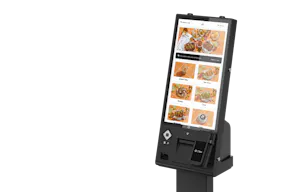
Otter self-service kiosks
Cut labor costs & customer wait times with self-service restaurant kiosks.
Frequently Asked Questions
What is restaurant POS analytics?
Restaurant POS analytics is the process of turning raw point-of-sale data into actionable insights that inform business decisions. It goes beyond basic sales reports to surface patterns in customer behavior, menu performance, labor costs, and operational efficiency.
How do POS analytics differ from basic POS reports?
Basic POS reports show you what happened: total sales, items sold, payment methods. Analytics asks why it happened and what to do next, i.e. combining multiple data sets to surface patterns and support informed decisions.
What are the most important POS analytics reports for restaurants?
Start with a sales summary, menu item performance, and peak time reports. From there, layer in labor, customer behavior, and promotion effectiveness reports as your process matures.
How can POS analytics improve restaurant profitability?
By identifying high-margin menu items, aligning staffing with actual peak hours, catching waste through inventory variance, and measuring whether promotions drive incremental visits or just erode margin.
What KPIs should restaurants track with POS analytics?
Core KPIs include food cost percentage, labor cost percentage, prime cost, average check size, order accuracy rate, and customer retention rate. Track them against your own historical benchmarks rather than industry averages alone.
How often should I review my POS analytics?
Daily for key metrics like sales and labor cost. Weekly for trend analysis. Monthly for deeper dives into menu performance, customer retention, and forecasting accuracy.
Do I need special software for POS analytics, or is it included with my POS?
It depends on the system. Some POS platforms include robust analytics; others require separate tools. Otter POS includes analytics without an additional fee, which simplifies both the tech stack and the budget.
Can POS analytics help with inventory management?
Yes, indirectly. By cross-referencing sales trends with usage data, you can identify variance, adjust par levels by day of week, and reduce both overstocking and stockouts. Full inventory management typically requires dedicated tools connected to your POS.
How do I get started with POS analytics if I'm new to data analysis?
Start with one or two reports — sales summary and menu item performance are the most accessible entry points. Focus on a single question each week, and build the habit before you add more complexity.
What's included in Otter POS analytics?
Otter Analytics covers key sales and performance reporting, including channel-level data, menu performance, and cross-location comparisons for multi-unit operators.
Can POS analytics integrate with my accounting software?
Most modern POS platforms support integrations with common accounting tools. Otter POS connects with tools in your stack to reduce manual data entry and keep your financial reporting consistent.
How accurate is POS data for making business decisions?
POS data is highly accurate when your system is configured correctly and staff follow consistent order entry procedures. Regular audits, clean menu setup, and removing test transactions keep your data reliable enough to make confident decisions.

Book a demo to see how Otter’s all-in-one platform can help your restaurant thrive.