Table of contents
- What Diners Actually Do on Your Website (And Where You Lose Them in Seconds)
- The Four Non-Negotiables Before You Touch Colors or Fonts
- Choosing Your Restaurant Website Platform
- Making Your Branding Work Online
- Menu Pages: Why PDF Menus and Poor Navigation Kill Reservations Before They Start
- Mobile-First Design: Most Diners Have Already Decided Before They Walk In
- Food Photography That Converts Without a $5,000 Shoot
- Customer Reviews, Testimonials, and Social Proof
- The Operational Accuracy Problem: How a Stale Website Quietly Costs You Covers
- Reservations, Online Ordering, and Takeout: Removing the Friction Points That Kill the Booking
- Email Marketing, Pop-ups, and Social Media Accounts: Growing Beyond the Visit
- Local SEO Basics That Put Your Website in Front of Diners Who Are Already Nearby
- How to Prioritize Your Website Investment When You’re Running a Restaurant, Not a Tech Company
- Own Your Online Presence with Otter Website Builder
- Your Restaurant Website Design Is Already Working. The Question Is Whether It’s Working for You.
- Frequently asked questions about restaurant website design
You spent real money getting someone to your website. They landed, looked around for five seconds, and left. No reservation. No order. No cover. That's not a marketing problem. It's a design problem, and it's fixable.
Nearly 70% of U.S. diners say a restaurant's website has discouraged them from visiting. You're not losing those guests to a better restaurant. You're losing them to a better website. This guide breaks down exactly what diners do when they hit your site, which design decisions move them toward a booking or an order, and which ones quietly send them to the restaurant down the street.
Key Insights
- Your website’s job is to answer three questions in under 10 seconds: what do you serve, where are you, and how do I order or book. Every design decision should be judged against that standard.
- A beautiful site with stale hours or a PDF menu actively costs you covers. Operational accuracy is a conversion factor, not just a housekeeping task.
- Mobile is the primary decision screen. If your restaurant menu, CTA, and contact information don’t work perfectly on a phone, you’re losing the guests who are hungriest right now.
- Diners who land on your website from a Google search already want what you offer. The restaurant website design decisions that matter most are about removing friction, not creating inspiration.
What Diners Actually Do on Your Website (And Where You Lose Them in Seconds)
Most visits to a restaurant website are intent-driven. The person already wants to eat somewhere like yours. They’re not browsing. They’re checking a box, and your job is to not get in the way.
Every visitor is silently asking three questions the moment they land:
- What do you serve?
- Where are you?
- Can I book or order right now?
If those answers aren’t visible within 10 seconds, a meaningful share of visitors will leave. Research by Google found that 53% of mobile site visits are abandoned if a page takes longer than three seconds to load, and that’s before a diner even reads a word.
The bounce triggers that kill conversion fastest:
- Autoplaying video with no skip option (especially on mobile data)
- No visible phone number or address on mobile
- Restaurant menu buried three clicks deep or hidden behind a PDF download
There’s also a behavioral split worth understanding. Desktop visitors are often in discovery mode. They have time, they’re comparing options, they’ll read your story. Mobile visitors are in decision mode. They’re near you, they’re hungry now, and they need answers fast. Your restaurant website design has to serve both, but mobile behavior should drive your structure.
Think of your website like a host. A good host seats the guest immediately. A bad one makes them wait at the door until they give up and walk next door.
The Four Non-Negotiables Before You Touch Colors or Fonts
Before you spend a dollar on photography or a minute choosing a template, confirm these four things work perfectly:
- A readable, up-to-date restaurant menu page, accessible in two taps on mobile
- Accurate contact information and hours, including holiday exceptions and seasonal changes
- Address with tap-to-navigate, a link that opens Maps directly on a phone
- One prominent CTA, either “Order Online” or “Reserve a Table,” above the fold
Everything else (your brand story, press mentions, Instagram feed) is second tier until those four are solid.
Here’s why that triage framing matters. A beautiful site with wrong hours destroys trust faster than a plain site with correct hours. A diner who drives to your restaurant on a Monday because your website says you’re open, only to find a locked door, rarely comes back. And they often leave a review about it.
Quick audit you can run right now, no developer needed:
- Pull up your site on your personal phone, not your desktop
- Can you find the menu in two taps?
- Does the address link open Google Maps or Apple Maps directly?
- Are your hours current, including any upcoming closures?
- Is there a single, obvious button to order or reserve?
If any of those fail, fix them before anything else. Otter’s Website Builder surfaces menus and ordering front-and-center, so you’re not manually managing this hierarchy every time something changes.
Choosing Your Restaurant Website Platform
Once your fundamentals are sorted, you need a platform that can sustain them. Three broad categories, each with real trade-offs:
- General builders (WordPress, Wix, Squarespace, Elementor): Wide library of restaurant website templates and strong customization. WordPress with Elementor gives you the most control; Wix and Squarespace are faster to launch. The catch: menu changes, web hosting, and security updates all fall to you.
- Design tools (Figma): Useful if you're working with an agency. A Figma mockup lets you approve layout and color palette before development begins.
- Restaurant-specific platforms: Built for the industry, with menu syncing, online ordering, and search optimization included rather than bolted on. Less blank-canvas flexibility, but far less ongoing maintenance.
The right choice comes down to who maintains the site week to week. If that person enjoys building things, WordPress or Squarespace can work well. If they're primarily running a kitchen, a restaurant-specific platform that syncs with your POS will save real hours.
Making Your Branding Work Online
Your website's visual identity should match what a guest experiences when they walk in. A few elements carry disproportionate weight:
- Color palette: Use your primary and secondary colors consistently across every page. Contrast matters more than aesthetics, a beautiful palette that's hard to read in sunlight loses a mobile visitor before they see your prices.
- Fonts: Legibility first. Display fonts work in hero headers, but menu body text should be clean and readable at minimum 16px on mobile.
- Consistency: Your logo, name, and visual style should match exactly what's on your social media accounts and delivery app profiles. Mismatches create a credibility gap — especially for fine dining, where visual presentation sets price expectations before the menu loads.
Otter's Website Builder pulls your existing brand assets directly from your profile, so theme, logo, and visual identity are applied automatically.
Mobile-First Design: Most Diners Have Already Decided Before They Walk In
Over 60% of restaurant searches happen on a phone, according to Google. Design for that screen first, not the desktop version you proof on your laptop.
Above the fold on mobile should contain exactly:
- Your restaurant name
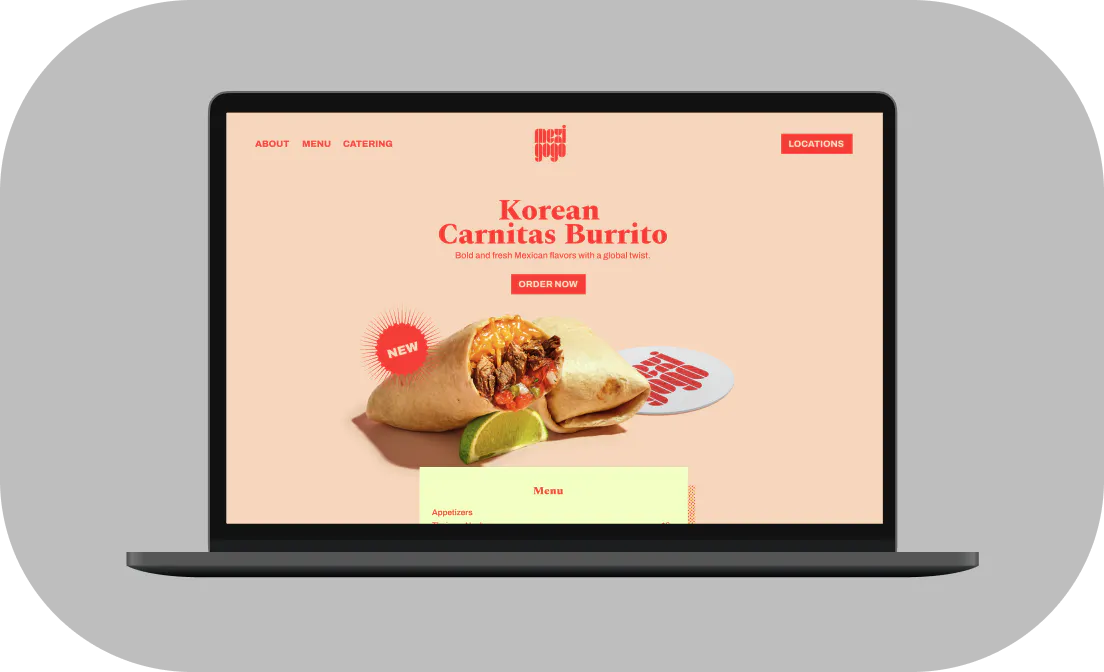
- One hero image
- One action button (Order Now or Reserve a Table)
Nothing else. Every additional element above the fold on mobile competes with the action you want the diner to take.
A few specifics that matter for user experience on mobile:
Tap targets: Buttons need to be large enough to hit with a thumb, not a cursor. Apple’s Human Interface Guidelines recommend at least 44x44 points.
Page speed: A site that takes more than 3 seconds to load on LTE loses a significant share of visitors, and page speed is also a Google ranking signal.
Responsive layout: Most modern restaurant website builders handle the technical layout automatically. Your job is to keep the content lean so the template can do its work.
Test your site right now. Google PageSpeed Insights is free, takes 60 seconds, and tells you exactly what’s slowing you down.
Food Photography That Converts Without a $5,000 Shoot
One great hero image of your signature dish outperforms a gallery of mediocre shots. If budget is tight, prioritize a single compelling visual over volume.
What to photograph first:
- Your highest-margin dish
- Your most-ordered dish
- One atmospheric interior or patio shot
Natural light, a clean background, and a modern phone camera will get you 80% of the way there for hero shots. What to avoid: stock food photography. Diners can tell, and in a category where trust drives the decision, inauthenticity is a conversion killer.
File optimization matters as much as the shot itself. A 4MB JPEG will tank your page speed. Compress images to under 200KB using a free tool like Squoosh. You won’t see a visible quality difference, but your load time will improve immediately.
Atmosphere photos of your dining room, bar, or outdoor patio also set expectations that reduce the “not what I expected” disappointment that shows up in reviews. That’s a downstream conversion benefit that’s easy to overlook.
The Operational Accuracy Problem: How a Stale Website Quietly Costs You Covers
A restaurant menu that lists a dish you stopped serving six months ago erodes trust the moment a guest sits down and asks for it. Hours that haven’t been updated for a holiday send real people to a locked door, and those guests often don’t come back.
The root cause is almost always the same: menu data lives in multiple disconnected places. The POS, a Google doc, the website, your Google Business Profile all drift out of sync over time.
The fix is a single source of truth. Your POS is where menu changes happen. Those changes should push outward to your website and ordering channels automatically, not wait for someone to remember to update the webpage.
If you’re not yet on an integrated system: set a weekly 10-minute calendar reminder to compare your live website menu against what you’re actually serving. It’s not elegant, but it prevents the trust damage that comes from a guest ordering something you can’t make.
Reservations, Online Ordering, and Takeout: Removing the Friction Points That Kill the Booking
The CTA hierarchy is simple. “Order Online” or “Book a Table” needs to be visible without scrolling on both desktop and mobile. If a diner has to hunt for it, you’ve already lost some of them.
Third-party redirect fatigue is real. Every additional page load between a diner’s intent and their completed online reservation costs you a percentage of that conversion. The shorter the path, the higher the completion rate.
A few friction points to audit:
- Does your reservation system load quickly on mobile?
- Does it require account creation to complete a booking? (It shouldn’t.)
- Is online ordering clearly available for pickup, takeout, and group orders, not just delivery?
- Is there a contact form on your contact page as an alternative to calling? Many guests, especially younger ones, prefer it.
Catering deserves its own navigation item. Operators who bury catering inquiries in a general contact form lose that revenue to competitors who make it obvious.
Otter’s commission-free Online Ordering lets guests place individual or group orders directly through your website, with no third-party redirect and no commission bleed on traffic you already own.
For a detailed look at the options available, see Otter’s guide to the best online ordering systems for restaurants.
Local SEO Basics That Put Your Website in Front of Diners Who Are Already Nearby
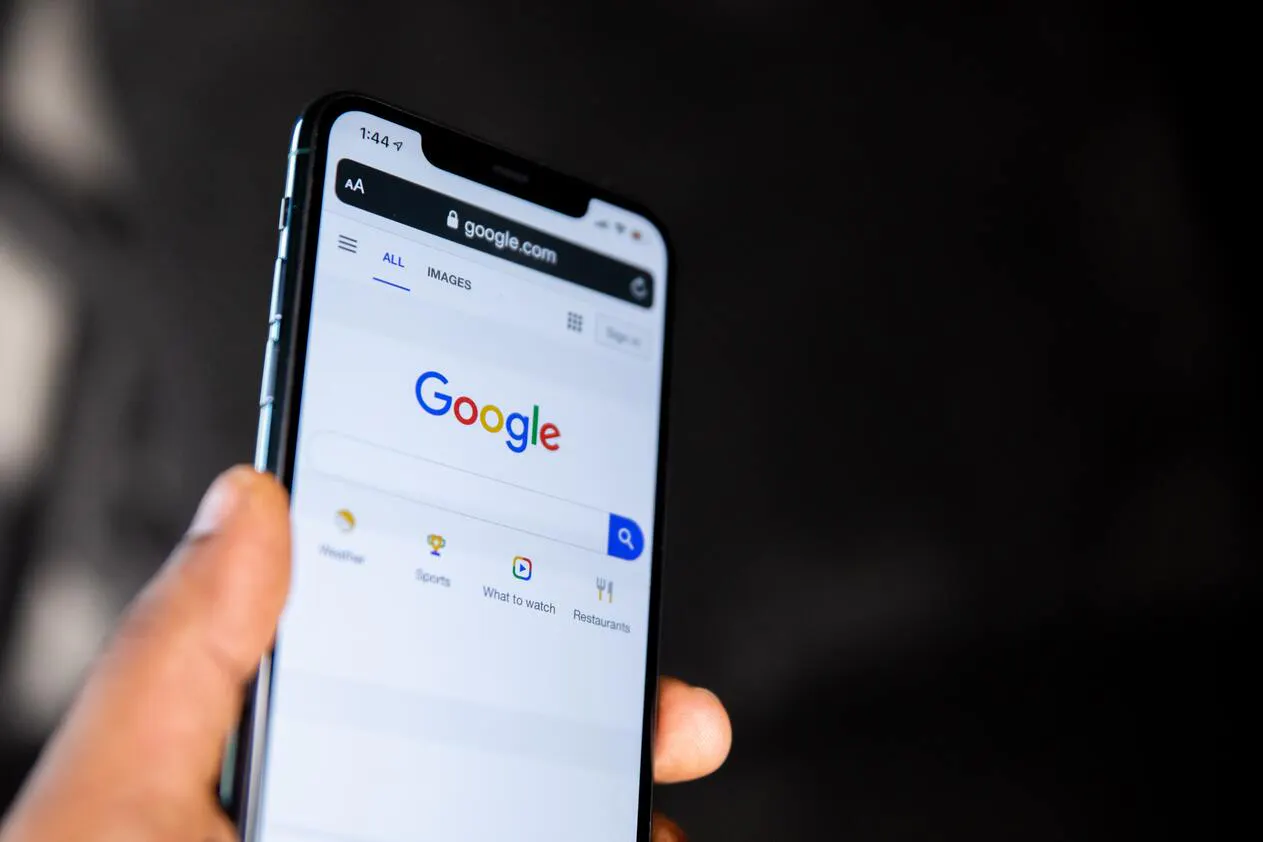
Your Google Business Profile and your website need to tell the same story. Same name, address, phone number, hours. Any mismatch confuses Google and costs you ranking in local results.
Practical local SEO moves:
- Put location keywords in plain text on your homepage: “Italian restaurant in Logan Square, Chicago” is more useful than “Authentic Flavors”
- Embed a Google Map on your contact page. It signals local relevance and makes navigation one tap away.
- Schema markup (LocalBusiness, Restaurant, Menu) helps search engines surface your hours and cuisine type directly in results. Most modern website builders apply this automatically.
- Collect and respond to Google reviews consistently. BrightLocal research shows review volume and recency are key local pack ranking factors.
- One landing page per occasion (“private dining in [your city],” “best brunch near Midtown”) can capture long-tail searches competitors ignore.
AI tools are also changing how diners discover restaurants. Platforms like ChatGPT and Google’s AI Overviews pull directly from your website content to answer queries like “best Korean fusion near me.” Keeping your homepage copy accurate, specific, and locally anchored means you’re being represented correctly in those AI-generated responses.
Social proof compounds local SEO. A restaurant with 200 reviews and a 4.3 rating will outrank one with 12 reviews and a 4.8 in local pack results simply because of volume and recency. A strong online presence, kept consistent across your website and Google Business Profile, is what makes that compounding work.
For a deeper look at how to use keywords to improve your restaurant’s search visibility, see Otter’s guide to restaurant SEO keywords.
How to Prioritize Your Website Investment When You’re Running a Restaurant, Not a Tech Company
Here’s the minimum viable restaurant website that beats 90% of independent restaurant sites on core function:
- Homepage with hero image and a clear CTA
- HTML menu page
- Contact page with address, phone, hours, and a contact form
- An order or reserve page
Everything beyond that (about page, gallery, catering, press) is valuable but secondary.
Build vs. buy: Unless you have a staff member who genuinely enjoys maintaining a website, a purpose-built restaurant website builder connected to your ordering and POS stack will save time and reduce errors. Developer time to fix a broken menu page costs more than a monthly platform fee.
What to DIY: Photo uploads, menu updates, hours. These need to happen fast and often. You can’t wait on a developer every time you add a seasonal special.
What to delegate or automate: Technical SEO, page speed optimization, schema markup. These are set-once tasks where a tool or one-time professional setup pays for itself. AI tools are increasingly useful here too. Several website platforms now use AI to generate meta descriptions, suggest layout improvements, and flag accessibility issues automatically.
Signs your current site is actively hurting revenue:
- High bounce rate from mobile traffic
- Guest complaints about wrong hours
- Diners who say they almost went somewhere else because they couldn’t find your menu
The right technology stack makes your website a living extension of your operation, not a static brochure you update twice a year.
Own Your Online Presence with Otter Website Builder
For restaurant operators who want a professional website without the overhead of managing a general-purpose CMS, Otter’s Website Builder was built specifically for this. Starting at $30 per website per month, it handles web hosting, mobile-ready templates, and search optimization, and connects directly to your Otter POS and Online Ordering setup.
The setup process takes most operators under 20 minutes:
- Select your brand from your existing Otter profile
- Customize the look: set your theme, images, tagline, and color palette
- Feature your restaurant menu and best items
- Add locations, hours, and link your social media accounts
- Hit publish and your site is live
You own the domain and the customer relationship, without the commissions or platform risk that comes with relying on third-party delivery apps as your primary digital presence.
Your Restaurant Website Design Is Already Working. The Question Is Whether It’s Working for You.
Your website is already getting traffic from diners who want what you serve. The question is whether your restaurant website design is converting that intent into orders and covers, or handing those guests to a competitor with a faster-loading menu page and a visible “Book Table” button.
Get the four non-negotiables right. Move to an HTML menu. Design for the mobile screen first. Keep your contact info and hours accurate in real time. Do those things and you’ll be ahead of most independent operators in your market.
If you’re ready to turn your website into a direct revenue channel, with online ordering that lives on your own site and a menu that stays in sync with your kitchen, book a demo with Otter to see how Website Builder and Online Ordering work together.
Frequently asked questions about restaurant website design
How much does it cost to build a restaurant website?
Costs range from free (DIY builders with limited features) to $30/month for a purpose-built restaurant platform like Otter’s Website Builder that includes web hosting, menu sync, and a search-optimized template, to several thousand dollars for a custom-designed site built on WordPress or a similar CMS. For most independent operators, a purpose-built builder connected to your POS and ordering system delivers the best ROI. It reduces manual menu updates and keeps your site accurate without ongoing developer costs.
What pages does a restaurant website need?
At minimum: a homepage with a clear CTA, a menu page (HTML, not a PDF), a contact page with your address, phone, hours, and a contact form, and an order-online or reservations page. Everything beyond that (about page, gallery, catering, press) is valuable but secondary to getting those four working correctly on mobile.
Should I use a PDF for my restaurant menu online?
No. PDF menus open in separate tabs, break on mobile, can’t be read by Google, and create friction right when a diner is deciding whether to visit or order. Use an HTML menu page that’s readable on any screen and indexed by search engines.
How do I get my restaurant website to show up on Google?
Start with three things: make sure your Google Business Profile matches your website exactly (name, address, phone, hours), include your city and neighborhood in plain text on your homepage, and ensure your site loads quickly on mobile. Structured data (schema markup) and a consistent review cadence on Google will compound those gains over time.
What’s the most important element of a restaurant website for converting visitors?
A visible, working CTA (order online or reserve a table) above the fold on mobile, paired with an accurate and readable menu. Diners who can’t find these within 10 seconds will leave. Everything else, including photography, brand story, and press, matters, but not before those two elements are solid.
How often should I update my restaurant website?
Menu and hours need to reflect reality at all times. Seasonally, review your menu page, hero images, and any promotions. If manual updates are taking more than 15 minutes, consider a platform that syncs changes from your POS automatically.
Can I add online ordering directly to my restaurant website?
Yes, and you should. Sending diners from your website to a third-party ordering platform costs you commissions on traffic you already own. Otter’s Online Ordering embeds ordering directly on your site so guests complete their order without leaving, and you keep more of the margin.
What’s the difference between a restaurant website builder and a CMS like WordPress?
A restaurant-specific website builder is pre-configured for the industry: it comes with menus, ordering integrations, and local SEO built in. A general CMS like WordPress gives you more flexibility but requires more setup, maintenance, and developer involvement for menu changes and ordering integrations. For most independent operators, a restaurant website builder reduces ongoing time cost significantly, since menu updates and hours sync automatically from your POS rather than requiring manual edits.

Book a demo to see how Otter’s all-in-one platform can help your restaurant thrive.