
Table of contents
- Food and menu TikTok ideas
- Behind-the-scenes TikTok ideas
- Staff and restaurant story ideas
- Guest questions and local discovery ideas
- Takeout and timely TikTok ideas
- How to film several TikToks in one session
- A quick checklist before you post
- Give local guests a clear next step
- Frequently asked questions about TikTok ideas for restaurants
You have food worth showing, but finding time to film can be harder than finding something to post. Pew Research Center’s 2025 survey found that 37% of U.S. adults use TikTok. That makes it a channel worth considering if your local guests use it, though the number alone does not tell you who will visit or order.
Your restaurant TikTok ideas can start with work you already do: preparing a signature dish, answering a menu question, or packing a takeout order. Give each video one clear subject and a useful next step. The filming prompts and sample hooks below are starting points; adapt every dish, price, and location detail to your restaurant.
Key insights
- Turn everyday prep, staff recommendations, and guest questions into videos you can repeat
- Show the food or question early, then add a hook that explains why someone should keep watching
- Help nearby guests act by naming your dish, location, availability, and ordering options
- Film around service and track useful guest actions alongside views

Behind-the-scenes TikTok ideas
7. Show what happens before the doors open
Film: Capture three opening tasks: arranging the counter, checking a station, and setting out the first finished item.
Example hook: “You arrive at noon. Our day starts here.”
Finish with the restaurant ready for guests. You can make this video without showing anyone’s face.
8. Follow a ticket through the kitchen
Film: Record an approved example order moving from the ticket to preparation and final checks.
Example hook: “Follow one lunch order from start to finish.”
Hide names, phone numbers, payment details, and other customer information. Film when it won’t interrupt service.
9. Explain one preparation detail guests rarely notice
Film: Choose a small step that changes the final dish: resting dough, toasting bread, or draining an ingredient before assembly.
Example hook: “Why we toast the bread before adding the filling.”
Have a cook explain what the step does while the footage shows it happening.
10. Record the sounds of a dish being made
Film: Capture a short sequence of natural kitchen sounds, such as chopping, sizzling, or breaking a crisp crust.
Example hook: “Sound on for the first batch.”
Keep the microphone away from distracting background music. Let the food provide the soundtrack.
11. Show how you prepare for a busy service
Film: Record a team briefing, a stocked station, and a final readiness check.
Example hook: “Before the dinner orders start, we check these three things.”
Explain the purpose of each task. Focus on preparation your team can show safely and comfortably.
12. Reveal a practical improvement
Film: Compare a previous setup with a current one, such as clearer pickup signs or a reorganized packing station.
Example hook: “We changed this after hearing the same question every day.”
Describe what changed and how it helps guests or staff.
Staff and restaurant story ideas
13. Ask a team member for their exact order
Film: Let a willing employee choose a meal, then show how it is assembled.
Example hook: “Our cashier’s lunch order: extra pickles, sauce on the side.”
Include any modifications so viewers can recreate it. Rotate participants to turn the format into a series.
14. Explain the story behind one menu name
Film: Have the owner or chef tell the story while you show the dish.
Example hook: “There’s a reason this sandwich has that name.”
Keep the story tied to one person, place, or moment. A specific detail makes it easier to follow.
15. Highlight a role guests don’t usually see
Film: Introduce a willing team member and show one task they are proud of.
Example hook: “Meet the person who keeps our busiest station moving.”
Let them describe their work in their own words. Ask how they would like to be introduced before recording.
16. Show a skill someone has mastered
Film: Capture a baker shaping dough, a cook folding dumplings, or a barista finishing a drink.
Example hook: “Watch our cook fold this tray of dumplings.”
Ask the employee to explain the hardest part. You can combine a close-up demonstration with a short voiceover.
17. Share a first-week lesson
Film: Ask the owner or manager about one assumption that changed after opening.
Example hook: “One thing we got wrong in our first week.”
Finish with the lesson and what the team does differently now. Avoid turning a real mistake into a joke at an employee’s expense.
18. Invite the team to nominate an overlooked dish
Film: Ask two or three employees which menu item deserves more attention. Show their picks.
Example hook: “We asked the team which dish more guests should try.”
Give each person one sentence to explain their choice. Film the winning pick in more detail for a follow-up.
Guest questions and local discovery ideas
19. Make a first-visit ordering guide
Film: Show three items that introduce different parts of your menu.
Example hook: “First time here? Start with these three orders.”
Explain who might enjoy each option. Help guests choose between something mild, something filling, and something to share.
20. Show the route from a nearby landmark
Film: Start at a recognizable local spot and show the approach to your entrance.
Example hook: “Lunch near Central Station: find us on Oak Street.”
Name the neighborhood and restaurant. Include helpful details such as the entrance location or where pickup guests should go.
21. Answer a common comment
Film: Choose a genuine question and record the answer alongside relevant footage.
Example hook: “You asked whether this comes with a side.”
Answer the question immediately. Then show the item, option, or process that makes the explanation clearer.
22. Show what a group can order to share
Film: Arrange a sample order for a clearly stated group size and explain the portions.
Example hook: “Lunch for four: two pizzas, one salad, and sides to share.”
Use realistic serving guidance. Include the current price if you mention value, and explain any advance-order requirements.
23. Introduce a neighboring business
Film: Create a short joint video with a nearby shop or community venue that wants to participate.
Example hook: “One neighborhood, two stops for your Saturday.”
Explain the connection and show where both businesses are. Make the recommendation useful for someone planning a local visit.
24. Show a customer’s favorite order
Film: Invite a willing regular to describe their usual meal, or film the meal with their approved comments as text.
Example hook: “Our regular’s favorite order, in their own words.”
Get permission before publishing their image or words. Keep their recommendation faithful to what they actually said.
Takeout and timely TikTok ideas
25. Show how a meal is packed
Film: Record the containers, separate sauces, and final packing check for a real menu item.
Example hook: “How we pack your noodles for the trip home.”
Explain the choices guests will notice when they open the bag. Keep receipts and delivery labels out of view.
26. Demonstrate the pickup process
Film: Walk through the entrance, pickup location, and the information a guest needs to collect an order.
Example hook: “Picking up dinner here for the first time?”
Use a demonstration order and keep directions specific to that location.
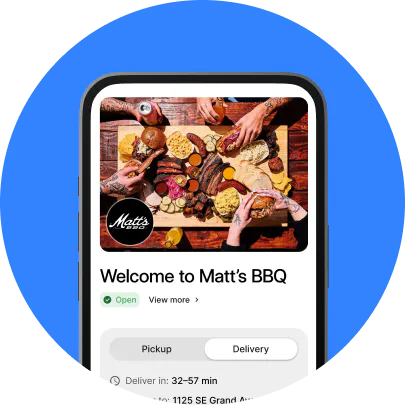
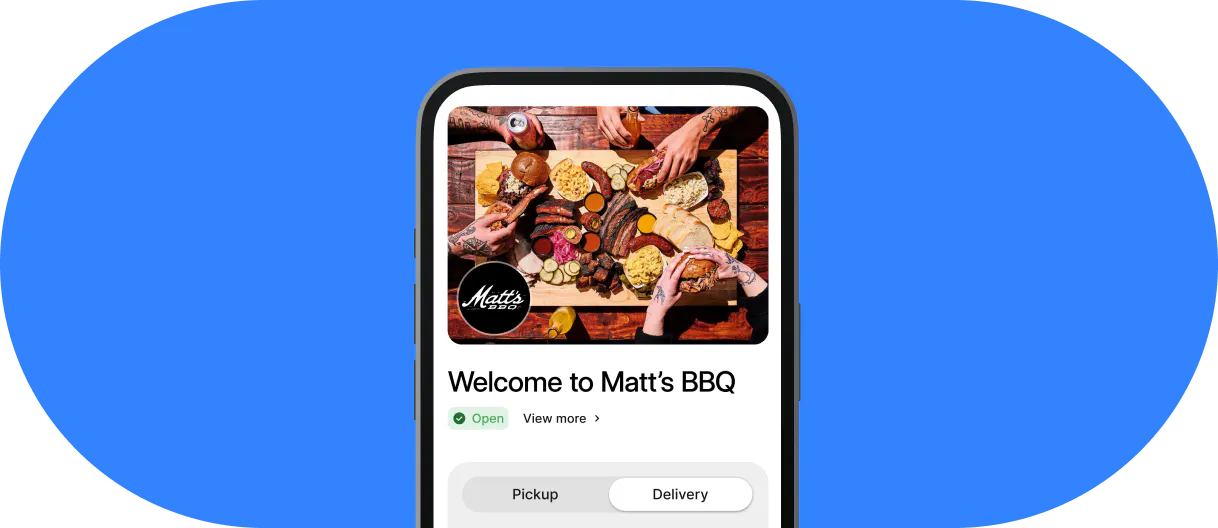
Give guests somewhere to place the order before they arrive. Otter Online Ordering provides an online ordering page you can direct guests to from your social profile, where profile links are available. Check that the dish, location, and pickup details match the video.
27. Share a guest’s takeout reveal
Film: Ask a guest whether you can share their clip of opening a takeout order. Add a short response that names the dish and answers a useful question about it.
Example hook: “Your takeout reveal, plus the sauce you asked about.”
Get permission, credit the creator, and keep their words faithful to the original. If you do not have approved customer footage, record your own clearly labeled demonstration.
28. Explain a limited offer clearly
Film: Show the actual items included, followed by the price and availability.
Example hook: “Our weekday lunch offer, explained in one order.”
State the location, dates, ordering channel, and important restrictions. Check that guests can find the same details when they order.
For a timely subject, use Otter’s food holiday calendar for restaurants to choose a date that fits your menu. Film something you can serve reliably instead of creating a new offer for every occasion.
29. Invite a choice, then reveal the result
Film: Show two genuine options you are considering, such as a special’s garnish or the next featured dessert.
Example hook: “Which one should we feature next?”
Only invite a vote if the team can act on it. Follow up with the result and show when the chosen item becomes available.
30. Adapt a trend to a real restaurant moment
Film: Use a recognizable video format to show something true about your restaurant, such as a complicated staff order or an unexpectedly popular side.
Example hook: “Our version of this trend starts with extra pickles.”
Choose a format that still makes sense to someone who hasn’t seen the original trend.
How to film several TikToks in one session
Choose a quiet prep window and one available dish. A short session can give you a prep clip, a finished-food close-up, and an answer to a guest question without asking your kitchen to repeat the work.
1. Choose one dish and three angles
Decide what each video will show before recording: the preparation, a texture or ingredient, and a serving suggestion. Make each post useful on its own.
Tip: Save the clips in a shared folder with the dish name and filming date so old specials do not get posted by mistake.
2. Record vertical footage and clear sound
TikTok’s Creative Codes guidance for advertisers recommends vertical 9:16 footage and room for the app’s interface. Use those filming basics to keep the food and text visible, and check the preview before posting.
Tip: Capture a clean version with kitchen sounds or a voiceover. Background music can make speech harder to hear and complicate your audio choices.
3. Add a specific hook and next step
Open with the dish or question, add captions for spoken words, and finish with what a guest can do next. Match the request to the video: ask for a menu choice, explain where to find the item, or point to your ordering options.
Tip: Keep a repeatable schedule that fits your team. Otter’s social media marketing guide for restaurants can help you organize the posts around service.
A quick checklist before you post
Check the details a guest needs before you publish.
- Show the subject early: Open with the food, question, or moment promised by your hook
- Make the text readable: Name the dish, add captions for speech, and keep text away from the app’s buttons
- Make the location clear: Give the restaurant name and relevant neighborhood or branch
- Confirm availability: Check the price, dates, ordering channel, and any offer restrictions
- Check permissions: Ask before filming staff or guests, and get permission before reusing customer footage
- Keep private details out of view: Hide receipts, order labels, and customer information
- Use suitable audio: TikTok’s Commercial Music Library guidance explains how to find music available for business content; check the relevant region and usage options
For example, a fictional sandwich shop could pair a close-up of its lunch special with this caption: “Roast chicken, lemon slaw, toasted focaccia. Lunch at our Oak Street location, Monday to Friday, 11 a.m. to 2 p.m. Check our profile for pickup ordering options.” Replace every detail with your actual offer.
Give local guests a clear next step
Start with one idea your team can film well and repeat. Make the dish recognizable, give guests useful local details, and check that the menu or ordering page matches what they just watched.
If you need a place to bring those details together, Otter Website Builder lets you create a branded restaurant website with your menu, hours, and photos. Keep the page current before sending guests there from a video.
Track profile visits, ordering-page clicks where available, and offer redemptions alongside views. Record which dish, location, and offer each post featured. Otter’s restaurant marketing plan guide can help you connect that activity with a wider goal, such as pickup orders during a slower lunch period. A sales increase on its own does not prove that a video caused it.
Ready to connect your restaurant’s online presence with ordering? Book a demo with Otter to discuss a setup that fits your restaurant.
Frequently asked questions about TikTok ideas for restaurants
What should a restaurant post on TikTok?
Post food preparation, staff recommendations, answers to menu questions, and useful details about visiting or ordering. Choose subjects you can show clearly with your actual menu and team. Start with a few formats you can repeat without interrupting service.
Can you make restaurant TikToks without showing your face?
Yes. Film hands preparing a dish, close-ups of ingredients, kitchen sounds, or a walkthrough of the pickup area. Use captions or a voiceover to explain what guests are seeing, and keep staff and customers out of frame unless they agree to appear.
How often should your restaurant post on TikTok?
Choose a schedule your team can maintain, such as two or three posts a week as an initial test. That is a planning example, not a posting frequency that guarantees results. Review the guest questions and useful actions each format produces before increasing the workload.
How do you find TikTok trends your restaurant can use?
Look for recurring formats in food and local content, then choose one that fits something real about your restaurant. Adapt the format to a dish, staff recommendation, or guest question rather than copying a joke that does not suit your team. Check music permissions separately before using a trending sound.
How can restaurant TikToks lead to orders?
Show a dish guests can actually buy, name the location, and explain where to find your menu or ordering options. Keep the same item names, prices, and offer terms across the post and ordering page. Use tracked links where available or a campaign-specific offer code to learn which posts prompt action, without treating views as sales.

Book a demo to see how Otter’s all-in-one platform can help your restaurant thrive.