
Table of contents
- What an all-in-one POS system actually is
- How an all-in-one POS works in a restaurant, not a retail store
- Core features every restaurant all-in-one POS should have
- The real cost of running five separate systems
- What "all-in-one" should mean for multi-channel restaurants
- Cloud-based vs. legacy POS: why it matters for independent operators
- How to choose the right all-in-one POS for your restaurant type
- One system changes what you can see, and that changes how you run your restaurant
- Frequently asked questions about all-in-one POS systems for restaurants
Running a legacy terminal, a separate payment processor, and a counter full of delivery tablets is costing you real time and real money every single shift. According to the National Restaurant Association's 2025 State of the Restaurant Industry, 52% of restaurants plan to dedicate resources toward upgrading or implementing a POS system this year, which tells you how many operators already know their current setup is not working.
If you're done stitching together five separate tools and want to know what a true all-in-one POS system actually means for a restaurant (not a retail store) and how to pick one without getting burned, keep reading.
Key Insights
- For restaurant operators, "all-in-one" means order routing to the KDS, modifier handling, and multi-channel order management, not just bundled hardware with a barcode scanner attached
- Running five separate systems (POS, ordering, loyalty, payments, back office) costs real money in monthly fees and real time in reconciliation labor, often more than a single unified platform would
- The offline mode question is the one most operators forget to ask before buying: a cloud-based POS that cannot process payments or fire orders to the KDS when the internet drops is not actually all-in-one during a busy service
- Before signing anything, get three numbers in writing: the monthly software fee, the payment processing rate, and the early termination fee. Everything else in the feature list is secondary to knowing your actual cost
What an all-in-one POS system actually is
An all-in-one POS system bundles hardware, software, and payment processing into a single platform running on one shared database. That definition matters more than it sounds.
Buy a terminal from one vendor, a processor from a second, and a back-office reporting tool from a third, and you end up with three data sources that never fully agree. Your POS says one thing. Your processor settlement says another. Your delivery platform says a third. Reconciling those numbers at end of day is a task someone on your team is doing right now. It does not have to be.
The "one database" concept is simple: when every order, every modifier, and every payment flows through the same system, there is nothing to reconcile against. Your end-of-day number is just your number.
The all-in-one vs. best-of-breed trade-off, honestly stated: Best-of-breed tools go deep in one area. A dedicated loyalty platform may have features an all-in-one cannot match. But every integration between separate tools is a potential break point. Without a dedicated IT team, you're the one fixing it at 12:15 p.m. on a Saturday. For most independent operators, the coherence of a single system is worth more than the depth of a specialized one.
How an all-in-one POS works in a restaurant, not a retail store
Search "all-in-one POS system" and you will get results built around barcode scanners and product lookup. That is a retail point of sale system. Your restaurant has different requirements.
Here is what a real transaction looks like in a QSR or fast-casual environment:
- A guest orders at the counter or kiosk
- Modifiers are selected: no onions, extra sauce, make it a combo
- The order fires immediately to the KDS
- Payment clears at the terminal
- The ticket closes and rolls into your end-of-day report
All of that happens inside one system, without touching a second device or logging into a second platform.
The modifier-to-kitchen link is the test. A system that cannot reliably fire modifiers to the KDS the moment an order is placed is not actually all-in-one for a restaurant. That gap (between what the guest ordered and what the kitchen sees) is where remakes happen, where comps get issued, and where guests decide not to come back.
Tipping flows, and the ability to 86 an item in real time across every order channel are also restaurant-specific requirements that a generic retail POS handles poorly. When your POS routes the order and captures the payment in the same system, there are no data handoffs to break and no second report to match at close.
Core features every restaurant all-in-one POS should have
Payment processing
Built-in credit card processing and card acceptance at a published rate. Ask whether it is interchange-plus or flat-rate, and ask specifically whether that rate is locked in or subject to change after year one. Look for support for contactless payments, Apple Pay, and other digital wallets so your team is ready for how most guests pay today.
Order management
Counter, kiosk, and online ordering should flow into one order queue. If each channel lives in a separate view, you are running several systems on one screen, not one system. For restaurants on e-commerce platforms or third-party delivery apps, that consolidation is what keeps the kitchen from drowning in competing streams.
KDS integration with offline mode
Orders should fire to the kitchen automatically. Confirm that the KDS keeps working if the internet drops. Many systems do not support this, and it is one of the most important questions to ask before you buy.
Real-time reporting
Sales by item, by hour, and by channel, accessible from your phone via remote access or a browser, not only from the terminal on your counter. Real-time data is what turns your POS into a management tool instead of just a payment device.
Cloud-based menu management
The ability to update a price, 86 an item, or add a modifier without calling vendor support. This is the backend flexibility operators consistently say they want most. It also feeds directly into inventory control, since items that run out can be pulled from every channel at once.
Loyalty and guest data
Built-in loyalty programs and guest enrollment at the POS via QR code or staff prompt, with card-linked tracking so repeat visit behavior is captured without asking guests to download an app. The underlying customer relationship management (CRM) data lets you understand who your regulars are and what they order.
Inventory management
Track ingredient levels in real time so you catch stock issues before service rather than during it. Solid inventory management reduces waste and keeps your reporting accurate, since what you sell should match what you have.
Multi-location management
If you run more than one unit, a menu change should push to all locations from one login. Manual updates at each terminal are a liability, not a workflow.
Mobile POS support
Your team should not be chained to a fixed counter. A mobile POS option lets staff take orders from a handheld device during a rush or at a pop-up, with the same order routing and payment processing as the main terminal.
Customer support
Service starts at 11 a.m. A system glitch at 11:02 a.m. cannot wait until Monday. Confirm support hours and the contact method during a live outage before you commit.
The real cost of running five separate systems
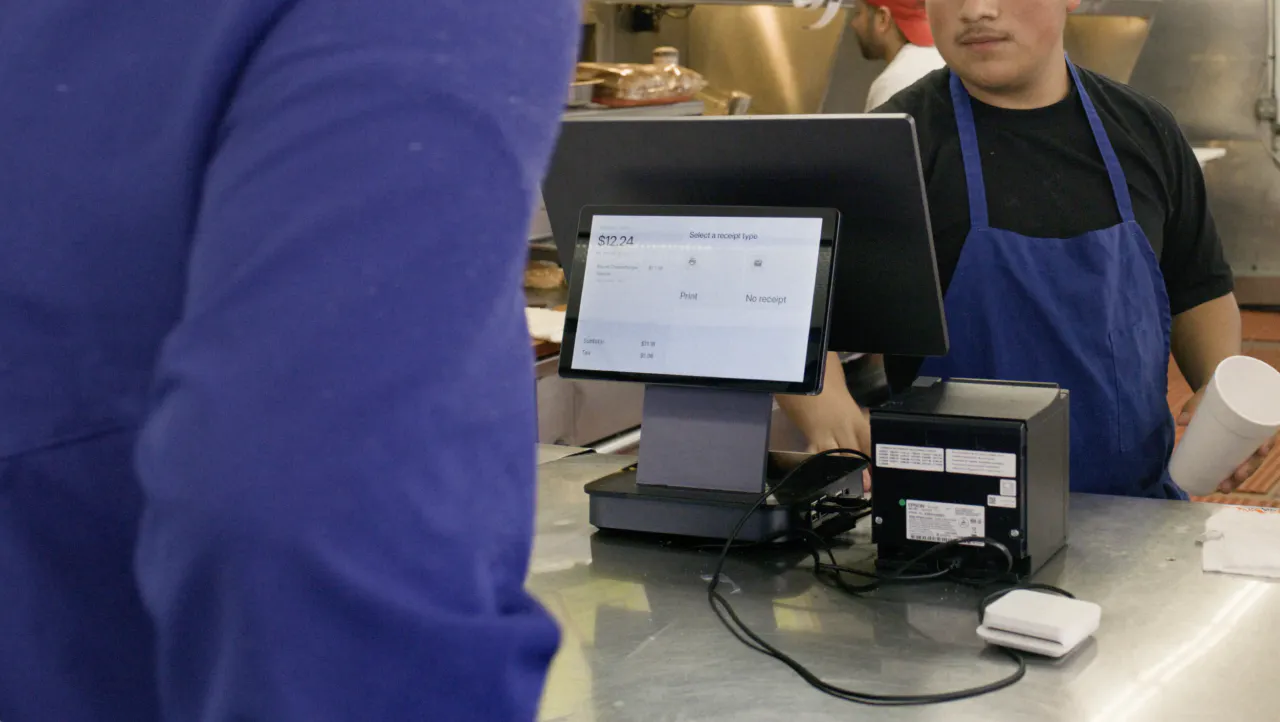
Here is the fragmented stack most independent operators are actually running: POS software, a separate payment processor, an online ordering platform, one or more third-party delivery tablets, and a loyalty tool. Each has its own monthly fee, its own login, and its own report.
The hidden labor cost is real. Every system with a separate report means someone on your team is re-entering data or manually reconciling numbers at end of day. Those are labor hours paid to move data between tools that should already talk to each other.
The reconciliation error risk is also real. When sales data lives in three places, discrepancies between your POS total, your processor settlement, and your delivery platform payout are almost guaranteed.
The extra-tablet symptom is worth naming directly: a counter covered in third-party delivery tablets is not a sign of a thriving multi-channel business. It is a sign of a non-unified system.
A useful total cost of ownership exercise: Add up your current monthly software fees, your processing rate, and an honest estimate of the time your team spends on manual reconciliation. Then compare that to a single monthly cost with processing built in. Many operators find the all-in-one option is cheaper in total, not just simpler.
Otter POS consolidates POS, online ordering, kiosk ordering, KDS, and loyalty into one platform with one monthly cost, one support line, and one data source for reporting. That is the practical definition of an all-in-one system for a restaurant.
Nicoletta Kuti, owner of Telly's Charburgers in Santa Clarita, describes how the unified approach plays out during a busy service: "My favorite thing about the Otter POS system is that all of our orders — from DoorDash, online ordering, to-go, and phones — all go straight through the system to our KDS. And what's cool is each order has its own color. Deliveries are teal. To-go is yellow. It helps you differentiate where it's going."
What "all-in-one" should mean for multi-channel restaurants
Taking orders from Uber Eats, DoorDash, in-store counter, online ordering, and a kiosk simultaneously, often during the same lunch rush? In that environment, "all-in-one" has to mean one order queue, not one piece of hardware.
Every channel should route into the same KDS and contribute to the same sales report. If your system displays all channels on one screen but does not consolidate them into a single order queue, you are still managing multiple data streams.
For ghost kitchen and virtual brand operators, multi-brand management from one terminal is the primary filter. You need brand-level revenue separation in reporting without physically separate systems for each concept. If a vendor cannot clearly explain how revenue is separated by brand, they cannot support your operation.
Otter's online ordering and multi-channel menu management let you update menus, track sales by channel, and manage multiple brands from one login, including third-party delivery channels alongside in-store counter orders.
Cloud-based vs. legacy POS: why it matters for independent operators
A legacy POS stores data and runs software on a local server inside your restaurant. A cloud-based POS stores data remotely and syncs across devices in real time.
For an independent operator without an IT team, the practical benefits of cloud-based are significant:
- Update your menu from home the night before a special event
- Pull yesterday's sales report from your phone via remote access before you arrive
- Receive automatic software updates without scheduling a technician visit
The offline concern is legitimate. Do not skip it. A cloud-based system that stops processing payments when the internet drops is a real operational risk. Ask every vendor specifically about offline mode for the terminal, the KDS, and the printer before you sign. This extends to security features as well: ask how customer payment data is stored and protected in the event of a connectivity issue.
Some systems store a local copy of data that syncs to the cloud when connectivity returns. That is a reasonable option for operators in areas with unreliable internet, though it adds some setup complexity.
On upfront cost: legacy systems often require a large server and hardware investment. Cloud-based systems typically charge a monthly software fee with lower upfront hardware costs, which is easier to manage on an independent operator's cash flow.
How to choose the right all-in-one POS for your restaurant type
QSR and counter service: Prioritize transaction speed, KDS fire speed, and offline mode. A system that slows down during a rush or stops working when the internet drops is not a usable all-in-one. Kiosk integration is a strong secondary requirement to reduce counter congestion.
Fast casual: Modifier handling for customizable menus is non-negotiable. You also need multi-channel order consolidation, tipping flows, and sales reporting and analytics by item and daypart so you know what is actually selling and when.
Ghost kitchen and virtual brands: Multi-brand management from one terminal is the primary filter. If a vendor cannot clearly explain how revenue is separated by brand in reporting, move on.
Multi-location independent operator: Look for centralized menu management that pushes changes to all locations at once. Confirm that reporting separates location-level data from system-wide totals so you can act on what each unit is telling you. For a broader view of the technology tools operators use to manage multiple units, Otter's overview of top restaurant technology solutions covers how the layers fit together.
Volume and staff turnover: Match the system to your transaction volume, not just your format. A simpler UI shortens staff training, which matters when turnover is high. Ask vendors for a realistic onboarding timeline and confirm whether personalized onboarding is included or billed separately.
One system changes what you can see, and that changes how you run your restaurant
The operational value of an all-in-one POS is not just fewer devices or a single monthly bill. It is unified data: a complete, accurate picture of your business that you do not have to manually assemble from three sources every night.
When your POS, payment processor, and delivery platforms all report separately, you spend time building a picture of yesterday instead of running today. That is a hidden tax on every shift.
The decision is straightforward: if your current setup requires you to reconcile more than one sales report at end of day, you are already paying a fragmentation cost. A true all-in-one eliminates it.
The right system does not run your restaurant for you. It stops running against you. Your job is to find the one that matches your format, your volume, and where you plan to grow.
Ready to see what one system looks like in practice? Book a demo with Otter and see how it works for your restaurant.
Frequently asked questions about all-in-one POS systems for restaurants
What does "all-in-one" mean for a restaurant POS system?
For a restaurant, all-in-one means hardware, software, payment processing, order routing to the kitchen, and reporting all operate from a single platform sharing one database. No manual data transfers, no separate report to reconcile at end of day.
What hardware is typically included in an all-in-one restaurant POS?
A restaurant all-in-one POS typically includes a touchscreen monitor or terminal, a thermal receipt printer, a cash drawer, a card reader or payment terminal, and a customer-facing display, all managed through the same cloud-based pos software. Some systems also include a mobile POS option and kiosk hardware as add-ons. Higher-spec systems may include hardware with 8GB RAM or more to handle high-volume order loads without lag.
How is an all-in-one restaurant POS different from a retail POS?
Retail point of sale software is built around barcode scanner product lookup and inventory control by SKU. A restaurant POS must handle modifier routing to the kitchen in real time, tipping flows, multi-channel order consolidation, and end-of-day reconciliation across service formats. A thermal printer and cash drawer alone do not make a system restaurant-ready.
What should I expect to pay for an all-in-one restaurant POS system?
Total cost includes a monthly software fee, hardware (outright purchase or lease), and a payment processing rate per transaction. Always ask for the all-in monthly number, not just the software fee, and confirm whether the integrated payment processing rate is locked or variable.
Can an all-in-one POS consolidate third-party delivery orders with in-store orders?
Yes, if the system is built for it. Look specifically for multi-channel menu management and the ability to route third-party delivery orders into the same order queue and KDS as in-store orders, not just a dashboard that displays both channels separately.
What happens if my all-in-one POS goes offline during service?
It depends on the vendor. Some cloud-based systems stop processing payments when internet connectivity drops; others have offline mode that processes transactions locally and syncs when connectivity is restored. Always confirm offline capabilities for the terminal, KDS, and thermal printer before signing.
Is an all-in-one POS a good fit for a ghost kitchen or virtual brand operation?
Yes, if the system supports multi-brand management, meaning you can operate and report on multiple virtual concepts from one terminal without running separate systems for each brand. Confirm this capability explicitly with any vendor you evaluate.
How long does it take to set up a new all-in-one POS and train staff?
Setup and training timelines vary by system complexity and vendor support. Free, personalized onboarding reduces setup time significantly. Staff training on a well-designed system typically takes one to two shifts. Ask vendors for a realistic estimate and confirm whether onboarding is included in the price or billed separately.

See how one system simplifies your restaurant