Table of contents
- What restaurant kiosk software actually does (vs. generic kiosk platforms)
- Use case 1: Self-order kiosks for counter-service and fast casual
- Use case 2: Tableside reorder and pay-at-table
- Use case 3: Waitlist check-in and loyalty capture
- Use case 4: Drive-thru line-busting and outdoor order points
- The integration dealbreaker: Does your kiosk software actually talk to your POS?
- Hardware and security basics every kiosk software option must cover
- What kiosk software really costs: License, hardware, and hidden time
- 5 questions to ask before you commit to any restaurant kiosk software
- Match the tool to the job
- FAQ: Restaurant kiosk software
You searched "kiosk software," and the first page of results handed you a list of IT device-management tools and digital signage platforms built for locking down airport check-in screens. None of them know what an 86 is. None of them can fire a ticket to your KDS. And none of them will help you run a lunch rush.
This guide cuts through the category confusion and organizes the actual options by what you're trying to solve, so you buy the right tool for the right job, not the one that ranked highest on Google.
Key insights
- Generic kiosk software manages devices. Restaurant kiosk software manages revenue. Locking down a screen is table stakes; what actually moves the needle is real-time POS menu sync, contextual upsell logic, and order routing that connects to your kitchen display without a manual hand-off
- POS integration depth is the most important spec you're probably not asking about. A kiosk with no native POS connection creates a second menu you maintain manually and a second ticket stream your kitchen can miss. Ask vendors how 86'd items propagate in real time before you commit
- Independent operators consistently underestimate total cost of ownership. Hardware, software licensing, payment processing fees, and your own labor to build and maintain the menu can easily double the headline price. Model the full 12-month number before comparing vendors on monthly cost alone
- Match the software to the specific use case before evaluating features. A full self-order kiosk stack is overkill for waitlist check-in, and a lightweight loyalty tablet won't handle a lunch rush at a fast-casual counter. Buying the wrong category of software is the most common and most preventable kiosk mistake independent operators make
What restaurant kiosk software actually does (vs. generic kiosk platforms)
Search "kiosk software" and you'll find tools like Scalefusion, SiteKiosk, KioWare, and Porteus Kiosk near the top of the results, alongside digital signage software like Webconverger built for content management on public screens. These are legitimate products for IT admins managing fleets of corporate tablets or internet kiosks. They locks down devices with browser lockdown, or put the device in fullscreen mode so employees can't browse Reddit. That's it.
Kiosk mode in operator language means something different: software that controls exactly what a customer can tap, browse, and pay for on a public-facing touchscreen, tied directly to your operation. A purpose-built restaurant kiosk does four things a generic device-management platform cannot handle out of the box:
- Real-time menu sync with your POS. When you 86 the salmon at 7 PM, it disappears from the kiosk immediately
- Item-level modifier logic. Temperature, add-ons, substitutions, combo rules
- Smart upsell prompts. Contextual suggestions based on what's already in the cart
- Loyalty capture at checkout. Enrolling guests in your program without adding a separate step
If the software you're evaluating lists restaurants as one of 30 industries it serves, leads with "kiosk management," or is designed for digital signage kiosks rather than ordering, you're in the wrong product category for self-ordering. The rest of this guide is organized by what you're actually trying to solve.
Use case 1: Self-order kiosks for counter-service and fast casual
Who it fits: QSR, fast casual, bakeries, cafes. Any format where customers queue at a counter and a cashier traditionally rings in the order.
Self-service kiosks and interactive kiosks in this context do three things that move your business: they reduce perceived wait time, increase average check size, and free your team to focus on prep and hospitality instead of punching in orders. Otter Kiosk's item suggestions increase average checks by up to 30%, per Otter first-party data, and that lift compounds across every transaction during a busy service.
Non-negotiable software features for this use case:
- Real-time POS menu sync (86'd items disappear instantly)
- Item-level modifiers with full combo logic
- Integrated payment processing
- Smart upsell prompts tied to order context
- Direct KDS routing: kiosk tickets and register tickets in one queue
The feature list is a starting point. For a closer look at how to arrange the menu, present add-ons and get each order to the kitchen, read the fast food ordering kiosk guide.
Hardware matters here too
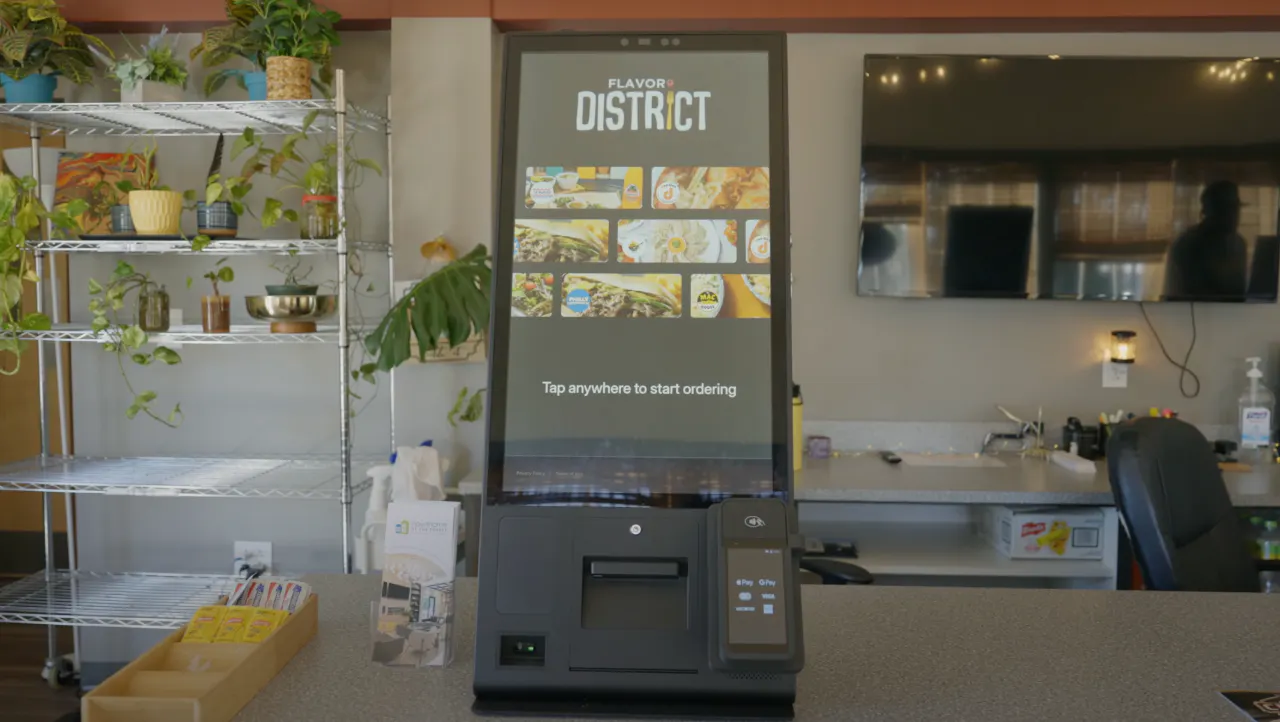
Countertop units work for tight spaces. Floor-standing units are better for high-traffic lines. Otter Kiosk ships both configurations, built with restaurant-grade powder-coated steel and an 8-core processor designed to run through every rush. Everything arrives in the box. No technician required, up and running the same day.
Red flags to screen for: software that requires manual menu re-entry separate from your POS, no offline mode, or routes kiosk tickets to a separate queue your kitchen never sees.
Use case 2: Tableside reorder and pay-at-table
Who it fits: Casual dining, bars, and fast-casual hybrids where guests sit but want to reorder or close a tab without flagging a server.
This use case is fundamentally different from a counter self-order kiosk. The software must understand open tabs, split checks, partial payments, and server section assignments. Generic kiosk software is stateless by design. It has no concept of a check that spans two hours and three rounds of drinks.
Features to prioritize:
- Tab management and partial payment support
- Multiple check splits with tip prompts
- Server notification when a tableside order fires
- Deep integration with your table management system
The buyer test: Ask vendors to demo a scenario where a table splits a check three ways (one guest pays cash, two pay card). Count the screens. If it takes more than a few taps, your servers will be cleaning up the confusion all night.
Staff coordination is the UX problem most vendors gloss over. If a tableside order fires to the kitchen but the server doesn't know, you've created chaos, not convenience.
Use case 3: Waitlist check-in and loyalty capture
Who it fits: Full-service and fast-casual concepts managing a wait, running a loyalty program, or building a first-party guest database.
This is the use case that gets the least attention in self-service options discussions, and it's often the most accessible starting point for independent operators.
Key software features:
- Guest name and phone number capture
- Real-time waitlist queue display
- SMS notification when the table is ready
- Loyalty program enrollment at the door
The real ROI here is data. Every check-in is a permission-based contact you can market to directly, with no third-party platform taking a commission cut. Otter Kiosk captures guest contact info and enrolls customers in your loyalty program at the point of sale, converting one-time visitors into regulars.
Honest framing: If waitlist and loyalty capture are your only goals, a full self-order kiosk system is more than you need. A tablet in a countertop stand running purpose-built check-in software is lower cost and lower complexity. Buy the tool that matches the actual job.
Use case 4: Drive-thru line-busting and outdoor order points
Who it fits: QSR and fast-casual concepts with drive-thru lanes, walk-up windows, or outdoor patios where volume spikes create queue backups.
A second order point intercepts guests before they reach the primary window, running two ordering lanes off one kitchen. The software fires to the same KDS queue as the register, with no separate ticket stream.
Hardware non-negotiables for outdoor use:
- Weather-resistant or UV-protected enclosures
- Anti-glare screens readable in direct sunlight
- Vandal-resistant touchscreens rated for outdoor use
Generic kiosk software won't specify any of this for you. Hardware compatibility is your problem to solve unless you're buying a system designed for restaurant environments from the start.
Operator reality check: Line-busting kiosks solve the ordering bottleneck. They don't solve a kitchen throughput problem. If your fryer is already at capacity, a second order point accelerates the backup. Make sure your kitchen can absorb the volume before you add the order point.
Integration test: Ask how quickly an order placed at the outdoor kiosk appears on the kitchen display. Anything over 10 seconds is a production risk during rush.
The integration dealbreaker: Does your kiosk software actually talk to your POS?
This is the question generic kiosk software articles never raise, and the one that generates the most post-purchase regret.
Three integration tiers to understand before you sign anything:
- Native integration. Same vendor, one system, menu changes propagate instantly, order tickets route to one unified queue
- API integration. Two vendors with a documented connection, usually reliable but requires configuration and occasionally breaks on software updates
- No integration. The kiosk runs its own menu you update manually and creates a separate ticket stream
The real cost of no integration: staff reconciling two order queues during service, 86'd items that stay visible on the kiosk until someone manually removes them, and guests ordering food you've already sold out of.
KDS connectivity is equally important and equally overlooked. If kiosk orders fire to a receipt printer but not your kitchen display, your kitchen is running blind on a percentage of tickets.
The litmus test question: "If I mark an item sold out on my POS at 6 PM on a Friday night, how long until it disappears from the kiosk?" That answer tells you everything about real integration depth.
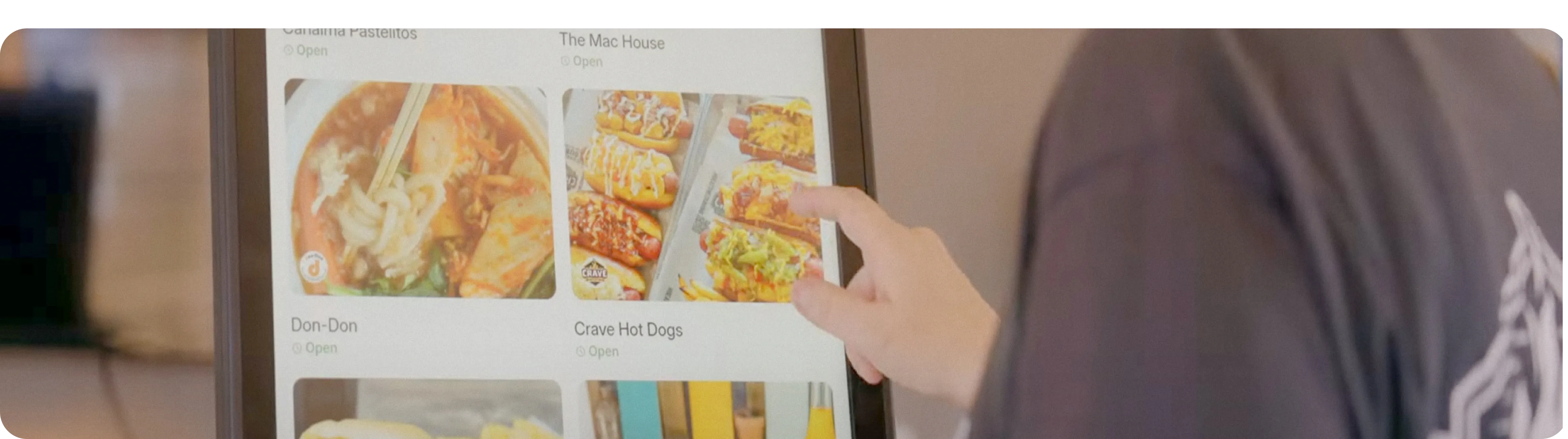
Otter Kiosk operates within the Otter restaurant operating system. Menu updates, order routing, and analytics are connected across all order channels in one system.
Scott, owner of Bred Hot Chicken (Costa Mesa, CA): “Kiosks are a major factor at both our locations. It’s great to have the upsell feature, and I’d recommend any other owner or operator to switch over to Otter.” (See more reviews)
Hardware and security basics every kiosk software option must cover
Kiosk mode lockdown in plain English: the software runs in single app mode or multi-app mode, restricting what customers can access to your menu and payment flow. No device settings, no browser, no other kiosk applications, no way to see previous customer payment data. A virtual keyboard handles any text input needed for loyalty enrollment or order notes. Session management ensures each guest starts with a clean, reset screen.
Remote device management and remote management matter even at a single location. The ability to push a menu update, restart a frozen screen, or check device status without walking out to the kiosk is a basic operational requirement. Remote monitoring and remote support access should be standard, not premium add-ons. Custom branding options, the ability to match the on-screen experience to your restaurant's look, should also be included in any serious platform.
OS compatibility: Most restaurant-native kiosk software runs on Android or iOS hardware. Windows devices running Windows kiosk software are an option for specific enterprise configurations, and some setups use Google Chrome on Chromebooks or Raspberry Pi hardware for lightweight or lower-cost deployments. Match your software selection to the hardware you're actually buying, not the other way around.
PCI compliance is non-negotiable. Any kiosk that accepts card payments must meet PCI DSS standards. Ask for documentation, not assurances. Also confirm the card reader hardware is separately certified. Software-layer compliance doesn't cover a non-compliant peripheral.
Otter's team is available any time for kiosk setup and ongoing support questions, so you're not diagnosing a frozen screen alone at noon on a Saturday.
5 questions to ask before you commit to any restaurant kiosk software
Q1: Does it integrate natively with my POS, or will I be managing two separate menus?
Integration depth is the most common source of post-purchase regret. The answer determines your daily operational burden for the life of the system.
Q2: What happens when the internet goes down?
Offline mode capability is the difference between a revenue channel and a liability during connectivity drops. A kiosk that goes dark at peak lunch defeats the purpose.
Q3: Can I update the menu myself in real time without calling support?
Operator control over content is a basic requirement. If menu changes require a support ticket, you don't own the customer experience.
Q4: What does the full monthly bill look like at month six, including hardware amortization, software license, processing fees, and your own time?
Model total cost of ownership before comparing vendors on price.
Q5: What support is available when something breaks at 11 AM on a Saturday?
Real-time support access is the final filter. Otter provides 24/7 support for kiosk setup and operations.
If a vendor can't answer all five questions clearly during the sales conversation, that's your answer. Move on.
Want to keep reading? See our guide to the best self-ordering restaurant kiosk systems.
Match the tool to the job
Buying the wrong category of software is the most preventable kiosk mistake independent operators make. Match the tool to the job: a full self-order kiosk for counter-service volume, a tableside solution for tab management, a lightweight check-in tablet for waitlist and loyalty capture, and a hardened outdoor unit for drive-thru line-busting. In every case, POS integration depth and total cost of ownership are the specs that matter most, and the ones most vendor comparisons skip entirely.
If you're evaluating self-order kiosks for a counter-service or fast-casual concept, see how Otter Kiosk connects ordering, upsells, and loyalty in one system and sets up the same day it arrives, no technician needed. Request a free demo.
FAQ: Restaurant kiosk software
What is the difference between kiosk software and a restaurant kiosk system?
Kiosk software is the application that controls what customers see and interact with on a public-facing screen. A restaurant kiosk system is the complete package: software plus purpose-built hardware (touchscreen, enclosure, card reader) plus integrations with your POS and kitchen display. For restaurant operators, the software alone is rarely sufficient. You need a system where all components are designed to work together from the same order through to the kitchen ticket.
Can generic kiosk software like MDM platforms be used for restaurant self-ordering?
Technically, but it's the wrong tool. Generic kiosk management software is built to lock down a device and manage it remotely. It has no native concept of menu modifiers, 86'd items, POS ticket routing, or upsell logic. Using it for restaurant ordering means building your entire customer-facing experience on top of an IT infrastructure tool. Purpose-built restaurant kiosk software handles all of that natively and connects to the rest of your operation.
Does restaurant kiosk software work when the internet goes down?
Most restaurant kiosk software requires an active internet connection to process orders, sync menus, and route tickets to your kitchen. Otter Kiosk is designed for connected environments, so a stable connection is essential. For in-person orders during connectivity issues, Otter POS supports offline mode, allowing your team to keep taking orders at the counter without interruption. Make sure your location has a reliable connection, and ask any kiosk vendor how their software behaves during brief connectivity drops before you commit.
How long does it take to set up self-order kiosk software?
With a system designed for operator self-setup, the physical installation can be done the same day the hardware arrives. The time-consuming part is building your menu: uploading item photos, configuring modifier groups, setting combo logic, and activating upsell prompts. Budget several hours for a complete menu build even if the hardware setup takes under 30 minutes. Any vendor claiming a full setup in "minutes" is describing the hardware step, not the content step.
What self-ordering kiosk software works best for independent restaurants with one or two locations?
Independent operators need software that's manageable without a dedicated IT team, integrates with their existing POS without a custom development project, and doesn't require an enterprise contract to access core features. Prioritize transparent per-device pricing, self-serve menu management, and direct support access. Otter Kiosk is built for this profile: single or multi-location operators who want a complete system, including hardware, software, upsells, and loyalty, without enterprise overhead.
How does kiosk software handle menu updates when items sell out mid-service?
In a natively integrated system, 86ing an item on your POS removes it from the kiosk immediately. In API-integrated systems, there's usually a brief sync delay. Confirm the window with your vendor. In systems with no POS integration, you're updating the kiosk menu manually, which means sold-out items stay orderable until someone physically makes the change. That's not a software quirk. It's a customer experience failure and a kitchen burden during your busiest moments.
Is restaurant kiosk software PCI compliant?
Any legitimate platform processing card payments must meet PCI DSS standards. Ask for documentation, not verbal assurances. Also confirm that the payment hardware integrated with the software (the card reader terminal) is separately certified. Security at the software layer doesn't cover a non-compliant hardware peripheral, and the distinction matters for your liability exposure.
What is a realistic ROI timeline for a self-service kiosk system?
Most operators see payback within 6 to 18 months. Higher-volume locations hit it faster because the math on redeployed labor and increased average check size compounds quickly at volume. Lower-volume concepts take longer but still typically justify the investment through improved order accuracy and the operational breathing room that comes from staff not being anchored to a register. Model your specific transaction count and average check before accepting a vendor's generic ROI projection.

Book a demo to see how Otter’s all-in-one platform can help your restaurant thrive.