
Table of contents
- What credit card processing actually is (and who gets paid every time a guest swipes)
- The three fees inside every restaurant transaction
- Flat-rate, interchange-plus, or tiered: which pricing model fits your restaurant
- Why restaurants pay more than the headline rate
- How to read your monthly processing statement and find what you're actually paying
- The multi-processor problem: when your POS, online orders, and delivery apps don't reconcile
- PCI compliance and security without the legal jargon
- What to ask before you sign with a processor
- Your effective rate is the only number that matters in any processor negotiation
- Frequently asked questions
A $40 check costs you $1.00 to $1.40 in processing fees before you've counted a single ingredient or paid a single hour of labor. Credit card processing fees have quietly become the third-largest expense in many US restaurants, right behind food and labor. According to the National Restaurant Association, 56% of restaurant operators say technology and automation are now essential to running efficiently, and yet you probably can't name who pockets that $1.40 or why.
Knowing which fees you can control, and how to calculate your true effective rate, is what gives you real leverage with any processor or merchant services provider, and better visibility into your restaurant's cash flow.
Key Insights
- Credit card processing fees are now the third-largest expense for many US restaurants: understanding the three non-negotiable fee layers (interchange, assessment, processor markup) is the prerequisite to controlling them
- Your quoted rate is never your real rate: calculate your effective rate (total monthly fees ÷ total card volume × 100) and you will almost always find it's meaningfully higher than what you were sold
- Restaurant-specific workflows (tip edits, online orders, late batch closes, premium rewards cards) silently trigger interchange downgrades that push your effective rate above any headline number; these triggers rarely affect retail operators the same way
- Running separate processors for in-store POS, direct online ordering, and delivery creates reconciliation blind spots and chargeback gaps across multiple dashboards; consolidating payment flows into one POS system is the single fastest way to eliminate that daily manual work
What credit card processing actually is (and who gets paid every time a guest swipes)
Understanding how credit card processing works starts with knowing who's involved in every transaction. Every card transaction involves four parties, and each one takes a cut.
- Cardholder: your guest, the person swiping or tapping
- Issuing bank: the bank that gave your guest their card (Chase, Bank of America, etc.)
- Acquiring bank: your business bank (also called your merchant bank), which holds your merchant account and receives the funds from card sales
- Card network: Visa, Mastercard, Amex, or Discover; these card associations set the rules and provide the highway the data travels on
- Payment processor: the company routing data between all of them and managing the technical plumbing
A simple way to picture it: the card network is the highway, the issuing bank collects a toll for access, the acquiring bank is your on-ramp, and your processor manages the traffic. You pay a piece of each every time a guest pays by card.
The money moves in three steps:
- Authorization: the guest taps their card; the processor asks the issuing bank whether the card is valid and the funds are available; the issuing bank approves or declines in seconds
- Capture: after you hand over the food, you claim the transaction; this is when the amount is locked in
- Settlement: funds move from the issuing bank through the card network to your acquiring bank, typically 1–2 business days later
A counter-service example: a guest orders a $22 bowl, taps their Visa, and gets their food. Authorization happens at the terminal in real time. You capture the transaction when you close the order. The net funds ($22 minus fees) land in your bank account the next business day.
Why does American Express cost more? On most American Express transactions, Amex acts as both the card network and the issuing bank. That means the full interchange goes to one company instead of being split between two. If you run meaningful Amex volume at a fast-casual or QSR location, you'll feel that difference on your statement every month.
The three fees inside every restaurant transaction
Every card transaction you process has three fee layers baked in. Two of them you cannot negotiate. One you can.
Layer 1: interchange fees
Interchange is set by Visa, Mastercard, Amex, and Discover and paid to the cardholder's issuing bank. It is non-negotiable regardless of which processor or merchant services provider you use. According to published Visa and Mastercard interchange schedules, a typical consumer credit card runs roughly 1.5–2.2% of the transaction. Rewards cards and corporate cards carry higher interchange because the issuing bank is recouping the cost of those points from somewhere. That somewhere is you.
Layer 2: assessment fees
Assessment fees go to the card network itself (Visa, Mastercard, etc.) and are also non-negotiable. They're small, typically around 0.13–0.15%, but they're often bundled invisibly into the rate a processor quotes you.
Layer 3: processor markup
This is the only layer you can negotiate. It's what your payment processor keeps for routing the transaction and providing the service. Markup can range from 0.2% + $0.05 to 0.8% + $0.30 depending on the processor and the deal you've struck. This is where pricing models (flat-rate, interchange-plus, tiered) live.
A concrete example: a guest pays a $22 fast-casual check with a Visa consumer rewards card. Total fees might run about $0.63. Roughly $0.44 goes to the issuing bank as interchange, about $0.03 goes to Visa as an assessment fee, and the remaining $0.16 is your processor's markup. The processor only keeps a fraction of what you pay.
Most processors quote a blended all-in rate that buries all three layers together. Ask any processor to separate interchange from their markup. If they won't, that's a red flag. It usually means you're on tiered pricing with no way to audit what you're actually paying.

Flat-rate, interchange-plus, or tiered: which pricing model fits your restaurant
Once you understand the three fee layers, evaluating any pricing model is straightforward.
Flat-rate pricing
What it is: a single blended percentage plus a per-transaction fee on every transaction — for example, 2.6% + $0.10 regardless of card type.
Why it works: simple and predictable. Easy to budget. A good fit for pop-ups, food trucks, or new concepts doing low volume.
The catch: at scale, you're overpaying. Debit cards and basic credit cards should cost significantly less than rewards cards, but flat-rate treats them all the same. You're subsidizing every rewards card your guests present.
Interchange-plus pricing
What it is: you pay actual interchange (passed through at cost) plus a fixed processor markup — for example, interchange + 0.30% + $0.15 per transaction.
Why it works: the most transparent model available. You see exactly what you pay and why. Generally the best fit for mid-to-high-volume restaurants because each transaction pays actual interchange rather than a blended estimate.
Quick tip: ask any processor to quote you interchange-plus with the markup shown as a separate line. If they can't or won't, keep looking.
Tiered pricing
What it is: the processor buckets transactions into "qualified," "mid-qualified," and "non-qualified" tiers at different rates.
Why it's a problem: rewards cards, corporate cards, and card-not-present orders routinely land in the non-qualified tier (the most expensive one) without explanation. It's the hardest model to audit and the easiest for a processor to quietly inflate. Avoid it if you can.
Volume comparison: at 300 transactions per day with an $18 average check, you're processing roughly $162,000 per month in card volume. The difference between flat-rate and interchange-plus at that volume can run $200–$400 per month. That's $2,400–$4,800 per year going to a pricing model instead of your margin.
Ghost kitchens and virtual brands: heavy online order volume means most of your transactions are card-not-present, which automatically lands in a higher interchange tier regardless of pricing model. Interchange-plus at least gives you visibility into exactly how much that's costing you.
Not all credit card processing companies separate interchange from their markup in what they quote you. The ones that won't are almost always on tiered pricing.
Why restaurants pay more than the headline rate
Several restaurant-specific workflows silently push your effective rate above whatever you were quoted. Payment processing for restaurants is more complex than retail because of tip adjustments, online orders, and multi-channel settlement, each of which triggers fee consequences that don't apply to a standard retail checkout. Here's where it happens.
Tip adjustment downgrades
In counter service and fast-casual, a guest authorizes a card for the check amount, then adds a tip at the terminal or on a receipt afterward. If the settled amount exceeds the authorized amount by roughly 20%, Visa and Mastercard may classify this as a tip edit downgrade, moving the transaction to a higher interchange tier. You pay more, and nothing on your statement explains why.
How to avoid it: use a POS that captures the tip at the time of authorization, or pre-authorize an amount that includes a tip estimate.
Card-not-present (CNP) orders
Every online or phone order is card-not-present and automatically placed in a higher interchange tier than an in-person chip or tap transaction. If 30–50% of your sales come through direct online ordering, you're paying CNP rates on that entire share.
Rewards and corporate cards
Interchange is higher on these cards because the issuing bank is recouping the cost of rewards programs. You have zero control over which card a guest presents. If your location is near office buildings, you'll see disproportionately high corporate card volume and systematically higher interchange as a result.
Late batch close
Some card types require settlement within 24 hours of authorization. If you close your terminal after that window, those transactions downgrade to a higher interchange tier. One late close a week adds up.
Voids and partial authorizations
Voiding and re-ringing a transaction, splitting a check mid-service, or adding a second item to an open tab each creates a processing event with its own cost.
A fast-casual location quoted 2.5% may run an actual effective rate of 3.0–3.3% once CNP online orders, tip edits, rewards cards, and late batches are factored in. The headline rate is not your real rate.

Pricing plans for all your restaurant needs
Learn about Otter pricing plans today.
How to read your monthly processing statement and find what you're actually paying
Most processing statements are designed to be confusing. Three steps to cut through them:
Step 1: calculate your effective rate first
Total fees charged that month ÷ total card volume processed that month × 100 = your real blended rate.
Example: $1,800 in fees on $62,000 in card volume = 2.9% effective rate. This single number cuts through every line-item distraction and is the only apples-to-apples metric when comparing credit card processing companies.
Tip: Do this calculation before you talk to any processor or renegotiate your current deal. Walking in without it means you're negotiating blind.
Step 2: locate your fee categories
- Interchange fees: the largest line; goes to card networks and issuing banks
- Assessment fees: small; goes to the card networks
- Processor markup: the amount your processor keeps
Tip: If your statement doesn't separate these three lines, you're on tiered pricing. Call your processor and ask for a line-item breakdown. You're entitled to one.
Step 3: find the five hidden line items operators miss
- Non-qualified surcharge: an extra fee applied when a transaction downgrades out of the base tier; triggered by rewards cards, CNP orders, tip edits, and late batch close; most common on tiered plans
- Batch fee: a per-close fee (typically $0.05–$0.35) charged every time you settle your terminal; at one close per day, that's 365 charges per year
- Monthly minimum fee: if your total fees don't reach a set floor (e.g., $25/month), you pay the difference; hits seasonal operators and ghost kitchens during slow periods
- PCI non-compliance fee: a monthly penalty ($20–$50 is common) charged if you haven't completed your annual Self-Assessment Questionnaire; most operators don't know they're paying it
- Early termination fee: ranges from a flat $200–$500 to all remaining monthly fees on the contract; buried in multi-year agreements
Tip: Scan for the PCI non-compliance fee first. If you haven't filed your annual SAQ, you're likely paying $20–$50 every month for a problem that takes under an hour to fix at no cost.
Red flag: if your statement doesn't show interchange as a separate line item, you're on tiered pricing and cannot audit your real rate. Call your processor and ask them to walk you through each line. You are entitled to a plain-language explanation of every charge.
The multi-processor problem: when your POS, online orders, and delivery apps don't reconcile
Most independent restaurants and ghost kitchens run three or more separate payment flows simultaneously. A common setup: in-store POS on one processor, a direct online ordering page using a different payment gateway, and DoorDash, Uber Eats, and Grubhub each running their own payment rails. You have no unified settlement view.
The daily pain: end-of-day close doesn't tie out because card sales split across your terminal, your online portal, and delivery app payouts arriving on different schedules. Reconciling requires manually pulling from three or four dashboards. That's 20–30 minutes of manual work every single day. For a closer look at how payment data should flow into your books, see how restaurant accounting works.
The chargeback blind spot: a dispute on a delivery-app order surfaces as an email notification that's easy to miss. Most card networks give you 7–30 days to respond with evidence: receipts, order records, transaction logs. Miss that deadline and you automatically lose the disputed amount plus a $15–$35 chargeback fee. When disputes come from multiple channels, one will slip.
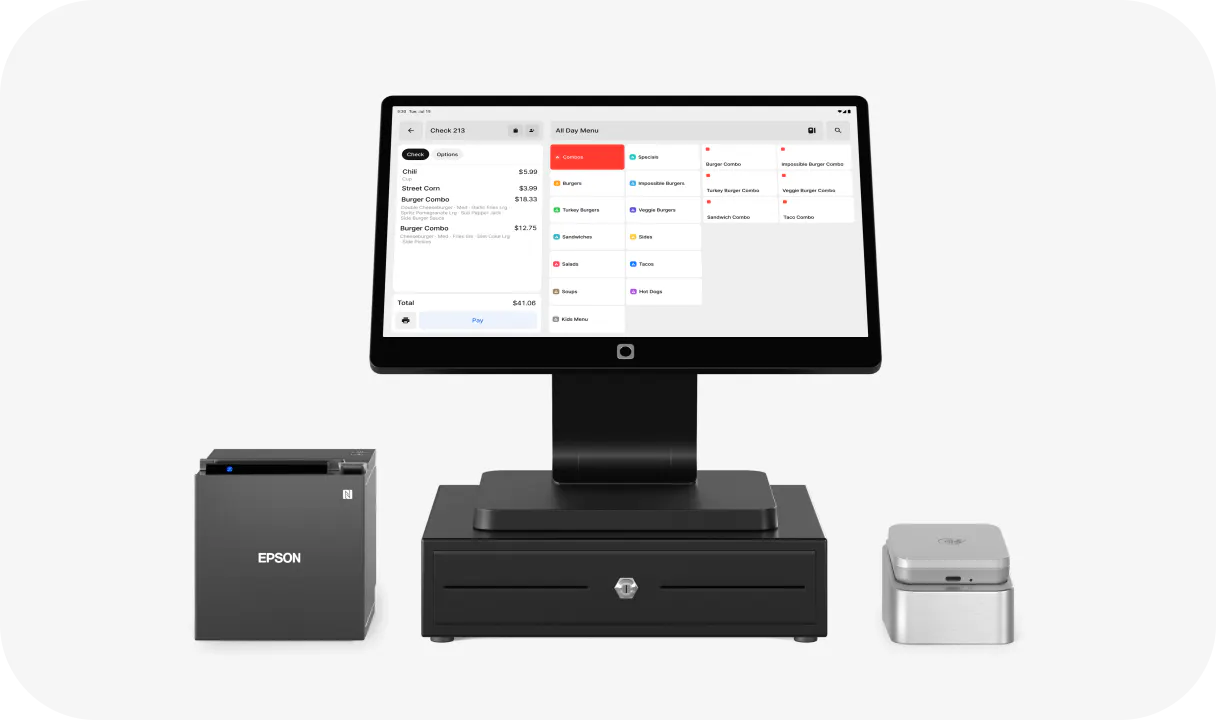
Otter POS consolidates in-store counter service, kiosk, and direct online order payments into a single system. Order history and payment data live in the same reporting view, removing the manual reconciliation that multi-processor setups create every night. For ghost kitchens running multiple virtual brands across two delivery platforms and one direct channel, that can mean eight or more separate payment streams. Standardizing on one POS with integrated payments is the primary lever for reducing that complexity.
PCI compliance and security without the legal jargon
PCI DSS (the Payment Card Industry Data Security Standard) applies to every US business that accepts cards. A one-location taco counter or small business is subject to the same requirements as a national QSR chain.
What you actually need to do:
- Complete an annual Self-Assessment Questionnaire (SAQ): it's free and takes 30–60 minutes online
- Run quarterly network scans if you process cards on a website
- Confirm your POS hardware and software are PCI-compliant and appear on the PCI-validated products list
EMV chip: the chip on a card generates a unique code for each transaction, making in-person fraud much harder. If a guest presents a chip card and you run it as a magnetic swipe, liability for fraudulent in-person transactions shifts from the card network to you. Always use chip or tap.
Contactless and mobile wallets: according to PAR Technology, 51% of American consumers used contactless payment methods like tap-to-pay cards and mobile wallets. Mobile payment apps like Apple Pay and Google Pay use tokenization. The actual card number is never transmitted, which lowers fraud risk and can mean slightly lower interchange on certain card types. Make sure your terminals accept tap payments.
Tokenization in your POS: when your system stores a token (a stand-in reference number) instead of the raw card number, you shrink your PCI scope. Fewer systems need to be audited, and your exposure is lower if your network is ever compromised.
If you haven't filed your annual SAQ, you're likely paying a silent monthly penalty that's fixable in under an hour at no cost. Check your statement now.
Plain-language summary: use chip or tap for every in-person transaction, never store card numbers in notebooks or spreadsheets, complete your annual SAQ, and ask your processor which SAQ type (A, B, C, or D ) applies to your specific setup.
What to ask before you sign with a processor
Ten questions to ask before you commit to any merchant services agreement:
- What is your pricing model, and can you show me interchange as a separate line from your markup? If they won't show interchange-plus clearly, walk away from tiered.
- How do you handle tip adjustments: are tip-edit downgrades passed through to me, and at what percentage threshold do they trigger?
- What is your card-not-present rate for online orders, and is it different from my in-person rate? For phone orders taken at the counter, ask whether a virtual terminal is included. Relevant for any operator with a direct online ordering channel.
- What is the contract term and what is the early termination fee — exact dollar amount or formula? Month-to-month is strongly preferable for independents; multi-year contracts often have liquidated damages clauses.
- What are my hardware options: purchase, lease, or included? Never lease terminals. You will pay two to four times the purchase price over a typical lease term.
- Does the terminal have offline mode: can I process transactions if my internet goes down, and do they sync automatically when connectivity is restored?
- Walk me through your chargeback dispute process: can I respond from a single dashboard, what documentation do you need, and what is the typical response window?
- What are your support hours? 24/7 is the minimum for a restaurant. You need a human available during Friday dinner rush, not just 9–5 Monday through Friday.
- Can I see a sample monthly statement before I sign? A processor who declines this request has something to hide.
- Are there any monthly, annual, or regulatory fees beyond interchange, assessment, and your markup? Get this list in writing.
Your effective rate is the only number that matters in any processor negotiation
All the complexity covered here (interchange tiers, tip downgrades, CNP surcharges, hidden statement fees) distills into one actionable metric: your effective rate. Know it, and you walk into every processor or merchant services negotiation with real leverage. Don't know it, and you accept whatever you're quoted.
Calculate yours. If you land above 3.0% on primarily in-person card volume, you have a concrete case to renegotiate or switch processors.
Switching is less painful than you think. Collect two interchange-plus quotes and ask each to break out the markup separately. Compare markup percentages. Factor in hardware costs and contract terms. The exercise takes one afternoon.
A healthy processor relationship looks like this: the monthly statement is readable without a finance degree, support picks up during your service hours, and your rate has not quietly increased 90 days after you signed.
Otter POS is built for counter service, fast-casual, QSR, and ghost kitchen operators who want payments, direct online ordering, kiosk, and sales analytics in one place, solving the multi-processor reconciliation problem covered earlier.
One system, no more reconciliation. Book a demo with Otter today.
Frequently asked questions
What is the average credit card processing fee for restaurants?
The exact number depends on your card mix (rewards vs. basic credit vs. debit), your order channel share (in-person vs. online), and your pricing model. Calculate your own: total processing fees last month ÷ total card volume last month × 100. That single number is more useful than any industry average, and it's the benchmark you should use when evaluating any processor quote.
What is interchange-plus pricing and is it better for restaurants?
Interchange-plus separates the interchange cost (set by card networks and non-negotiable) from the processor's fixed markup, which is negotiable. It's the most transparent model available and typically saves mid-to-high-volume restaurants money compared to flat-rate or tiered pricing because each transaction pays actual interchange rather than a blended estimate. Ask any processor to quote you interchange-plus with the markup shown separately.
How do I calculate my restaurant's real effective rate?
Divide your total processing fees charged in a month by your total card volume processed in that month, then multiply by 100. Example: $1,800 in fees on $62,000 in card volume = 2.9% effective rate. This number cuts through all line-item noise and is the only apples-to-apples metric when comparing processors.
What is a non-qualified surcharge on my processing statement?
A non-qualified surcharge is an extra fee applied when a transaction downgrades from the base rate tier. Common restaurant triggers include premium rewards cards, corporate cards, card-not-present online or phone orders, tip edits that exceed the authorized amount by more than roughly 20%, and late batch settlement. It appears most often on tiered pricing statements and can be difficult to audit because processors don't always explain what caused each downgrade.
Can I pass credit card processing fees to my customers?
Surcharging (adding a fee for card use) is legal in most US states but carries rules. It can only be applied to credit cards, not debit cards. It must be disclosed at the point of entry and point of sale. And it's capped at your actual cost of processing, currently a maximum of 3% under card network rules. Some states still restrict or prohibit it. Cash discount programs (where menu prices reflect a cash price and card users pay list) are a legal alternative used by some fast-casual and QSR operators.
What is a tip adjustment downgrade and how do I avoid it?
When a card is authorized for a check amount and a tip is added afterward, the settled amount is higher than what was originally authorized. If the tip pushes the settled amount more than roughly 20% above the authorization, Visa and Mastercard may reclassify the transaction to a higher interchange tier. Avoid it by authorizing a pre-authorized amount that includes a tip estimate, or by using a POS that handles tip capture at the time of authorization.
How do chargebacks work for restaurants and how do I dispute one?
A chargeback is when the card issuer (the guest’s bank) reverses a charge on the guest’s behalf. Your restaurant receives notice and has a limited window (typically 7–30 days depending on the card network) to respond with evidence such as receipts, order records, and transaction logs. Missing the deadline means automatic loss of the disputed amount plus a chargeback fee, typically $15–$35. Running separate payment flows for in-store, online ordering, and delivery apps means disputes arrive from multiple channels. A unified payment view reduces the risk of missing a dispute notice.
What is the difference between a payment gateway and a payment processor?
A payment gateway is the technology that securely transmits card data from your point of sale or online checkout to the processor. A payment processor is the company that manages the transaction flow between your acquiring bank and the cardholder's issuing bank. Many restaurant POS systems bundle both functions so you don't need to source or configure them separately. Look for a POS that handles both to simplify your setup and your monthly reconciliation.

See how Otter brings your in-store and online payments into one view