Table of contents
- What a self-ordering kiosk actually does in a restaurant
- Where kiosks reliably lift revenue: ticket size, throughput, and accuracy
- Which restaurant concepts get the most out of kiosks, and which don't
- The real cost of a kiosk system: hardware, integration, and everything vendors don't quote
- Where kiosks backfire: guest friction, staff confusion, and brand misalignment
- What happens to your staff after you deploy: roles, tips, and the floor transition
- Must-have integrations: POS, kitchen display system, and loyalty
- How to evaluate kiosk vendors as an independent operator
- A simple framework for deciding whether a kiosk is right for your restaurant right now
- The verdict on self-ordering kiosks
- Frequently asked questions about self-ordering kiosks
You've probably watched a competitor install a self-ordering kiosk and wondered: is that actually working for them, or does it just look like it is? The honest answer depends entirely on whether the concept is the right fit. Kiosks can drive real revenue and cut front-of-house chaos. They can also frustrate guests, confuse staff, and sit underused after a costly rollout.
This guide gives you a straight read on both outcomes: where self-ordering kiosks reliably lift average check and throughput, where they create more problems than they solve, and how to build the full picture before you commit.
Key takeaways
- Kiosks lift average check size up to 20–30% in counter-service concepts because upsell prompts fire consistently on every single order, something even your best cashier won't match across a full lunch rush.
- Concept fit is the variable vendors never discuss: fast-casual and quick-service operators see reliable ROI; full-service and experience-first independents often get guest friction and brand dilution instead of a lift.
- The real cost of a kiosk system runs 30–50% higher than the hardware price once you account for SaaS fees, ADA compliance, network infrastructure, POS re-integration, and staff retraining. Build the full total cost of ownership before you compare vendors.
- Kiosks reallocate staff, they don't eliminate them. Someone still needs to work the floor, tip income will likely shift, and guests who can't figure out the screen still need a human. You need a change management plan before go-live, not after.
What a self-ordering kiosk actually does in a restaurant
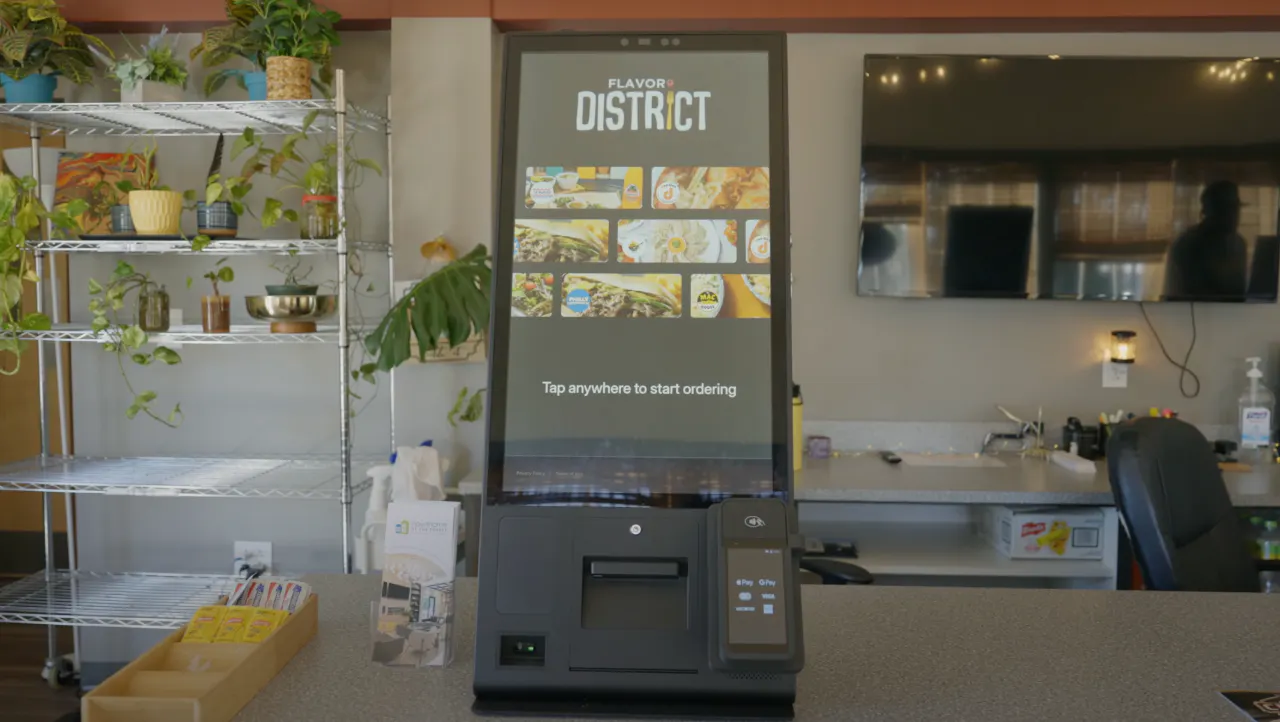
A self-ordering kiosk is a guest-facing touchscreen that handles the order-entry step your cashier used to own. The hardware-software loop is straightforward: a guest taps through the menu, customizes their order, pays at the screen, and the ticket fires directly to your kitchen display or POS with no verbal handoff and no manual re-entry.
Two primary form factors:
- Countertop units. Smaller footprint, lower cost, suited for lower-volume counters or tight spaces.
- Freestanding floor pedestals. Higher visibility, better for queue-based traffic, and easier to position for ADA reach compliance.
Before choosing, weigh your square footage, peak transaction volume, and ADA mounting requirements. A wall-mounted unit can work well in tight layouts where floor and counter space are limited. A freestanding unit in a 400-square-foot cafe may create more congestion than it solves.
The load-bearing requirement is real-time POS sync. Without it, 86'd items stay live on the screen, prices drift out of alignment, and order routing breaks down. This is where many budget kiosk setups fail in practice: the hardware works, but the integration doesn't.
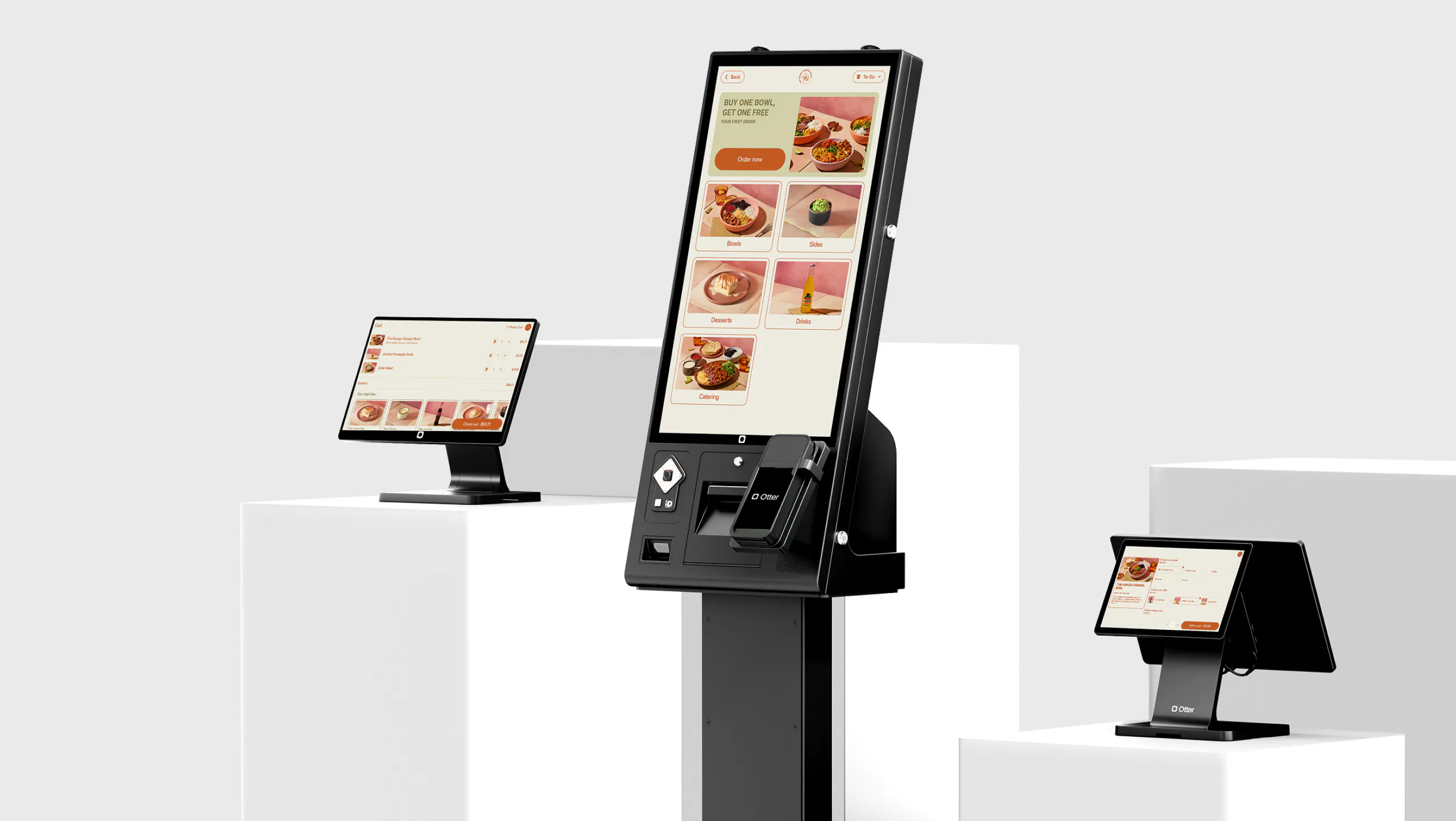
Otter Kiosk is built on restaurant-grade powder-coated steel with an 8-core processor, ships with everything in the box, and is designed for same-day self-setup with no technician required. That matters for operators who can't afford a multi-day installation window.
That said, a kiosk is a tool, not a transformation. Outcomes are driven by concept fit and execution, not the hardware spec sheet.
Where kiosks reliably lift revenue: ticket size, throughput, and accuracy
This is where the business case is clearest, and the data is consistent.
Average check lift. Otter's data shows up to 20–30% increases in average check size in counter-service environments. The driver is simple: smart upselling and cross-selling prompts fire on every single order. No upsell fatigue, no skipped prompts during a lunch rush, no inconsistency between your best cashier and your newest hire.
Independent research backs this up. According to RBR Data Services, fast-food operators consistently report increased average transaction values as a direct result of installing self-ordering kiosks. Global restaurant kiosk installations grew 43% in two years to mid-2023 and are forecast to nearly double to 700,000 by 2028.
Peak-hour throughput. Multiple kiosks create parallel ordering queues. Guests move through faster, perceived wait times drop, and you're not adding headcount to accomplish it. For a fast-casual concept doing 80–120 covers in a 90-minute lunch window, that parallel capacity is meaningful.
Order accuracy. Guest-entered orders remove the cashier-to-kitchen miscommunication layer that drives remakes and comps. When the guest types "no onions," that's what the ticket says.
IDK Philly owner Reda Labbakh: "They don't have anybody judging them on what they're getting so they just add more and it bumps the sales up. We've seen upselling with the Otter kiosks for sure." (full story)
Scott, owner of Bred Hot Chicken (Costa Mesa, CA): “Kiosks are definitely a major factor with both of our locations, but we find it so valuable to have a kiosk in place just to allow the customers to instantly have somewhere to go to. It’s great to have the kiosk in place as well because it has an upsell feature. The kiosks look outstanding. Great presentation, vertical layout. We love it.” (see more reviews)
Realistic ROI window: Most high-volume counter-service operators hit payback within 6–18 months. Lower-volume concepts take longer, and some never fully recover the cost. That's exactly why concept fit matters before anything else.
Which restaurant concepts get the most out of kiosks, and which don't
Strongest fit:
- Fast-casual and quick-service restaurants with high transaction volume and standardized menus
- Cafes and bakeries with a fixed menu and a predictable morning or midday rush queue
- Any counter-service model where guests expect speed over hospitality warmth
Poor fit:
- Full-service dine-in restaurants where the customer experience is the product
- Experience-driven independents where a trained server carries the brand's personality. A kiosk becomes the brand voice by default.
Quick concept-fit test. Check all four before proceeding:
- Counter-service or queue-based guest flow (not table-based)
- Menu under roughly 80 items
- Average ticket size under $25
- Consistent peak-hour queue of five or more guests
Daypart nuance matters too. A breakfast cafe may see strong kiosk ROI from 7–9 AM but find the same hardware creates an impersonal feel during a slower dinner service. The tool doesn't change; the context does.
The real cost of a kiosk system: hardware, integration, and everything vendors don't quote
Hardware sticker price is one line item. Here's what else goes into the total cost of ownership:
Cost Category | What to Ask |
Hardware | Commercial-grade units last 5–7 years; consumer tablets in enclosures need replacement in 3–4 years |
SaaS/platform fees | Monthly licensing. Confirm whether payment processing is bundled or per-transaction |
Installation | Otter ships ready to go; other vendors charge for technician time |
Network infrastructure | Reliable Wi-Fi or wired Ethernet required. Ask whether orders flow if internet drops |
ADA compliance | Mounting height, accessible touchscreen angle, audio jack. Non-negotiable for permanent installs |
POS re-integration | Custom integration work adds unquoted cost and delays if your POS isn't natively supported |
Staff retraining | Budget actual paid shift hours, not a 30-minute demo |
Build the full TCO at 12 months and 36 months before comparing quotes. The all-in monthly cost is the number that matters. For a full breakdown of what each cost category looks like in practice, the restaurant kiosk cost guide goes deeper.
Where kiosks backfire: guest friction, staff confusion, and brand misalignment
Guest abandonment. Older or less tech-comfortable guests will look for a human. If no one is clearly stationed to help, you've built a friction wall into your busiest moment. Guests used to retail self-checkout tend to adapt quickly; those new to touchscreen ordering need a visible assist station nearby.
Complex menus slow self-service ordering down. A 15-modifier bowl can take longer on a screen than with a trained cashier who knows the menu cold. Self-ordering works best with clean, structured menus.
Under-staffed support zones. Freeing cashiers is the goal, but someone still needs to handle kiosk questions, payment exceptions, and accessibility requests. Your front-of-house coverage plan has to account for this.
Tip screen friction. Guests frequently feel awkward or resentful when prompted to tip at a self-service terminal. Inconsistent tipping behavior directly affects staff morale, and your team needs to know this before go-live.
Brand misalignment. Deploying a kiosk in a neighborhood restaurant with a loyal, relationship-driven guest base can register as cold and transactional, eroding the intangibles that drive return visits and hurting the overall customer experience.
Menu content quality is a conversion variable. Missing item photos, vague descriptions, or low-res images kill completion rates at the screen. If your menu isn't fully digitized before launch, you're not ready.
What happens to your staff after you deploy: roles, tips, and the floor transition
Kiosks reallocate staff. They don't eliminate them, and headcount rarely drops as cleanly as vendor projections suggest.
Where freed staff should go:
- Food running and expediting
- Guest assistance at kiosk stations
- Hospitality touches that drive reviews and return visits
On tips: Self-service kiosk tip prompts typically generate lower attachment rates and lower amounts than face-to-face cashier interactions. Staff need to hear this before go-live.
Designate a kiosk ambassador role during the first weeks: one team member per peak shift whose job is to assist kiosk users and prevent queue abandonment. This single step prevents most of the early friction.
Change management is real. Staff who identify as cashiers may resist the transition. Involve them in setup, framing, and feedback collection. Track labor costs and reallocation before and after to confirm that hours freed from order-taking are being redeployed to higher-value tasks.
Must-have integrations: POS, kitchen display system, and loyalty
- POS integration is non-negotiable. Kiosk orders must enter the same ticket queue as every other channel — online ordering, delivery apps, and counter sales. A separate order stream creates kitchen chaos and reporting gaps, and effectively turns your kiosk into a standalone POS terminal rather than part of a unified system.
- Kitchen display system sync. Orders should appear on the KDS in real time with the same routing rules as POS-entered tickets, no manual bridging.
- Loyalty. Otter Kiosk captures guest contact info and supports loyalty enrollment at the point of sale, turning one-time visitors into repeat guests.
- Delivery app compatibility. If you run third-party delivery, kiosk orders and delivery orders need to share a unified KDS queue. Parallel streams cause misfires.
- Menu management sync. 86'd items and price changes should cascade across kiosk and all channels simultaneously. Manual updates across multiple platforms is the single most common operator complaint.
- Payment types. Confirm EMV chip, NFC contactless (Apple Pay, Google Pay), and cash handling are all supported before signing.
Those connections also need to work during a real shift. See how to set up a fast food ordering kiosk, from a guest’s first tap through payment and kitchen prep.”
How to evaluate kiosk vendors as an independent operator
Ask these questions before you sign anything:
- Support access. What happens when the kiosk goes down at 12:05 PM on a Friday? Is support 24/7 with a live person, or a next-business-day ticket? Otter offers real-time support.
- Contract terms. Month-to-month vs. annual lock-in, and who owns the hardware if you cancel?
- Update cadence. How often does the software update, does it require downtime, and do you control when updates deploy?
- POS compatibility. Ask for a specific named list of supported systems, not "we integrate with most POS platforms."
- ADA documentation. Get written confirmation that the hardware meets current ADA standards. Compliance is your liability after the sale.
- Independent operator references. Request contacts at restaurants matching your concept type and volume, not enterprise chain case studies.
- Pilot option. Ask whether you can deploy one unit and evaluate before committing to a multi-unit rollout.
Once you know what to ask vendors, use our restaurant kiosk software guide to match the software to your service model and check how it connects to your POS.
A simple framework for deciding whether a kiosk is right for your restaurant right now
Strong yes:
- Counter-service or fast-casual model
- Consistent peak-hour queue of five or more guests
- Menu under roughly 80 items, average ticket under $25
- Staff bandwidth to absorb a transition period
Not yet. Fix these first:
- POS is outdated or not kiosk-compatible
- Menu isn't fully digitized with photos and descriptions
- Network infrastructure is unreliable
- You're mid-staffing rebuild
No for now:
- Full-service table model
- Complex or highly seasonal menu
- Guest base that strongly values human interaction
- Volume too low to recover hardware and integration cost within 18 months
Five-question self-assessment:
- What's your concept type?
- What's your peak transaction volume per hour?
- Is your POS kiosk-ready?
- Is your menu fully digitized?
- How tech-comfortable is your guest base?
The honest bottom line: a kiosk amplifies what's already working. It will not fix a broken service model, an understaffed front of house, or a menu that hasn't been cleaned up.
The verdict on self-ordering kiosks
A self-ordering kiosk is one of the clearest ROI plays in counter-service and fast-casual right now: higher average order value and ticket sizes, better order accuracy, faster throughput, and labor efficiency that actually shows up on the P&L. The same hardware in the wrong concept creates guest friction, brand dilution, and a staff morale problem you didn't anticipate.
The decision comes down to four things: concept fit, POS readiness, a clean digitized menu, and a real change management plan for your team. Get those right, and the kiosk does what it's supposed to do.
Otter Kiosk connects directly to your POS, KDS, and loyalty program in one system, so orders flow from screen to kitchen without a separate integration layer and menu changes update everywhere at once.
Running a counter-service or fast-casual concept and want to see what kiosk deployment actually looks like day-to-day, not just the demo reel? Get a demo with the Otter team and get answers to the operational questions vendors usually dodge.
Frequently asked questions about self-ordering kiosks
How much does a self-ordering kiosk cost for a restaurant?
Hardware alone ranges from a few thousand dollars for a basic countertop unit to significantly more for freestanding commercial-grade models. Add monthly SaaS or platform fees, payment processing, installation, network upgrades, ADA compliance work, and staff retraining hours. A realistic 12-month total cost of ownership typically runs 30–50% higher than the hardware sticker price. Ask vendors for an all-in monthly cost before comparing options.
Do self-ordering kiosks actually increase average check size?
Yes, consistently in the right concept. Automated upsell and add-on prompts fire on every order without the fatigue or inconsistency of a human cashier. Otter's kiosk data shows up to 20–30% check size increases. The effect is strongest in counter-service and fast-casual restaurants where guests already expect to direct their own order.
Which restaurant types benefit most from self-ordering kiosks?
Fast-casual, quick-service, and counter-service concepts with consistent peak-hour queues, standardized menus, and guests who value speed. Full-service restaurants, experience-driven independents, and concepts with complex or seasonal menus typically see less ROI and more guest friction. The technology amplifies what's already working.
What POS systems do restaurant kiosks integrate with?
It depends on the vendor, and integration depth varies widely. Some kiosks sync fully with real-time menu updates and KDS routing; others require manual reconciliation on common systems like Square or Clover. Before buying, ask for a named list of supported POS systems and confirm the integration covers menu management, live order routing to your kitchen display, and loyalty data. Otter Kiosk is built within the Otter restaurant operating system so POS, KDS, and delivery channels share a single order stream.
Will a kiosk let me reduce staff?
Rarely in the way vendors project. Kiosks reallocate staff away from order-taking, but someone still needs to assist kiosk users, run food, and handle exceptions. The practical outcome is role redeployment: your team can focus on hospitality and kitchen execution. Whether that translates to reduced headcount depends on your volume, service model, and how cleanly you execute the transition.
Are restaurant self-ordering kiosks required to be ADA compliant?
Yes. Permanent kiosk installations are subject to ADA requirements including mounting height, accessible reach range, screen angle, and audio output options. Confirm the hardware you're purchasing meets current ADA standards and ask the vendor for written documentation before you sign.
What happens to tipping when guests order at a kiosk?
Tip attachment rates and tip amounts typically decline at self-service terminals compared to face-to-face cashier interactions. Some guests feel awkward tipping a screen; others skip the prompt entirely. If your staff relies on tip income, communicate this change proactively before deployment and think carefully about how you frame the tip screen experience.
How long does it take to set up a restaurant self-ordering kiosk?
It depends on the vendor and your existing infrastructure. Otter Kiosk ships with everything in the box and is designed for same-day self-setup with no technician required. More complex deployments involving custom POS integrations or network upgrades can extend timelines to days or weeks. The menu build (photos, descriptions, modifiers) is consistently the most underestimated part of the setup process.

Book a demo to see how Otter’s all-in-one platform can help your restaurant thrive.