Invoices for Catering
What’s new
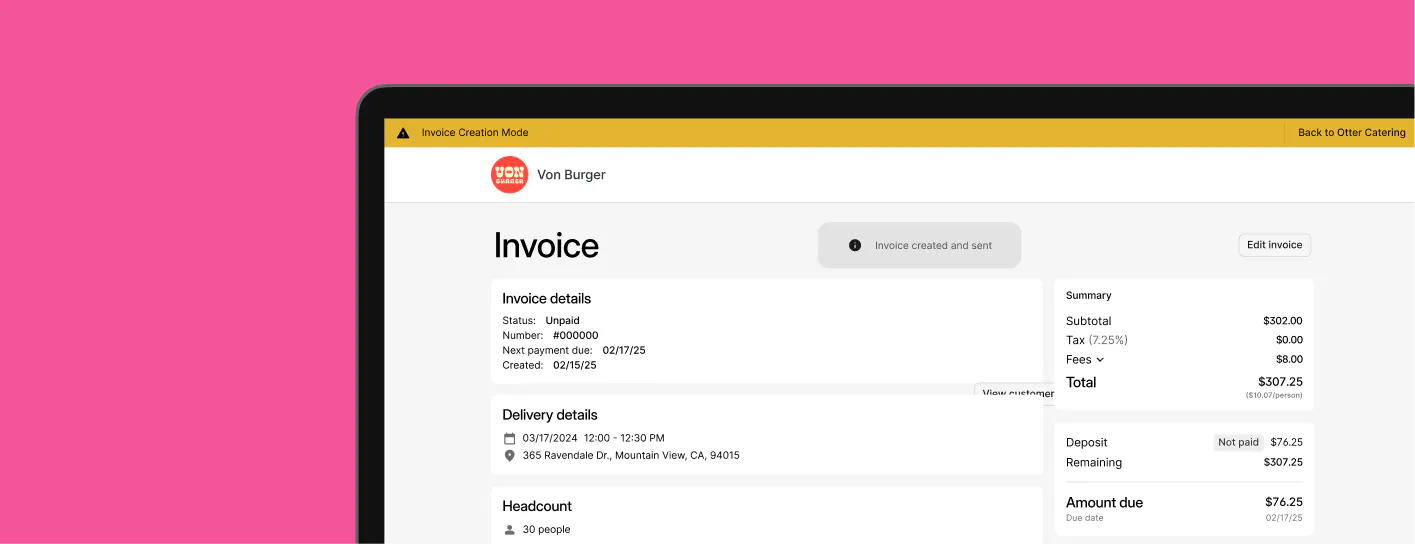
Invoices can now be created, sent to, and collected from your customers. Create invoices using the new Catering app and add your standard menu items to the order, or create special custom items just for that customer.

You can set due dates, payment reminders, and minimum deposits for every invoice. A new, easy-to-use calendar view allows you to quickly see past and upcoming catering orders and their invoice status.
What it means for you
Spend less time chasing payments and coordinating with customers. You can now focus more on what you do best – serving great food and experiences – by leaving the administrative work with us. Catering will make sure you and your customers are in the loop every step of the way, from the moment they place an order to where their delivery is at.
More enhancements
Online Ordering: Auto Timeout
Ensure customers are never left waiting indefinitely. Orders on your online ordering site that are not accepted within 15 minutes are automatically cancelled. Learn more >
Menus: Auto-Sync by Default
Keep your menus and POS in sync all the time. New menus created from your integrated POS now have auto-sync turned on by default. This only applies to newly created menus; existing menus will need auto-sync turned on. Recall how to enable menu sync >

Book a demo to see how Otter’s all-in-one platform can help your restaurant thrive.