Table of contents
- Quick Comparison: Otter vs Clover at a Glance
- Overview: What is Otter POS?
- Overview: What is Clover for Restaurants?
- Pricing Comparison: Otter vs Clover
- Feature Comparison: Otter vs Clover
- Integrations: Otter vs Clover
- Hardware Options: Otter vs Clover
- Ease of Use: Otter vs Clover
- Customer Support: Otter vs Clover
- Best For: Which Restaurants Should Choose Otter vs Clover?
- Pros and Cons: Otter vs Clover
- Frequently Asked Questions (FAQs)
Choosing a POS system is one of the most consequential decisions you'll make as a restaurant operator. The right platform streamlines operations and provides the real-time data you need to run a more profitable business. The wrong one locks you into expensive contracts and leaves you juggling multiple tools just to keep up.
Otter and Clover take different approaches to restaurant technology. Otter was purpose-built for modern restaurants managing delivery, online ordering, and dine-in service through one integrated platform. Clover, owned by Fiserv, began as a payment processing solution and expanded into POS systems that serve restaurants alongside retail and professional services.
This guide provides an honest comparison across pricing, features, integrations, hardware, and support teams. You'll see where each platform excels and where one might fall short depending on whether you're focused on delivery volume, dine-in experience, or scaling across multiple locations.
By the end, you'll have the clarity to choose the POS system that sets your restaurant up for long-term success.
Quick Comparison: Otter vs Clover at a Glance
Feature | Otter | Clover |
Starting Price | $19/mo | $135/mo (Quick Service) / $179/mo (Full Service) |
Best For | Multi-channel restaurants with delivery | Single-location dine-in or retail |
Card-Present Fees | 2.49% + 15¢ | 2.3% + 10¢ |
Online Fees | 2.99% + 15¢ | 3.5% + 10¢ |
Delivery Integration | Built-in order manager with real-time sync | Basic integrations, menu sync once daily |
Kitchen Display | $15/mo software, $75/mo monitor | $25/mo per device + $799-$899 hardware |
Menu Sync | Real-time across all channels | Real-time for POS/online, daily for delivery |
Analytics | Included in all plans | Basic included, advanced via add-ons |
24/7 Support | Included in all plans | Available, quality varies by reseller |
Contract Requirements | Monthly software plans, hardware buy or lease options | Typically 36 months |
Best Overall Strength | Multi-channel order management | Polished hardware, well-known brand |
Otter was built for restaurants juggling dine-in, online, and delivery orders through one system with real-time menu sync and bi-directional order management. Clover offers an established POS with sleek hardware but serves multiple industries beyond restaurants and typically requires multi-year commitments.
Overview: What is Otter POS?
Who Otter Is Built For
Otter was purpose-built for modern restaurants where delivery, online ordering, and dine-in service all contribute to the bottom line. The platform emerged from deep experience in delivery and restaurant technology, many Clover customers already use third-party tools like Otter to consolidate orders from multiple channels into one system.
The core customer is any operator who needs to manage multiple revenue streams without the chaos of disconnected tools. If your team is switching between tablets for each delivery platform while manually updating menu items and piecing together reports from separate systems, Otter POS consolidates all of that complexity into a single platform. QSRs, fast-casual brands, ghost kitchens, and multi-location operators all benefit from this unified approach.
Otter's Core Philosophy
Otter consolidates operations, reduces complexity, and provides real-time visibility across every channel. Every plan includes Analytics, Menus, Live Monitoring, and 24/7 support, features that competitors often charge extra for or reserve for higher-tier subscriptions. The platform was built by people who understand restaurant operations, not adapted from general retail or payment processing.
Whether you're tracking performance across locations, updating a sold-out item in real time, or troubleshooting an order issue at midnight, Otter provides the tools and support you need.
Overview: What is Clover for Restaurants?
Who Clover Is Built For
Clover is owned by Fiserv and began as a payment processing platform before expanding into POS systems. The platform supports a wide range of industries from retail to professional and home services, so restaurant-specific feature development shares priority with broader business needs.
The target customer includes small cafes and coffee shops that value sleek hardware design, full-service restaurants focused primarily on dine-in service, and business owners who appreciate an established POS presence in the market. Clover appeals to operators who want a versatile, recognizable brand that can handle core restaurant operations without requiring deep specialization in delivery or multi-channel management.
Clover's Core Philosophy
Clover offers a polished, proprietary hardware ecosystem with bundled software and payment processing backed by strong brand recognition. The restaurant features evolved from a general-purpose POS system rather than being restaurant-first by design, so the platform excels at core POS functions but may require additional tools or apps for more specialized needs like robust delivery management.
The system requires proprietary hardware and typically longer-term contracts. For operators who value brand reputation and aesthetic hardware without anticipating a provider switch, Clover offers proven reliability in payment processing with an established market presence.
Pricing Comparison: Otter vs Clover
Pricing Component | Otter | Clover |
Software Plans | Starter: $19/mo Main: $59/mo Enterprise: Custom | Quick Service: Starter: $135/mo (36 months) or $849 upfront + $89.95/mo Standard: $165/mo Advanced: $200/mo Full Service: Starter: $179/mo (36 months) or $1,699 upfront + $89.95/mo Standard: $220/mo Advanced: $354/mo |
Card-present fees | Main: 2.49% + 15¢ Starter: 2.99% + 15¢ | 2.3% + 10¢ |
Online/card-not-present fees | 2.99% + 15¢ | 3.5% + 10¢ |
POS Terminal | $649 or $50/mo lease | Mini: $849 or $45/mo (36 months) Station Solo: $1,799 or $174/mo (36 months) Station Duo: $1,899 or $180/mo (36 months) |
Card Reader | $99 or $10/mo | Go: $199 |
Kiosk | $100/mo hardware bundle + $99/mo software | $3,499 + $34.95/mo per device |
Kitchen Display | Software: $15/mo Monitor: $75/mo | 14": $799 + $25/mo per device 24": $899 + $25/mo per device |
Receipt Printer | $299 or $20/mo | Included in Station bundles |
Cash Drawer | $299 | Included in Station bundles |
Loyalty | $30/mo add-on | Basic Rewards: Free Customer Engagement Plus: $99/mo |
Gift Cards | $30/mo add-on | Varies by third-party app |
Contract Length | 24 months | Typically 36 months |
Software and Subscription Fees
Clover's restaurant plans start significantly higher than Otter and bundle hardware costs into monthly payments. The Quick Service Starter plan begins at $135 per month with a 36-month commitment, while Full Service Starter starts at $179 per month. Otter's Starter plan costs $19 per month and includes Analytics, Menus, Live Monitoring, Rebates, and 24/7 support—features that Clover either charges extra for or requires higher tiers to access. Otter also offers cost-effective bundles designed to set restaurants up with the right combination of tools.
Payment Processing Fees
Clover has slightly lower card-present rates at 2.3% + 10¢ compared to Otter Main's 2.49% + 15¢. However, Clover's online and card-not-present rate jumps to 3.5% + 10¢, significantly higher than Otter's 2.99% + 15¢. For restaurants with meaningful online or delivery volume, that difference compounds quickly over the course of a year.
Hardware Costs
Clover's hardware is proprietary, which means you cannot use it with other software if you decide to switch providers. The Kiosk costs $3,499 upfront plus $34.95 per month per device. Kitchen Display Systems range from $799 to $899 with an additional $25 per month per device. POS terminals start at $849 for the Mini or $1,799 for the Station Solo, with lease options requiring 36-month commitments.
Otter offers flexible buy or lease options with lower entry costs. The POS Terminal is $649 or $50 per month, the Card Reader is $99 or $10 per month, and the Kiosk Bundle is $100 per month. Receipt Printers cost $299 or $20 per month, and Cash Drawers are $299.
Add-On Pricing
Otter includes Analytics and 24/7 support in all plans at no extra cost. Loyalty and Gift Cards are available as $30 per month add-ons. Clover includes Basic Rewards free but charges $99 per month for Customer Engagement Plus to access advanced loyalty features like targeted promotions and win-back campaigns. Many Clover restaurant features require third-party apps from the App Market, adding $15 to $50 per month each depending on the functionality you need.
Contract Requirements
Otter offers 24-month software plans with hardware available for one-time purchase or monthly lease. Clover typically requires 36-month contracts with early termination fees that can exceed $500.
Pricing Verdict
Clover offers lower card-present processing fees but charges significantly more for online and card-not-present transactions. Restaurant plans start at $135 per month with Clover compared to $19 per month with Otter. Clover's 36-month contracts and proprietary hardware create long-term lock-in, while Otter's software plans and flexible hardware options provide more flexibility if your needs change.
For restaurants managing delivery and online orders alongside dine-in service, Otter's transparent pricing structure and included features deliver more value without the extended commitments or costly add-ons.
Feature Comparison: Otter vs Clover
Feature | Otter | Clover |
POS & Order Management | Multi-channel consolidation (dine-in, online, delivery) | Dine-in and Clover Online Ordering |
Kitchen Display System | Integrated, all sources in one view | $25/mo add-on per device |
Online Ordering | Integrated, 2.99% + 15¢ processing | Integrated, 3.5% + 10¢ processing |
Delivery Platform Integration | Native Order Manager, bi-directional real-time sync | Basic integrations, menu sync once daily (3AM EST) |
Menu Management | Real-time sync across all channels | Real-time for POS/online, once daily for delivery platforms |
Analytics & Reporting | Included in all plans | Basic included, advanced via add-ons |
Loyalty Programs | $30/mo add-on | Basic free, advanced $99/mo |
Marketing Tools | Delivery marketplace promotions | Direct customer marketing (text, email, social) |
Gift Cards | $30/mo add-on | Varies by third-party app |
Multi-location Support | Built-in | Available with higher tiers |
24/7 Support | Included in all plans | Available, quality varies by reseller |
Point of Sale and Order Management
Both platforms handle order entry and payment processing well for dine-in service. The difference emerges when managing multiple order sources. Otter consolidates dine-in, online, and delivery orders from multiple platforms into one system across multiple locations. Clover works well for dine-in and its own online ordering, but delivery platform orders often require additional middleware rather than flowing directly into a unified view.
Edge: Otter for restaurants juggling multiple order sources.
Kitchen Display System
Otter's Kitchen Display integrates directly with the POS and shows orders from dine-in, in-store kiosk, online, and delivery in one unified view. The software costs $15 per month and the monitor is $75 per month, positioning it as one of the more affordable KDS options available.
Clover's KDS requires a $25 per month subscription per device, with hardware ranging from $799 for the 14-inch display to $899 for the 24-inch display. The system works well but adds subscription costs beyond the base POS plan.
Edge: Otter for affordability and seamless integration across all order channels.
Online Ordering
Both platforms integrate direct online ordering with the POS. The difference lies in processing fees. Otter charges 2.99% + 15¢ for online transactions, while Clover charges 3.5% + 10¢ for keyed-in and online orders. For restaurants where online ordering represents substantial revenue, that half-percent difference compounds over time.
Edge: Otter. Lower processing fees benefit delivery-heavy operations.
Delivery Platform Integration
Otter's native Order Manager consolidates DoorDash, Uber Eats, Grubhub, and other platforms into one tablet and POS system. Orders flow in real-time with bi-directional sync, and menu updates push instantly across all platforms. When you 86 an item, it disappears everywhere immediately.
Clover offers basic integrations that send orders from DoorDash, Uber Eats, and Grubhub to the POS. However, menu updates to these platforms sync once daily at 3AM EST rather than in real-time. Many restaurants add third-party middleware like Cuboh or Stream for more robust delivery management, which increases monthly costs and complexity.
Edge: Otter. Significant advantage for delivery-heavy restaurants with native aggregation and real-time syncing.
Menu Management
Otter allows real-time updates across all channels. Change your menu once and it publishes everywhere—POS, online ordering, and delivery platforms. Instant 86ing prevents sold-out item orders and eliminates customer frustration.
Clover updates menus in real-time for POS and Clover Online Ordering. Third-party delivery platform menus sync once daily at 3AM EST, which can lead to customer disappointment when sold-out items remain visible on delivery apps throughout the day.
Edge: Otter. Real-time cross-channel menu sync prevents operational headaches.
Analytics and Reporting
Otter includes Analytics in all plans with real-time sales data and performance tracking across all channels and locations. The insights are built into the platform without requiring upgrades.
Clover provides basic reporting that covers sales overview, trends, and employee tracking. More advanced analytics often require third-party app marketplace add-ons at additional monthly costs.
Edge: Otter. Robust analytics included at no extra cost.
Loyalty Programs
Otter offers Loyalty as a $30 per month add-on that works with any plan. Clover includes Basic Rewards free for punch cards and simple points systems. Customer Engagement Plus costs $99 per month for advanced features like targeted promotions and win-back campaigns.
Edge: Comparable for basic needs since Clover offers free basic loyalty. Otter provides better value for mid-tier loyalty needs at $30 per month versus Clover's $99 advanced tier.
Marketing Tools
Clover offers built-in marketing through its Customer Engagement suite for reaching known customers via text, app notifications, Facebook, and Twitter. The tools integrate directly with the POS for personalized offers.
Otter provides marketing tools focused on third-party delivery marketplaces with promoted listings and visibility boosts on DoorDash, Uber Eats, and Grubhub.
Edge: Depends. Clover for direct customer marketing to your own database. Otter for increasing visibility and orders through delivery platforms.
Integrations: Otter vs Clover
Delivery Platform Integrations
Otter's Order Manager integrates with all major platforms—DoorDash, Uber Eats, Grubhub, and Postmates—consolidating orders in real-time. Menu updates push instantly across all platforms, and operational changes like prep time or order throttling take effect immediately without waiting for overnight syncs.
Clover has direct integrations with DoorDash, Uber Eats, and Grubhub that send orders to the POS. Menu synchronization to these platforms happens once daily at 3AM EST rather than in real-time. For more robust delivery management with immediate updates and operational controls, restaurants often add third-party aggregators like Cuboh or Stream, which increase monthly costs.
Edge: Otter for delivery-focused operations. Purpose-built real-time syncing provides a significant advantage for multi-platform delivery.
Third-Party App Integrations
Clover's App Market includes hundreds of integrations built over years of market presence. The ecosystem covers accounting and payroll tools like QuickBooks and Xero, workforce management platforms like Homebase, and business solutions spanning multiple industries. The breadth reflects Clover's multi-industry focus and established platform.
Otter's integration ecosystem focuses on restaurant operations with support for tools that address delivery, menu management, and kitchen workflows rather than broad coverage across all business categories.
Edge: Clover. Broader third-party ecosystem due to longer market presence and multi-industry focus.
Integration Verdict
Choose Otter if delivery integration is critical to your operations. The native Order Manager with real-time sync across all major platforms is unmatched and eliminates the need for additional middleware. Choose Clover if you need extensive third-party integrations for accounting, payroll, and workforce management, or if delivery represents a minor part of your business model.
Hardware Options: Otter vs Clover
Otter Hardware
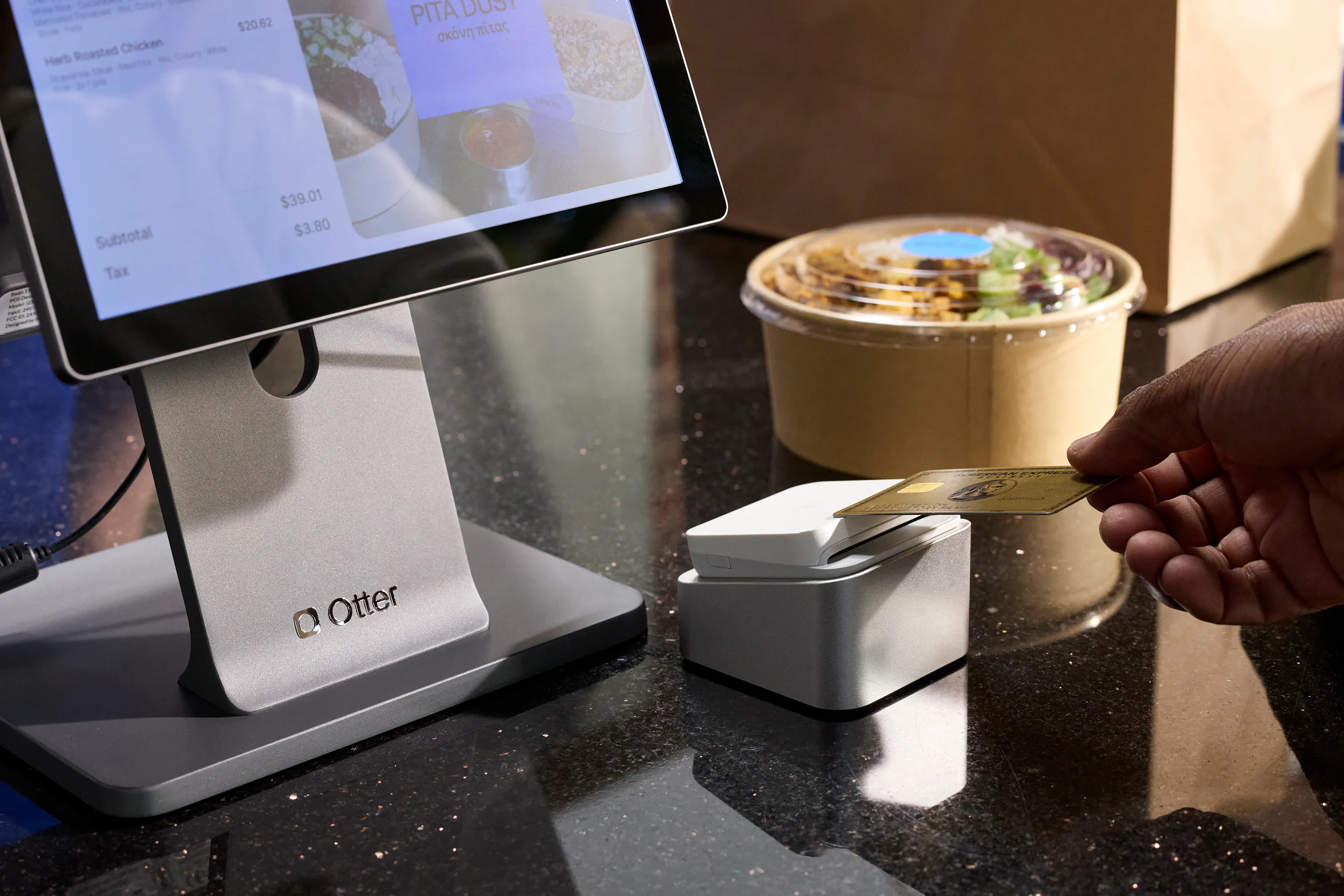
Otter offers restaurant-grade hardware with flexible lease options designed to reduce upfront investment. The POS Terminal costs $649 one-time or $50 per month, while the Card Reader is $99 or $10 per month. The Kiosk Bundle runs $100 per month, Receipt Printers are $299 or $20 per month, and Cash Drawers are $299.
The hardware is built for restaurant environments and integrates seamlessly with Otter software without proprietary restrictions, giving you flexibility if you decide to switch systems.
Clover Hardware
Clover offers a wide range of polished, professional-looking hardware. The Go mobile reader is free. The Mini costs $849 or $45 per month on a 36-month lease, while the Station Solo runs $1,799 or $174 per month and the Station Duo is $1,899 or $180 per month. The Kiosk costs $3,499 upfront plus $34.95 per month. Kitchen Display Systems range from $799 for the 14-inch model to $899 for the 24-inch model, with an additional $25 per month subscription for each device.
Clover hardware only works with Clover software and payment processing. If you switch POS providers, the hardware cannot be repurposed for another system.
Hardware Verdict
Otter provides restaurant-grade hardware with flexible lease options and no proprietary restrictions. Clover offers polished, professional hardware across more form factors, but switching providers means replacing all equipment.
For restaurants prioritizing flexibility and lower upfront costs, Otter provides a better path. For those who value sleek hardware aesthetics and don't anticipate switching systems, Clover's hardware is well-designed and dependable.

Ease of Use: Otter vs Clover
Setup and Onboarding
Clover's hardware comes preloaded with software, making the initial setup relatively straightforward with guided configuration. Complexity increases when adding third-party delivery integrations, which often require separate middleware and extra configuration.
Otter offers cloud-based setup with guided onboarding and 24/7 support available during implementation. Native delivery integrations mean less configuration for multi-channel operations since everything connects through one system.
Edge: Clover for basic single-channel setups. Otter for multi-channel operations with streamlined onboarding.
Daily Operations
Otter's interface consolidates all order sources into one view so staff spend less time switching between apps during service. Real-time menu sync means 86ing an item once updates it everywhere—POS, online ordering, and delivery platforms—without manual updates across multiple systems.
Clover offers a clean interface that works well for basic operations. Restaurants may need to manage separate tablets or apps for delivery platforms if not using integrated middleware, and menu updates to those platforms happen once daily at 3AM EST rather than in real-time, which creates friction when managing sold-out items throughout service.
Edge: Otter for complex multi-channel operations. Clover for simple single-channel restaurants.
Ease of Use Verdict
Clover's hardware is polished and intuitive for basic POS operations. Otter wins on daily efficiency for restaurants managing multiple order sources because everything consolidates into one place with real-time sync, reducing complexity and the risk of errors.
Customer Support: Otter vs Clover
Support Options and Availability
Otter provides 24/7 customer support through phone, chat, and email included in all plans—both Starter and Main. No premium support tier is required to access help around the clock, including busy service hours like nights and weekends.
Clover advertises 24/7 phone support with live chat available 9AM-9PM ET Monday through Friday. Support quality and availability can vary depending on whether you purchased through Clover directly or through a third-party reseller, creating inconsistent experiences for some users.
Support Verdict
Edge: Otter. Consistent 24/7 support included in every plan is a significant advantage, especially for restaurants operating late nights, weekends, and holidays. Clover's support quality can vary based on purchase channel, creating unpredictability when problems arise.
Best For: Which Restaurants Should Choose Otter vs Clover?
Choose Otter If
- You rely heavily on delivery and need to consolidate orders from multiple platforms in real-time
- You want real-time menu sync across dine-in, online, and third-party delivery platforms
- You want Analytics, Live Monitoring, and 24/7 support included without paying for upgrades
- You operate a QSR, fast-casual, ghost kitchen, or delivery-focused restaurant
- You're scaling across multiple locations and need centralized menu and analytics management
- You prefer shorter commitments and non-proprietary hardware that provides flexibility
Choose Clover If
- You run a single-location full-service restaurant with minimal delivery volume
- You value polished, professional-looking hardware aesthetics
- You need extensive back-office integrations for accounting, payroll, and workforce management systems
- Delivery represents a minor part of your overall business model
- You're comfortable committing to a 36-month contract
Best Fit by Restaurant Type
Restaurant Type | Recommended Platform | Why |
QSR / Fast Casual | Otter | Multi-channel order consolidation with delivery-focused tools |
Ghost Kitchen | Otter | Purpose-built for delivery platforms with native Order Manager |
Multi-location Brand | Otter | Centralized menu control and analytics across all locations |
Delivery-Heavy Restaurant | Otter | Lower online processing fees and native delivery integration |
Full-Service Dine-In | Clover | Polished hardware designed for traditional table service |
Coffee Shop / Cafe | Clover | Simple operations with attractive hardware and minimal delivery |
Retail + Restaurant Hybrid | Clover | Multi-industry platform with broader integrations |
Pros and Cons: Otter vs Clover
Otter Pros and Cons
Pros:
- Native delivery aggregation with real-time syncing
- Real-time menu sync across all channels
- Analytics, Live Monitoring, and 24/7 support included in all plans
- Lower online order processing fees (2.99% + 15¢)
- Integrated multi-source Kitchen Display
- Purpose-built for restaurants with delivery
- Flexible hardware with no proprietary lock-in
Cons:
- Higher card-present processing fees (2.49% + 15¢ vs 2.3% + 10¢)
- Smaller third-party app ecosystem
- Loyalty and gift cards are paid add-ons ($30/mo each)
- Less brand recognition than established POS providers
Clover Pros and Cons
Pros:
- Polished, professional-looking hardware design
- Established, well-known brand
- Extensive App Market with hundreds of integrations
- Lower card-present processing rates (2.3% + 10¢)
- Basic loyalty program (Rewards) included free
- Works for multiple business types beyond restaurants
- Wide range of hardware form factors, from mobile readers to kiosks
Cons:
- Not restaurant-first, serves multiple industries
- Proprietary hardware and typically 36-month contracts limit switching flexibility
- Higher online/keyed-in processing fees (3.5% + 10¢)
- Delivery platform menu sync is once daily, not real-time
- Advanced analytics and features often require third-party app purchases
- Restaurant plans start at $135/mo vs Otter's $19/mo
- Support quality can vary based on purchase channel

Otter POS for restaurants
The all-in-one platform that enhances operations across your entire business. Consolidate orders, increase sales, and make your days easier.
Frequently Asked Questions (FAQs)
Is Otter better than Clover for restaurants?
It depends on your restaurant's needs. Otter is better for restaurants that rely heavily on delivery and need real-time order consolidation across multiple platforms like DoorDash, Uber Eats, and Grubhub. The native Order Manager, real-time menu sync, and included analytics make Otter particularly strong for QSRs, fast-casual concepts, ghost kitchens, and multi-location operations. Clover works well for single-location, dine-in-focused restaurants that value polished hardware and need extensive back-office integrations for accounting and payroll. If delivery drives significant revenue, Otter's platform offers stronger tools for managing those operations.
Which has lower processing fees: Otter or Clover?
Clover has lower card-present processing fees at 2.3% + 10¢ compared to Otter Main's 2.49% + 15¢. However, Clover charges significantly more for online and card-not-present transactions at 3.5% + 10¢, while Otter charges 2.99% + 15¢. For restaurants with substantial online ordering or delivery volume, Otter's lower online processing fees result in meaningful savings. If most transactions happen in person with physical cards, Clover's card-present rate offers a slight advantage.
Can Otter integrate with DoorDash, Uber Eats, and Grubhub?
Yes. Otter's native Order Manager integrates with DoorDash, Uber Eats, Grubhub, Postmates, and other major delivery platforms. Orders from all platforms consolidate into one tablet and flow directly into your POS system in real-time. Menu updates and 86ing sync instantly across all channels, eliminating the need to manage separate tablets for each delivery service. Learn more about Otter's delivery integrations.
Does Clover integrate with delivery platforms?
Yes, but with limitations. Clover has basic integrations that send orders from DoorDash, Uber Eats, and Grubhub to your POS. However, menu updates to these platforms sync once daily at 3AM EST rather than in real-time. This can create issues when items sell out during service, as they remain visible on delivery apps until the next sync. Many Clover users add third-party middleware like Cuboh or Stream for real-time updates, which increases monthly costs.
Does Clover require a long-term contract?
Yes. Clover typically requires 36-month contracts when you lease hardware or subscribe to monthly plans. Early termination fees can exceed $500 if you need to cancel before the contract ends. Otter offers monthly software plans with hardware available for one-time purchase or monthly lease, providing more flexibility.
Is Clover hardware proprietary?
Yes. Clover hardware only works with Clover software and payment processing. If you decide to switch POS providers, you'll need to replace all hardware. Otter's hardware is not proprietary, giving you more flexibility if your needs change.
Which POS is easier to set up: Otter or Clover?
Clover is slightly easier for basic single-channel setups since the hardware comes preloaded with software and includes guided configuration. However, complexity increases when adding delivery integrations, which often require separate middleware. Otter provides cloud-based setup with guided onboarding and 24/7 support during implementation. For multi-channel operations with delivery, Otter's native integrations streamline setup since everything connects through one system.
Can I switch from Clover to Otter?
Yes. Restaurants can switch from Clover to Otter, though you'll need to account for Clover's contract terms and early termination fees if you're still within your commitment period. Since Clover hardware is proprietary, you'll need to replace your equipment with Otter-compatible hardware. Otter's team provides guided onboarding to help with the transition, including menu configuration, staff training, and platform integration. Contact Otter to learn more about making the switch.

Book a demo to see how Otter’s all-in-one platform can help your restaurant thrive.