Table of contents
- 1. Faster checkout puts more covers on the board every shift
- 2. Forced modifiers stop revenue from slipping out the door
- 3. Real-time sales data tells you what to cook more of, and what to 86
- 4. One screen consolidates in-house, online, and delivery orders
- 5. Employee management tools tighten your labor line
- 6. Built-in loyalty turns one-time guests into regulars
- 7. Purchasing visibility helps you bring food costs under control
- 8. Tighter controls reduce theft and give you a clean audit trail
- 9. Cloud access and mobile monitoring let you manage from anywhere
- A cash register does not just lack these advantages, it costs you money every shift
- Frequently asked questions about the advantages of a POS system
A cash register tells you one thing: how much money came in. It does not tell you what left your kitchen, what it cost you, who sold it, or whether you charged for every add-on that walked out the door. For a restaurant running on thin single-digit net margins, that blind spot is expensive every single shift.
A POS system (point of sale system) is the connected hub that takes, routes, records, and reports every order. Where a cash register processes a payment and stops, a POS captures what was sold, who sold it, how it was paid for, where the order came from, and what that data means for tomorrow's prep.
The best point of sale (POS) systems bundle the hardware and software a restaurant runs on: a touchscreen terminal, receipt printer, and a barcode scanner for quick barcode scanning of packaged items, plus transaction processing, gift cards, sales reporting and analytics, and integrations to accounting software and e-commerce platforms. Each of the nine advantages below is a concrete business outcome measured in dollars, minutes, or covers, not a feature checklist.
Key insights
- Operators who switch from a cash register to a POS often see a real sales lift, not from any marketing change, but simply from the system requiring staff to charge for every modifier and add-on that was previously slipping through unrecorded.
- Multi-channel order management is the most underrated POS advantage for QSR, fast casual, and ghost kitchen operators: routing every in-house, online, and delivery order into one kitchen queue eliminates tablet chaos and prevents the missed-order problem that quietly tanks third-party ratings.
- The real cost of a cash register is not the $200 hardware price, it is the daily revenue lost to uncharged modifiers, undetected voids, guesswork purchasing, and zero customer loyalty re-engagement, a cost that never appears as a line item but shows up in persistently thin margins.
- Each POS advantage compounds: a faster checkout process raises table turns, forced modifiers raise average check size, sales data reduces waste, and built-in loyalty programs raise visit frequency, producing meaningfully higher revenue from the same kitchen and the same staff.
1. Faster checkout puts more covers on the board every shift
What it is
Speed at the point of sale is a direct revenue lever, especially in QSR and fast casual where ticket time and table turns determine how many covers you can serve in a fixed window.
If you are new to the category, here is what a restaurant POS system is and how it works.
Why it works
Run the math on a 3-terminal counter-service spot during a 90-minute lunch rush. Shaving 60 to 90 seconds per transaction through one-tap modifiers, integrated card readers that process transactions in seconds, and the ability to split checks without manual math adds up to 4 to 6 extra orders per terminal. At a $14 average check size, that is $56 to $84 in additional revenue per terminal, per rush. No extra staff, no marketing spend. Offering multiple payment options, including mobile payments and mobile wallets like Apple Pay and Google Pay, keeps the line moving instead of stalling on cash.
A cash register slows every transaction: manual price lookup, cash-back errors, handwritten tickets passed to the kitchen. Each step adds seconds that stack into lost revenue on a busy shift. Full-service formats feel it too, where table management and split checks decide how fast a section resets.
Quick tip
Look at your current average ticket time during your peak hour. If it is over 90 seconds per transaction at the counter, faster order entry and integrated payment processing alone will pay for your POS subscription.
2. Forced modifiers stop revenue from slipping out the door
What it is
A POS can be configured so the system will not fire an order to the kitchen display until the staff member has answered every required prompt. Extra guac? Upsize? Sauce on the side? The order does not move forward until those fields are completed.
Why it works
Operators put it plainly: sides of sour cream will just go out the kitchen and never get charged for. That is not a training problem. It is a structural one. Verbal ordering has no enforcement mechanism, and the issue recurs every shift regardless of how well you train staff.
The math is stark. Even $1.00 per transaction in missed modifiers at 150 daily covers adds up to $54,750 per year left on the counter. Operators who switch to a POS with forced modifier prompts frequently report a noticeable jump in average check size, not from any marketing change, but purely from the system requiring staff to ring in every extra before the order fires.
Quick tip
Audit your most common add-ons: extra protein, premium sauces, drink upsizes. Configure each as a required prompt. That is the single fastest ROI argument for switching from a cash register, and it requires zero marketing spend.
3. Real-time sales data tells you what to cook more of, and what to 86
What it is
Item-level sales data surfaces best sellers by daypart, slow movers tying up prep time, peak hours by day of week, and average check size trends by shift.
Why it works
Without item-level visibility, you over-prep slow items and run out of fast ones. That is a direct food cost hit and a customer experience problem in the same ticket. With real-time reporting, you can see which menu item is dragging ticket time during a rush, which limited-time offer is actually moving, and when to cut a second prep cook versus when to add one.
End-of-day register totals tell you gross revenue and nothing else. You know money came in, but you are guessing what to prep, how much to order, and when your actual rush starts. Otter Analytics surfaces sales trends in a restaurant-specific dashboard so you can make decisions before service, not after the damage is done.
Quick tip
Pull your daypart breakdown for the last two weeks. If your data shows a consistent mid-afternoon slow period, that is a prep scheduling and labor cost decision you can act on now, not a month from now when the P&L lands.
4. One screen consolidates in-house, online, and delivery orders
What it is
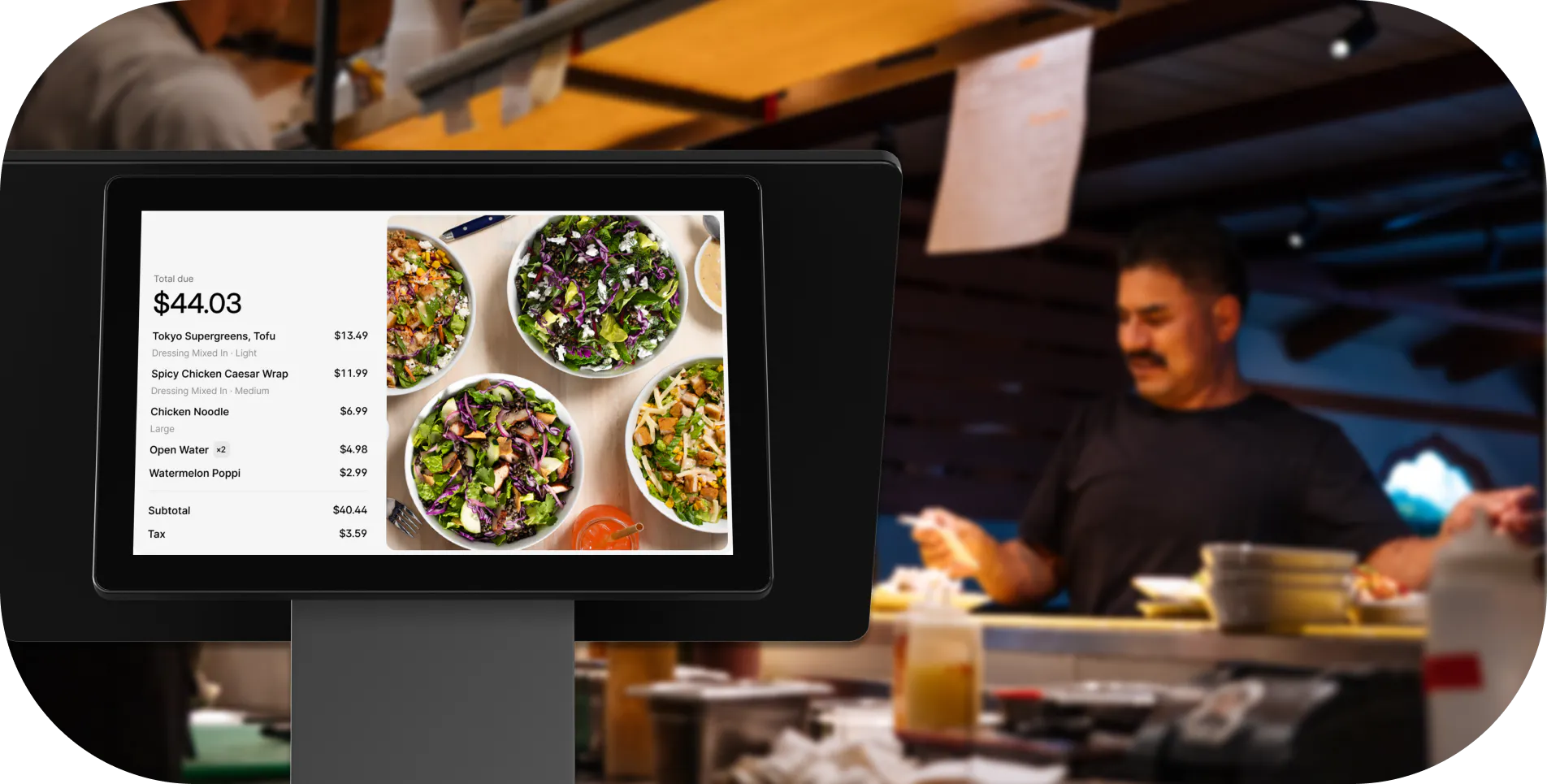
Multi-channel orders, in-store, your own online orders, and third-party delivery, route into a single kitchen queue on one kitchen display. Staff work one ticket flow, not three, which is a direct win for operational efficiency.
Why it works
The alternative is what operators call tablet chaos: a DoorDash tablet, an Uber Eats tablet, and your in-house terminal. Three separate screens, three separate printers, and orders missed when one screen goes dark during a rush. It is the number one operational complaint in QSR, fast casual, and ghost kitchen communities, and it quietly tanks your third-party ratings when tickets get missed.
Consolidating multi-channel orders eliminates missed tickets during a rush, menu price mismatches across channels, and wrong routing to a specific prep station. If you are running two or three virtual concepts out of one kitchen, your POS needs to handle multiple brand menus and route each takeout or delivery ticket to the right station.
Otter is built for multi-channel from the start. You manage in-store, online ordering, and delivery from a single interface, with multi-brand management for virtual concepts built in. One high-volume operator described the difference against her old system:
“Why I trust Otter is that we're a really busy restaurant, some days we've gone up to 900 tickets. On our old system, it used to double charge customers, lose tickets, not print them to the kitchen. Where Otter, I have not lost one ticket.”
Nicole Kuti, co-owner of Telly's Charburgers, Santa Clarita
See how Otter handles every order channel in one place. Book a demo with Otter.
Quick tip
Count how many separate screens your kitchen is working from right now. Every additional screen is a missed-order risk during your next rush.
5. Employee management tools tighten your labor line
What it is
Clock-in and clock-out at the terminal, role-based permissions (cashier vs. shift lead vs. manager), and per-employee sales and void tracking. Built into the POS, not bolted on. Strong employee management is one of the quieter advantages of pos system adoption.
Why it works
Labor cost as a percentage of revenue is the metric that matters, and it should be visible daily, not just at month-end payroll. A POS flags the employee processing an unusual number of voids or comps, identifies which shift consistently runs over on labor against sales, and shows you who is upselling versus who is not.
Role-based permissions act as a structural control: only a manager can authorize a discount, a void, or a no-sale drawer open. That removes cash-handling vulnerability without requiring a policy conversation every shift. A cash register has no permissions, no log, and no per-employee accountability. Shrink and labor overruns are invisible until the P&L lands.
The Otter Go app lets owners and managers check sales performance and receive alerts from their phone, not just from the terminal behind the counter.
Quick tip
Set a daily labor-to-sales target and check it at the midpoint of each shift. A POS gives you that number in real time. A cash register never will.
6. Built-in loyalty turns one-time guests into regulars
What it is
POS-native customer loyalty tracks every in-store purchase automatically via card-linked tracking. Guests enroll at the counter or via QR code. No app download required, no staff asking for a phone number on every visit.
Why it works
Punch cards capture no purchase history. You have no insight into who your regulars actually are, no ability to see visit frequency or average check size, and no way to send a targeted re-engagement offer when a regular goes quiet for three weeks. That is a customer loyalty problem disguised as a loyalty program, and it is where light customer relationship management inside your POS pays off.
Item-level purchase history tells you what your best guests order, how often they visit, and when they are at risk of lapsing. Re-engaging a known regular costs a fraction of acquiring a new customer, which lifts both customer satisfaction and repeat revenue for an independent operator.
Otter Loyalty lets staff enroll guests on the POS terminal or via mobile QR code. Guests are rewarded automatically for every in-store purchase, and card-linked tracking keeps the experience frictionless on both sides of the counter.
Quick tip
Identify your top 20% of guests by visit frequency. If you cannot do that today, your current setup is not one of the real customer loyalty programs. It is a punch card with no data attached.
7. Purchasing visibility helps you bring food costs under control
What it is
Item-level sales data gives you a cleaner picture of what you are actually moving, which informs smarter purchasing decisions and purchase orders: how much to order, which items to cut from the buy, and where portion or waste issues are quietly eroding margin. It is the sales-side complement to real inventory management and inventory tracking.
Why it works
Your POS tells you that you sold 80 portions of a dish last week. You know roughly what ingredient volume you should have consumed. If your actual usage is running higher, you have a waste or portioning problem worth investigating before it shows up as a margin hit at month-end.
A cash register gives you none of this. The only food cost signal is end-of-month P&L, by which time the loss has already happened. With consistent sales data, you can also have a more informed conversation with your distributor about pricing, because you know your volume rather than guessing at it.
Otter's Inventory Savings sourcing connections can help you access distributor discounts, a procurement benefit separate from inventory tracking. Savings from those sourcing relationships typically show up over roughly 90 days, so set that expectation with your team upfront.
Quick tip
Track your top five ingredients weekly against your sales mix. When usage diverges from what your sales data predicts, that gap is your food cost problem. Now you know where to look.
8. Tighter controls reduce theft and give you a clean audit trail
What it is
Every void, refund, and no-sale drawer open is logged with a timestamp and employee ID. Manager authorization is required before any of those actions can be completed.
Why it works
Operators describe it as having better eyes on potential theft and loss, a real daily concern in any multi-employee or multi-shift operation. A cash drawer has no log and no accountability. Anyone can void a transaction or open the drawer, and shrink is invisible until the end of the month.
The audit trail value goes beyond theft prevention. Every sale is timestamped, attributed to an employee, and stored in the cloud, not on a paper roll that gets lost or a local hard drive that fails. Card payments run through PCI compliance and data encryption standards that a cash drawer cannot offer, which protects both you and your guests. That makes end-of-year bookkeeping and invoicing cleaner, and gives you defensible records if you are ever audited. For multi-location operators, you can review transactions from any location remotely and flag anomalies without being physically present.
Quick tip
Pull a void report for the last 30 days. If you cannot do that today, you have no visibility into what is leaving your register without a matching sale.
9. Cloud access and mobile monitoring let you manage from anywhere
What it is
A cloud-based POS system gives you real-time visibility into sales, labor cost, and operations from a smartphone, not just from the terminal behind the counter.
Why it works
Operators talk about wanting a life outside of the four walls. With cloud access, you can check live sales on your phone, push a menu price change without driving in, see which shift is running over on labor, and update items across all locations from one dashboard simultaneously.
Offline mode is the reliability advantage that often goes unmentioned: a hybrid cloud POS continues processing orders and payments locally if internet drops, then syncs when connectivity returns. That eliminates the dinner-rush crash fear operators cite most often when switching from a local-server system. Legacy local-server POS locks your data on-site, and a server failure can mean lost records and an offline terminal during service.
The Otter Go app puts real-time sales and operational visibility on your smartphone, purpose-built for operators who are not always behind the counter.
Quick tip
Test your current system's offline mode before you need it. If your POS goes down when your internet drops, you are carrying that risk into every dinner rush.
A cash register does not just lack these advantages, it costs you money every shift
Here is what inaction actually looks like on a P&L: uncharged modifiers on every ticket, undetected voids with no audit trail, over-ordered ingredients without sales mix data, and zero customer loyalty re-engagement of regulars who stopped coming in six weeks ago. None of these appear as a line item. All of them show up in persistently thin margins.
A modern POS has a known monthly fee. A cash register has an unknown daily cost that never shows up on an invoice, but it erodes profit on every single shift.
Two legitimate downsides exist. First, upfront hardware cost. Second, a short staff learning curve. Most teams handle basic order entry and payment processing within one to two shifts of hands-on practice, and free onboarding support shortens that further. Those are real, finite costs. The cost of staying on a cash register is open-ended and compounds daily. If you are comparing options, our roundup of the best restaurant POS systems is a good next step.
If you are running a QSR, fast casual, or independent restaurant and you are still juggling a cash register, a separate delivery tablet, and a punch-card loyalty program, there is a cleaner way to operate. See how Otter POS works for your restaurant.
Frequently asked questions about the advantages of a POS system
What is the biggest advantage of a POS system for a restaurant?
For most independent operators, the fastest-payback advantage is capturing every modifier and add-on that previously left the kitchen uncharged. Because the system will not fire an order until required prompts are answered, revenue that used to slip out verbally gets rung in on every ticket. Combine that with real-time sales data and the advantages compound quickly.
Are there any disadvantages of a POS system?
Two legitimate downsides exist: upfront hardware cost and a short learning curve for staff. Most teams handle basic order entry within one to two shifts of hands-on practice. Monthly subscription fees are a real ongoing cost, but for most operators they are offset quickly by revenue captured from modifiers alone. A cloud-based POS system with offline mode also addresses the reliability concern operators cite most often.
How does a POS system differ from a cash register?
A cash register processes a payment and produces a receipt. It stops there. A POS records every item sold, routes orders to the kitchen display, tracks which employee processed each transaction, runs customer loyalty programs, generates item-level sales reporting and analytics, and consolidates multi-channel orders from online and delivery platforms. The operational gap is significant for any restaurant doing more than a handful of transactions per day.
Can a POS system help reduce food costs?
Item-level sales data helps you make smarter purchasing decisions. Knowing what you sold last week gives you a baseline for what to order this week and flags portion or waste issues when usage diverges from expected. Some POS providers also connect operators to distributor pricing networks. Savings from those sourcing relationships typically materialize over roughly 90 days rather than right away.
Does a restaurant POS system keep working if the internet goes down?
Most modern cloud-based systems include an offline mode. The terminal continues processing orders and payments locally, then syncs to the cloud when connectivity is restored. Confirm your specific system supports offline card processing before going live, especially if your location has unreliable internet. This is the single most important reliability question to ask before you buy.
How does a POS system help manage online and delivery orders?
A POS with multi-channel support consolidates orders from DoorDash, Uber Eats, your own online ordering, and in-house into one kitchen queue on a single display. This eliminates the need for separate tablets per channel, reduces missed orders during a rush, and keeps your kitchen ticket flow consistent regardless of where the order originated. That is critical for QSR, fast casual, and ghost kitchen operators.
What POS features matter most for a QSR or fast casual restaurant?
Prioritize fast order entry with forced modifier prompts for order accuracy, integrated payment processing, multi-channel order consolidation for delivery, kitchen display systems for accurate ticket routing, and built-in customer loyalty with card-linked tracking. A mobile app so you can monitor sales and labor cost remotely is increasingly standard and worth requiring. Free onboarding support shortens the staff learning curve significantly.
How long does it take staff to learn a new POS system?
Most staff handle basic order entry and payment processing within one to two shifts of hands-on practice. Manager-level functions, such as end-of-day reports, discount authorization, and menu edits, typically feel comfortable within the first week. A system designed for restaurant workflows with an intuitive interface and accessible onboarding support shortens that timeline considerably.

See what a POS does that a register can't