
Table of contents
- What a pizza POS needs to do that a standard restaurant POS doesn't
- The pizza-specific features that actually protect your margins
- Online ordering, kiosk, and phone orders: why the channel mix matters
- The multi-tablet problem: what fragmented delivery platforms actually cost you
- Kitchen display and ticket flow: what "handles high volume" should mean on a Friday night
- Hardware, payments, and what to ask before you sign
- How to evaluate a pizza POS: a practical checklist
- Getting your pizza pricing right is a revenue decision, not a tech upgrade
- Frequently asked questions about POS systems for pizza restaurants
Managing order flow in a pizza shop is categorically different from running a cafe or a diner, and the wrong point-of-sale system proves it on your first busy Friday night. The U.S. pizza restaurant market generates more than $50 billion in annual revenue, and a meaningful share of that flows through delivery channels where modifier accuracy and ticket routing are not optional. Buy the wrong pizza POS and you will feel it in your nightly closeout, not your monthly software bill.
Key insights
- Pizza pricing logic (half-and-half splits, size-based modifier pricing, specialty pie lockdowns) is where generic POS systems silently drain margin. One misconfigured modifier, running undetected for months, can cost more than a year of POS subscription fees
- Running DoorDash, Uber Eats, and Grubhub on three separate tablets is not just inconvenient. It is a missed-ticket risk that compounds every Friday night. Consolidating all order channels into a single POS workflow is the highest-leverage operational change you can make
- "Handles high volume" is a marketing phrase that means nothing until you ask: can your KDS display 25 concurrent tickets without degrading, support bump logic without dropping adjacent tickets, and surface queue depth so counter staff can quote accurate wait times?
- The real cost of the wrong pizza point of sale does not show up in your monthly software bill. It shows up in your nightly closeout, in modifier errors, undercharged size upcharges, and re-entry mistakes on delivery orders. Evaluate your POS on whether it stops those leaks
What a pizza POS needs to do that a standard restaurant POS doesn't
A burger joint has a manageable modifier stack: protein, toppings, sauce, done. Your pizzeria has five sizes, four crust types, a dozen sauce options, and thirty toppings, each of which can apply to the whole pie or just one half. That is not a longer menu. That is an exponential pricing matrix, and a POS built for linear menu items cannot enforce it without heavy custom configuration that most operators never fully test.
Then there is delivery management. For many independent pizzerias, delivery, takeout, and carryout account for 50-70% of revenue. Multi-channel order management is not a feature you will use occasionally. It is the central function your system has to handle correctly, every shift, at speed. Dine-in guests and online ordering customers expect the same accuracy, and so does every driver waiting at your counter.
Choosing a pizza POS is not a cash register decision. It is a decision about whether every possible pie combination is priced correctly, automatically, across every order channel, without your best staff member having to think about it at 7 PM on a Friday.
The pizza-specific features that actually protect your margins
Half-and-half topping splits
What it is: The POS splits the ticket into two halves and applies the correct topping price to each side independently.
Why it works: A system that averages the topping price or charges a single fee for the whole pie undercharges on every split order. That is a silent margin leak happening on dozens of tickets a night, every night, with no error message to flag it.
Quick tip: In any demo, ring up a half-and-half with two premium toppings on one side and one standard topping on the other. Confirm the ticket shows two separate topping charges, not one averaged price.
Size-based modifier pricing
What it is: The size-based pricing matrix automatically charges the correct modifier price based on which size was selected. Extra cheese on a large is not the same price as extra cheese on a small.
Why it works: Relying on staff to select the correct price tier during a Friday dinner rush is how you lose $40 a night. Your pizza POS system should enforce this automatically, with no manual override required.
Quick tip: Ask the vendor to demonstrate what happens when a staff member adds a topping to a large without selecting the size first. Does the system default to the wrong tier or require confirmation?
Specialty pie lockdowns and modifier override security
Premium builds with fixed topping sets should be protected from ad-hoc substitutions that silently break the intended price point. Without a manager PIN requirement on modifier overrides, staff can comp upcharges without you ever knowing. This is not an edge case. It is a nightly margin leak that operators flag repeatedly in online communities.
Real failure modes to know:
- A modifier misconfiguration running undetected for 90 days on a shop doing 150 covers a night.
- A half-and-half order that charges one topping price instead of splitting correctly.
- A size-price matrix not updated after a menu change, undercharging for months.
The fix is not more software complexity. It is correct initial configuration and a POS whose reporting surfaces pricing anomalies before they compound.
Inventory tracking and low-stock alerts
What it is: A pizza POS with inventory tracking monitors ingredient usage against sales and flags low-stock alerts before you run out mid-shift. When a topping runs low, the system can automatically 86 it across your online ordering channels and third-party platforms.
Why it works: Running out of a topping during a Friday rush creates two problems: failed orders and staff who have to apologize and rebuild tickets. Real-time inventory tracking prevents both. Automatic 86-ing means a customer placing an order through DoorDash at 8 PM never orders something you cannot make.
Quick tip: Ask the vendor how low-stock alerts are triggered and whether they automatically push to delivery platforms or require a manual update.
Online ordering, kiosk, and phone orders: why the channel mix matters
Most pizza shops operate across four or five order channels simultaneously: dine-in, takeout, curbside pickup, online ordering, and phone orders routed through third-party delivery apps. A POS that treats these as separate workflows instead of a unified ticket queue creates friction at every handoff.
Built-in online ordering means your direct online ordering channel feeds into the same POS ticket flow as in-store orders. No manual re-entry, no second device, same KDS routing. Bolted-on means a third-party widget that emails orders or requires staff to re-key them into the POS. Every re-entry is an error opportunity. During a rush, staff shortcut "extra sauce, light cheese, no mushrooms" into a plain order because they are slammed. The customer gets the wrong pizza and calls to complain.
Built in means your online ordering channel feeds directly into the same POS ticket flow as in-store orders. No manual re-entry, no second device, same KDS routing.
Bolted on means a third-party widget that emails orders or requires staff to re-key them into the POS. Every re-entry is an error opportunity. During a rush, staff shortcut "extra sauce, light cheese, no mushrooms" into a plain order because they're slammed. The customer gets the wrong pizza and calls to complain.
Self-ordering through a kiosk handles dine-in and counter traffic without adding labor. Customers browse your full modifier menu with photos, add upsells at checkout, and send tickets directly to the make line. Phone orders entered by staff flow through the same queue. The result is a single ticket stream regardless of how the order originated.
The test question to ask any vendor: "Does an online order appear on my KDS automatically, or does a staff member have to accept and re-enter it?"

The multi-tablet problem: what fragmented delivery platforms actually cost you
Picture your counter on a Friday at 7 PM: three tablets (DoorDash, Uber Eats, Grubhub) alongside the POS terminal. This is how you miss tickets.
Here is what that setup actually costs you:
- Silent disconnects: A tablet that loses its connection stacks orders with no alert. You do not find out until a driver shows up and the order is not in the queue.
- Per-order latency: Toggling between screens adds 20-30 seconds per order. At peak volume, that latency backs up the make line.
- Modifier fidelity loss: Re-entering a delivery app order into the POS means modifier detail often does not make it. Staff are moving too fast to re-key every instruction.
- No delivery tracking: Separate tablets give you no centralized view of driver tracking or order status. You cannot see which driver has which order without switching between apps.
- Tip miscalculations: Manual re-entry creates duplicate-entry errors that surface in your end-of-night reconciliation.
Every time a staff member leaves the POS to accept a delivery app order, your in-store counter queue slows. That is a real labor cost, quantifiable per shift. If each tablet interaction costs 25 seconds and you are processing 80 delivery orders a night, that is 33 minutes of labor per shift spent on device management alone.
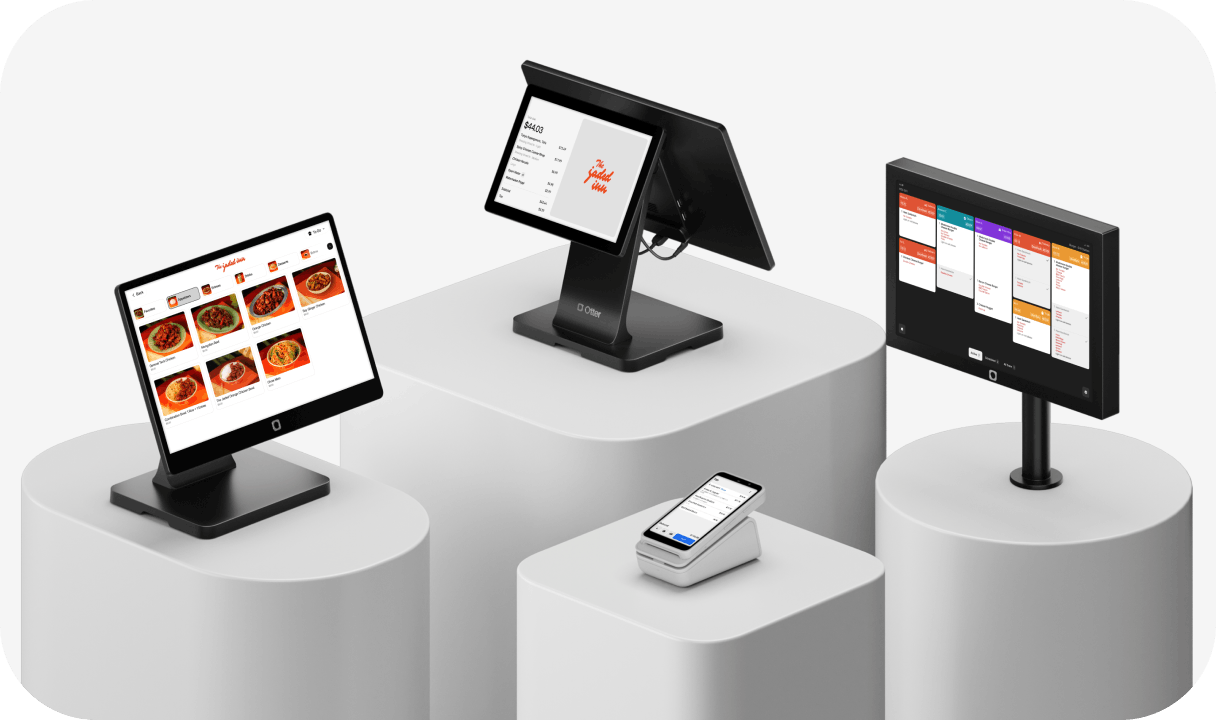
Otter POS routes third-party delivery orders from DoorDash, Uber Eats, and Grubhub into the same ticket queue as in-store and direct online orders. One screen, one workflow, no toggling, no re-entry. Delivery tracking and order management happen inside the same interface your staff already uses.
Nicoletta (Nicole) Kuti, co-owner of Telly's Charburgers, puts it directly: "All of our orders from DoorDash, online ordering, to-go, and phones all go straight through the system to our KDS. And what's cool is each order has its own color. Deliveries are teal. To-go is yellow. It helps you differentiate where it's going."
Kitchen display and ticket flow: what "handles high volume" should mean on a Friday night
Every vendor claims their system handles high volume. None of them define it. Ask them to.
Here is what "handles high volume" should actually mean for your pizza operation:
- Concurrent ticket capacity: The kitchen display system (KDS) should display 20-25 open tickets without the interface degrading. Make-line staff need to read ticket priority at a glance when the dinner rush hits.
- Bump logic: Bumping a completed ticket should not reorder or drop adjacent tickets. This is a common failure point in underpowered KDS systems. Test it in the demo.
- Wait-time visibility: Counter staff need to quote customers accurately during a rush. A KDS that surfaces real-time queue depth enables this. One that does not forces staff to guess, and they always guess low.
- Online order throttling: When the kitchen queue backs up, can the system slow or pause online order acceptance automatically to prevent over-promising delivery times?
Otter KDS maintains ticket visibility across all order channels in a single queue at the make line. Each ticket type is color-coded so your team knows at a glance whether an order is dine-in, takeout, or a delivery pickup.
Demo test to run: "Show me 25 open tickets live. What does the bump flow look like when I have a half-and-half order at the top of the queue and an in-store ticket below it?"
Hardware, payments, and what to ask before you sign
Hardware bundle basics
A minimum viable pizza shop setup includes a POS terminal, receipt printer, KDS screen, and cash drawer. Delivery-heavy operations may benefit from a second KDS near the pick-up area for driver staging. A self-ordering kiosk at the counter handles peak dine-in and takeout traffic without adding a cashier. Tableside ordering via handheld devices works for full-service pizza concepts. Confirm what is included in the base hardware bundle versus what triggers add-on charges, and whether you own the hardware outright or are leasing it.
Proprietary hardware locks you to one vendor for repairs and replacements. Standard Android- or iPad-based hardware gives you sourcing flexibility if you ever switch systems. Ask about gift cards, loyalty program hardware (card readers, receipt printers with QR prompts), and whether these integrate natively or require a third-party add-on.
Payment processing fee structures
Payment processing and credit card processing fees come in two main structures:
- Flat-rate: Predictable, typically 2.6% + $0.10 per transaction. Easy to budget against your monthly volume.
- Interchange-plus: Lower effective rate at higher volume, but more complex to read on statements.
On a shop processing $60,000 per month, the difference between 2.6% and 2.3% is $180 a month. Run the math at your actual ticket volume.
Cash discount and surcharge programs shift the processing fee to the customer rather than your restaurant. Some customers push back, but at high ticket volumes the savings are real. Confirm the POS handles the surcharge calculation automatically so your staff never has to do it manually.
Contract red flags
- Annual lock-in vs. month-to-month
- Early termination fees
- Non-refundable, proprietary hardware
- Rate increases written into the fine print after year one
On support: your pizza shop runs until midnight. You need 24/7 live support with a real response time, not a chatbot. Ask specifically: "What is your median response time on a Saturday night support ticket?"
How to evaluate a pizza POS: a practical checklist
Before you sign anything, run these tests:
- Live demo, not slides: Request a live walkthrough of a half-and-half order with a full modifier stack (extra sauce, light cheese, add jalapenos, no mushrooms), a specialty pie, and a split payment.
- Menu management test: Ask how long it takes to build a menu with 5 sizes, 4 crust types, and 30 toppings, and whether you can do it yourself or need a support ticket.
- Online ordering end-to-end: Place an order on the customer-facing front end and watch it appear on the KDS. Time the delay. Confirm the modifier detail is intact.
- Real-time reporting: Ask to see a live sales report by channel. Can you see in-store vs. delivery vs. online ordering broken out? Can you access it remotely from your phone?
- Loyalty program and gift cards: If you run a loyalty program or sell gift cards, confirm these integrate natively. Third-party loyalty bolted on top of a non-integrated POS creates reconciliation headaches.
- Delivery zone and driver tracking: If you run your own delivery, ask whether the POS manages delivery zones, driver tracking, and curbside order staging natively or requires a separate system.
- Support test: Call their support line before you buy. Response time during the sales process predicts what you will get at 9 PM on a busy Saturday after you have signed.
- Fully loaded cost: Ask for a monthly total at your projected ticket volume: software fee, hardware, credit card processing at your average ticket size, add-on modules, and support tier.
Red flags: Vendors who cannot show a live half-and-half order in the demo; vendors who quote a processing rate verbally but will not put the full fee schedule in writing; non-refundable proprietary hardware.
Getting your pizza pricing right is a revenue decision, not a tech upgrade
The right pizza POS is not the one with the most feature bullets. It is the one that handles your pricing logic correctly, consolidates your order channels, and surfaces errors before they compound into real money.
A modifier misconfiguration in your size-based topping pricing, running undetected for six months on a shop doing 150 covers a night, can represent thousands of dollars in unrealized margin. The POS that catches that pays for itself. The one that does not shows up in your year-end numbers.
Evaluate your POS on one question: does it handle a half-and-half order with four modifiers correctly at 7 PM on a Friday without your best staff member having to think about it? That is the bar.
Ready to run your pizza operation without the tablet chaos and pricing surprises? Book a free demo with Otter and see what your order flow looks like from a single screen.
Frequently asked questions about POS systems for pizza restaurants
How much does a POS system cost for a pizza restaurant?
Expect three cost layers. Software subscriptions typically run $50-$250 per month depending on features and location count. Hardware for a standard counter setup with a KDS runs $500-$2,000+. Credit card processing at flat-rate is typically 2.3-2.9% per transaction. Always ask vendors for an all-in monthly cost at your actual ticket volume, not just the base software price shown in the ad.
Can I use a generic restaurant POS for a pizzeria, or do I need a pizza-specific system?
A generic POS can work if it supports complex modifier matrices and size-based pricing, but it will not have half-and-half logic out of the box and may require significant custom setup. The risk is silent pricing errors you will not catch until you audit your sales data. Test half-and-half splits and size-based modifier pricing live in any demo before committing.
How does a pizza POS handle half-and-half toppings?
The system should split the pizza into two halves on the ticket and apply the correct topping price for each half independently. A POS that averages the price or applies a single topping fee to the whole pie undercharges on every split order. Test this live in the demo.
Will switching POS systems disrupt my delivery app setup?
If your delivery apps are running on separate tablets, switching your POS does not affect them, but it is a natural moment to consolidate. If they are directly integrated with your current POS, you will need to reconnect each platform to the new system. This typically takes one to three business days per platform. Ask your new vendor for a specific migration timeline before signing.
What is the difference between a cloud-based and a local server POS for a pizza shop?
A cloud-based POS stores data remotely, lets you access real-time reporting from any device, and updates automatically. A local system stores data on-site, can run in offline mode during an internet outage, but requires manual updates and relies on local hardware for backups. For operations dependent on online ordering and third-party delivery, cloud-based is almost always the right choice. Verify what the offline mode experience looks like for the inevitable internet outage.
Do I really need a separate tablet for each delivery platform?
Not if your POS consolidates third-party delivery orders into a single ticket flow. Without that consolidation, yes, each platform requires its own device. The operational cost is real: missed tickets when a tablet goes dark, per-order latency from screen-toggling, and modifier detail lost on manual re-entry.
How long does it take to set up a new pizza POS?
A basic install (hardware setup, menu build, staff walkthrough) typically takes one to three days with an experienced vendor team. A complex pizza menu with 5+ sizes, 4 crust types, 30+ toppings, and specialty pie lockdowns can take longer to configure correctly. Ask vendors explicitly: "Do you build the menu for me, or do you hand me documentation and a support line?"
What is offline mode and does my pizza POS need it?
Offline mode allows the POS to continue processing in-store orders and credit card transactions during an internet outage. For operations that depend heavily on online ordering and third-party delivery, offline mode protects your dine-in and counter business while connectivity is restored. Ask specifically what functions are available offline and how payment processing is handled when the system reconnects.
Does a pizza POS handle phone orders differently from online orders?
Phone orders entered by a staff member into the POS should flow through the same KDS queue as online ordering and delivery orders. A system that treats phone orders as a separate workflow creates the same fragmentation problem as the multi-tablet setup. Confirm that phone orders, direct online orders, and third-party delivery orders all appear in a single ticket queue on the KDS.

Get a pizza POS that handles every order