Table of contents
- Why Facebook still fills tables for independent restaurants (when you use it right)
- Ideas 1 to 5: Posts that drive orders and reservations (not just likes)
- Ideas 6 to 8: Facebook-native features most restaurants aren’t using
- Ideas 9 to 12: Behind-the-scenes and staff posts that build loyalty
- Ideas 13 to 15: Social proof posts that turn followers into first-timers
- Ideas 16 to 18: Community and local content that earns organic reach
- Ideas 19 to 20: Interactive posts that fill your calendar and your seats
- How to batch 30 days of Facebook posts in under two hours
- Your Facebook page is a sales channel, so start treating it like one
- Frequently asked questions about Facebook posts for restaurants
You’ve been posting. You’re getting likes. Nobody’s walking through the door.
That’s the real problem with most restaurant Facebook pages, and it has nothing to do with creativity.
According to Pew Research Center’s 2025 social media report, 71% of U.S. adults use Facebook, a wider reach than almost any other platform. The audience is already there. Your restaurant social media marketing strategy just needs to give them a reason to show up.
This isn’t about posting more. It’s about posting with a purpose every single time.
Key insights
- Posts with a clear call to action, a direct order link, a Facebook Offer, or a reservation button, drive more revenue than high-engagement “pretty” posts, even when they get fewer likes.
- Facebook Events and Offers are free, underused tools that surface your restaurant to nearby people who have never heard of you, with no ad spend required.
- Short video shot on a phone (15 to 30 seconds, natural light, no editing) tends to travel further in Facebook’s feed than static images, and authentic kitchen footage from an independent restaurant reads as more genuine than polished chain content.
- Content batching, shooting several posts in a single 90-minute session, is more sustainable than posting daily and burning out. Consistency beats frequency.
Why Facebook still fills tables for independent restaurants (when you use it right)
Facebook is not Instagram. Instagram’s algorithm, by default, shows your posts to people who already follow you. Facebook’s Events feature and local-search algorithm actively surface your restaurant to nearby people who have never heard of you, because a friend clicked “Interested” on your event, or because they searched for places to eat in your neighborhood.
That’s organic reach to cold audiences, for free.
It’s easy to treat your Facebook page like a bulletin board: hours, the occasional food photo, a holiday closure notice. The pages that fill seats treat it like a sales channel, where every post has a job. Facebook is one channel inside a broader restaurant social media marketing strategy, so make each post earn its place: drive a click to order, put a face to the brand, or earn a share that reaches a new block.
Likes don’t pay your kitchen staff. That’s the frame for everything that follows.
Ideas 1 to 5: Posts that drive orders and reservations (not just likes)
Idea 1: Limited-time offer with a direct order link
Post a photo of the dish, identify the deadline (“only through Sunday”), and drop a one-tap link to order. A post with a clear call to action consistently outperforms a beautiful food photo with no next step, even when it gets fewer likes. The goal isn’t applause. It’s a click.
Tip: Use the word “today” or a specific day in the caption. “Order by Saturday” converts better than “available for a limited time.”
Idea 2: “Only X spots left” event urgency post
Scarcity moves people from “I should go” to “I’m going.” Whether it’s a prix-fixe dinner, a cooking class, or a weekend push on bookings, use real numbers. “Only 6 tables left at 7 pm Saturday” converts better than vague urgency. If you’re not sold out, you can still create a real constraint: a smaller dining room section, a specific seating time, or a limited batch of a dish.
Tip: Post this Thursday or Friday when dining decisions are actively being made.
Idea 3: New menu item reveal with price and a one-tap order CTA
Announce the item. Show it in high-contrast natural light. List the price. Price transparency reduces friction and filters in the right customers. Link directly to where they can order it. Ghost kitchens and fast-casual operators can tie this to their direct-order page rather than a third-party delivery listing. This works especially well for signature dishes that define your brand.
Tip: Film a 15-second reveal video instead of a static photo. The feed rewards it.
Idea 4: Online-exclusive deal
“Order online today and get a free side.” This trains customers to use your direct ordering channel and gives the post a built-in reason to click. When customers click from Facebook, they should land on a fast, branded ordering flow, not a third-party marketplace that takes a commission cut.
Otter POS includes direct online ordering built for exactly this: a clean, commission-free destination for your online orders that doesn’t leak margin to a delivery app.
Tip: Run this deal on a slow day, Tuesday or Wednesday, when you need the lift most.
The owner of Bangkok BBQ Bowl in West LA described the payoff after moving to a commission-free setup: “The second reason is online ordering, so they can order through the Otter website. I don’t need to pay anything extra. It’s a nice service that comes with Otter support.”
The same setup is a few clicks away. Send customers to a commission-free ordering page instead of a marketplace that skims your margin. See how Otter's direct ordering works.
Idea 5: Weekly special with the order link in the first comment
Facebook’s algorithm suppresses posts that lead with off-platform links in the caption body. Put your order link in the first comment instead. Your reach remains protected; the click is still one tap away. Caption the post with the dish, the price, and a reason to want it, then drop the link below.
Tip: Pin the first comment so it’s always visible, even as other comments come in.
Ideas 6 to 8: Facebook-native features most restaurants aren’t using
Idea 6: Facebook Events for recurring nights and local events
A properly created Facebook Event for Tuesday trivia, Friday live music, or a monthly guest chef dinner does something a regular post can’t: it surfaces to the friends of anyone who clicks “Interested” or “Going.” That’s organic reach to people who have never seen your page, and it ties your restaurant to the local events people are already searching for.
Set it up once as a recurring event, update the description weekly, and let the algorithm handle local distribution.
What it is: A dedicated event listing on your Business Page with a cover photo, description, address, and RSVP or ticket link.
Why it works: Facebook’s local Events algorithm gives preferential treatment to events with complete information. Use a cover photo sized at 1920x1005px, include your address and contact information, and add a link. Even a simple Google Form works as an RSVP.
Tip: Most competitors skip this entirely. Setting up one recurring event puts you ahead of most restaurants in your area.
Idea 7: Facebook Offers for trackable special offers
A Facebook Offer is a built-in discount tool on your Business Page. Customers click “Get Offer,” receive a code or coupon, and redeem it in person or online. You can see how many people claimed it versus how many actually redeemed it, real tracking data with zero ad spend.
Why it works: This is closer to a coupon campaign than a social post. It creates urgency, drives foot traffic, and gives your special offers a measurable conversion rate. The only cost is the discount itself.
Tip: Set a short expiration, 5 to 7 days, to create urgency. A two-week window invites procrastination.
Idea 8: Pinned post as a permanent CTA
The pinned post is the first thing a first-time visitor sees on your Facebook page. Most restaurants pin a “Welcome to our page” message or nothing at all.
Pin your strongest current offer, your seasonal menu launch, a link to your restaurant website, or your direct ordering link instead. Keep your contact information current, and update the pin every 4 to 6 weeks.
Why it works: Zero effort, high visibility. Every new visitor who finds your page through a friend’s share or a local search sees your best offer first.
Tip: Treat the pinned post like a storefront window display. Change it with the season or whenever you have a strong promotion running.
Ideas 9 to 12: Behind-the-scenes and staff posts that build loyalty
Idea 9: Day-in-the-life short video (prep to plate)
Fifteen to thirty seconds, shot on a phone, no editing required. Show the sauce going in, the dough being shaped, the plate landing. Short behind-the-scenes content tends to travel further than static images, and authentic kitchen footage reads as more genuine than polished chain marketing.
Tip: Shoot during afternoon prep when natural light is best. No flash, no ring light needed.
Idea 10: Supplier or vendor spotlight
“This is Maria at [Farm Name] in [Town]. She grows the tomatoes in our marinara. We’ve been buying from her for four years.” Tag the supplier. They’ll share it, and you reach their audience. This also reinforces local sourcing in a way a national chain simply can’t replicate authentically.
Tip: Ask the supplier to share the post. Most are happy to. It’s free marketing for them too.
Idea 11: Staff spotlight (“Meet [Name]”)
Faces build connection. A three-sentence intro and a candid photo of your line cook, your cashier, or your weekend counter staff turns a transaction into a relationship and puts a human face on the guest experience. For multi-location operators, rotate locations. Each store spotlight reaches that store’s local followers.
Tip: Let the staff member write one sentence in their own words. Authenticity shows.
Idea 12: Kitchen prep clip
The repetitive, satisfying motion of slicing, folding, or plating is inherently watchable. No voiceover needed. Add a caption that names the dish and links to your menu or order page. If you’re worried about showing an “imperfect” kitchen, don’t be. Customers prefer to see something real over something staged.
Note: Ideas 9, 10, and 12 require zero face time from the owner. Idea 11 gives your team a moment to shine and builds internal morale alongside external reach. These behind-the-scenes content posts don’t usually drive same-day orders. They build the emotional deposit that makes someone choose your taqueria over the chain next door a week from now.
Ideas 16 to 18: Community and local content that earns organic reach
Idea 16: Cross-promote a neighboring business
“Grab dessert at [Bakery next door] after dinner with us this weekend. They’re doing a limited strawberry tart.” Tag them. They share it. You reach their audience. Ask if they’ll return the favor. This is how you build a real local community around your restaurant, and it costs nothing.
Why it works: Facebook’s algorithm gives preferential treatment to content that generates local conversation, comments that reference a neighborhood, nearby businesses, or shared community context.
Idea 17: Highlight a local cause or donation
Did you donate meals to a school fundraiser? Participate in a neighborhood cleanup? Post it, not as a brag, but as community membership. These posts earn shares at a higher rate than almost any other content type because people share things that reflect their own values.
Tip: Authentic beats performative. Don’t manufacture a cause. Reflect one you’re already participating in.
Idea 18: Local supplier story with a first-person narrative
Go deeper than a name-check. “We switched to [Local Roaster] beans six months ago because…” and tell the actual story. First-person narrative performs better than promotional copy on Facebook. Readers scroll past “We’re proud to announce.” They slow down for a real reason you changed everything about your coffee.
Tip: For multi-location operators, assign each location manager to source one local cross-promo or supplier story per month. You scale local authenticity without losing it.
Ideas 19 to 20: Interactive posts that fill your calendar and your seats
Idea 19: Poll, quiz, or food fact to choose the next special
“We’re adding a weekend special next month. Help us choose: A) Birria tacos or B) Shrimp aguachile?” Comments and votes create algorithmic lift. Polls, quizzes, and a quick food fact about your signature dish all invite participation, and the customers who voted are now emotionally invested. They’re coming in to eat the thing they chose. This type of menu engagement pays off in covers, not just comments.
Tip: Keep poll options to two. More choices reduce participation.
Idea 20: “Tag someone you’d bring here” post
Keep it specific: “Tag the person who always steals your fries.” Or: “Tag a coworker who needs a solid lunch break.” Specificity makes it feel human. Tags expand your reach to non-followers without any paid spend.
Tip: For polls and tag posts, shorter captions with a direct question outperform long explanations. Get to the ask in the first sentence. Facebook truncates everything after three lines.
One per week maximum on interactive posts. Mix them into your content rotation, not as a daily crutch. Use them mid-week to build engagement scores, which improves algorithmic reach for your revenue-driving posts later in the week.
How to batch 30 days of Facebook posts in under two hours
The problem isn’t a shortage of restaurant social media content ideas. It’s execution. A two-person management team running a restaurant 60 hours a week doesn’t fail at creativity.
They fail at consistency.
Content batching is a viable solution, and it’s the single biggest upgrade you can make to your marketing right now.
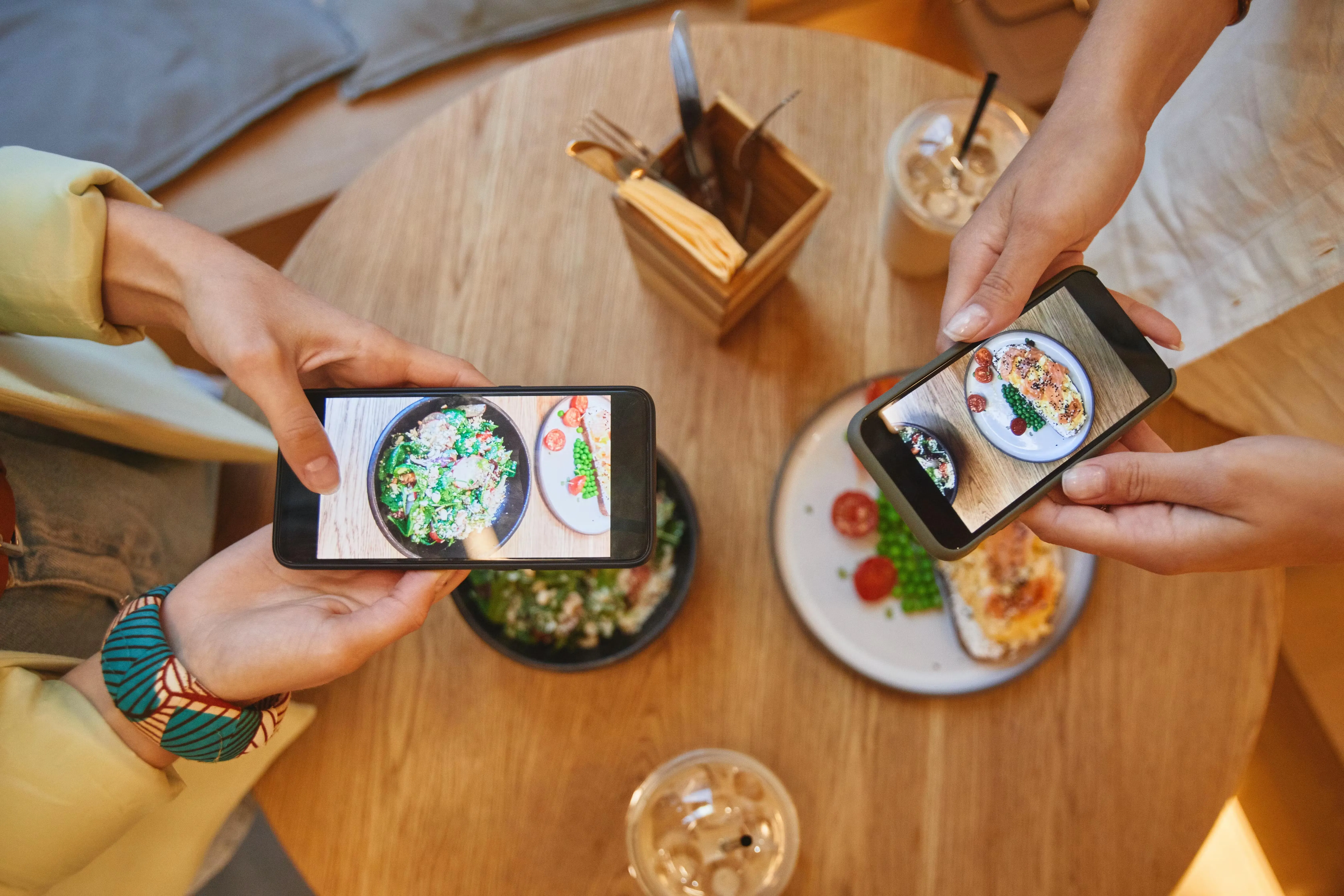
1. Run a 90-minute Sunday shoot. Walk through your kitchen during afternoon prep. Shoot 8 to 10 short videos (15 to 30 seconds each) and 15 to 20 photos in natural window light. No flash. That single session gives you two to three weeks of content across all 20 idea types above.
Tip: Batch by format, not by day. Film all your video first, then all your stills, so you’re not resetting the shot every few minutes.
2. Schedule everything in Meta Business Suite. The free tool lets you queue posts weeks in advance. Draft your captions in a Notes doc, then batch-load them Sunday evening. Set it and forget it for the week.
Tip: Load your revenue posts (offers, order links) into the mid-to-late week slots when dining decisions peak.
3. Set a realistic cadence. Three to four posts per week is the sweet spot for most independent operators. Daily posting at low quality is worse than three times per week at high quality, because Facebook uses your average engagement rate to decide how many people see your next post.
Tip: If you can only commit to two great posts a week, do that. Never pad the calendar with filler.
4. Use an 80/20 content split. Plan 80% of posts in advance from your Sunday batch. Leave 20% open for real-time posts: a sold-out dish, a surprise daily special, a great guest moment. Spontaneous content performs better when it’s genuinely spontaneous.
Tip: Keep a “shoot list” note on your phone so real-time moments don’t slip by unrecorded.
5. Build caption templates. Create 5 to 6 templates for your most common post types: new dish, staff spotlight, review share, event promo, and fill in the blanks each week. Your voice stays consistent; your time investment drops.
Tip: Save your top three performing captions and reuse the structure. What worked once usually works again.
Beyond organic posts, Facebook Ads can amplify your best-performing content, and Otter Marketing runs AI-powered ad campaigns across delivery apps automatically, so your promotions keep working without doubling your workload. Pair it all with restaurant email marketing to bring back the guests who already love you.
Your Facebook page is a sales channel, so start treating it like one
The difference between a Facebook page that fills tables and one that collects likes is intent.
Every post in this list has a defined purpose: drive an order, surface to new locals, build the emotional trust that brings someone in for the first time. If your restaurant marketing has felt like a grind with no payoff, you’re likely optimizing for the wrong metric, likes, followers, reach, instead of orders, covers, and repeat visits.
Run a simple weekly audit
Look at your top two posts by reach and your top two by link clicks. They won’t always be the same post. The ones with the most clicks are the ones working for your revenue. Post more of those.
What you don’t need
A dedicated social media manager, a professional photographer, or a daily posting habit. You need 20 restaurant social media post ideas that match your restaurant’s voice, a 90-minute Sunday batch session, and a direct ordering link that actually works when someone clicks it.
Every post with a CTA requires a fast, friction-free destination on the other end. If your link goes to a slow page or a third-party marketplace, you’ve lost the customer you just earned.
Otter’s POS and direct online ordering keep that journey seamless. Book a quick demo.
Frequently asked questions about Facebook posts for restaurants
How often should you post on Facebook for a restaurant?
Aim for three to four quality posts a week rather than a daily stream. Facebook weighs your recent average engagement when it decides how far to push your next post, so a handful of strong posts protects your reach better than seven forgettable ones. The cadence you can actually sustain will always beat a burst that fizzles out.
Which Facebook posts get the most engagement for restaurants?
Short vertical video usually travels further than a static photo, whether it captures prep, plating, or a quick staff moment. Engagement and revenue aren’t the same thing, though. A post built around one clear action, an order link, a Facebook Offer, or an event RSVP, tends to book more covers even when the like count stays modest.
Do Facebook posts actually drive restaurant sales?
They can, but only when every post gives people somewhere to go next. A gorgeous plate with no link collects applause, while a weekend special with a working order link in the first comment collects online orders. Track link clicks in Meta Business Suite rather than reach or likes to see what is genuinely moving the needle.
Should your restaurant focus on Facebook, Instagram, or TikTok?
Each platform does a different job, so let your customers set the mix. Facebook’s local Events and Offers make it strong for trackable promotions, foot traffic, and bookings. Instagram Stories and TikTok skew younger and lean visual, which suits brand building and partnering with influencers. Post where the people who actually eat with you already spend their time.
What is a Facebook Offer and how does a restaurant use it?
It’s a built-in discount tool on your Business Page: a guest taps “Get Offer,” receives a code, and redeems it in person or online. Because you can compare claims against actual redemptions, it behaves more like a trackable coupon than an ordinary post. Setting one up costs nothing beyond the discount itself, which makes it a low-risk way to run special offers.
How do you get more Facebook customers to share their experience?
Lower the effort and reward the behavior. A small table card inviting guests to tag your page and use your branded hashtag gives them a prompt, and actually resharing their photos gives them a payoff. Once people see their posts featured, that steady stream of user-generated content and social proof starts to build on its own.
Can you post the same content on Facebook and Instagram?
You can cross-post, but tailor each version. Facebook rewards a longer caption that tells a story, while Instagram Stories and Reels favor tighter copy and stronger visuals. Facebook Offers, Events, and pinned posts have no Instagram equivalent, so keep a few platform-specific posts in the rotation.
When is the best time to post on Facebook for a restaurant?
Trust your own Meta Business Suite Insights over any generic benchmark, because your audience’s active hours are what count. As a starting point, late morning tends to catch the lunch crowd and late afternoon catches people planning dinner. Midweek through Friday usually outperforms the start of the week for dining-intent posts.

Turn Facebook posts into real orders