
Table of contents
- What "offline mode" actually means for a restaurant POS
- How offline mode works: local queuing and automatic sync
- The restaurant failure cascade you need to plan for
- True offline vs. degraded offline: the difference at your counter
- Offline payment processing: the real risks at your counter
- What to look for in an offline-ready restaurant POS
- Offline POS needs beyond the restaurant
- How to prepare your restaurant before an outage hits
- What to do the moment your connection goes down
- What "back online" actually looks like, and how to verify nothing was lost
- An offline POS is a baseline requirement, not a backup plan
- Frequently asked questions about offline POS systems
An internet outage doesn't stay contained to one register. Delivery tickets stop arriving, the kitchen display goes silent, and your counter staff are left improvising in front of a full dining room with no instructions.
This is not a rare scenario. The average U.S. small business experiences roughly 14 hours of unplanned IT downtime per year. For a fast-casual operator doing $1,200 per hour at peak, a 30-minute outage without offline capability is $600 in lost revenue, before you count the guests who walked out.
What follows maps exactly what breaks during an internet outage, what “offline mode” actually means versus what vendors claim it means, and what you need in place before the next outage hits.
Key insights
- Restaurants face a multi-channel failure cascade during internet outages, not just one register going down, and delivery revenue is 100% offline-vulnerable because it runs on cloud-to-cloud connections with no local fallback.
- “Works offline” is not a standard: some POS systems drop modifier logic, card acceptance, or 86'd-item flags in offline mode, all of which cause real operational failures during a rush, not minor inconveniences.
- Stored-and-forward card processing lets you keep taking offline transactions without internet, but any card declined post-reconnect means you have already served food you will not be paid for. Configure per-transaction limits before an outage, not during one.
- The best offline strategy pairs the right POS architecture (true offline, not degraded) with an operational playbook: a backup connection via LTE hotspot, a printed menu, a staff drill, and a post-reconnect verification checklist.
What "offline mode" actually means for a restaurant POS
Offline mode means your point of sale processes sales transactions using data stored locally on the terminal or an on-premises device, rather than pulling from a live cloud connection. But the term is not standardized. What one vendor calls offline mode, another calls “limited connectivity mode” with far fewer features. The label alone tells you nothing.
There are three basic architectures:
- Cloud-only: breaks entirely when the internet drops. No connection, no transactions.
- Hybrid: stores data locally and syncs to the cloud when the connection returns. This is what most modern offline-capable POS systems use.
- Traditional on-premise: never required the cloud to begin with, but typically lacks the reporting, menu management, and inventory management features that modern operators need.
Why does this matter more for restaurants than for a retail store? A retailer's cashier scans items with a barcode scanner and takes payment. A restaurant runs live kitchen workflow, timed delivery tickets, and multiple sales channels simultaneously. One dropped connection has a much larger blast radius. If you are still mapping the fundamentals, our primer on what a restaurant POS system is and how it works covers the core moving parts.
How offline mode works: local queuing and automatic sync
When the internet drops, a true offline POS system writes all transaction data to local storage on the terminal or a local server. Orders continue to route to the kitchen via a receipt printer or kitchen display system on the local network. Payments queue locally rather than posting to your payment processing partner immediately.
When connectivity is restored, the system syncs automatically. For most outages under 30 minutes, that process is seamless and requires no manual re-entry.
The main risk during longer outages is a sync conflict. If a menu item was 86'd via the cloud dashboard while you were offline, the local terminal will not know until sync completes, so your staff may keep selling something you cannot make. Longer outages increase the chance of a mismatch between what is stored locally and what is in the cloud.
Always run a post-reconnect sales reports cross-check before closing out the day. More on that process below.
The restaurant failure cascade you need to plan for
Most content about offline POS systems describes a retail problem: one cashier, one payment lane, one register that cannot scan. Your restaurant faces something different, a cascade across multiple revenue channels at once.
- Channel 1, in-house orders: Survives if your POS has true offline mode and the kitchen display is on the same local network.
- Channel 2, third-party delivery (DoorDash, Uber Eats, Grubhub): Orders stop arriving immediately. These are cloud-to-cloud connections with no local fallback. No internet means no incoming delivery tickets, full stop.
- Channel 3, your online ordering page: Goes dark or shows an error to guests trying to place direct orders.
- Channel 4, kitchen display system: If your KDS relies on a separate cloud connection rather than the local POS network, tickets stop flowing even if the POS terminal itself is in offline mode.
- Channel 5, loyalty programs: Enrollment, point accrual, and redemption almost always require a live connection. Guests who try to redeem rewards during an outage will be frustrated.
If delivery revenue represents 30 to 40% of your sales, which is common for QSR and fast-casual operators, and especially for ghost kitchen concepts running multiple virtual brands, an internet outage is not a minor inconvenience. It is a partial shutdown.
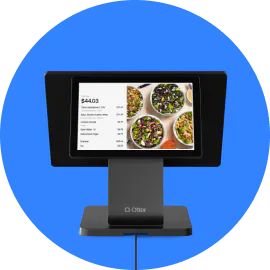
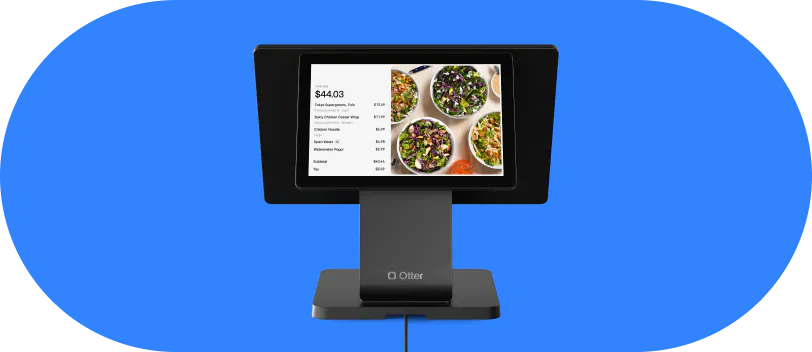
This is where architecture matters. With Otter POS, offline mode lives on the POS terminal: when the connection drops, the terminal keeps taking orders and card payments from data stored locally, then syncs when you reconnect. Otter is also honest about the rest of the stack. Third-party delivery, the online ordering page, kiosk ordering, and the kitchen display depend on a live connection, so you know exactly which workflows keep running locally and which pause the moment the internet goes down.
Nicole Kuti, co-owner of Telly's Charburgers in Santa Clarita, has seen it hold up mid-service:
“We actually lost internet here and we were still getting our tickets. Otter has a backup, we run off cellular data and we still got our tickets. So I love that.”
Nicole Kuti, co-owner of Telly's Charburgers, Santa Clarita
Want to know exactly how Otter handles offline payments and restaurant downtime? Talk to the Otter team.
True offline vs. degraded offline: the difference at your counter
Not all offline modes are equal. There are three tiers of what vendors actually deliver:
- Cash-only offline: the system accepts cash but cannot process any card payments.
- Stored-and-forward offline: cards are accepted and batched for authorization later, with chargeback risk.
- Full offline: cash and card accepted, complete menu with all modifiers stored locally.
Modifier logic risk: If a system drops custom modifiers in offline mode, no onion, extra sauce, allergy flags, combo pricing tiers, wrong orders go to the kitchen. For a QSR operator doing 200 covers at a lunch rush, that is an operational failure.
86'd item risk: If an item sold out mid-shift and the cloud could not push an update before the outage began, staff will keep selling something you cannot make.
Vendor checklist, ask these specific questions before signing:
- Does your full menu, including all modifiers and price tiers, store locally?
- Can the card reader process stored-and-forward offline payments?
- What is the maximum supported offline duration?
- Does the terminal display a visible indicator when it has entered POS offline mode?
Do not accept a feature list as proof. Request a live offline-mode demo: pull the ethernet cable and process a full order with modifiers and a card payment. What you see is what you get at 7 PM on a Friday.
Offline payment processing: the real risks at your counter
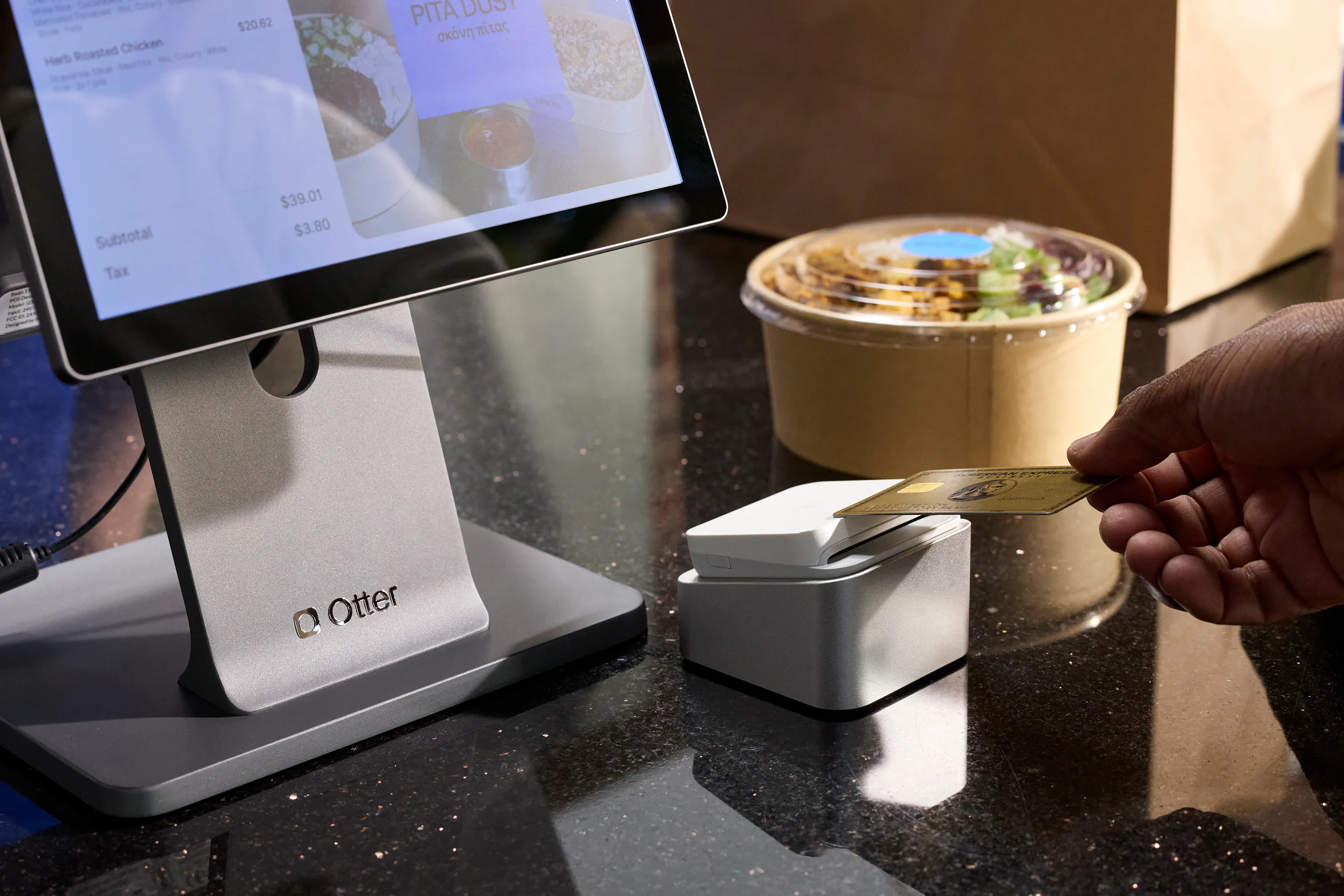
Stored-and-forward works like this: card data is captured locally when connectivity is down and submitted to the payment processor once the connection is restored.
- Risk 1, declined cards: If the card is declined post-reconnect, you have already served the food. Recovery options are limited, especially for walk-up customers who are long gone.
- Risk 2, fraud and chargeback liability: Processing a stolen card offline can shift liability to the merchant because the transaction was never authorized in real time.
- Risk 3, tip finalization: Some systems cannot lock in tip amounts until they go back online, which can delay end-of-day close and cause discrepancies in pay.
Practical mitigation: Set a per-transaction cap for stored-and-forward processing before an outage. Many POS vendors allow this. For example, flag any transaction over $50 for cash-only during an outage. Train staff on the offline payment protocol during onboarding and refresh it quarterly. A laminated cheat sheet at each terminal reduces errors when it actually happens.
What to look for in an offline-ready restaurant POS
When you are evaluating a point of sale, these are the offline features that actually matter.
- Full local menu storage: all modifiers, allergy flags, price tiers, and combo logic must be available offline. A stripped-down cache is not enough.
- Offline card acceptance with a configurable per-transaction limit so you control fraud exposure.
- Automatic sync on reconnect with conflict detection: the system should flag mismatches rather than silently overwrite local data.
- Kitchen display on the local network: the kitchen screen should receive tickets from the POS terminal over the local network, with no separate cloud dependency.
- Visible offline indicator: every terminal should clearly display that it is in offline mode so staff follow the correct protocol.
- Sales reporting continuity: revenue totals and transaction counts should accumulate locally so your sales reports are accurate regardless of how long the outage lasted, and you can still track sales through the outage window.
- No single point of failure: if one terminal loses connectivity or crashes, other terminals should remain operational.
For a wider comparison that goes beyond offline mode, see our roundup of the best restaurant POS systems.
Offline POS needs beyond the restaurant
Restaurants are not the only businesses that get burned by a dropped connection. A cloud-based POS system fails the same way whether it is running a dining room or a checkout counter, which is why offline POS software matters across the board:
- Cafes and food trucks often work in spots with spotty coverage, so an offline mode keeps the line moving when signal drops.
- Retail stores, boutiques, and a busy grocery shop rely on barcode scanning at the register. If the barcode scanner and pricing lookups depend on the cloud, offline mode keeps checkout running.
- Vendors at trade shows and pop-ups frequently have no reliable internet connection at all, making an offline-capable POS or a modern replacement for a manual cash register essential.
The trade-offs look similar everywhere: free POS systems and entry-level plans often limit offline features, so confirm exactly what a POS terminal will and will not do without a connection. Popular options like Square POS handle offline card acceptance differently from restaurant-first platforms, and the same caution applies to inventory management and customer management data that has to sync back cleanly once you are online again.
How to prepare your restaurant before an outage hits
Set up a backup connection: A 4G/LTE mobile hotspot costs roughly $30 to 60 per month and can restore connectivity in under two minutes for most short outages. Assign one staff member per shift to activate it and keep it charged. That backup connection is the fastest way to protect your delivery revenue channel.
Know your ISP's service level agreement: Most consumer broadband offers no uptime guarantee. Business-grade service often includes a 99.9% SLA and credits for downtime. If you are on a residential plan, upgrading may be the cheapest form of outage insurance.
Print and post a simplified menu: For extended outages, staff need a readable reference that does not depend on a screen. It is useful for phone orders and walk-ups when the online ordering page is down.
Map your revenue exposure: Calculate the share of revenue coming from delivery versus dine-in. A ghost kitchen running entirely on delivery platforms is fully exposed the moment the internet drops. That ratio should drive how much you invest in backup connectivity.
Run a fire drill during a slow period: Simulate a full outage, process a complete order with modifiers and a card payment in offline mode, pause the delivery platforms, close out the day. Find the gaps before Friday night service does.
What to do the moment your connection goes down
- Step 1: Confirm it is a full network outage, not a single terminal issue. Check another device on the same network. If only one terminal is affected, reboot it before switching to the outage protocol.
- Step 2: Activate your backup connection immediately. For operators with high delivery volume, restoring internet, even via mobile data, is the fastest way to protect your highest-revenue channel.
- Step 3: Pause incoming delivery platform orders manually from each delivery platform's app or by calling the operator support line. It is better to pause and restart than to accept orders that will not reach the kitchen.
- Step 4: Alert kitchen staff to confirm they are still receiving tickets via the local kitchen display connection. If the KDS is cloud-dependent, switch to printed tickets as the fallback.
- Step 5: Brief counter staff. A simple “we are on backup mode, all orders are being taken” reduces perceived chaos for guests waiting in line.
- Step 6: Note the start time of the outage. You will need it for reconciliation later.
What "back online" actually looks like, and how to verify nothing was lost
When connectivity restores, the POS should begin syncing automatically. Wait for a sync confirmation before taking any end-of-day actions. Do not run closing reports or close out payment batches until sync is confirmed complete.
Your post-reconnect reconciliation checklist:
- Compare the offline transaction count on the terminal to the sales transactions now visible in your cloud dashboard. Any gap means transactions did not sync and need to be re-submitted.
- Pull your sales reports and cross-check revenue totals for the outage window before closing out.
- Re-enable delivery platforms manually and confirm your menu, hours, and availability are displaying correctly before orders start flowing again.
- Review the payment batch for any stored-and-forward cards that were declined. Contact the guest and collect payment, or void the order.
- Scan for duplicate tickets. A brief connectivity hiccup at reconnect can occasionally create duplicate order entries. Compare kitchen ticket numbers to POS order numbers for the outage window.
- Log the outage: record the duration, estimated revenue impact, whether the backup protocol worked, and any gaps to fix before the next one.
An offline POS is a baseline requirement, not a backup plan
The right question is not “does this POS have an offline mode” but “what exactly works offline and what does not,” and you should get a specific, written answer before signing any contract.
Technology and process work together. Even the best offline POS architecture fails if staff do not know the protocol, the backup connection is dead, or no one pauses the delivery platforms. Treat the offline demo as a non-negotiable part of the sales process: pull the ethernet cable and watch what happens. What you see during that demo is what your guests will see at peak service on your worst-connectivity day.
Otter POS is built for fast-casual, QSR, ghost kitchen, and independent operators, with offline mode on the POS terminal and a cellular backup so the register keeps ringing when your primary internet connection does not. Restaurant POS systems that cannot keep selling through an outage are not really built for the floor.
See how Otter keeps your restaurant running when the internet does not. Book a demo with Otter.
Frequently asked questions about offline POS systems
What is an offline POS system?
An offline POS system, or a POS with an offline mode, processes orders and payments using data stored locally on the terminal when there is no active internet connection. Offline transactions queue on the device and sync to the cloud automatically once connectivity is restored. Not all “offline” systems are equal; some only accept cash, while others support full card processing and complete menu logic.
Can a restaurant POS process credit cards without internet?
Some POS systems support stored-and-forward card processing: the card data is captured locally and submitted for authorization once connectivity returns. The risk is that any card declined post-reconnect means you have already served food without payment. Setting a per-transaction cap for offline card acceptance, and training staff on the limit before an outage, helps manage that exposure.
What stops working in a restaurant when the internet goes down?
Third-party delivery orders stop arriving because platforms like DoorDash and Uber Eats run on cloud-to-cloud connections with no local fallback. Your online ordering page goes dark. Loyalty program enrollment and redemption typically require a live connection. Kitchen displays that depend on a separate cloud connection may stop receiving tickets. In-house order entry and payment usually continue if your POS has true offline mode with local data storage.
What is the difference between a cloud POS and an offline-capable POS?
A cloud-based POS system requires a live internet connection for every transaction. If the connection drops, the system stops working. An offline-capable or hybrid POS stores menu data, pricing, modifier logic, and transaction processing locally so it keeps running when internet access is lost, then syncs all data back to the cloud once connectivity is restored.
How do I prepare my restaurant for an internet outage?
Keep a charged 4G/LTE mobile hotspot on hand as a backup connection and assign a staff member to activate it immediately when the network drops. Print a simplified menu for walk-up and phone orders. Know which revenue channels, especially delivery, are most exposed. Run a practice drill during a slow period so staff follow the correct offline protocol by reflex rather than learning it mid-rush.
What should I check after my POS comes back online?
Wait for sync to complete before running sales reports or closing out the payment batch. Cross-check offline transaction counts on the terminal against what appears in your cloud dashboard. Re-enable delivery platforms manually and confirm menu availability. Review stored-and-forward payments for any declines. Scan for duplicate order entries, which can occur during a connectivity hiccup at reconnect.
What questions should I ask a POS vendor about offline mode?
Ask: Does the full menu, including all modifiers, price tiers, and allergy flags, store locally? Can the card reader process stored-and-forward payments, and is there a configurable per-transaction limit? How long can the system operate offline before data integrity is at risk? Does the terminal display a clear indicator when it has entered offline mode? Then request a live demo: pull the ethernet cable and process a complete order with modifiers and a card payment.
How does Otter POS handle restaurant offline operations?
Otter POS runs offline mode on the POS terminal: during an internet outage it keeps taking orders and card payments from locally stored data, backed by a cellular connection, then syncs everything to the cloud once you are back online. Offline mode is a POS terminal feature, so plan for kiosk ordering, the kitchen display, and third-party delivery to require a live connection during an outage.

See Otter POS work offline