Table of contents
- What makes a QSR POS different from a standard restaurant POS
- The core features that actually drive throughput
- Which QSR model are you? Matching your setup to the right configuration
- How to pressure-test a POS before you commit
- Kiosks, handhelds, and kitchen displays: hardware decisions that affect your floor plan
- Online ordering and third-party delivery: what the POS has to handle
- What a QSR POS should cost for an independent operator
- Real-time reporting and analytics that's actually useful at high volume
- Customer loyalty programs: what works in quick service and what's overkill
- Your format decides the stack, not the feature list
- Frequently Asked Questions about Quick Service POS systems
It's Saturday at noon. Eight people are at your counter, the kiosk queue is backing up near the door, and two DoorDash orders are sitting on a separate tablet waiting for someone to manually punch them in. Your point of sale is processing one transaction at a time. Every second it takes to move to the next order is a second a real person is standing there, getting impatient.
That's not a slow-service problem. That's a POS architecture problem.
According to the National Restaurant Association's State of the Restaurant Industry report, 45% of operators say reducing customer wait times is their top technology priority. Your quick service POS is where that priority either is met or falls apart.
Key insights
- A QSR POS isn't a faster version of a standard restaurant POS. It's a different architecture built for simultaneous multi-channel order load, not sequential table service. Treating it as an upgrade rather than a structural choice leads to the wrong system
- The failure modes that kill a rush (offline crashes, duplicate tickets, multi-channel lag) never appear in a vendor demo. You have to deliberately stress-test offline behavior and simultaneous order surge before you sign
- For a one- or two-location independent, the honest 36-month total cost of ownership (software fees plus processing on real sales volume) can exceed $40,000 before you touch hardware, making the "starting at" price almost meaningless for comparison
- Ghost kitchens and virtual brands have no in-store front-of-house. For them, online ordering aggregation and order routing to the KDS are not features to evaluate. They are the entire operation, and a POS that can't handle them reliably is an existential risk
What makes a QSR POS different from a standard restaurant POS
A standard point of sale is built around table turns, server sections, and check management. None of those concepts exist in a quick-service restaurant. There's no table 12 waiting on a split check. There's a counter, a queue, and a clock.
Think of a quick service restaurant POS system as the core of your restaurant management system: order entry, payment processing, and the kitchen display system (KDS) all have to move as one.
A quick service POS measures success in throughput per hour. How many orders can move from entry to kitchen to pickup in a given window? That requires a completely different architecture:
- Simultaneous multi-channel load: Counter, kiosk, drive-thru, and third-party delivery orders all arrive at the same time. The system has to handle all of them without lag
- Sub-second ticket transmission: An order entered at the counter should appear on the kitchen display system (KDS) in under a second. Any delay compounds across hundreds of transactions
- Offline resilience: If the internet drops mid-rush, the system needs to keep taking orders locally and sync automatically when the connection restores, without losing a single ticket or creating duplicates
- Order routing by station: All orders, regardless of source, need to land in one queue and route to the right kitchen station automatically
This is a structural difference, not a feature upgrade. Buy a "restaurant POS with quick-service mode" and you may find out the hard way that the underlying architecture wasn't built for the load.
The core features that actually drive throughput
Not every feature in a vendor's slide deck moves orders faster. What actually matters at the counter is a short list.
Features that carry operational weight
- Sub-second order entry and integrated KDS transmission: Every extra second at the register is a real cost across 200 daily transactions
- Contactless payment: Tap-to-pay, including mobile payments like Apple Pay, cuts checkout time. If your POS terminal requires a separate payment device that doesn't talk to the register, you've added a step you don't need
- Automatic channel consolidation: Counter, kiosk, and online orders should land in one queue, not three separate screens your kitchen staff has to monitor
- Order routing by station: Each prep station should receive only the items relevant to that station. A fry station doesn't need to see the drink order
- Handheld/mobile POS for line busting: The value here is taking orders while guests are still in the queue, not after they reach the counter. That reduces both perceived and actual wait time
Features that are mostly checkboxes for a one- or two-location independent
- Enterprise CRM suites
- Tableside upsell AI
- Advanced labor forecasting models
These add cost without adding throughput at your scale.
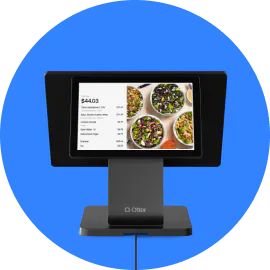
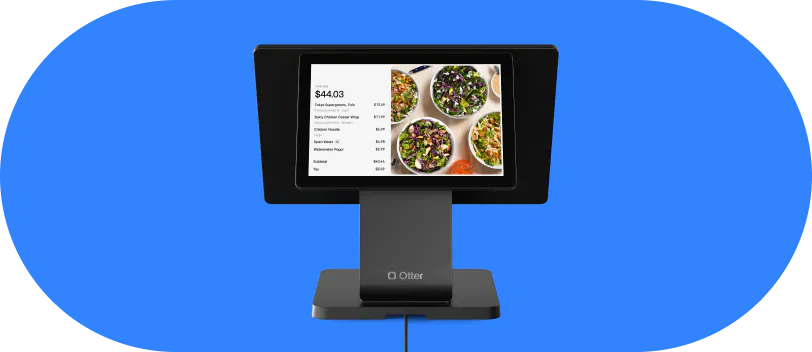
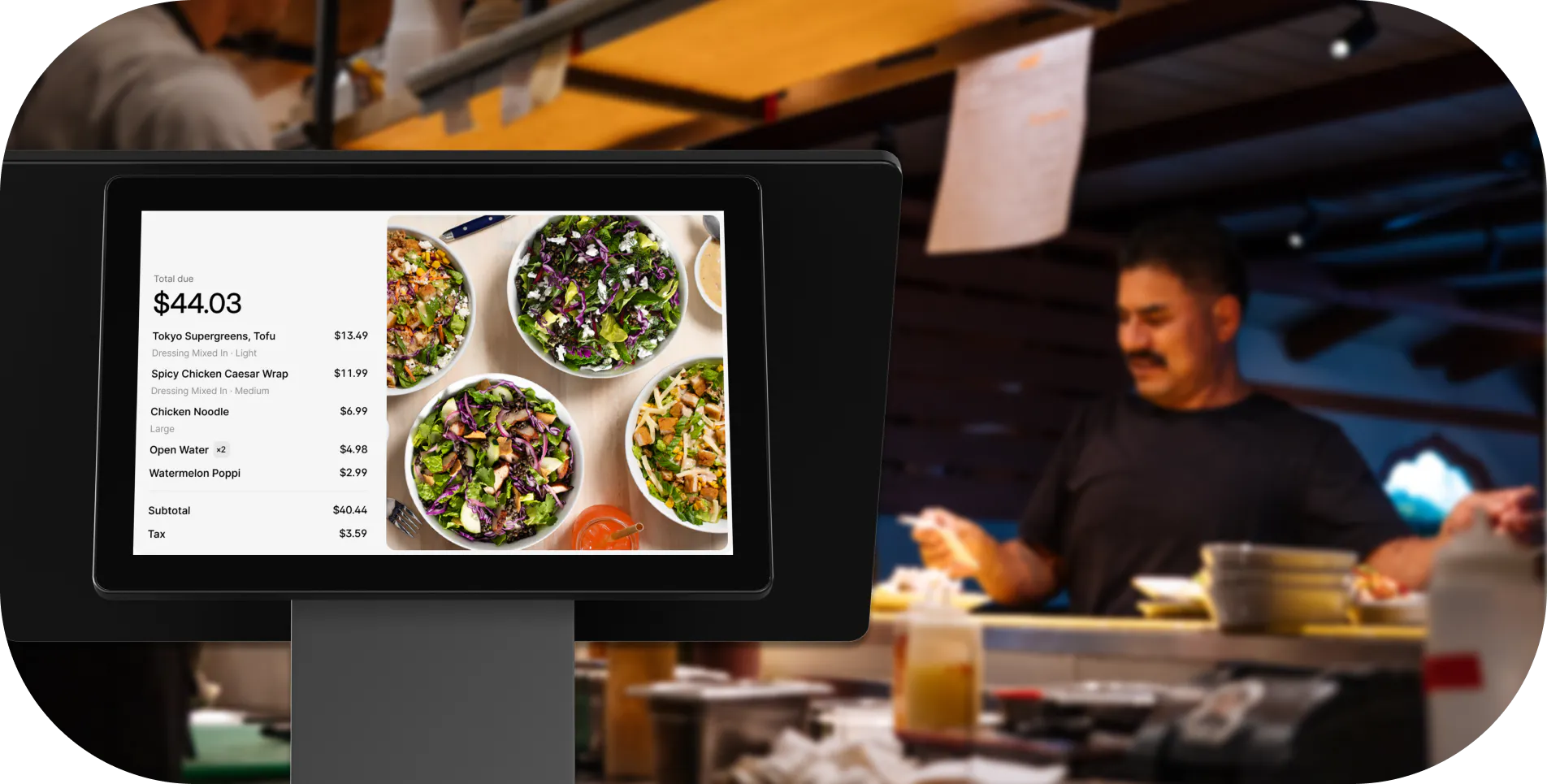
Otter POS consolidates orders from counter, kiosk, and online channels and routes them to the KDS without requiring a separate tablet for each platform or any manual re-entry. Fewer missed orders, faster ticket times.
One practical test to run in any demo: ask the rep to show an order moving from tap to kitchen ticket in real time, not a recorded clip. If they won't do it live, that tells you something.
Which QSR model are you? Matching your setup to the right configuration
"Quick service" covers a lot of ground. A taco counter, fast food drive-thrus, pizzerias, a fleet of food trucks, and a ghost kitchen have very different requirements.
Counter-only (fast casual, bowl, sandwich concepts)
Prioritize fast item lookup, combos, logical modifiers grouping, and a KDS that fires to one or two prep stations. A self-service kiosk delivers strong ROI here. Customers add more when there's no social pressure from a cashier, and upsell conversion on screen is usually higher than at the register.
Drive-thru
You need a window-mounted or handheld terminal, a customer-facing order confirmation display visible from the driver's seat, and KDS timing that accounts for window hand-off lag. A drive-thru POS that doesn't show the customer their order before they pull forward is a recipe for remakes.
Walk-up window or food stand
Lightweight hardware is critical here. A full countertop POS stack is overkill and creates clutter. A compact touchscreen or mobile POS is more practical. Prioritize battery backup and spill resistance, and verify both in writing.
Ghost kitchen and virtual brands
Your entire front-of-house runs through online channels. The POS must handle online ordering aggregation across third-party platforms and route tickets to the correct brand's KDS queue with zero manual intervention. You also need brand-level reporting, not just a single combined queue. If your POS can't separate a wing brand ticket from a burger brand ticket automatically, you will create kitchen confusion on every multi-brand order.
Multi-location independents (2 to 5 units)
Centralized menu management and consolidated real-time reporting across locations are non-negotiable even at two units. Logging into separate dashboards to compare sales across three locations is a hidden weekly time tax you shouldn't be paying.
Common over-spec mistake: buying a full kiosk suite for a walk-up window creates a floor-plan bottleneck rather than a labor offset. Match your hardware footprint to your actual service format first.
How to pressure-test a POS before you commit
This is the part no vendor page covers. The checks to run before you sign are below.
Offline mode
Ask the vendor to unplug the router mid-transaction during the demo. A reliable QSR POS queues orders locally and syncs automatically on reconnect, without losing orders or creating duplicate tickets. If the vendor won't demonstrate offline behavior live, assume the answer isn't good.
Multi-channel surge simulation
Ask the vendor to simultaneously fire a counter order, a kiosk order, and a third-party delivery order during the demo. Watch the KDS. Any visible lag under that load will compound at actual peak volume.
Re-sync behavior
Ask specifically how long re-sync takes after a 10-minute outage and whether any transaction data can be lost. Get the answer in writing.
Four questions that reveal real reliability
- "What is your uptime SLA and what's the remediation if you miss it?"
- "Can you show me a live peak-hour report from a current customer account?"
- "What is your re-sync time after a 10-minute internet drop?"
- "What are the exit terms if I want to leave before my contract ends?"
Training burden
Count the hours from day one to a new employee running the POS independently without asking questions. Every hour over four is a recurring labor cost every time you onboard someone.
Kiosks, handhelds, and kitchen displays: hardware decisions that affect your floor plan
Self-service kiosks
When your counter is slammed at peak, the real payoff of a self-service kiosk is a bigger average order, not just a shorter line. Self-ordering kiosks also free a cashier to expedite. QSR Magazine reports that customers who order at a kiosk typically spend 10 to 30% more than those who order from a cashier.
Before you order hardware, walk your floor plan with a tape measure and model guest flow at peak capacity. A kiosk placed in a narrow entry creates a queue bottleneck that wipes out any efficiency gain.
Handheld/mobile POS
Most valuable at drive-thru windows and for line busting. The hardware must run the same software as the counter terminal with zero additional training. If a handheld uses a different interface, you've created two systems to maintain.
KDS placement
Eye-level at each prep station, clearly visible under kitchen lighting. One screen per station type reduces the cognitive load of scanning a shared display. An integrated KDS beats a stack of kitchen printers: a screen updates in real time and never runs out of paper mid-rush.
Hardware durability: verify in writing
- IP rating for spill and splash resistance
- Operating temperature range (relevant near fryers and steamers)
- Vendor's stated mean time between failures
Proprietary hardware lock-in
If a vendor bundles hardware you can only replace through them, a broken screen becomes a multi-day service outage. Ask whether you can source replacement parts from a third party.
Online ordering and third-party delivery: what the POS has to handle
Running Uber Eats, DoorDash, and Grubhub on separate tablets means three sets of manual order entry, three places where an item can be missed, and three surfaces for menu sync failures. That's not a workflow. It's a liability during a rush.
Your POS must handle online ordering aggregation and order management across all third-party platforms, consolidate every order into one queue, and route them to the KDS automatically. No manual re-entry. No extra tablet per platform. Between third-party apps and your own mobile ordering, orders arrive from more directions than ever.
Menu sync
When you 86 an item or raise a price, the update should push to all platforms simultaneously. A system that requires per-platform manual updates will create order errors during exactly the moments you can't afford them.
Commission math
Third-party platforms, like Door Dash for Merchants, typically charge 15 to 30% per order. Direct online ordering through your own POS eliminates that cut. Otter includes a commission-free direct online ordering channel. Take your current third-party order volume, multiply it by the commission rate, and that's the annual number you're comparing against the cost of a direct channel.
Pickup time accuracy
The ETA shown to a delivery driver must reflect actual kitchen capacity in real time. A static 15-minute default that doesn't account for a 40-order lunch surge causes late pickups, driver frustration, and negative platform ratings.
What a QSR POS should cost for an independent operator
Get all four of these buckets in writing before comparing vendors. "Starting at" prices almost never include all four.
Cost bucket | Typical range |
Counter terminal + KDS (upfront) | $800–$2,500 |
Self-service kiosk (per unit, upfront) | $2,000–$5,000 |
Monthly software fee (per location) | $50–$400+ |
Credit card processing rate (flat-rate) | 2.6%–3.5% per transaction |
A worked 36-month total cost of ownership example
$150/month software fee + 2.6% processing on $40,000/month in sales:
- Processing: $40,000 × 2.6% × 36 months = $37,440
- Software: $150 × 36 = $5,400
- Total before hardware and onboarding: ~$42,840
Run this math against your actual average ticket and monthly transaction count. The number changes fast when you plug in real volume.
Hidden costs to flag and negotiate
- PCI compliance fees
- Chargeback handling fees
- 24/7 support tier surcharges
- Early termination penalties
A 3-year contract with a $2,000 exit fee should change how you evaluate "low" monthly pricing. The real cost of switching mid-growth includes staff retraining, data migration risk, and 2 to 4 weeks of operational disruption.
Real-time reporting and analytics that's actually useful at high volume
What you check during a rush
- Hourly sales vs. the same hour last week
- Items sold per hour (to anticipate prep needs)
- Labor and payroll cost as a percentage of current sales
If you staffed for a $4,000 lunch and sales are tracking at $2,200 by 12:30, you need to know that now. These real-time reports tell you whether to cut a shift or call someone in. A Sunday morning summary email does not.
After the rush: reports that surface operational problems
- Void and refund rate (a spike signals a cashier training issue or a system error)
- Average ticket by channel
- Item-level cancellation rate
Item-level performance data
Your POS should show which modifiers are creating KDS bottlenecks and which menu items are ordered fewer than once per shift. Both are margin decisions disguised as menu decisions. Tie sales into inventory management so a busy lunch automatically flags what to re-order.
Automated report delivery
Schedule daily sales summaries and weekly labor cost breakdowns to your phone. Stop logging into a dashboard you'll forget to check.
Customer loyalty programs: what works in quick service and what's overkill
What works
- Points-per-dollar programs and digital gift cards with in-store QR code enrollment (no app download required)
- Automatic loyalty rewards redemption triggered at the POS, with no extra step for the cashier
- SMS offers tied to visit recency (for example: "You haven't been in 30 days. Take 10% off your next order")
Otter lets guests enroll via QR code in-store or through staff at the POS terminal. Guests can redeem rewards on items whenever they want.
The metric that matters most: visit frequency, not total sign-ups. Getting an existing customer from once a month to twice a month is worth more than a long list of people who never redeem.
Quick loyalty ROI check
If your customer loyalty program costs $50/month and increases average visit frequency by 0.5 visits per month across 100 active members at an $8 average ticket, that's $400/month in incremental revenue against a $50 cost. The math closes quickly. The risk is overcomplicating it to the point where neither staff nor guests use it.
What's overkill for most independents
- Segmented email drip sequences
- Predictive churn scoring
- A/B tested promotional offers
These require a dedicated marketing resource most one- or two-location operators don't have and shouldn't hire for.
Your format decides the stack, not the feature list
Independent QSR operators run on 6 to 9% net margins, according to VantaInsights. A POS that adds 30 seconds per transaction across 200 daily transactions is not an inconvenience. It's a measurable throughput loss that compounds every service period.
The failure modes that destroy a rush are not what you see in a demo. They're offline crashes, duplicate tickets, and multi-channel lag on a Saturday at noon. Stress-test for those scenarios, not the polished walkthrough.
The right evaluation order: uptime and offline behavior first, multi-channel surge capacity second, transparent total cost of ownership third, feature set fourth. Most operators do it in reverse.
Get the right system before you scale. The cost of migrating grows with every location you add. The right QSR POS software earns that back in throughput.
Ready to find out if Otter fits your operation? Walk through a live demo built around your service model.
Frequently Asked Questions about Quick Service POS systems
What is a quick-service POS system?
A quick service POS, sometimes called a QSR POS system or quick-service POS software, is built for high-volume, fast-paced restaurants where speed and order accuracy come first. Unlike a full-service POS designed around table management and check splitting, a QSR POS focuses on rapid order entry, instant order routing to the kitchen, online ordering aggregation, and fast contactless payment processing. The goal is to minimize wait times and maximize how many orders move through the kitchen per hour.
How is a QSR POS different from a regular restaurant POS?
A standard restaurant POS is built around table turns, server sections, and check management. A QSR POS is built around throughput: how many orders can move from entry to kitchen to pickup in a given hour. It needs to handle simultaneous orders from multiple channels without lag, route items to the correct kitchen station instantly, and process payments in seconds. The architecture is fundamentally different, not just faster.
What should I look for in a POS for a ghost kitchen or virtual brand?
Ghost kitchens run entirely on online orders, so your POS must handle online ordering aggregation across all third-party delivery platforms and route tickets to the correct brand's kitchen station automatically. No manual re-entry, no separate tablet per platform.
You also need real-time reporting at the brand level so you can see which virtual brand is driving revenue. A POS that requires manual transfer from a delivery app tablet to a terminal is a serious operational risk when your whole business runs through digital channels.
What does a quick-service POS actually cost for an independent restaurant?
A realistic breakdown for one location: upfront hardware runs $800 to $2,500 for a counter terminal and KDS screen, plus $2,000 to $5,000 per kiosk if you add one. Monthly software fees typically range from $50 to $400+ depending on features included. Processing fees run 2.6% to 3.5% per transaction for credit card processing on most flat-rate plans.
On $40,000/month in sales at a 2.6% rate plus $150/month in software, you're at roughly $42,840 over 36 months before hardware and onboarding costs. Always ask vendors for all four buckets in writing.
Do I need a self-service kiosk for my quick-service restaurant?
Not always. It depends on your service format and floor plan. Kiosks deliver two measurable benefits: higher average ticket size and reduced labor demand during peak windows. The ROI case is strongest for counter concepts with predictable high-volume rushes.
For a walk-up window or a very small footprint, a kiosk can create a bottleneck rather than solve one. Model your guest flow at peak capacity before ordering hardware.
What happens if my POS goes offline during a rush?
This is one of the most important things to test before signing. A reliable QSR POS should queue orders locally when the internet drops and sync automatically when the connection restores, without losing any orders or creating duplicate tickets.
Ask the vendor to unplug the router during the demo and show you exactly what happens. If they can't demonstrate it live, assume the answer isn't good.
How should I evaluate a customer loyalty program for a quick-service restaurant?
Focus on two things: enrollment friction and redemption simplicity. A QSR loyalty program works best when guests can sign up via QR code in-store without downloading an app, and rewards apply automatically at checkout without the cashier doing anything extra.
Measure the program by visit frequency. Getting an existing customer to come in twice a month instead of once is worth more than a list of sign-ups who never redeem.
Can one POS handle both in-store and online orders?
Yes, and it should. A modern QSR POS consolidates counter, kiosk, and online orders (including third-party platforms) into a single queue and routes tickets to the kitchen without manual intervention.
Running separate systems for in-store and online creates entry errors, menu sync failures, and kitchen confusion. If a vendor requires a dedicated tablet for each delivery platform, the system was not built for multi-channel quick service.

Crush the lunch rush, book your Otter POS demo