Table of contents
- 1. First-party online ordering: the feature that pays for everything else
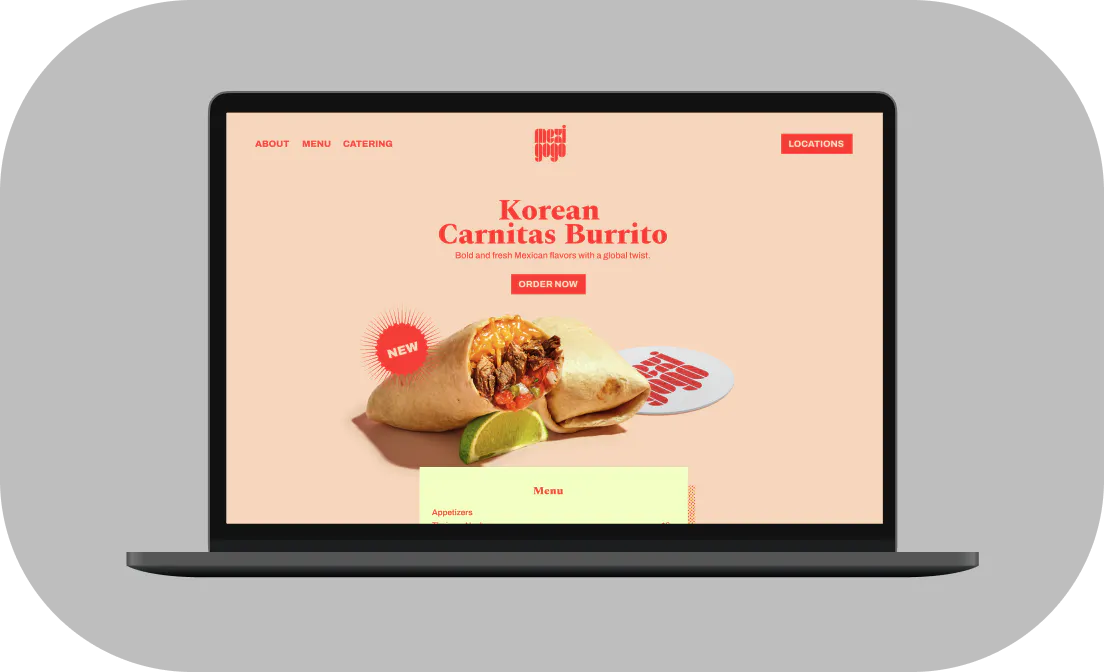
- 2. A menu page that sells, not just informs
- 3. Mobile design and page load speed that don't lose the order before checkout
- 4. NAP and hours: the basics that still make or break discovery
- 5. Food photography that makes customers click Order
- 6. CTAs that tell customers exactly what to do next
- 7. Supporting features that build trust and bring customers back
- A website that removes friction will always outperform one that just looks good
- Frequently asked questions about restaurant website features
Most restaurant websites are built to look good at launch and forgotten after that. The menu is a PDF uploaded two years ago. The phone number isn't clickable. The "Order Now" button routes to DoorDash. According to NCR Voyix's 2025 Customer Experience Report, 58% of customers prefer to order delivery through a restaurant's own app or website rather than a third-party platform, but most restaurant sites make that nearly impossible to do.
Every feature covered here gets evaluated by one question: does it move a hungry customer closer to completing an order? If it doesn't, it's decoration.
You already optimize your prep station, your ticket flow, your counter layout. Your website deserves the same operational thinking.
Key Insights
- Third-party math: Sending a customer from your own website to a third-party ordering link costs you 15–30% in commissions on an order you already generated. The most expensive button on the internet for your margin is the one that redirects to a marketplace
- Your menu page sells: Item sequencing, descriptive copy, and high-margin placement affect average order value online the same way deliberate menu engineering works on a printed menu
- Mobile is operational, not aesthetic: PDF menus, non-tap CTAs, buried Order buttons, and slow loading speeds kill orders before checkout, and no amount of good photography recovers them
- NAP consistency is foundational: Consistent name, address, and phone number across your website, Google Business Profile, and delivery app listings is the foundation of local search visibility for every customer who has never heard of you before
1. First-party online ordering: the feature that pays for everything else
What it is: First-party ordering means a customer places an order through your own website and the money goes directly to you, not through a marketplace that charges third-party commissions.
Why it works: Third-party platforms charge 15–30% per order. Run the math on your own restaurant. If you generate 20 orders a week at a $25 average through a third-party link off your own homepage, you're paying roughly $125 a week in commission, about $6,500 a year, on customers who were already on your domain. They found you. They showed up. You then handed them to someone else and paid for the privilege.
This is not an argument against delivery apps. Keep your listings on DoorDash, Uber Eats, and Grubhub. Those platforms bring you new customers. The problem is what happens when someone lands on your website and you route them back to a marketplace. That's avoidable cost on demand you already earned.
Quick tip: Otter's Website Builder lets you promote catering and showcase your online menu on your own site. Pair it with Otter Online Ordering, which lets guests place individual or group orders alongside catering, so your “Order Now” button routes to first-party checkout instead of a marketplace redirect. Whether you build your site on WordPress, Squarespace, or one of the dedicated restaurant website builders like Otter's, the fix is the same.
Christina Hong, owner of Seoulmates in Beverly Grove, Los Angeles, put it simply: “We have a link on our website that people can order from. It allows them to see the whole menu with pictures and things like that, so they can order from home for pickup.”
You don't have to choose between the apps and a direct channel. You have to manage both without doubling your kitchen chaos, and a first-party “Order Now” button on your homepage is the single fastest lever for growing that channel.
3. Mobile design and page load speed that don't lose the order before checkout
What it is: A restaurant website with real mobile optimization, one that works correctly on a phone, where most of your customers are actually visiting, with fast loading speeds so they don't leave before the menu appears.
Nearly 75% of all restaurant orders are now taken to go, according to the National Restaurant Association's 2025 Off-Premises Restaurant Trends report. The customers driving those orders are on their phones. Most design decisions get made on a desktop. That gap is where orders get lost.
Poor user experience on mobile is the single biggest silent killer of online orders. A customer who hits a slow page, a broken PDF, or a buried Order button doesn't call to complain. They just leave. Here's the specific checklist. Run it on your own site right now:
- PDF menu requires pinch-to-zoom: replace it with HTML text
- Order Now button is buried below a photo carousel: move it above the fold
- Phone number is plain text, not a click-to-call link: if a customer has to copy and paste your number to call you, most won't
- Menu loads as an image file: images don't index on Google and don't resize cleanly on small screens
- Page takes more than 3 seconds to load on mobile data: compress your images and remove auto-playing video
Quick tip: Pull out your phone right now. Can you find your menu in two taps? Can you find your phone number in five seconds? Can you start an order without scrolling past the fold? If the answer to any of those is no, you have a friction point costing you orders. If you also offer a mobile app, run the same friction checklist there. Run Google's free Mobile-Friendly Test to find technical issues you can fix without a developer.
If you run a ghost kitchen or virtual brand, your entire customer experience lives on a screen. Mobile-first isn't a feature for you. It's the product.
4. NAP and hours: the basics that still make or break discovery
What it is: NAP stands for name, address, phone, three pieces of contact information that must be identical across your website, Google Business Profile, Yelp, and any delivery app listings.
Why it works: One mismatch between your website and your Google Business Profile suppresses your local search ranking. A customer searching “tacos near me” at 6:30 p.m. on a Friday is not going to dig through conflicting information. They're going to pick the next result.
Put your opening hours and phone number in your top navigation or footer of every page. Burying contact information on a standalone subpage is a conversion leak. Every page on your site is a potential landing page from a Google result or a social media link, and every one of those visitors needs to find your hours of operation and phone number without hunting.
Quick tip: Outdated operating hours are one of the most common triggers for a 1-star review. A customer shows up, you're closed, they never come back, and that review sits there for the next hundred searchers to see. Otter's ratings and reviews tool pulls that feedback into one place so you catch a bad review (or the outdated hours behind it) before it costs you more customers. Audit your hours across your website, your Google Business Profile, your delivery app listings, and your POS system, whether that's Toast, Square, Otter, or otherwise, before every holiday season. Embed Google Maps on your location page. It reduces friction for first-time visitors and signals verified location data to Google. If you need a refresher, our step-by-step guide to creating a Google Business Profile walks through setup end to end.
If you run multiple locations, each one needs its own NAP block and ideally its own dedicated page. A single “Locations” page that lists all addresses without individual pages leaves local SEO value on the table.
5. Food photography that makes customers click Order
What it is: High-quality photos of your top-selling and highest-margin menu items, placed strategically on your homepage and menu page.
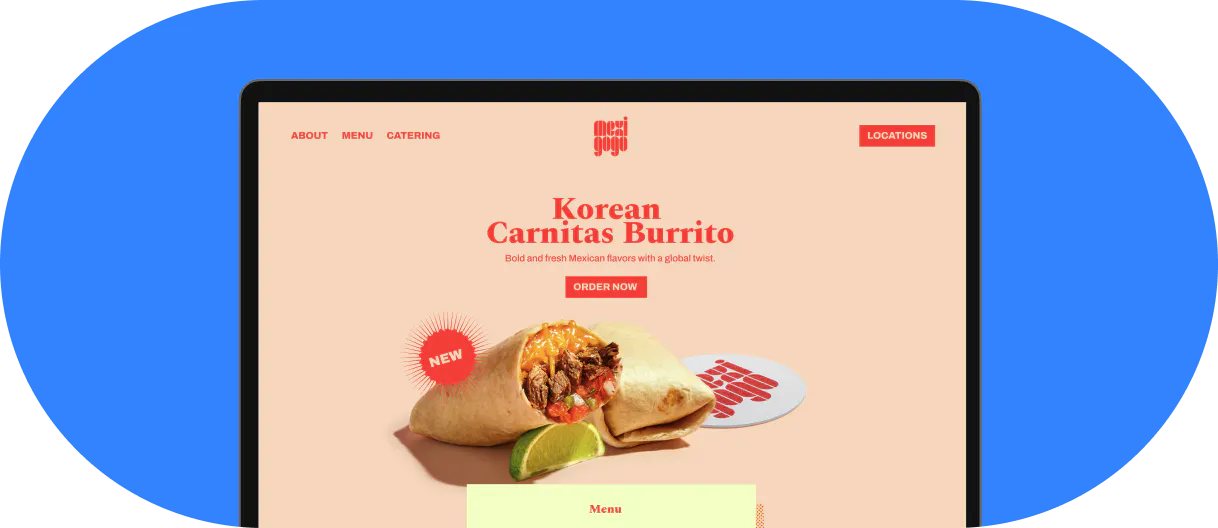
Why it works: A full-width image of your best-selling item on the homepage creates an appetite response before a customer reads a single word. It's the visual prompt that primes every button that follows. Quality matters more than quantity. Three great high-quality images of your top sellers will drive more orders than forty mediocre shots taken under fluorescent lights.
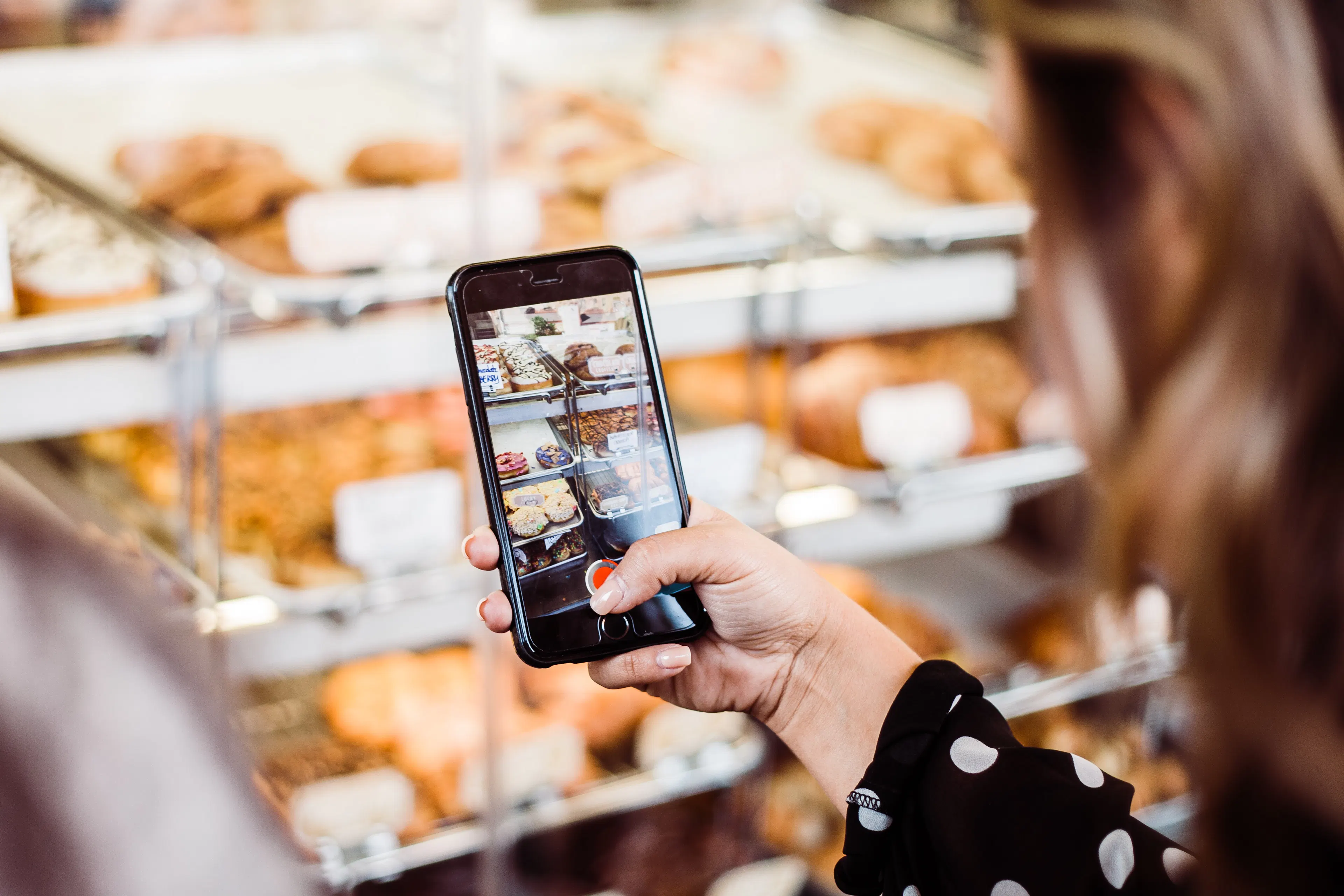
Quick tip: You don't need a professional shoot to start. A current-generation smartphone, natural daylight from a window, and a plain white or wooden surface produces good-enough results. Photograph in this order: your top three sellers by order volume, then your highest-margin items, then seasonal specials.
One technical detail most operators miss: name your image files descriptively before uploading them. “Crispy-chicken-sandwich.jpg” is indexable by Google. “IMG_4837.jpg” is not. That file name contributes to local and image search visibility.
Ghost kitchen and virtual brand operators: photography is your entire brand identity. There's no physical space for customers to evaluate you. Invest here disproportionately compared to every other website element.
6. CTAs that tell customers exactly what to do next
What it is: A call to action (CTA) is any button or link that directs a customer to a specific next step. Every page needs one clear, primary call-to-action.
Why it works: Button language matters. “Order Now” outperforms “View Menu” because it implies completing a transaction. “Reserve a Table” outperforms “Reservations” because it's a verb. Verbs sell.
The primary Order Now button must be visible above the fold on every page, meaning the customer sees it without scrolling. On mobile, it must be reachable with a thumb tap without zooming. Use a color that stands out from the rest of your design, with enough whitespace around it that it doesn't compete with anything else on the page. Small, gray, text-only links are effectively invisible on a phone screen.
Quick tip: Put an Order button on your homepage, your menu page, and in your top navigation or navigation bar. Every page is a potential entry point from a Google result or an Instagram link. If you offer catering or run an email list, a secondary CTA (“Request a catering quote,” “Get weekly specials”) is fine, but it must never compete visually with the primary Order Now button.
7. Supporting features that build trust and bring customers back
These aren't the foundation, but they compound the value of everything above.
- About us (2–4 sentences): This is not a biography. It's a trust signal. Customers who feel connected to your story are more likely to order and return. Keep it short and specific: who you are, how the restaurant started, what makes you different.
- Social proof: Link to your Google reviews or embed a ratings widget near your Order button. A 4.6-star badge reduces hesitation for first-time customers who found you through search.
- Social media links: Connect Instagram and Facebook in the footer. If you're already posting food photos to Instagram, those shots belong on your website too.
- Email capture: A simple “Get our weekly specials” signup builds a list you own outright. Unlike social media followers, email subscribers can't be algorithm'd away from you. You don't need to offer a discount to get signups; a straightforward special offers list is enough. Otter's Marketing product runs automated promotions across delivery apps and lets you compare channel performance, so an email list grown from your website feeds directly into that kind of repeat-business work. Check Otter's pricing page for current plans.
- Catering contact form: Even if you don't take traditional reservations, a catering inquiry form captures high-value orders that never appear on delivery apps. A single catering event can be worth more than a week of individual orders.
- Reservations widget: If you take reservations, embed OpenTable or your reservation platform's booking widget near your top navigation so guests don't have to call.
- Events calendar: If you host trivia nights, live music, or seasonal pop-ups, an events calendar keeps regulars checking your site instead of just your Instagram.
A website that removes friction will always outperform one that just looks good
Design choices that don't move a customer toward checkout are décor, not features. Every element in this list earns its place by reducing a specific friction point: a PDF that loads slowly, contact information buried three clicks deep, an Order button that requires scrolling to find.
You don't have to rebuild the whole site at once. Fix the PDF menu first. Add a click-to-call number. Move the Order Now button above the fold. Small friction reductions compound into real order volume over time.
If you're comparing ordering platforms while you're at it, our roundup of the best online ordering systems for restaurants is a good next stop.
When you're ready to handle the technical side, mobile responsiveness, first-party ordering, menu display, and user experience that actually converts, book a demo with Otter to see the Website Builder and Online Ordering in action.
Frequently asked questions about restaurant website features
What are the most important features of a restaurant website?
In priority order: first-party online ordering, mobile optimization with a click-to-call phone number, an HTML online menu (not a PDF), clear NAP and opening hours visible on every page, high-quality photos of your top sellers, and a prominent Order Now call-to-action above the fold. Everything else in this list builds on that foundation.
Why is it a problem to link to DoorDash or Grubhub from my own restaurant website?
When a customer is already on your website, routing them to a third-party marketplace costs you 15–30% in commissions on an order you generated yourself. A first-party Order Now button keeps that margin in your pocket. You can maintain your marketplace listings. Just don't send your own-site traffic there.
What's wrong with using a PDF menu on my restaurant website?
PDF menus require pinch-to-zoom on a phone, don't index well on Google so they suppress local search visibility, and must be manually re-uploaded every time a price or item changes. An HTML online menu with descriptive text, headings, and pricing solves all three problems and doubles as SEO content.
How do I make my restaurant website mobile-friendly without rebuilding it?
Start with five quick fixes: run Google's free Mobile-Friendly Test, convert your PDF menu to HTML text, make your phone number a click-to-call link, move the Order Now button above the fold on the homepage and menu page, and compress images for fast loading speeds under three seconds on a phone.
How much does food photography actually affect online orders?
A strong hero image of your best-selling item primes an appetite response before any button is clicked. Budget operators can use a smartphone, natural light, and a clean background for their top three sellers. You don't need a full professional shoot to start. Ghost kitchens especially should prioritize this since photography is their entire brand identity.
Where should the Order Now button go on my restaurant website?
Above the fold on the homepage and menu page, visible without scrolling, plus in your top navigation so it follows visitors on every page. On mobile it must be large enough to tap with a thumb without zooming. Use a contrasting color with enough whitespace around it to stand out from the rest of the design.
How does my restaurant website affect my Google ranking?
Your website and Google Business Profile reinforce each other. Consistent NAP (name, address, phone) across both improves local search ranking. An HTML online menu with item descriptions gives Google more indexable content. Descriptive image file names also contribute. Conflicting hours of operation between your website and your Google Business Profile signal low trustworthiness to Google's algorithm.
Do I really need an email list if I already post on social media?
Yes. Social media reach is controlled by platform algorithms that can suppress your posts without warning. An email list is a direct channel to your customers that you own outright. Even a simple “Get weekly specials” signup on your website, no discount required, builds a repeatable marketing asset that compounds over time.
Build your restaurant website with Otter