Table of contents
- How we ranked these POS systems
- What "cheapest" actually costs a restaurant
- 6 cheapest POS systems for restaurants
- Restaurant POS pricing at a glance
- Is a free restaurant POS really free?
- How to price a POS quote before you sign
- Cheapest is whatever costs you least per order
- Frequently asked questions about the cheapest POS systems for restaurants
More than 9 in 10 restaurant operators name food, labor, insurance, energy and swipe fees as significant challenges, according to the National Restaurant Association's 2026 State of the Restaurant Industry. Swipe fees sit in that list for a reason: the association's policy analysis puts card processing as the third largest operating expense for most restaurants, behind food and labor.
That is why shopping for the cheapest POS system by monthly fee alone tends to backfire. A system advertised at zero dollars a month still takes a cut of every card you run, charges per device for the screens in your kitchen, and does nothing about the commission a delivery app takes off the top. This guide ranks six restaurant POS systems on what they actually cost you to take an order, and shows you how to run the same math on any quote you get.
Key insights
- Card processing, not software subscription, is where most of a restaurant's POS spend goes, and the association's own analysis ranks it the third largest operating expense behind food and labor
- A typical restaurant runs on a pre-tax profit margin of roughly 5%, so a recurring fee that looks small against revenue is large against what you actually keep
- Per-device add-on fees for kitchen screens and self-service kiosks are the most common reason a cheap POS stops being cheap in the second year
- Third-party delivery commission usually dwarfs both software fees and processing spread, and no POS comparison that ignores it is telling you your real cost
How we ranked these POS systems
We ranked on total cost to take an order, not on the lowest advertised monthly fee. For each system we looked at four things together: what the software subscription buys you, whether card processing rates are published or quoted privately, whether hardware is bundled or billed separately, and what you pay extra for once you add a kitchen screen, a kiosk or an online ordering channel.
We checked every price on the provider's own pricing page and none of the figures in this guide come from a review site or an aggregator. Where a provider does not publish a number, we say so rather than estimating one.
Worth stating plainly: Otter's Starter tier no longer starts at $0/mo, it now runs $79/mo with hardware included, while Toast and Square still publish a genuine zero-dollar entry tier. If the lowest possible first bill is what matters most, Toast or Square wins that specific comparison. What Otter still offers at that higher starting price is what comes bundled with it and what's disclosed alongside it: the terminal hardware is included rather than billed separately, kitchen and kiosk screens aren't billed per device on top of the subscription, its direct online ordering channel doesn't carry third-party commission, and its processing rates are published by tier rather than quoted privately, something Toast and Lightspeed still don't do at all. That combination is what can lower cost per order for a delivery-heavy or off-premise restaurant even against a lower sticker price elsewhere, but it's a total-cost argument now, not a starting-price one.

What "cheapest" actually costs a restaurant
Four line items decide what a POS costs you. Most comparisons only show you the first one. For a fuller breakdown of each, our guide to how much a restaurant POS system costs walks through the same four categories in detail.
Software subscription
The advertised monthly fee, usually per location or per terminal. It is the number every provider leads with and the smallest of the four for most restaurants.
Card processing
A percentage of each transaction plus a flat per-order fee. Rates differ for tapped, keyed and online payments, and some providers tie a better rate to a higher software tier. A fraction of a percentage point moves real money once it applies to every card you run, which is why a free software tier attached to a high processing rate can cost more than a paid tier attached to a low one.
Hardware
A terminal, card reader, printer and cash drawer at minimum. Some providers bundle hardware into the subscription, some sell it outright, and some finance it. A bundle that includes hardware and a plan that excludes it are not comparable on monthly fee alone.
Add-ons and commission
Kitchen display screens, self-service kiosks, online ordering and loyalty are frequently priced per device or per module on top of the base plan. Third-party delivery commission belongs in this bucket too, and it is typically the largest number on the page. Against a pre-tax profit margin of roughly 5% for a typical restaurant, per the association's July 2026 cost analysis, the order of magnitude here matters more than the subscription line.
6 cheapest POS systems for restaurants
1. Otter
Reason for inclusion
Otter POS is built for restaurants rather than adapted from retail, and its published bundles include the terminal hardware instead of billing it separately. For an operator taking orders across dine-in, pickup and delivery apps, the cost story is consolidation: orders from every channel land on one screen, so you are not paying for a POS plus a separate order aggregation tool plus a separate kitchen screen subscription.
Pros
- Terminal hardware, card reader and printer are included in the published bundles rather than quoted separately
- Processing rates are published by tier, card-present steps down from 2.79% to 2.39% as you move up, unlike Toast and Lightspeed, which don't publish a rate at all
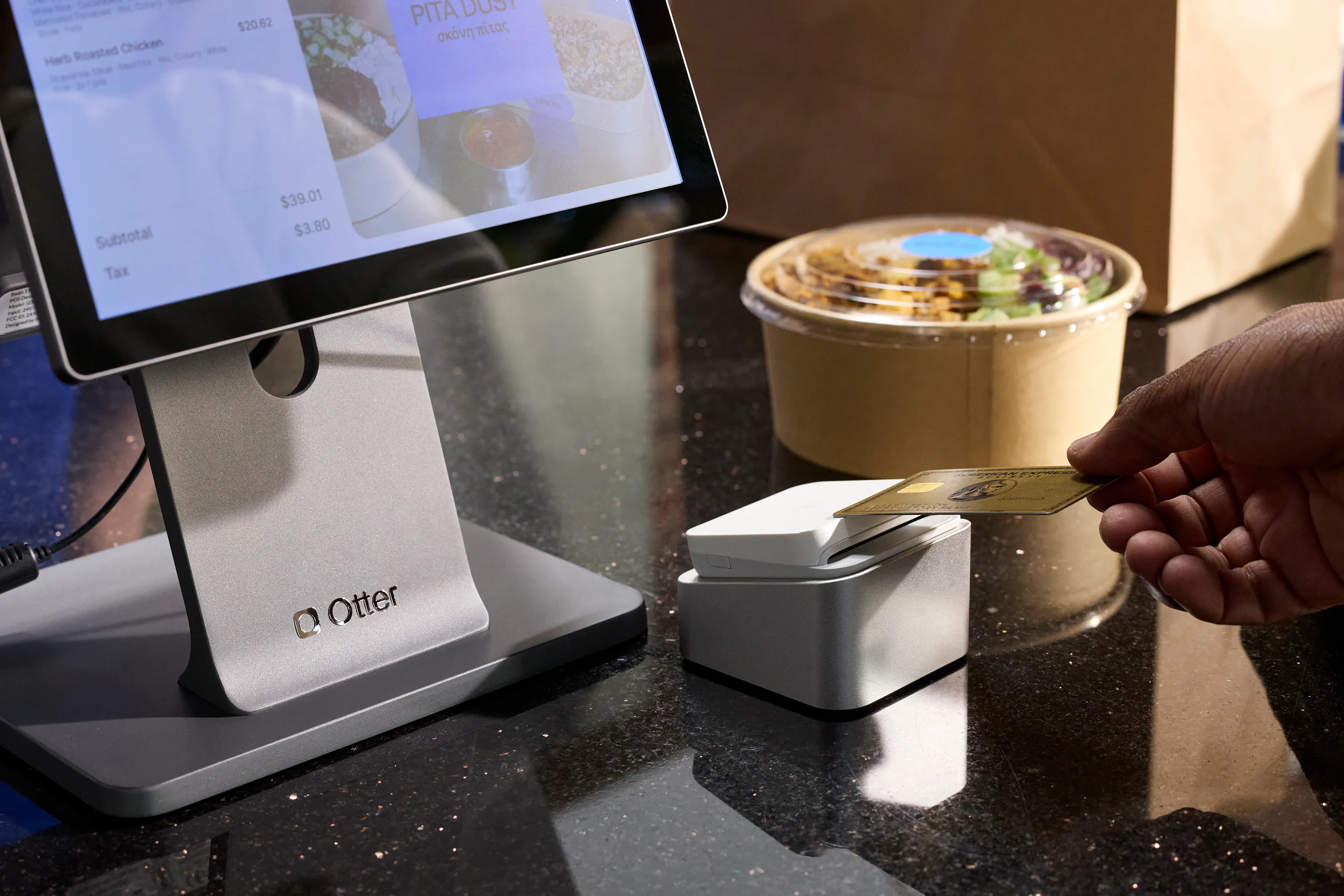
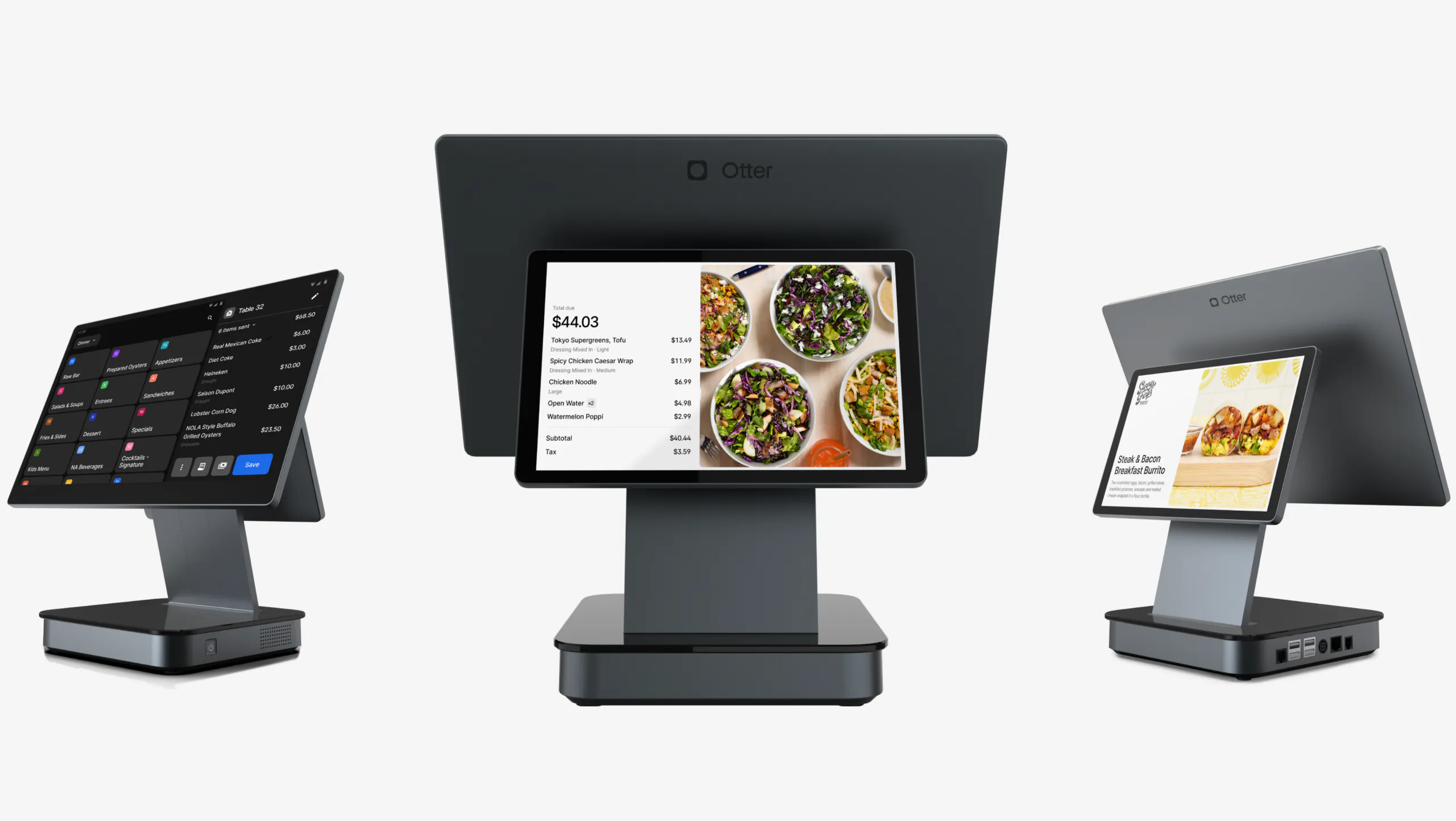
- Restaurant-grade terminal available in single and dual screen, with the dual screen acting as the customer-facing display
- Orders from delivery apps and direct channels consolidate onto one screen, with item 86ing pushed across platforms at once
- Offline mode on the POS keeps card and cash transactions running without a connection, syncing when it returns
- Kitchen display and self-service kiosk connect to the same system rather than arriving as separately subscribed tools
Cons
- No longer the lowest entry price in this group, the Starter tier now starts at $79/mo with hardware bundled in, rather than the $0/mo software-only tier it published earlier this year
- Delivery aggregation and online ordering require moving up to the Advanced tier or higher, the free Starter tier is POS software only
- Fewer tools for physical menu management and staff scheduling than a full back-office suite
Best for
Independent and small-group restaurants with meaningful delivery or pickup volume, where order consolidation, included hardware, and published processing rates offset a higher entry price than Toast's or Square's free tier. See the restaurant POS system page for what ships in each bundle.
Christina Hong, owner and founder of Seoulmates in Beverly Grove, Los Angeles, put the switch this way:
“I recommend anyone to switch over to Otter because: one, the transition process is made really easy; it is a lot more cost effective; and the team that helps make that transition works with you. It's a lot more personable.”
2. Toast
Reason for inclusion
Toast publishes a zero-dollar entry tier that bundles hardware with no upfront cost, which makes it the lowest barrier to a working restaurant terminal in this group. It is a restaurant-native platform with deep coverage of full-service workflows.
Pros
- Entry tier starts at no monthly software cost with a hardware kit included
- Built specifically for restaurants, with strong table service and coursing tools
- Financing available on hardware beyond the entry kit
Cons
- Card processing rates are not published on the pricing page, so the largest cost line is quote-only
- The zero-dollar tier is limited to a single terminal, and scaling moves you to a paid plan
- Add-on modules accumulate quickly on top of the base subscription
Best for
New single-location restaurants that want a working terminal without upfront hardware spend and are prepared to negotiate processing.
3. Square
Reason for inclusion
Square is one of only two systems here that publish processing rates in full, tiered by plan, alongside a genuinely free software tier. For a small restaurant, that transparency makes the total-cost math straightforward to run before you commit.
Pros
- Free software tier with no monthly subscription
- Processing rates published for tapped, online and keyed payments, and they improve as you move up tiers
- Fast to set up without a sales process
Cons
- Hardware is not included with any subscription and is bought separately
- Kitchen display and kiosk apps are billed per device per month on top of the plan, which is where a free tier stops being free
- Built as a general commerce platform first, with restaurant features layered on
Best for
Cafes, counter-service spots and food trucks with simple workflows and a small number of screens.
4. Lightspeed
Reason for inclusion
Lightspeed's entry tier is priced close to the low end of the paid market while still giving access to a restaurant-specific feature set, and it scales into a genuinely capable platform for larger operations.
Pros
- Low-priced entry tier for a paid restaurant platform
- Strong inventory and menu engineering tools at the higher tiers
- Clear tier ladder from single site to enterprise
Cons
- Processing rates are not published on the pricing page itself
- Kitchen display screens are billed per screen per month
- The pricing page does not state whether the listed prices are monthly or annual, so confirm the billing period before signing
Best for
Growing restaurants that want room to scale and expect to use inventory tooling seriously.
5. Clover
Reason for inclusion
Clover reaches most restaurants through banks and merchant service resellers, which means pricing is often negotiated as part of a payments relationship rather than bought off a page. That can produce a competitive deal if you already have a banking relationship worth leveraging.
Pros
- Widely distributed through banks and resellers, so local support is usually available
- Hardware range covers counter, handheld and self-service formats
- Bundling with an existing merchant account can improve the processing rate
Cons
- Quick-service pricing is now confirmed directly from Clover's own site, but Full-Service Dining pricing still isn't, so a full-service operator should get a written quote before assuming the table below applies
- Terms vary by reseller, which makes like-for-like comparison difficult
- Reseller contracts are where long lock-in periods most often appear
Best for
Operators who already have a bank or processor relationship and want the POS bundled into it. Ask for the full fee schedule in writing before you compare it to anything else.
6. SumUp
Reason for inclusion
SumUp publishes its processing rates plainly and charges no monthly minimums, no fee on cash and nothing on declined or refunded transactions. Its per-transaction pricing is among the simplest to model in this group.
Pros
- Processing rates published for in-person, online and invoiced payments
- No monthly minimums and no charge on declined or refunded transactions
- Thirty-day money-back guarantee on the POS plans
Cons
- Highest software floor of the six, which no longer positions it as a budget entry point
- Online ordering is a separate $19/mo add-on, not included in either plan price
- Not a restaurant-specific platform, so kitchen and coursing workflows are thinner
- Hardware pricing is not shown alongside the POS plans
Best for
Small counter-service operations that value simple, published payment pricing over restaurant-specific workflow depth.
Restaurant POS pricing at a glance
Every figure below comes from the provider's own pricing page. Providers change pricing and run promotions without notice, so treat this table as a snapshot. If a number looks off, our team is always happy to help you confirm the latest.
Provider | Published software pricing | Processing rates published? | Hardware |
|---|---|---|---|
Otter | Starter $79/mo; Advanced $178/mo; Professional $278/mo. Software and hardware bundled at every tier. | Yes. Card-present 2.79%+$0.20 (Starter), 2.59%+$0.15 (Advanced), 2.39%+$0.10 (Professional). Card-not-present flat 3.29%+$0.30 on any tier. | Included in the monthly price at every tier. Kiosk software from $99/mo, hardware priced separately. |
Toast | Starter Kit from $0/mo; Point of Sale from $69/mo; Build Your Own custom; Payroll Bundle from $69/mo plus $9/employee/mo. | No | Bundled with no upfront cost on the Starter Kit; separate and unpriced otherwise, with financing by application. |
Square | Free $0/mo; Plus $49/mo per location; Premium $149/mo per location; Pro custom, gated above $250,000 annual volume. | Yes. In person 2.6%+$0.15 (Free), 2.5%+$0.15 (Plus), 2.4%+$0.15 (Premium). Online 3.3%+$0.30 (Free), 2.9%+$0.30 (Plus/Premium). Keyed 3.5%+$0.15. | Not included. Kitchen display app $30/mo per device on Plus, $20 on Premium; kiosk app $50/mo per device on Plus, $30 on Premium. |
Lightspeed | Starter $69; Essential $189; Premium $399; Enterprise custom. Billing period not stated on the page. | No | Not included and not priced, except kitchen display at $30 per screen per month. |
Clover | Quick-Service confirmed: Starter ~$135/mo, Standard ~$185/mo, Advanced ~$245/mo (36-month term), or hardware-plus-monthly from ~$849 upfront. Full-Service Dining pricing not independently confirmed. | Partially. Roughly 2.3%-2.6%+$0.10 card-present and 3.5%+$0.10 card-not-present, per third-party reporting, not published on Clover's own pricing page. | Not included. Countertop terminals run roughly $850-$2,650 upfront by model; kiosk and kitchen display priced separately. |
SumUp | POS with Connect Plus $199/mo; POS with Connect Pro $289/mo. Online ordering is a separate $19/mo add-on. | Yes. In person 2.6%+$0.10; online and manual entry 3.5%+$0.15; invoicing 2.9%+$0.15. | Referenced but not priced alongside the POS plans. |
Two things to notice in that table. Two providers here now offer a zero-dollar software tier, Toast and Square, and both publish a processing rate to go with it, so the free-tier gap Otter used to close (a free tier with no published rate) has closed itself. Otter's own tier no longer starts at $0/mo, but it's the only one of the three that bundles hardware into the price rather than billing it separately or per device. Second, the per-device add-on fees in the hardware column are what separate a cheap first month from a cheap second year.
If you want the field assessed on capability rather than cost, our ranking of the best POS systems for restaurants covers the same providers on features.
Is a free restaurant POS really free?
A free tier means the software licence costs nothing. It does not mean the system costs nothing, and the difference lands in three places.
Processing is the first. Free tiers typically carry the provider's highest published rate, and that rate applies to every card you run. Where a provider improves the rate as you move up tiers, a paid plan with a lower rate can end up cheaper overall than the free plan above it, and the crossover point depends entirely on your own card volume. The only way to know is to multiply your card volume by the rate attached to each tier in the table above.
Hardware is the second. A free software tier still needs a terminal, a reader, a printer and a drawer. Providers that bundle hardware into a paid plan and providers that give away software and sell hardware separately can land in the same place, and the free option is not automatically the cheaper one.
Add-ons are the third, and they are the most common surprise. Kitchen display screens and self-service kiosks are frequently billed per device per month on top of a free or low base plan. A restaurant with two kitchen screens and one kiosk can add more per month in device fees than the paid tier it was avoiding. If you are weighing a self-service kiosk at all, price it as part of the POS decision rather than after it.
The fourth cost is not on any POS pricing page. Third-party delivery commission takes a share of every order that comes through a marketplace app, and it is usually larger than software and processing combined. A direct online ordering channel that sits on your own site does not carry that commission, which is why it belongs in the cost comparison even though no provider lists it.
How to price a POS quote before you sign
Run these five steps on every quote and the cheapest option usually stops being ambiguous.
- Ask for the full fee schedule in writing, including the processing rate for tapped, keyed and online payments
Tip: a quote that gives you one blended rate is hiding the keyed and online rates, which are always higher.
- Multiply your own monthly card volume by each rate rather than accepting an example the provider supplies
Tip: pull your last three months of card volume before the call so you are testing the quote against your numbers.
- Add the per-device cost of every screen you actually need, counting kitchen displays, customer-facing displays and kiosks
Tip: count the screens you will need in twelve months, not the ones you need in week one.
- Separate hardware from software and establish whether you are buying, leasing or receiving it as part of the plan
Tip: leased hardware that stops working when you leave the contract is a switching cost, not a hardware cost.
- Add what you currently pay in delivery commission, then ask what share of those orders could move to a direct channel
Tip: even a modest shift off marketplace apps changes the ranking of every option on your shortlist.
Whatever you land on, get the contract length and the early termination terms in the same document as the rates. Lock-in is where a cheap monthly fee turns into an expensive year.
Cheapest is whatever costs you least per order
The system with the lowest number on its pricing page is rarely the system that costs your restaurant the least. Once you add processing on your real card volume, the screens you actually need, the hardware you have to buy and the commission you are paying to reach delivery customers, the ranking usually reorders itself, and it reorders differently for a delivery-heavy taqueria than for a dine-in cafe.
That is the calculation worth doing before you sign anything. Run it on your own numbers, ask every provider on your shortlist for the fee schedule in writing, and treat the monthly subscription as the smallest of the four costs it sits alongside.
Frequently asked questions about the cheapest POS systems for restaurants
What is the cheapest POS system for a restaurant?
There is no single answer, because the cheapest system depends on your card volume, how many screens you need and how much of your business comes through delivery apps. Toast and Square both publish a zero-dollar software tier if the lowest possible starting price is what matters most. Otter's entry tier now starts at $79/mo but bundles hardware into that price and publishes its processing rate by tier, something Toast doesn't do at all. Run your own card volume against each option before deciding.
Is a free restaurant POS really free?
The software licence is free. Card processing, hardware and per-device fees for kitchen screens or kiosks are not, and free tiers usually carry the provider's highest processing rate. For most restaurants those three costs are larger than the subscription they replace.
Can I use my existing services with Otter?
Otter's open API connects to the partners you already rely on, including loyalty programs, inventory systems and payment partners. Otter POS is optimized for Otter hardware, though you can keep using your own printer if it is a supported model.
What hardware does Otter POS offer?
Otter POS runs on a restaurant-grade terminal available in single or dual screen configurations, where the dual screen doubles as the customer-facing display. The bundles also include a card reader and dock and a Bluetooth printer, and the system connects to Otter's self-service kiosk and kitchen display.
Does Otter POS ensure secure payments?
Yes. Otter processes card payments through Stripe, which handles the security and compliance side of card acceptance. Your Otter representative can walk through the specifics for your setup.
Does Otter offer offline functionality or mobile POS capabilities?
Otter POS includes offline mode, so card and cash transactions keep processing when your internet connection drops and sync once it returns. Otter also offers a handheld device for line-busting and tableside ordering.
Can Otter POS handle in-store and online orders simultaneously?
Yes. Orders from your dine-in terminal, your direct online ordering channel and connected delivery apps consolidate into one system rather than arriving on separate screens. That consolidation is the reason a single POS can replace a stack of separately subscribed tools.
What kind of support does Otter POS provide?
Otter provides 24/7 support by live chat, phone, text and email, alongside a dedicated customer success manager and staff training resources. Support is included rather than sold as a tier.

Price out your real POS cost