Table of contents
- How we ranked these self-ordering kiosk systems
- What actually goes into a kiosk's total cost
- Does a self-ordering kiosk pay for itself?
- 5 best self-ordering kiosk systems for restaurants
- How the 5 kiosk systems compare at a glance
- Offline mode: what happens if the internet drops
- How to evaluate a kiosk quote before you buy
- The right kiosk is the one that matches what you already run
- Frequently asked questions about self-ordering kiosks for restaurants
Salaries and wages represented a median of 36.5% of sales at full-service restaurants and 31.7% at limited-service restaurants as of August 2025, according to the National Restaurant Association, and both figures have climbed for three straight years. A self-ordering kiosk will not fix a restaurant's labor line by itself, but it changes what that labor is spent on: fewer staff hours tied up keying in orders at a counter, more spent on food quality, speed, and the floor.
The problem is that "self-ordering kiosk" now covers a wide range of very different products. Some are full standalone terminals that run a restaurant's entire front of house. Others are order-taking screens that sit on top of a POS you already own and cannot function without it. Pricing structures vary just as widely, from flat software plus hardware rental to bundles that only make sense above a certain order volume. This guide breaks down five kiosk systems restaurants are actually comparing in 2026, what each one costs, what it requires you to already have, and what happens to your orders if the internet drops mid-shift.
Key insights
- Kiosk pricing has two separate components that vendors rarely show side by side: a software or platform fee per device, and hardware you either rent monthly or buy outright. Comparing only one of the two understates the real cost.
- Whether a kiosk can run standalone or requires an existing POS changes the total cost significantly. A kiosk that depends on a separate POS subscription is not a complete solution on its own.
- Offline resilience varies by vendor and is rarely advertised clearly. Some systems keep taking orders on a cellular backup if the internet drops; others simply stop.
- Vendor-claimed upsell percentages for kiosks (commonly cited in the 10 to 30% range) come from vendors themselves and are not independently verified. Treat them as marketing estimates, not data.
How we ranked these self-ordering kiosk systems
We ranked these five kiosk systems on total cost per device (software plus hardware, not just the sticker price), whether the kiosk runs standalone or requires a separate POS subscription to function, and what happens to order-taking if the internet connection drops. Otter is included and evaluated the same way as every other vendor on this list, including on the points where a competitor's offering is stronger. Otter Kiosk, for example, does not currently support offline order-taking the way Toast's kiosk does. We say so plainly below instead of leaving it out.
What actually goes into a kiosk's total cost
A kiosk quote usually has three moving parts, and a vendor's homepage rarely shows all three in one place.
Platform or software fee
This is the recurring per-device fee for the ordering software itself: menu management, the ordering flow, payment processing integration, and any upsell or recommendation logic. It's typically billed monthly, per screen.
Hardware
Kiosk hardware ranges from a compact countertop screen to a large freestanding unit, and vendors price it very differently. Some let you rent hardware month to month with no upfront cost; others require an outright purchase; a few offer both and let you choose based on how confident you are in the kiosk before committing capital. For a fuller breakdown of what drives hardware cost specifically, see this restaurant kiosk cost guide.
Integration and setup
A kiosk that has to talk to an existing POS, kitchen display system, and payment processor needs that integration configured and maintained. If the kiosk isn't natively part of your POS stack, this is where hidden cost and hidden risk both tend to show up: a firmware update on one side can quietly break the connection to the other.
Does a self-ordering kiosk pay for itself?
The honest answer is that it depends heavily on your current bottleneck. If your counter is the slowest part of service, a kiosk removes that step from every order that goes through it. If your kitchen is the bottleneck, a kiosk speeds up how fast orders arrive but doesn't change how fast they get made.
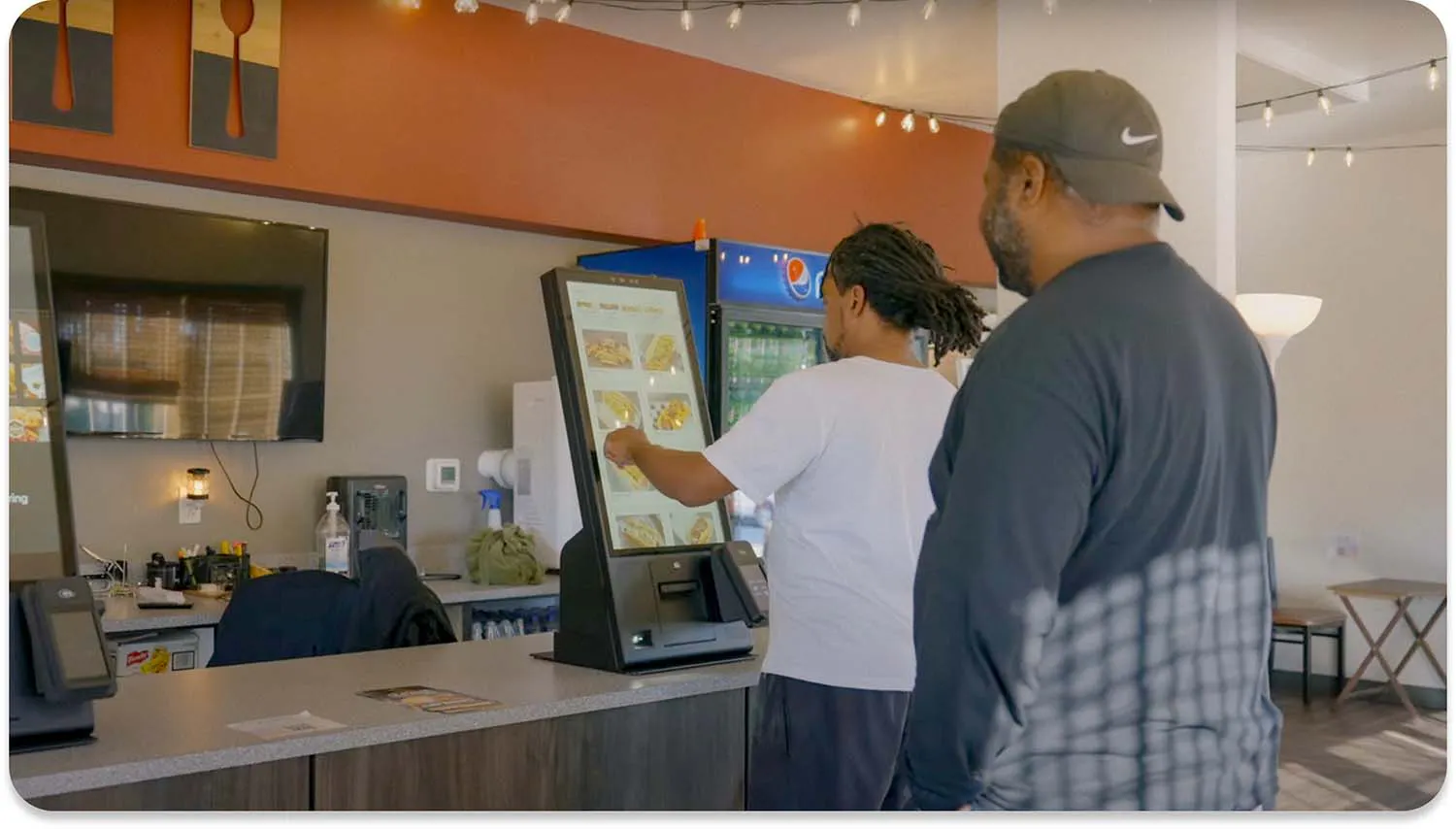
Christina Hong, Owner and Founder of Seoulmates in Beverly Grove, Los Angeles, has run Otter Kiosk alongside her counter staff. "It makes it so much easier. We've been getting busier and I need my staff to do more things. It just takes a lot of energy and labor away from someone having to take the orders. Now people can not only order themselves, but I also encourage them because they can look at photos and see examples, and people like that as well."
That's the realistic case for a kiosk: not a replacement for staff, but a way to redirect the labor you already have toward the parts of service a screen can't do. For a broader look at where that payoff tends to show up, this rundown of self-service kiosk benefits covers the operational side beyond labor.

5 best self-ordering kiosk systems for restaurants
1. Otter
Reason for inclusion: Otter Kiosk is built to work natively with Otter's own POS and kitchen display system, so orders, menu changes, and 86'd items sync across every device without a separate integration layer.
Pros: Three hardware sizes to fit different counter footprints and order volumes. Menu changes made once apply across the kiosk, POS, and online ordering. Rent-or-buy hardware options instead of a purchase-only requirement.
Cons: Otter Kiosk does not currently support offline order-taking; if connectivity drops, the kiosk stops accepting orders until it reconnects. Vendor-claimed upsell lift is not independently verified (see below).
Best for: Restaurants already running (or planning to run) Otter POS that want kiosk ordering to share one menu and one order stream instead of reconciling two systems.
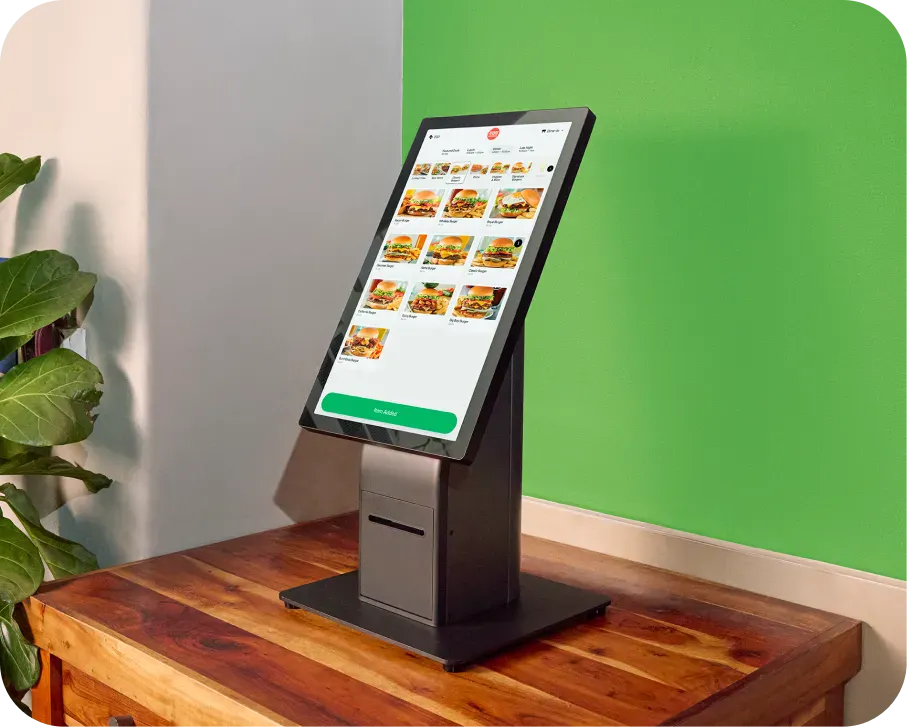
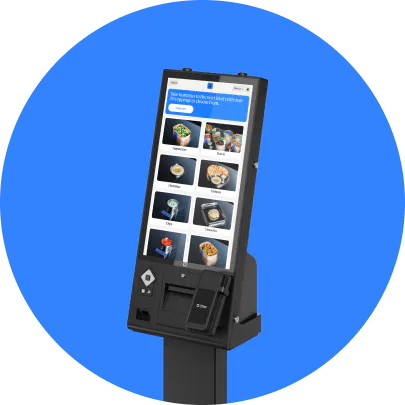
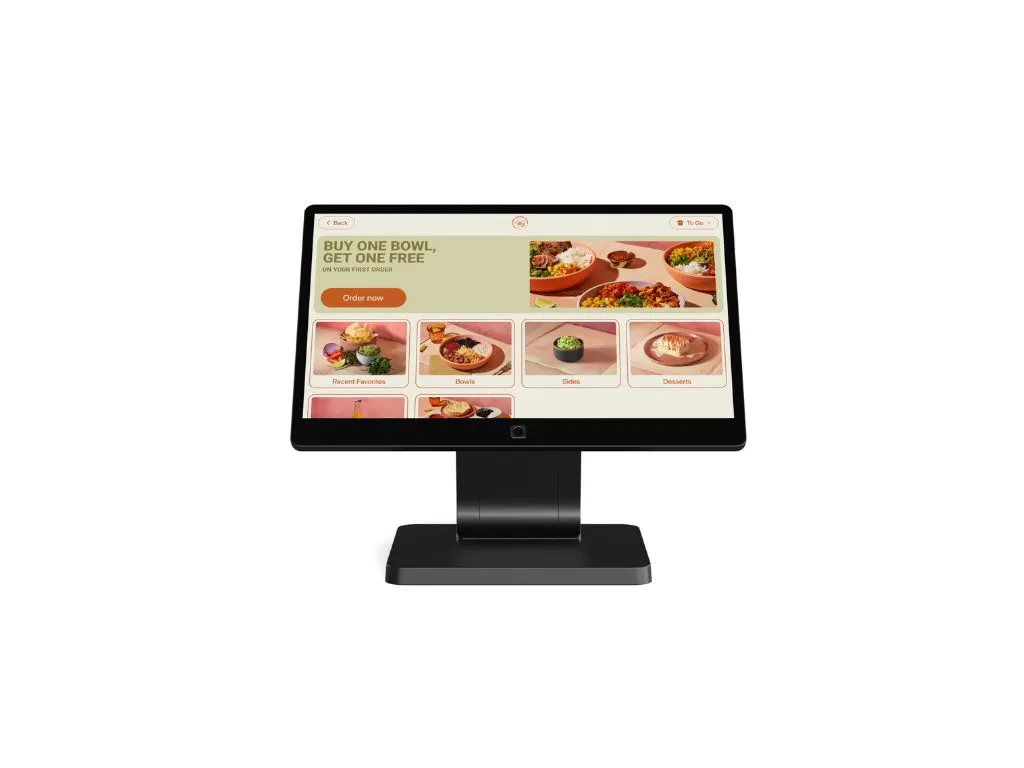
Otter Kiosk comes in three sizes: Kiosk Mini (15.6"), Kiosk (21.5"), and Kiosk Pro (27"), each available to rent monthly or buy outright, with a separate software fee per device. Otter's own product page states kiosks can increase order value "up to 30% more with item suggestions and upsells," a figure we could not independently verify against a named third-party source, so we're not restating it as fact here.
2. Toast
Reason for inclusion: Toast's self-ordering kiosk is one of the few in this list with a genuinely tested offline mode, backed by Toast's own cellular backup hardware.
Pros: Offline resilience through Toast Go and cellular failover, so orders can keep moving during an internet outage. Deep integration with the rest of the Toast POS ecosystem for restaurants already on Toast.
Cons: The kiosk is not a standalone product. It requires an existing Toast POS subscription to function, so the kiosk's cost sits on top of a separate platform fee.
Best for: Restaurants already running Toast POS that want to add kiosk ordering without introducing a second vendor into the stack.
3. Square
Reason for inclusion: Square's kiosk hardware is priced as a straightforward hardware purchase, which makes the upfront cost easy to compare against rent-based competitors.
Pros: No long-term hardware commitment since the kiosk is bought outright, not leased. Familiar Square software for restaurants already using Square for payments.
Cons: Like Toast, Square's kiosk is built to run on top of Square's own POS software, not as a standalone ordering system. Kiosk-specific offline behavior is not detailed on Square's public pricing pages.
Best for: Restaurants already on Square that want a low-upfront-cost way to add self-ordering.
4. GRUBBRR
Reason for inclusion: GRUBBRR positions itself as an integration layer that sits on top of a restaurant's existing POS rather than replacing it, which makes it a fit for operators who don't want to migrate POS systems just to add kiosks.
Pros: Built to integrate with a range of existing POS systems rather than locking a restaurant into one platform. GRUBBRR's own FAQ describes a "Store and Forward" mode intended to queue orders during a connectivity interruption, a partial offline capability distinct from a full offline mode.
Cons: GRUBBRR explicitly requires an existing POS to connect to. It is not a standalone ordering system, and pricing is quote-based rather than published, which makes upfront comparison harder.
Best for: Restaurants with a POS they want to keep that are specifically shopping for a kiosk layer to sit on top of it.
5. Clover
Reason for inclusion: Clover is a familiar name to many independent restaurants already using Clover terminals for payments, and its kiosk hardware extends that same ecosystem to self-ordering.
Pros: Shares a login and back office with the rest of the Clover ecosystem for restaurants already on Clover.
Cons: Clover's kiosk pricing is not published in a way we could independently verify at the time of writing; you'll need to request a quote directly. Offline behavior for the kiosk specifically is not documented publicly.
Best for: Existing Clover merchants evaluating kiosk ordering as an extension of hardware they already run.
How the 5 kiosk systems compare at a glance
Provider | Runs standalone or needs a POS? | Published software/platform pricing | Hardware |
|---|---|---|---|
Otter | Runs on Otter's own POS and KDS stack | Published, per device | Rent or buy, three sizes |
Requires Toast POS | Not published standalone | Purchase, bundled with POS | |
Requires Square POS | Not published standalone | Purchase only | |
Requires an existing POS | Quote-based, not published | Quote-based | |
Requires Clover POS | Unverified, quote-based | Unverified, quote-based |
Offline mode: what happens if the internet drops
This is the question most kiosk buyers don't ask until after installation. Toast's kiosk hardware has documented cellular backup, so orders can keep moving through an internet outage. GRUBBRR describes a "Store and Forward" mode in its own FAQ, a partial safeguard rather than a full offline mode. Otter Kiosk does not currently support offline order-taking: if connectivity drops, the kiosk stops accepting orders until the connection is restored, though Otter POS itself does have an offline mode for order-taking at the counter. Square and Clover do not publish kiosk-specific offline details. If your location has unreliable internet, this is worth confirming directly with any vendor before you sign, not after.
How to evaluate a kiosk quote before you buy
- Ask for the all-in monthly cost per device, software and hardware combined.
Tip: A quote that only states the software fee, or only the hardware cost, is not a complete number. Ask the vendor to combine both into one monthly figure per kiosk.
- Confirm whether the kiosk runs standalone or requires a separate POS subscription.
Tip: If a "kiosk price" doesn't include the POS it depends on, you're comparing an incomplete cost against vendors whose quote already includes everything needed to take an order.
- Ask directly what happens to order-taking if the internet goes down.
Tip: Don't accept "it has offline mode" as an answer. Ask what specifically keeps working: order entry, payment, or neither.
- Get the rent-versus-buy math in writing over a 24-month horizon.
Tip: A low monthly rental can cost more than an outright purchase over two years. Ask for both numbers side by side before deciding.
- Ask how menu changes propagate across the kiosk, POS, and kitchen display.
Tip: A kiosk that requires the same 86'd item or price change to be entered twice, once in the kiosk software and again in the POS, creates a recurring operational risk every single shift.
The right kiosk is the one that matches what you already run
The cheapest kiosk on this list isn't necessarily the right one for your restaurant. A kiosk that requires a POS you don't have adds a second platform bill and a second vendor relationship on top of the kiosk itself. Match the kiosk to what's already running your front of house, then compare the all-in monthly cost, not just the screen price.

Book a demo with Otter
It’s time to enhance your operations with Otter’s all-in-one restaurant platform. Book time with our sales team to learn more.
Frequently asked questions about self-ordering kiosks for restaurants
Do self-ordering kiosks require a specific POS system?
It depends on the vendor. Toast, Square, Clover, and GRUBBRR all require an existing POS from that same provider (or, in GRUBBRR's case, any compatible POS) for the kiosk to function. Otter Kiosk is built to run on Otter's own POS and kitchen display system. None of the kiosks on this list are truly platform-agnostic standalone devices, so confirm what a kiosk depends on before comparing its price to a competitor's.
How do self-ordering kiosk vendors typically price their systems?
It varies significantly by vendor. Otter publishes software and hardware pricing directly on its product pages, while Toast and Square price the kiosk as an extension of a POS subscription you already need to have. GRUBBRR and Clover both work on a request-a-quote basis rather than publishing numbers. Ask each vendor for one all-in monthly figure per device, software and hardware combined, so you're comparing on equal footing rather than working from a partial quote, not the partial number that shows up on a vendor's homepage.
Do self-ordering kiosks work if the internet goes down?
It depends entirely on the vendor. Some kiosks, like Toast's, have documented cellular backup that keeps order-taking running during an outage. Others, including Otter Kiosk, stop accepting orders until connectivity is restored. Ask any vendor directly what specifically continues to work offline, order entry, payment processing, or neither, rather than accepting a general "yes" to the offline question.
Do self-ordering kiosks actually increase average order value?
Vendors commonly claim kiosks increase order value through prompted upsells and suggestions, with figures in the 10 to 30% range showing up across marketing pages, including Otter's own. We were not able to independently verify these figures against a named third-party study, so treat vendor-claimed upsell percentages as estimates rather than confirmed data, and ask a vendor for their sourcing if the number matters to your decision.
What's the difference between a self-ordering kiosk and a POS with a kiosk mode?
A self-ordering kiosk is typically a dedicated device built for customer-facing ordering, often with a larger touchscreen and a stand or countertop mount. Some vendors also offer a kiosk mode on their standard POS terminal, which turns an existing device into a customer-facing ordering screen without a separate purchase. Which makes sense for your restaurant depends on order volume and available counter space. Otter's restaurant POS system and its dedicated Kiosk hardware are separate products designed for these two different use cases.
Can a self-ordering kiosk connect to my kitchen display system?
On a fully integrated stack, yes: an order placed at the kiosk should route directly to the kitchen without a staff member re-entering it. Otter's kitchen display system is built to work with Otter Kiosk and Otter POS on one shared order stream. If you're combining a kiosk from one vendor with a KDS from another, confirm the integration is native and tested rather than assuming compatibility.
Does a self-ordering kiosk replace the need for counter staff?
No. A kiosk removes order-taking from the counter, but it doesn't run the kitchen, expedite orders, or handle exceptions like a missing item or a customer question. Restaurants that adopt kiosks typically redirect counter labor toward speed and food quality rather than eliminating the role entirely, similar to how order management tools consolidate order sources without removing the need for a team to run the floor.

Total your kiosk's real cost