Table of contents
- How we ranked these coffee shop POS systems
- #1: Otter POS
- #2: Square for Restaurants
- #3: Toast POS
- #4: Clover POS
- #5: Lightspeed Restaurant
- Other coffee shop POS options worth a quick look
- The best coffee shop POS is the one that survives your Saturday morning rush
- Frequently asked questions about coffee shop POS system reviews
Nearly 94,500 coffee and snack shops now operate in the U.S., growing 5.8% a year on average since 2021, according to IBISWorld. More cafes means more owners hitting the same wall: the point-of-sale (POS) system that ran fine during a slow Tuesday afternoon falls apart the moment a Saturday rush hits and ten drink orders with modifiers stack up at once.
This review ranks the coffee shop POS systems owners ask about most, Otter included, on three things that actually matter behind a counter: how fast it moves during a rush, how cleanly it handles modifiers like oat milk, extra shots, and half-caff, and what it really costs once transaction fees and add-ons are counted. Whether you call it a cafe POS system or a coffee shop POS system, the same three criteria apply, and they matter more to your day-to-day customer experience than any single feature on a spec sheet. Pricing below reflects each vendor's own published rates and Otter's own product pages. We call out where a system falls short, including where Otter itself has real limitations, because an honest review only works if it's honest about the home team too.
Key insights
- Modifier handling, not headline features, is what actually separates a coffee shop POS from a generic retail one: a system built for barcode scanning struggles with a customized oat-milk latte the same way it struggles with a build-your-own breakfast sandwich
- Payment processing fees, not the monthly software fee, are usually the biggest line item on a coffee shop's POS bill; a half-point difference in card-present rate can add up to more per year than the subscription itself once a cafe clears roughly $300,000 in annual revenue
- Offline mode is not universal across a POS system's own hardware: Otter POS itself keeps taking orders during an internet outage, but Otter's Kiosk and kitchen display system do not yet support offline mode, a gap worth asking every vendor about directly
- Multi-location cafes lose real staff management time reconciling sales reporting across locations by hand, time that a centralized dashboard and analytics tool gets back every week
How we ranked these coffee shop POS systems
We scored each system on the same three criteria, in this order of weight:
- Rush-hour speed: how quickly a barista can ring up a complex order and get it to the kitchen display system or ticket printer without the line backing up
- Modifier handling: whether size, milk, shot, and add-on customization is built into the order flow or bolted on as a workaround
- Total cost: software subscription plus typical payment processing and required add-ons, not just the advertised entry price
System | Rush-hour speed | Modifier handling | Starting cost | Best for |
|---|---|---|---|---|
Otter POS | Fast, one screen for counter + KDS | Built in, no workaround | Bundled plans, contact for a quote | Cafes running food + drinks + delivery |
Square for Restaurants | Fast for simple orders | Basic, gets clunky with stacked modifiers | Free to start, $49-$149/mo | Solo counters, simple menus |
Toast POS | Fast, built for high volume | Strong, restaurant-grade | $0-$69/mo software, ~$300-700/mo real cost | Cafes that want deep restaurant features |
Clover POS | Moderate, depends on app stack | Decent, varies by app | $14.95-$69.95/location, quote-based bundles | Owners who want modular hardware |
Lightspeed Restaurant | Moderate to fast | Strong for multi-item customization | $59-69/mo Essential, up to $269-319/mo Premium | Multi-location or growing cafes |
#1: Otter POS
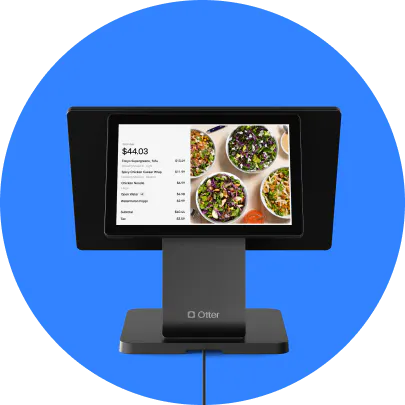
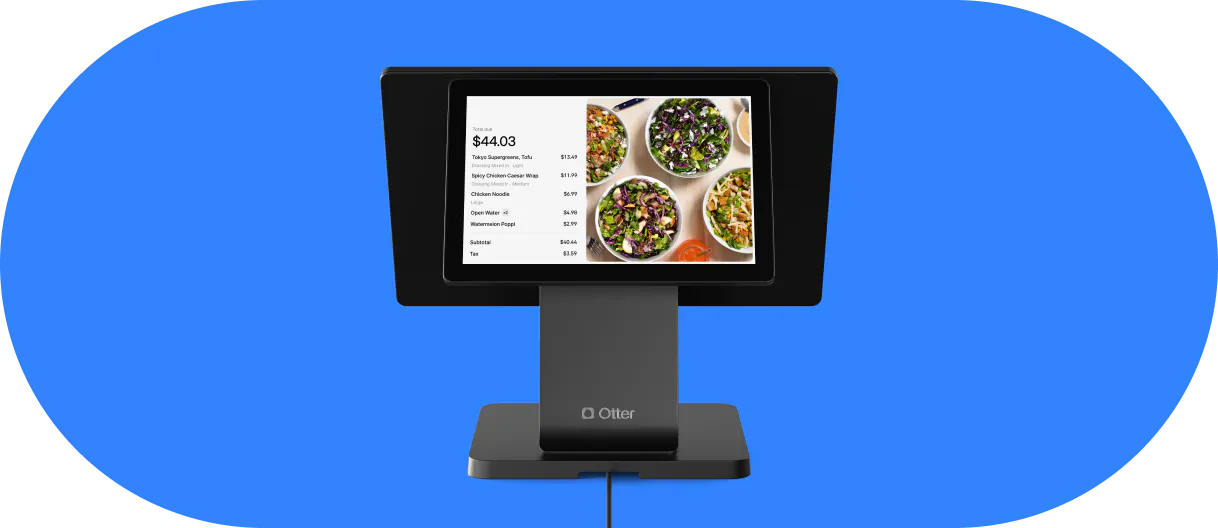
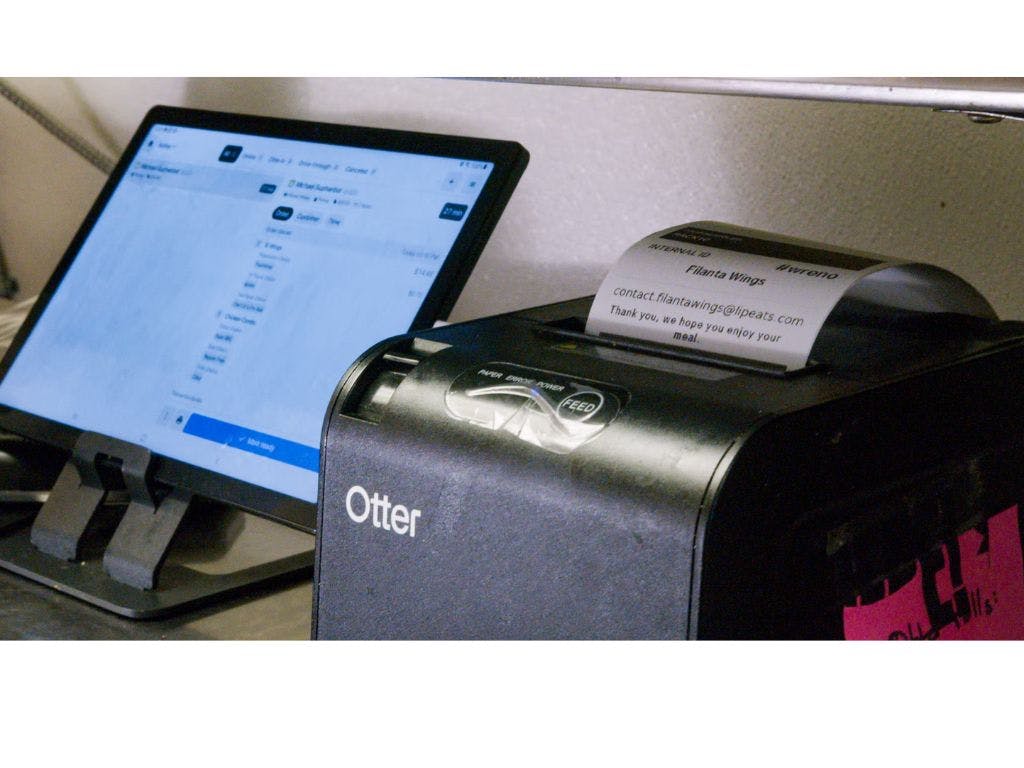
Otter is built for cafes that sell both counter-service drinks and made-to-order food from the same terminal, which is why it tops this list for coffee shops specifically. A modifier-heavy order (oat milk, extra shot, no foam) routes straight to the kitchen display system while the front counter keeps ringing up pastries and drip coffee without a pause.
What it does well
- Order flow and KDS: modifier support and ticket routing are built into Otter POS itself, not added on top, so a barista never has to translate a customization by hand
- QR code ordering, tableside ordering, and mobile ordering: guests can place a tableside order or mobile order through Otter's QR Ordering, useful for cafes with any seated or patio traffic
- Online ordering: commission-free online ordering and delivery-platform aggregation land on the same screen as in-store orders
- Loyalty programs: Otter Loyalty and gift cards give a cafe a lightweight customer relationship management layer without a separate app
- Menu management and inventory management: Otter's Menus and 86ing covers low-stock alerts and ingredient-level inventory tracking, so a barista isn't the one who discovers you're out of oat milk mid-order
- Self-service kiosks: Otter's Kiosk and a customer-facing display at checkout take pressure off the counter during a rush
- Sales reporting and staff management: Otter Analytics covers sales reporting and employee management across every location from one dashboard
- Payment processing: contactless payments, tipping prompts, and 100+ integrations, including accounting tools like Xero, come standard
Where it falls short
- Offline mode currently covers the POS terminal itself; Kiosk and the kitchen display system do not yet keep working through an internet outage, so a cafe relying heavily on either should have a backup plan for a dropped connection
- Pricing is bundle-based rather than ala carte and so you might not have complete flexibility on your product selection.
"Otter helped us build a scalable operation, laying the foundation to triple sales and help us grow... Our team is happy, our processes are streamlined, and our customers can feel it."
Ahmet Albayrak, owner of Weekends Cafe, Brooklyn
#2: Square for Restaurants
Square is the most recognizable name on this list, and its free tier makes it a common first POS for a brand-new coffee cart or small counter. Square now runs three tiers: Free (2.6% + 10¢ per tap, dip, or swipe), Plus at $49/month per location, and Premium at $149/month per location, with lower processing rates at each step up.
What it does well
- A genuinely free plan with no monthly software fee, useful for a cafe just proving out its model
- Hardware options across every price point: Square Reader for a mobile counter, Square Terminal for a compact standalone station, Square Register for a full built-in display and card reader, and Square Handheld for tableside or line-busting during a rush
- Strong brand recognition; customers already know how to tap a Square POS reader, and staff coming from another job have often used Square POS before
Where it falls short
- Modifier handling is basic compared to restaurant-built systems; a drink with several stacked customizations takes more taps than on Otter or Toast
- Few coffee-shop-specific features out of the box; most cafe-specific functionality comes from third-party add-ons rather than the core product
#3: Toast POS
Toast built its reputation on full-service and quick-service restaurants, and that restaurant-grade order flow carries over well to a busy cafe. A $0/month Starter Kit exists, but most independent cafes land on the $69/month Point of Sale plan or higher once hardware and processing are factored in.
What it does well
- Strong modifier handling and offline mode, both built for high-volume, high-customization ordering
- Deep delivery-platform integrations and a large existing restaurant customer base
Where it falls short
- The advertised software price rarely reflects the real bill; once kitchen display software, online ordering, loyalty, and required hardware are added, a small cafe commonly pays $300-$700 per month rather than $69
- Toast POS hardware is proprietary; there's no bring-your-own-tablet option the way some competitors allow
#4: Clover POS
Clover's biggest selling point is modularity: pick individual hardware and software pieces rather than a fixed bundle. Software plans run from $14.95 to $69.95 per location, with quote-based industry bundles layered on top depending on whether you're set up for quick service or full service.
What it does well
- Low card-present processing rates, from roughly 2.3% + 10¢, and modular hardware that scales from a single mobile reader to a full countertop station
- A wide app marketplace for adding features a cafe actually needs instead of paying for a bloated all-in-one
Where it falls short
- Card-not-present transactions, including online orders, jump to a flat 3.5% + 10¢, which adds up quickly for a cafe with any online ordering volume
- Pricing is largely quote-based, making it hard to compare true cost against other systems without calling sales
#5: Lightspeed Restaurant
Lightspeed positions itself for cafes with real growth plans rather than a single small counter. Its Essential plan starts around $59-69/month, scaling to Standard at $149-179/month and Premium at $269-319/month, each adding deeper inventory, reporting, and loyalty tools.
What it does well
- Strong multi-item customization and multi-location reporting, built for a cafe planning to open a second or third location
- Long track record and a stable, well-documented platform
Where it falls short
- Pricing climbs quickly once you add registers and locations, and long-term contracts are common
- Overkill, and overpriced, for a single small counter that just needs to ring up drinks and pastries
Other coffee shop POS options worth a quick look
These systems come up often in coffee shop searches but didn't make the top five for this specific use case, usually because of contract terms, opaque pricing, or limited kitchen and modifier features. Still worth knowing what each does best.
TouchBistro
Core POS starts at $69/month, or $119/month bundled with payment processing and hardware. TouchBistro requires an annual contract and its own payments processor for new customers, with no month-to-month option, which is worth weighing against a cafe's need for flexibility.
SpotOn
SpotOn offers a $0/station All-In plan (2.79% + 20¢ processing, two-year minimum term) alongside a $55/station POS Essentials plan with lower processing rates. Restaurant-specific hardware is solid, but the long minimum term is a real commitment for a new cafe.
Epos Now
Software runs around $39/month, but Epos Now typically requires a separate $79/month support plan, and most real-world pricing is quote-based once hardware is involved. Transparency is the main knock against it.
SumUp
No mandatory monthly fee at all: SumUp charges a flat 1.69% per transaction on its standard plan, with card reader hardware sold separately. It's a reasonable option for a single-person coffee cart, but it lacks the modifier depth and kitchen display integration a busier cafe needs.
Loyverse
Loyverse's core plan is free, with paid add-ons starting around $29/month per store. It covers basic sales, discounts, and refunds well for a very small or single-register operation, but multi-location management and deep kitchen workflow support are limited compared to the systems ranked above.

The best coffee shop POS is the one that survives your Saturday morning rush
Every system on this list can ring up a cup of coffee. Fewer of them can do it while also routing a modified breakfast sandwich to the kitchen, keeping a loyalty program running, and reconciling sales across two locations, all without slowing down the person next in line. That gap, more than any single feature on a spec sheet, is what should decide which coffee shop POS system is worth your money.
If your cafe runs any kind of food program alongside drinks, weigh systems on rush-hour speed and modifier handling first and price second. If you're a single counter with a simple menu, a lower-cost, simpler system may genuinely be the better fit, even if it ranks lower on this list.
Frequently asked questions about coffee shop POS system reviews
What's the best POS system for a small coffee shop?
It depends on whether food is part of the menu. A counter serving only drinks and pastries can often get by on a simpler, lower-cost system like Square for Restaurants or Loyverse. A cafe running a real food program, with modifiers and a kitchen ticket flow to manage, is usually better served by Otter or Toast.
Is Otter POS good for a coffee shop?
Yes, particularly for cafes that combine counter-service drinks with made-to-order food, delivery, and online ordering. Otter's modifier handling, kitchen display system, and loyalty tools are built for that combination; a cafe with a very simple, drinks-only menu may not need everything Otter includes.
How much does a coffee shop POS system cost per month?
Software alone typically runs $0 to $150+ per month depending on the system and plan, before payment processing fees and hardware are added. Processing fees, usually 2.3% to 3.5% per transaction, are often the larger ongoing cost. See our full breakdown in our guide to what a restaurant POS system costs.
Do I need a kitchen display system for a coffee shop?
If your menu includes any made-to-order food, a kitchen display system keeps modifier tickets from getting lost or miscommunicated during a rush. A drinks-only counter with a short, simple menu can often operate without one.
Does offline mode matter for a coffee shop POS?
It matters most for a single-location cafe without a backup internet connection. Coverage varies by system and even by hardware within the same system, so ask specifically which pieces of a vendor's setup, POS terminal, kiosk, and kitchen display included, keep working during an outage.
Can I switch coffee shop POS systems without losing my sales history?
Most modern POS providers, including Otter, offer data migration support during onboarding to bring over menu items and historical sales data. Ask any vendor directly what transfers automatically and what you'll need to re-enter by hand before switching.
See Otter's POS built for coffee shops