Table of contents
A tablet for delivery, a tablet for pickup, and a POS that has no idea what either of them is doing, that's the daily reality for a lot of restaurants juggling more order channels than they signed up to manage separately. Multichannel software exists to put all of that behind one dashboard. This guide ranks 10 options on what they actually cost, what they actually do, and where each one fits.
Key insights
- Only 3 of the 10 systems here publish real pricing on their own site, Otter, MarketMan and Cuboh; the other 7 require a sales call to get a number, worth knowing before you spend time comparing sticker prices that don't exist
- "Multichannel software" actually covers three different jobs: a full POS with multichannel built in, a delivery-integration layer that sits on top of a POS you keep, or an inventory/ordering system with multichannel reporting, confusing these categories is the most common reason a comparison like this one goes sideways
- CAKE and Otter both moved away from flat monthly software fees toward rate-based or tiered-by-usage pricing in the last year, worth checking current numbers directly rather than trusting a saved quote
- Delivery-integration-only tools (Chowly, Deliverect, ItsaCheckmate) make sense specifically when you like your current POS and don't want to replace it, they solve a narrower problem than a full multichannel POS does
What is multichannel software, and why does it matter?
Multichannel software is whatever sits between every place a customer can order from, your dining room, your website, a kiosk, Uber Eats, DoorDash, Grubhub, and the kitchen that has to make the food. Without it, each channel usually means its own tablet, its own menu to update, and its own place an order can get missed.
Not every restaurant needs the same layer of it. A full POS with multichannel built in replaces your point of sale entirely, our restaurant POS integrations guide covers what that connects to. A delivery-integration tool sits on top of a POS you keep, solving a narrower problem for less commitment. And an inventory-focused platform reports across channels without touching how orders come in at all. Confusing these three is the single most common reason a shortlist ends up comparing the wrong things to each other.
Multichannel software pricing at a glance
Every figure below comes from the provider's own site, except where a provider doesn't publish one, in which case we say so rather than estimate. Providers change pricing without notice, so treat this table as a snapshot and reach out any time you want it double-checked.
Provider | Category | Published pricing | Notes |
|---|---|---|---|
Otter | Full multichannel POS | Starter $79/mo; Advanced $178/mo; Professional $278/mo. Software and hardware bundled at every tier. | Card-present processing published by tier, 2.79% to 2.39%+cents. Hardware bundled, not sold separately. |
Toast | Full multichannel POS | Starter Kit from $0/mo; Point of Sale from $69/mo. | Processing rate not published, quote-only. |
Square | Full multichannel POS | Free $0/mo; Plus $49/mo/location; Premium $149/mo/location. | Processing published by tier, 2.6% to 2.4%+15 cents. KDS/kiosk apps billed per device. |
Chowly | Delivery-integration layer | Not published, quote-only. | Sits on top of an existing POS, doesn't replace it. |
Deliverect | Delivery-integration layer | Not published, quote-only, scales with location count. | Global platform, multilingual support. |
MarketMan | Inventory + multichannel reporting | Starter $249/mo; Growth $299/mo; Enterprise from $449/mo. | Free setup offer ($1,500 value). Not an order-taking system, inventory and vendor management focused. |
CAKE | Full POS, growing multichannel | $0/mo software and hardware, cost rolled into processing rate. | Processing rate not published, quote required. |
Cuboh | Delivery-integration layer | $119/mo (under $20k/mo online orders); $169/mo ($20-30k); $229/mo (over $30k). | Priced by online-ordering revenue tier, not a flat fee. Built for delivery-only and ghost kitchens. |
ItsaCheckmate | Delivery-integration layer | Not published, quote-only. | No setup fee. Works with 50+ POS systems per their own claim. |
Lunchbox | Direct-ordering + delivery layer | Not published, quote-only. Site references a free SMB tier for 1-2 locations with no pricing detail shown. | Focused on building a branded ordering channel, not a POS replacement. |
10 multichannel software options for restaurants
1. Otter
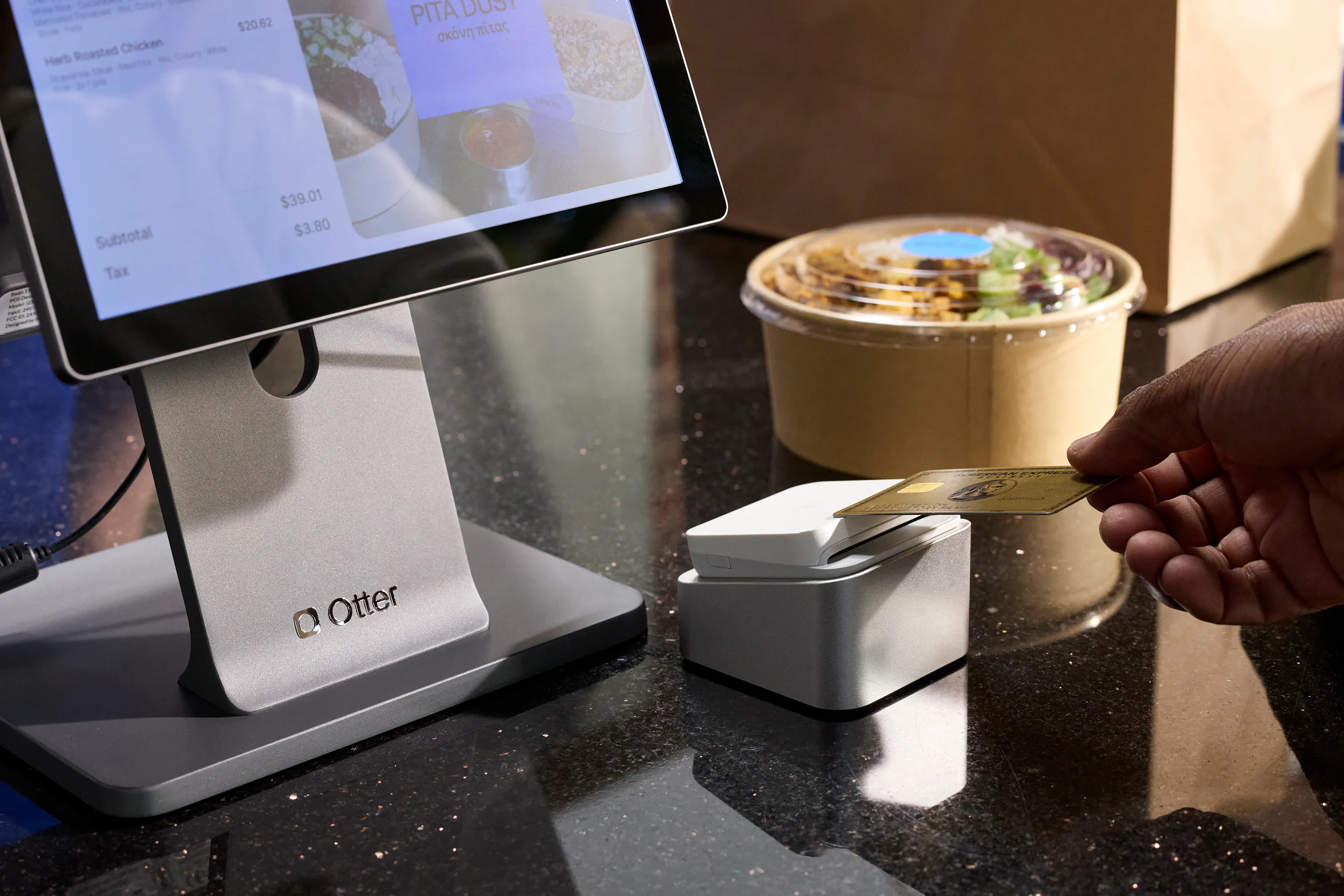
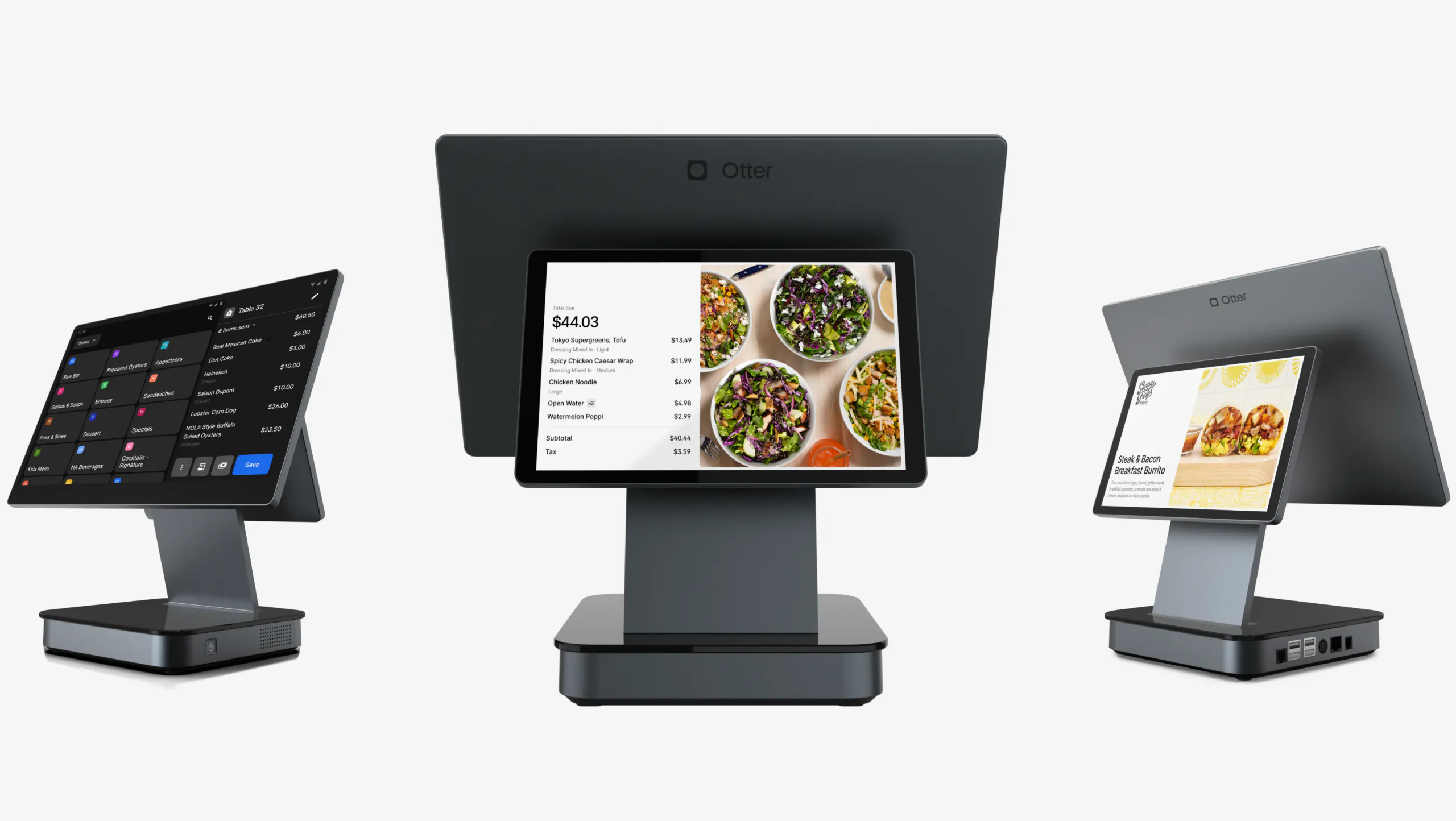
Otter pairs a full POS with native multichannel order management, delivery apps, direct online ordering, kiosk, and dine-in all land on one dashboard and sync automatically, no separate delivery-integration tool required.
Pros
- Card-present processing rates are published by tier, stepping down as you grow
- Menu changes and 86ing an item push across every connected channel at once
- 24/7 support included on every plan
Cons
- Delivery aggregation and direct online ordering require the Advanced tier or higher
- A $100 monthly minimum applies under $25,000 in monthly card volume
Best for: Restaurants that want one system to replace the POS and the delivery tablets at once, rather than bolting a second tool onto what they already run.
2. Toast
Toast is a restaurant-native POS with multichannel capability layered on top, strongest for operators whose core business is still dine-in with delivery and takeout growing alongside it.
Pros
- Starter Kit publishes at $0/mo with hardware included
- Deep dine-in and table-service feature set
- Broad hardware lineup across formats
Cons
- Processing rate isn't published, quote-only
- Delivery integration is less central to the product than it is for a delivery-first platform
Best for: Dine-in-first restaurants adding delivery and takeout as a secondary channel.
3. Square
Square is a general commerce platform with restaurant-specific multichannel features layered in, a genuine free tier and published processing rates make it easy to model cost before committing.
Pros
- Free tier with processing rates published, no quote required to see a number
- Broad app marketplace to add delivery integrations and other tools
- No long-term contract on any plan
Cons
- Delivery integration runs through App Marketplace add-ons, not a native aggregator
- Kitchen display and kiosk apps are billed per device on top of the plan
Best for: Smaller operations wanting the lowest possible starting cost and willing to assemble their own multichannel stack.
4. Chowly
Chowly is a delivery-integration layer, not a POS, built for restaurants that like their current point of sale and just want the delivery-app chaos consolidated onto it.
Pros
- Works alongside most major POS systems rather than replacing one
- Removes the need for a separate tablet per delivery platform
Cons
- No pricing published anywhere, a demo is required to get a number
- Not a complete solution, inventory and analytics stay with your existing POS
Best for: Restaurants happy with their POS that only need delivery-platform consolidation.
5. Deliverect
Deliverect plays the same delivery-integration role as Chowly with a heavier international footprint, a reasonable fit for restaurants operating across borders or languages.
Pros
- Broad global delivery-platform coverage
- Multilingual support for international operations
Cons
- No pricing published, fully quote-based and scaled to location count
- Interface complexity reported by new users on larger setups
Best for: Multi-country or multilingual operators who need broad delivery-platform reach more than they need a single-market fit.
6. MarketMan
MarketMan takes a different angle on "multichannel" entirely, it's inventory and vendor management with reporting that spans every sales channel, not an order-taking system. Restaurants weighing inventory tooling specifically may also want our self-service kiosk guide for the front-of-house side of the same operation.
Pros
- Real pricing published, three tiers, no quote required to see a number
- Deep recipe costing and vendor-ordering tools
- Free setup offer valued at $1,500
Cons
- Doesn't take orders itself, it's a layer on top of whatever POS you already run
- Highest published entry price of any option on this list, $249/mo
Best for: Multi-location operators whose biggest multichannel pain point is inventory and vendor ordering, not order-taking.
7. CAKE
CAKE is a POS with growing multichannel features, its pricing model shifted recently to a no-monthly-fee structure with everything rolled into the processing rate.
Pros
- No monthly software or hardware fee published
- Reliable hardware built for restaurant environments
Cons
- Processing rate isn't published, a call is required to know the real cost
- Fewer third-party delivery integrations than delivery-first platforms
Best for: Restaurants that want to avoid a monthly software bill and are comfortable negotiating a processing rate instead.
8. Cuboh
Cuboh is a delivery-integration layer purpose-built for virtual restaurants and ghost kitchens, priced by online-ordering revenue rather than a flat monthly fee.
Pros
- Pricing published and scales predictably with revenue
- No long-term contract, cancel anytime
- Built specifically for delivery-only operations
Cons
- Not built for traditional dine-in service
- Growing past a revenue tier increases the monthly cost automatically
Best for: Ghost kitchens and delivery-only virtual restaurant brands.
9. ItsaCheckmate
ItsaCheckmate is another delivery-integration layer, positioned around working with a wide range of existing POS systems for restaurants with more complex or legacy setups.
Pros
- Claims compatibility with 50+ POS systems
- No setup fee
Cons
- No pricing published anywhere, quote required
- Not a complete POS solution on its own
Best for: Restaurants with an established, possibly less common POS that still needs delivery-platform consolidation.
10. Lunchbox
Lunchbox takes the most different approach on this list, helping restaurants build their own branded ordering app and website while still managing third-party delivery, aimed at reducing commission dependency over time rather than just consolidating tablets.
Pros
- Focused specifically on building a direct, branded ordering channel
- Marketing and loyalty tools included to convert delivery-app customers to direct ones
Cons
- No pricing published for most tiers, quote required for anything beyond the smallest operations
- More setup and strategy involved than a simple delivery-integration tool
Best for: Growing multi-location brands ready to invest in reducing third-party delivery commission over time.

How to choose the right multichannel software
Run through these in order and the right category usually becomes obvious before you get to pricing.
- Decide whether you're replacing your POS or adding a layer on top of it
A full multichannel POS (Otter, Toast, Square, CAKE) replaces what you run today. A delivery-integration layer (Chowly, Deliverect, Cuboh, ItsaCheckmate) sits on top of it. Picking the wrong category wastes the whole comparison.
- Count your actual channels, not the ones you might add someday
Dine-in, direct online ordering, kiosk, and each delivery app you use, that list decides how much consolidation you actually need.
- Ask every vendor for a written fee schedule, not a verbal range
7 of the 10 options in this guide publish no pricing at all. Get the number in writing before you compare it to anything else on this list.
- Check whether the platform is built for restaurants specifically
A restaurant-native platform tends to handle menu modifiers, 86ing, and kitchen routing more naturally than a general commerce tool with restaurant features added on.
- Test support responsiveness before you sign, not after
A multichannel system that goes down during Friday dinner rush is the worst possible time to learn how fast support actually responds.
Why restaurants choose Otter
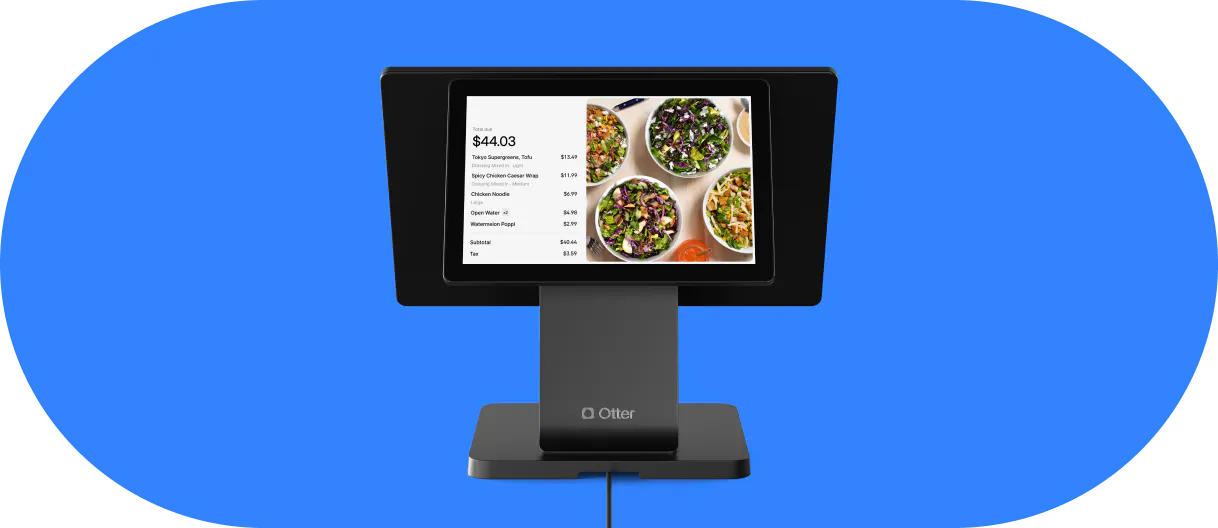
Otter was built exclusively for restaurants managing multiple channels at once, not adapted from a general point-of-sale platform after the fact. That focus shows up in what customers describe after switching.
Reda Iabbakh, Owner of IDK Philly, put it this way:
“Otter allows me to manage everything from one system, we can do menu and pricing updates, online ordering management, in-store order entry through the POS, kiosk ordering. All from Otter.”
Dave Goodhart, Owner of Mustard's Last Stand, found the same simplicity translated directly into time saved:
“Otter makes everything easier. You just need the one tablet instead of having four or five. I'm saving time and money, getting more deliveries, and my employees are happier.”
And Ali & Sid, Owners of Yemen Cafe, pointed to order accuracy:
“We love having everything in one tablet with Otter, it's a huge time-saver. It automatically prints orders in the kitchen, so we can avoid missed orders and penalties.”
That consolidation works the same way whether you're running one counter or several. Our guide to multi-location POS systems covers what changes once you're managing menus and reporting across more than one site, and if delivery specifically is the channel giving you the most trouble, our breakdown of POS systems with built-in delivery integration goes deeper on what "built in" actually means versus a bolted-on tool.
Frequently asked questions about multichannel restaurant software
What is multichannel restaurant software?
Software that connects every place a customer can order from, dine-in, online ordering, kiosk, and delivery apps like Uber Eats, DoorDash and Grubhub, into one dashboard, so orders don't have to be tracked across separate tablets or systems.
Is multichannel software the same as a POS system?
Not always. Some options here (Otter, Toast, Square, CAKE) are full POS systems with multichannel built in. Others (Chowly, Deliverect, Cuboh, ItsaCheckmate) are delivery-integration layers that sit on top of a POS you keep. Confusing the two categories is the most common mistake when comparing options.
How much does multichannel restaurant software cost?
It varies widely, and most providers don't publish a number at all. Of the 10 options in this guide, only Otter, MarketMan and Cuboh publish real pricing on their own site. The rest require a sales call, get every fee schedule in writing before comparing options.
Is multichannel software difficult to set up?
Not usually. Most providers, Otter included, offer guided setup, and integrating with existing platforms typically takes a few hours to a day. Training tends to be light thanks to consolidated, automated dashboards.
Can multichannel software manage multiple restaurant locations?
Yes, most platforms on this list support multi-location management from one dashboard. Otter in particular offers a centralized view across locations, our multi-location POS guide covers what to look for as a single location becomes several.
Does multichannel software integrate with DoorDash, Uber Eats and Grubhub?
Most of the options in this guide do, though how they integrate differs. Otter, Chowly, Deliverect, Cuboh and ItsaCheckmate all connect to major delivery platforms as a core function. Square and Toast connect through app marketplaces or add-ons rather than a native aggregator built into the base product.

Book a demo with Otter
It’s time to enhance your operations with Otter’s all-in-one restaurant platform. Book time with our sales team to learn more.

Book a demo to see how Otter’s all-in-one platform can help your restaurant thrive.