
Table of contents
- What restaurant invoice processing actually involves
- When a restaurant needs to create invoices, not just process them
- Manual invoice processing: how it works and where it breaks down
- What automated invoice processing looks like
- Manual vs. automated invoice processing
- How invoice accuracy connects to food costs and COGS
- Where Otter fits into the picture
- Deciding how much of this to automate
- Frequently asked questions about restaurant invoice processing
Every restaurant runs on invoices, whether anyone thinks about it that way or not. A produce delivery shows up with a slip attached. A liquor distributor sends a bill by email. A linen service invoices monthly. Multiply that across every vendor, every location, and every week, and restaurant invoice processing quietly becomes one of the biggest time sinks in the back office.
Most restaurants handle this with some combination of a shoebox, a spreadsheet, and a manager who stays late on Fridays. Others have shifted the work to software that scans, matches, and routes invoices automatically. Neither approach is wrong, but they lead to very different outcomes for accuracy, cost control, and how much of a manager's week disappears into paperwork.
This guide breaks down what restaurant invoice processing actually involves, where manual methods fall apart, what automated invoice processing changes, and where a platform like Otter fits into the picture.
Key takeaways
- Restaurant invoice processing covers everything from receiving a supplier invoice to matching it against a purchase order and paying it, and most restaurants still do at least part of this by hand
- Manual data entry is the biggest source of errors in restaurant invoice management, from duplicate payments to pricing discrepancies that never get caught
- Automated invoice processing uses OCR and invoice scanning to digitize invoices, then runs approval workflows and audit trails automatically
- Invoice accuracy feeds directly into food costs and COGS, so processing errors distort the numbers restaurants use for menu engineering and pricing
- Otter doesn't process vendor invoices directly, but its financial reporting and inventory tools address the food-cost side of the same problem, and Otter connects to dedicated accounts payable platforms for restaurants that want full automation
What restaurant invoice processing actually involves
Restaurant invoice processing is the full cycle a supplier invoice goes through from the moment it arrives to the moment it's paid and recorded. That includes receiving the invoice (on paper, by email, or through a supplier portal), checking it against the purchase order and delivery receipt, getting it approved by whoever manages accounts payable, entering it into the accounting system, and eventually cutting a check or scheduling a payment.
For a single-location restaurant working with five or six suppliers, that cycle might happen a few dozen times a week. For a multi-unit group, it can mean hundreds of vendor invoices moving through the same steps every week, often with different formats, different terms, and different levels of urgency attached to each one.
Most restaurant invoice management falls somewhere on a spectrum between fully manual and fully automated, and where a restaurant sits on that spectrum has a real effect on labor costs, cash flow visibility, and how often mistakes make it all the way to the books.

When a restaurant needs to create invoices, not just process them
Most of what's above covers incoming supplier invoices, but restaurants also generate outgoing invoices of their own. A catering client, a wholesale account, or a private event booking usually gets billed through some version of a restaurant invoice rather than a point-of-sale receipt.
A usable restaurant invoice template needs a few consistent elements:
- The restaurant's name and contact details
- An invoice number
- The customer's information
- An itemized list of what was ordered
- Applicable tax
- Any deposit already paid
- The remaining balance due, with a payment deadline
A sample restaurant invoice or restaurant invoice sample built around those fields works for a one-off order; a restaurant invoice generator that fills in those fields automatically makes more sense once billing happens regularly, since it removes the same kind of manual data entry that shows up on the accounts payable side.
For restaurants that only bill customers occasionally, a simple template is usually enough. For restaurants doing catering, wholesale, or private events regularly, the volume starts to justify a generator that fills in the recurring fields automatically instead of building a new invoice from scratch each time.
Manual invoice processing: how it works and where it breaks down
Manual invoice processing looks close to what it sounds like. Paper invoices come in with deliveries, get stapled to a clipboard or dropped in a bin, and someone eventually keys the totals into a spreadsheet or accounting system. Purchase orders, if they exist at all, get compared to invoices by eye. Approval usually means a manager initials the invoice or replies to an email.
The appeal is that it requires no new software and no training. The problem is that every step depends on a person doing it correctly, every single time, across dozens of supplier invoices a week.
A few failure points show up constantly in manual restaurant invoice management:
- Manual data entry introduces typos that understate or overstate what a restaurant actually owes. A transposed digit on a case price doesn't just create an accounting error, it can throw off an entire week's food cost percentage.
- Pricing discrepancies between what was quoted and what actually appears on the invoice frequently go unnoticed, since checking every line item against a purchase order by hand is tedious enough that most people skip it once volume picks up.
- Duplicate payments happen more often than most operators realize, especially across multiple locations or when the same invoice gets forwarded to more than one person for approval.
- Lost paper invoices either delay payment (straining supplier relationships) or mean the expense never gets recorded at all, quietly understating food costs for the period.
None of this means the people doing manual processing are careless. It means the process itself has no built-in checks, so small mistakes compound the more invoices move through it.
What automated invoice processing looks like
Automated invoice processing replaces the manual keying and eyeballing with software that reads, matches, and routes invoices with minimal human input.
Invoice scanning and OCR
The starting point is usually invoice scanning paired with OCR (optical character recognition), which reads a paper or PDF invoice and converts it into structured data instead of an image. Some systems go further with electronic data interchange (EDI), where a supplier's system sends invoice data directly into a restaurant's accounting system in a standardized format, skipping the scanning step entirely.
Matching purchase orders and delivery receipts
Once an invoice exists as data, automation can do the comparison work that manual processing usually skips: matching the invoice against the original purchase order and the delivery receipt to confirm quantities, prices, and terms all line up before anyone approves payment. If something doesn't match, the invoice gets flagged for review instead of getting paid automatically.
Approval workflows and audit trails
Approval workflows route the flagged invoices to the right person, whether that's a kitchen manager confirming a delivery or a controller signing off on anything over a certain dollar amount, and audit trails keep a record of who approved what and when. That record matters for anything from an internal cost review to an actual audit.
The practical result is fewer duplicate payments, fewer missed pricing discrepancies, and financial reporting that reflects real invoice data instead of whatever made it into the books that week.
Manual vs. automated invoice processing
| Manual invoice processing | Automated invoice processing |
|---|---|---|
Data entry | Keyed by hand from paper invoices | Digitized via OCR or received through EDI |
Matching against purchase orders | Done by eye, often skipped under volume | Matched automatically, flagged when it doesn't line up |
Approval | Sign-off by email or physical initial | Routed through defined approval workflows |
Error visibility | Errors surface weeks later, if at all | Pricing discrepancies and duplicate payments flagged before payment |
Recordkeeping | Scattered across paper files and inboxes | Centralized audit trails tied to each invoice |
Time cost | Scales directly with invoice volume | Scales with exceptions, not total volume |
Neither column is universally right. A single-location restaurant with five suppliers may never generate enough invoice volume to justify automation software and its monthly cost. A multi-unit group processing hundreds of vendor invoices a week is usually losing more in labor hours and pricing discrepancies than automation would ever cost.
How invoice accuracy connects to food costs and COGS
Invoice processing isn't just a back-office chore. It's the raw data behind some of the most important numbers a restaurant tracks.
Cost of goods sold (COGS) is calculated from purchases, and purchases come directly from supplier invoices. If an invoice gets entered with the wrong price, missed entirely, or double-counted, COGS is wrong for that period, and every decision based on it, from menu pricing to menu engineering, is working from bad information.
The same is true for cost control more broadly. A restaurant that can't trust its invoice data can't reliably compare vendor pricing over time, can't catch a supplier quietly raising prices, and can't calculate an accurate food cost percentage by category using its restaurant management software or point-of-sale reports. Accurate, timely invoice processing is what makes those comparisons possible in the first place.
This is also where accounts payable and inventory management intersect. Delivery receipts that don't match their invoices are often the first sign of a quantity problem, whether that's a short delivery, a substitution, or simple spoilage that never made it back to the supplier as a credit.
Otter's complete guide to restaurant accounting and bookkeeping goes deeper into how COGS, prime cost, and financial reporting all connect for restaurants specifically, and it's worth reading alongside this guide if invoice processing is one piece of a broader effort to clean up the books.
Where Otter fits into the picture
Otter isn't an accounts payable platform, and it doesn't scan or process supplier invoices directly. What it does do is address the two things invoice processing is ultimately in service of: knowing what a restaurant is actually spending, and keeping that data clean enough to act on.
Otter Financials
Otter Financials consolidates payout, tax, and transaction data from every ordering channel into one place, and exports that data for upload into whatever accounting software a restaurant already uses, including QuickBooks or Sage Intacct. That doesn't replace accounts payable software, but it removes the manual reconciliation work on the revenue side, which is usually just as messy as the invoice side.
Christina Hong, owner of Seoulmates in Los Angeles, described the value of clean financial data this way: “One thing that has been really helpful is the breakdown of the different discounts and service fees and all things like that, so I can see where all the money's going, what the net is. It's just really easy to read and manage.” That kind of visibility on the revenue side is exactly what makes it possible to notice when the cost side, driven by invoice data, stops adding up.
Otter Inventory Savings
Otter Inventory Savings works on the purchasing side of the same problem. It connects to a restaurant's existing distributors and returns 1 to 3 percent cash back on eligible purchases, without changing where or how a restaurant orders. It doesn't process the resulting supplier invoices, but it directly reduces the food costs those invoices represent.
Otter Analytics and Otter POS
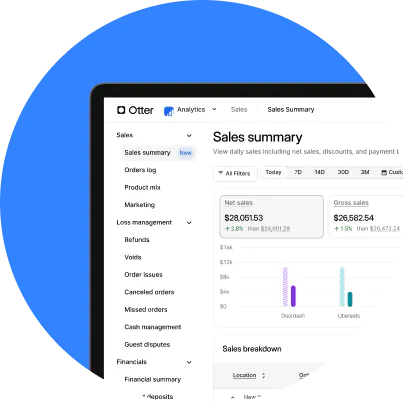
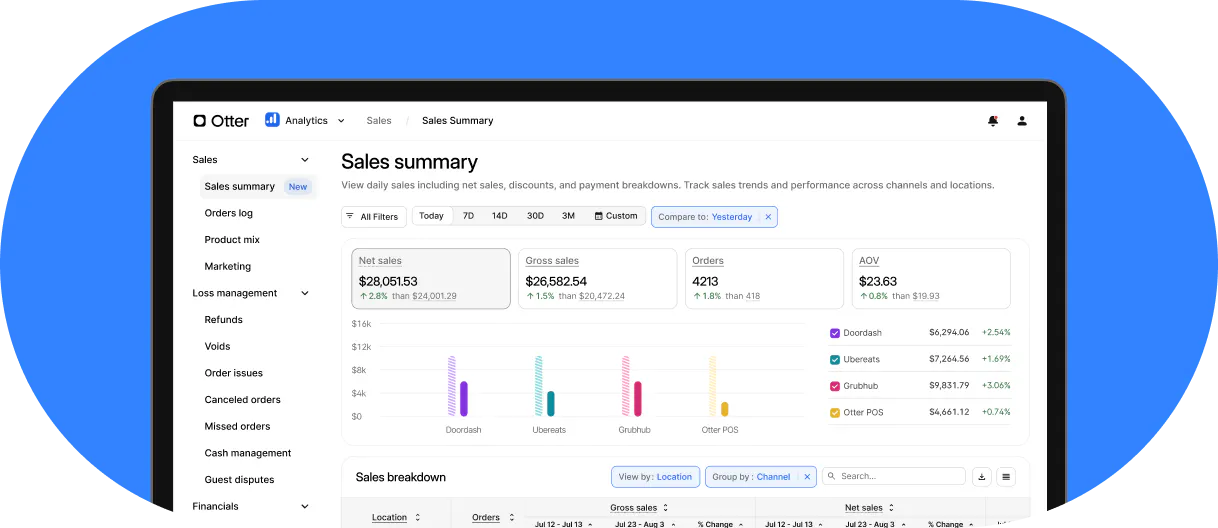
Otter Analytics and Otter POS round out the picture on the sales side. Modern POS systems generate real-time reporting on what's selling and at what margin, so the cost data coming in from invoices can be compared against actual revenue rather than sitting in a spreadsheet no one opens.
Connecting to a full invoice automation platform
For restaurants that want invoice processing itself automated, from OCR to approval workflows to accounts payable, Otter integrates with dedicated inventory and back-office platforms like Restaurant365 and Marketman, so the invoice side and the sales side of the tech stack can work from the same data. Otter's guide to restaurant technology solutions covers how to evaluate and connect a tech stack more broadly, beyond just the invoice piece.

Deciding how much of this to automate
Not every restaurant needs full invoice automation, and not every restaurant can keep getting away with a shoebox and a spreadsheet either. The honest test is whether anyone can currently answer, without digging, what a specific ingredient costs this month compared to last month, and whether that number is actually right.
If the answer is no, or if it takes an hour of cross-referencing invoices to find out, that's the sign invoice processing has outgrown the manual approach, regardless of restaurant size. Start with the accounting system a restaurant already relies on, get the sales and payout side of the ledger clean, and then decide whether OCR, EDI, or a dedicated accounts payable platform makes sense for the invoice side specifically. Simplify your restaurant's accounting with Otter, and the invoice side becomes a much smaller problem to solve.
Frequently asked questions about restaurant invoice processing
What is restaurant invoice processing?
Restaurant invoice processing is the full cycle a supplier invoice goes through, from receiving it and matching it against a purchase order and delivery receipt, to getting it approved, entering it into an accounting system, and paying it. It applies to every vendor a restaurant works with, from food distributors to linen services.
What's the difference between manual and automated invoice processing?
Manual invoice processing relies on people keying in paper invoices, checking them against purchase orders by eye, and approving payment by hand. Automated invoice processing uses OCR or electronic data interchange (EDI) to digitize invoices, matches them against purchase orders automatically, and routes exceptions through defined approval workflows, with an audit trail for every step.
Is invoice automation worth it for a small, single-location restaurant?
It depends on invoice volume. A restaurant working with a handful of suppliers may not generate enough invoices to justify the monthly cost of dedicated automation software. Multi-location groups or restaurants processing dozens of vendor invoices a week typically see automation pay for itself in reduced labor hours and fewer pricing discrepancies alone.
What do OCR and EDI actually mean for restaurant invoices?
OCR (optical character recognition) reads a scanned or photographed invoice and converts it into structured, searchable data. Electronic data interchange (EDI) skips scanning entirely by having a supplier's system send invoice data directly into a restaurant's accounting system in a standardized format. Both are ways of digitizing invoices instead of keying them in by hand.
How does invoice processing affect food cost and COGS accuracy?
COGS is calculated from purchases, and purchases come from supplier invoices. An invoice entered incorrectly, missed, or paid twice distorts COGS for that period, which then distorts food cost percentages, menu engineering decisions, and pricing. Accurate invoice processing is the foundation those numbers depend on.
Does Otter process restaurant invoices?
Otter doesn't scan or process vendor invoices directly. Otter Financials consolidates payout and tax data and exports it for accounting software like QuickBooks or Sage Intacct, and Otter Inventory Savings reduces food costs on purchases through existing distributors. For full invoice automation, Otter integrates with dedicated accounts payable and inventory platforms such as Restaurant365 and Marketman.

Simplify your restaurant's accounting with Otter