Table of contents
- What a self-ordering kiosk actually does on a food truck
- The real numbers: what kiosks cost and when they break even
- Peak-hour throughput: where kiosks earn their keep
- Installation reality check: power, space, and daily setup
- Kiosk vs. QR ordering vs. online pre-orders: picking the right tool
- What to look for in a food truck kiosk (beyond the spec sheet)
- When a self-ordering kiosk is NOT worth it
- A kiosk pays for itself only when your throughput problem is real and recurring
- FAQ about self ordering kiosks for food trucks
You're running a lunch service. The queue is 15 people deep, your one window is backed up, and your cashier just misheard an order over the noise of the parking lot. Sound familiar? Self-ordering kiosks get pitched as the fix, but for a food truck, the honest answer is more complicated than any vendor will tell you.
Here is what a self-service kiosk actually does in a food truck context, what it costs, when the math works, and when it does not.
Key Insights
- A kiosk earns its keep at the order bottleneck during peak hours. If your lunch queue doesn't regularly back up past 10 minutes, you don't have a kiosk problem, you have a menu or prep problem
- The upsell lift matters more than labor cost savings in the break-even math: a self-serve kiosk that consistently lifts check size can close the investment gap faster than reallocating one crew member ever will
- Installation is the hidden variable vendors never discuss: a kiosk that takes 45 minutes to mount and connect each morning at a new location costs you 4+ hours a week before you serve a single customer, always ask what daily setup actually looks like
- For most food trucks, especially roaming, event-only, or low-volume operators, QR codes solve most of the throughput problem at a fraction of the cost of a full kiosk. The case for a full self ordering kiosk only becomes compelling at fixed or semi-fixed locations with consistently high peak volume
What a self-ordering kiosk actually does on a food truck
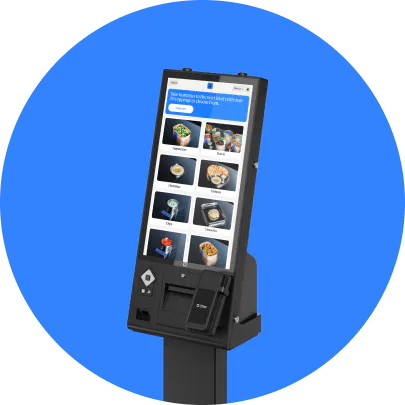
The customer loop is simple: walk up, browse the digital menu on a touchscreen, select items and customize their orders, pay, order fires to the kitchen, wait for a pickup call. No cashier in that loop.
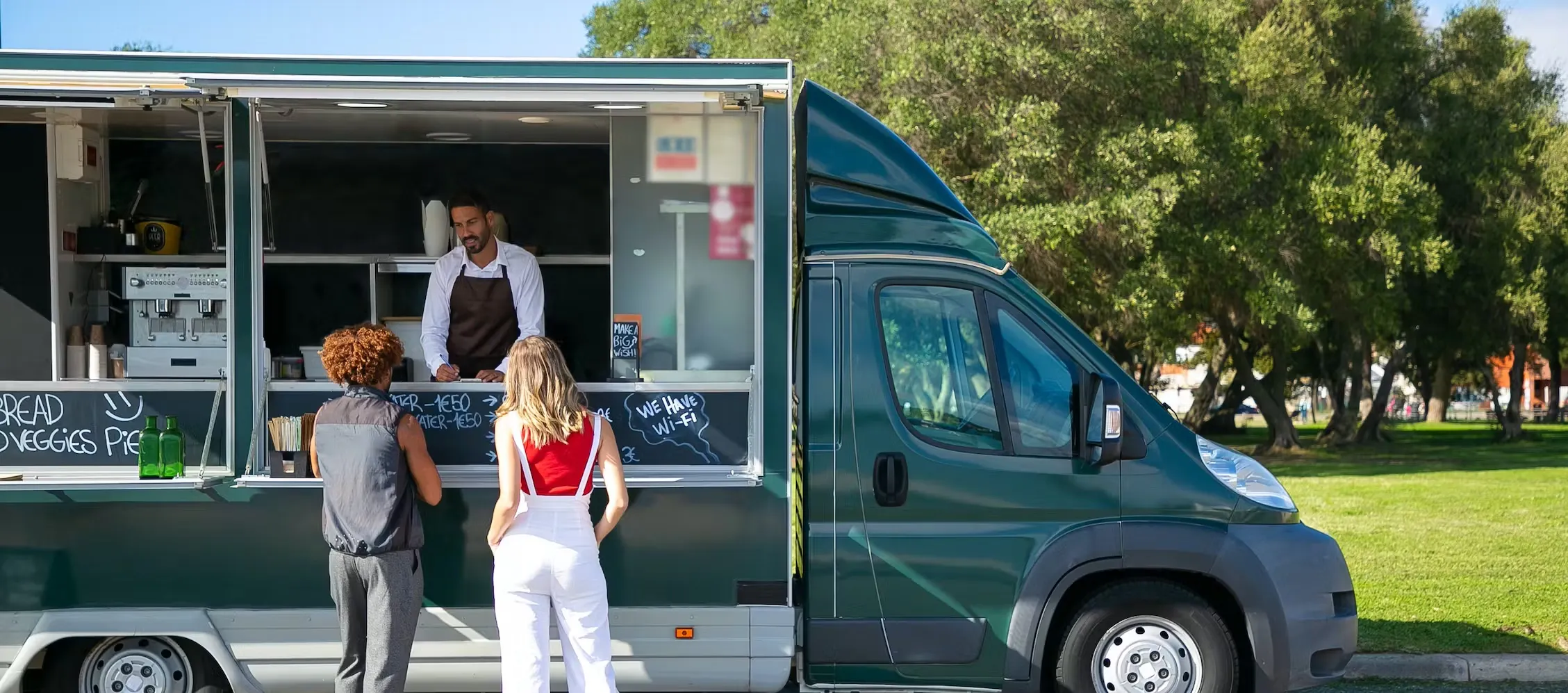
Compare that to how most food trucks operate today: one window, one person taking verbal orders in a noisy parking lot or festival field. Order errors happen when a customer mumbles, changes their mind mid-sentence, or loses track of what they asked for after a few drinks at a brewery event.
A self-service kiosk removes the verbal handoff entirely. The customer confirms their own selections on screen, which cuts the "did you say no onions?" back-and-forth and improves the overall customer experience. Because the screen is already showing your full digital menu, the same hardware can double as digital signage between rushes, cycling specials or a happy hour promotion when no one is actively ordering.
But here is the part vendors skip: a kiosk is not a standalone gadget. It only works if orders connect directly to a kitchen display system (KDS) or kitchen printer. A kiosk that prints a paper slip someone then re-enters manually is not an upgrade. It is just a more expensive version of the same problem.
You also need two separate screens working as one digital ordering system: the customer-facing kiosk at the service window and the staff-facing POS system inside the truck. Two disconnected platforms create more order errors than a verbal cashier ever would.
The mental model most food truck operators already have, "kitchen printer for the cook, numbered stub, two windows," is exactly right. A kiosk systematizes that workflow.
Self-ordering kiosks are one piece of a bigger shift in how food trucks operate. Otter's roundup of food truck trends covers the wider wave of tech-driven ordering, contactless payments, and AI-assisted menu tools reshaping the industry beyond the order window alone.
The real numbers: what kiosks cost and when they break even
Outdoor-rated, food-truck-grade kiosk hardware typically runs $2,000-$6,000. Add mounting hardware, software or subscription fees, and payment processing costs to get your real number. Some vendors bundle software into the hardware price; others charge monthly. Get a full-cost breakdown before you compare options.
Labor costs and reallocation: A cashier earning roughly $16/hr over a 6-hour lunch shift, 5 days a week, costs about $480/week in labor costs. A kiosk does not eliminate that person. It redeploys them to prep or plating. The savings are real but partial.
Upsell lift matters more. A self-service kiosk prompts customers to add a drink, upgrade a size, or add a side at the exact moment they are deciding, whether that's a standing add-on prompt or a timed buy one get one free push during a slow happy hour window. A rushed cashier rarely does this consistently. Otter's own kiosk customers have seen check sizes increase by up to 30% through item suggestions and upsells. For a truck averaging $14 per ticket doing 80 covers at lunch, even a modest lift adds real revenue per service, and that is the number that moves the break-even calculation.
A plain break-even formula you can run yourself:
(Total kiosk cost) ÷ (daily upsell lift + daily labor savings) = break-even in days
Worked example with conservative assumptions:
- Total kiosk cost: $5,000
- Daily upsell lift: $140 (80 tickets × $14 avg × 12.5% lift)
- Daily labor savings (partial reallocation): $30
- Daily total benefit: $170
- Break-even: roughly 29 operating days
If you operate 20 days a month, that is about 6 weeks. Reasonable for a fixed-location truck with consistent volume. But build your math against your realistic average days of operation, not your best weekend. Food truck revenue is seasonal and event-dependent.
Volume floor: A truck doing fewer than 50 orders per service will struggle to break even within 12 months on a $4,000+ kiosk. That is the honest threshold most vendors never publish.
Peak-hour throughput: where kiosks earn their keep
Food trucks routinely concentrate the bulk of a day's revenue into a single lunch rush or event window, often just 90 minutes to two hours. Any bottleneck at the order step during that window is expensive, not just slow. Longer wait times mean customers leave the line, and lost covers do not come back.
A kiosk allows parallel ordering: two, three, or four customers can be placing orders simultaneously while your crew focuses on cooking. A single verbal cashier is always a serial bottleneck.
Accuracy improves because customers confirm their own selections. Crowd psychology helps too: giving customers something productive to do while they wait reduces the perception of wait times and prevents the "milling around in a random herd" dynamic operators describe at busy events.
Otter's kiosk is built for exactly this scenario. An 8-core processor and restaurant-grade powder-coated steel are designed to run through every rush without slowing down.
"Otter's Kiosk has really cut down our ordering time."
David, Owner, Flavor District
Want to see how Otter handles the rush, from the customer's screen to your kitchen? Visit Otter to get started.

Installation reality check: power, space, and daily setup
Where does a kiosk physically go on a food truck? This is the question vendors almost never answer honestly.
Mounting options and their tradeoffs:
- Countertop mount at the service window: simplest, but may block staff movement
- Floor stand outside the truck: good visibility, needs cable routing through the truck body
- Wall mounted on a VESA mount inside the service window: keeps counter space clear and works well in a tight galley layout
- Bracket arm off trailer hitch or frame: cleanest for roaming trucks, requires custom hardware
Power draw: A commercial kiosk typically pulls 50-150W continuously. Most food truck generators run 3,000-6,500W, but fryers, refrigeration, and HVAC are already consuming most of that capacity. Check your actual load before adding a kiosk. Tripping a breaker during a lunch rush is worse than having no kiosk at all.
Cable security and weatherproofing: If the unit mounts outside the truck, you need weatherproof cable routing through the truck body and secure fastening that does not create a rattling hazard while driving. A stable WiFi connection matters just as much as power. A kiosk that loses signal mid-order at a festival with spotty cell coverage is a bigger problem than the line it was meant to fix.
Daily setup time is a dealbreaker for roaming trucks. A kiosk that requires 30-45 minutes to mount, connect, boot, and calibrate each morning costs you 3-4 hours a week before you cook a single item. Always ask vendors: "What does the daily setup procedure look like at a new location?" Otter's kiosk ships with installation kits and is designed to set up on your own without a technician, and a fully connected kiosk-to-POS-to-KDS rollout typically goes live within about a week. Still verify the timeline against your specific truck layout and power situation.
A kiosk makes far more sense for a fixed or semi-fixed location (food truck park, brewery residency, daily campus stop) than for a truck that moves to a new street corner every morning.
Kiosk vs. QR ordering vs. online pre-orders: picking the right tool
This is not a ranking of which technology is best. It is a spectrum based on your volume, location type, and available capital.
Full kiosk: Highest upfront cost, fastest in-person throughput. Best fit: fixed or semi-fixed location, 80+ orders per peak service, crew of at least 2.
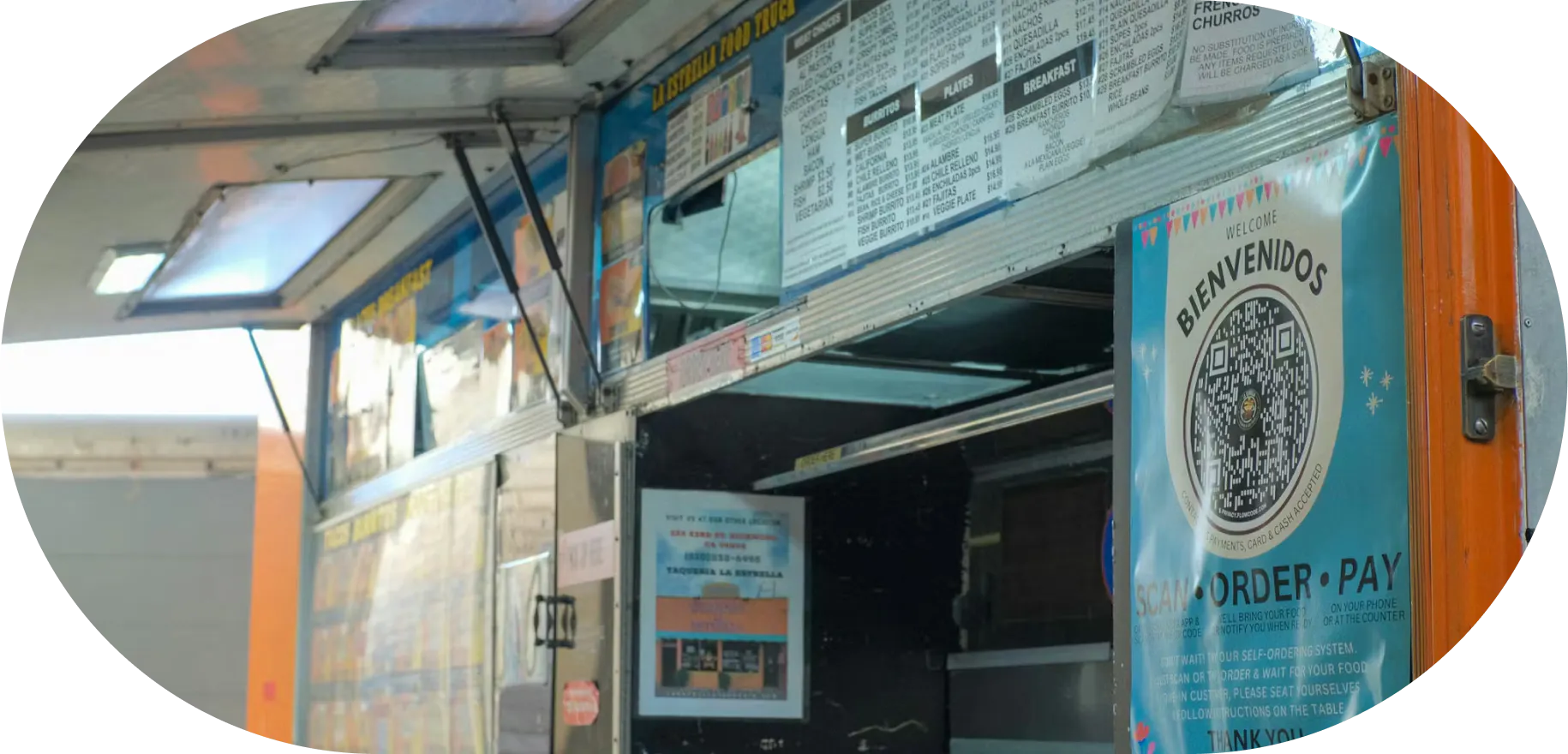
QR code ordering: Customer scans a sign with QR codes, orders and pays on their phone, gets an SMS pickup notification. Near-zero hardware cost. Works well at festivals where customers are already on their phones. Downside: requires cell signal, and some customers resist it.
Online pre-orders: Customers order and pay hours before arrival, eliminating the queue almost entirely. Best for festival-circuit operators with a predictable event calendar. Works poorly for walk-up lunch crowds who decide on the spot.
Match the tool to your truck type:
- Roaming daily truck: start with QR codes
- Fixed food truck park with consistent lunch rush: evaluate a kiosk
- Event-only operator doing 8 weekends a year: pre-order plus QR hybrid
One rule applies to every format: whatever tool you pick, orders must fire to your kitchen in real time. A QR system that emails orders to a phone is not a kitchen workflow tool. It is a communication problem waiting to happen.
What to look for in a food truck kiosk (beyond the spec sheet)
When you are evaluating hardware, these are the specs that actually matter in a food truck environment:
- Screen brightness: An outdoor self order kiosk needs 1,000+ nits minimum to be readable in direct sunlight. Standard indoor displays wash out completely on a sunny festival day
- Operating temperature range: A truck cab can exceed 120°F in summer and drop below freezing in northern markets. Confirm the operating range, not just the storage range
- Ingress protection: IP65 or better handles rain, dust, and pressure washing. Lower ratings are a risk for any outdoor setup
- Payment certification: The integrated payment terminal must be EMV-certified and PCI-compliant for unattended use, and it should accept mobile payments including Apple Pay and Google Pay alongside chip and tap cards. Some tablet-based setups do not qualify
- Offline capability: If a dropped WiFi signal means a blank screen, that is a problem for trucks using a hotspot or venue WiFi. Offline mode is not optional
- Support hours: Food trucks work evenings, weekends, and holiday events. If a vendor's support desk closes at 5pm Friday, they are not much help when your kiosk goes dark at a Saturday festival. Otter's team is available for support any time you run into a question or an issue
- Software depth: Upsell prompts, loyalty enrollment, and order routing to a kitchen display system or kitchen printer generate ROI. Ask vendors to demo the software workflow, not just the hardware
For a fuller checklist on evaluating any self ordering kiosk, not just a food-truck deployment, Otter's guide to restaurant kiosks for order management walks through POS and KDS integration, pricing tiers, and the questions worth asking any provider before you sign.
Two things belong on that evaluation list that are easy to overlook. First, loyalty programs: a kiosk that captures a guest's contact info at checkout and enrolls them in Otter Loyalty turns a one-time festival visitor into a repeat customer, and that future-visit revenue belongs in your ROI math. Second, inventory management: every order the kiosk rings up feeds the same sales data that shows up in Otter Analytics, so you can see which items are moving before you run out mid-service instead of finding out from an empty hotel pan.
When a self-ordering kiosk is NOT worth it
Vendors never publish this list. Here it is.
- Solo operator: If you are running the truck alone, a kiosk frees up a person who does not exist. Your bottleneck is cooking speed, not order-taking.
- Low-volume services: Under 50 orders per service, the queue does not back up long enough to justify the investment. Customers can walk up and order in 60 seconds.
- Event-only operators: If you do 8-12 events a year, a $4,000+ kiosk cannot break even on upsell lift and labor savings alone. A QR code sign costs nothing in hardware.
- Tight cash flow: A kiosk is a capital expenditure in a business where revenue varies week to week based on weather and location. If buying one means skipping your truck repair fund or your slow-season float, skip the kiosk. The truck stopping is a bigger problem than the ordering system.
- Menus that require conversation: If a significant share of your orders involve customers asking "what is in the curry?" or "can I substitute the side?", a screen frustrates them and slows throughput. Kiosks work best on menus that are visual, modular, and self-explanatory.
The honest go/no-go framework: Consistently above 80-100 peak orders per service, plus wait times that regularly exceed 10 minutes, plus a fixed or semi-fixed location. If all three are true, evaluate seriously. If any one is missing, start with QR codes.
A kiosk pays for itself only when your throughput problem is real and recurring
A self-ordering kiosk is a throughput tool. It solves one specific problem: order-entry bottlenecks at peak hours in high-volume, fixed-location settings. It does not solve prep speed, menu complexity, or cash flow.
The go/no-go decision in one sentence: fixed or semi-fixed location, consistent 80+ orders per peak service, crew of at least 2. If that describes your truck, a kiosk is worth a serious evaluation. If it does not, start cheaper.
The integration point is non-negotiable. The kiosk and the POS system must be the same system. Orders flowing through two disconnected platforms create more order errors than a verbal cashier. Otter's POS for food trucks is built with the kiosk as part of that same system, not a bolt-on. A customer's order moves directly from the screen to the kitchen display without a handoff or a second login.
Run your own numbers. If the math works, and it does for the right operator, a kiosk is a revenue tool, not a prestige item. If it does not work yet, QR codes and a solid POS system get you most of the benefit at a fraction of the cost.
If your numbers work, Otter's kiosk runs the whole system, order screen to kitchen display, ships ready to set up on your own, and comes with support whenever you need it.
FAQ about self ordering kiosks for food trucks
Can a self-ordering kiosk work outside on a food truck?
Yes, but only with the right hardware. You need a screen rated at 1,000+ nits for sunlight readability, an IP65 or better ingress protection rating for rain and dust, and an operating temperature range that matches your market's climate. Standard indoor touchscreens are unusable in direct sunlight and will fail in temperature extremes.
How much does a self-ordering kiosk cost for a food truck?
Outdoor-rated, food-truck-grade kiosk hardware typically runs $2,000-$6,000 for the unit. Add mounting hardware, software or subscription fees, and payment processing costs to get your real number. Some vendors bundle software into the hardware price; others charge monthly. Get a full-cost breakdown before comparing options.
Does a kiosk replace a staff member on a food truck?
Not exactly. It reallocates one. A kiosk takes over order-taking and payment processing, which frees a crew member to focus on prep, plating, or pickup window management. For a two-person truck during a rush, that reallocation is genuinely valuable. For a solo operator, the math does not work. There is no one to redeploy.
What is the difference between a kiosk and QR code ordering for a food truck?
A kiosk is a dedicated screen the customer uses on-site. The truck provides the hardware. QR codes let customers scan a code and place an order on their own phone, with near-zero hardware cost for you. Kiosks are faster in high-volume situations and do not depend on the customer's data signal or willingness to use their phone. QR ordering is cheaper to deploy and works well at events, but has higher friction for some customers.
Does the kiosk need to connect to a POS system?
Yes, and this is critical. A kiosk that does not send orders directly to your kitchen display or kitchen printer creates a manual handoff step that slows everything down and reintroduces order errors. The kiosk and your POS system need to be part of the same system, not two separate platforms talking to each other.
How much power does a self-ordering kiosk draw?
Most commercial kiosks draw 50-150 watts continuously. A food truck generator is already under heavy load from fryers, refrigeration, and HVAC, often leaving a narrower margin than operators expect. Check your available capacity before adding a kiosk. Tripping a breaker during a lunch rush is a worse outcome than not having a kiosk at all.
At what order volume does a kiosk start making financial sense?
A practical threshold: if your peak service consistently produces 80-100+ orders and your wait times regularly exceed 10 minutes, the throughput gain starts to justify the hardware cost. Below that volume, QR codes or a well-configured POS terminal usually solve the same problem at a fraction of the price.
Can a kiosk help a food truck upsell customers?
Yes, and for many operators this is the strongest ROI driver, more than labor savings. A self-service kiosk prompts add-ons, combos, and upgrades, including happy hour specials or a buy one get one free push, at the exact moment a customer is deciding what to order, which a busy cashier rarely does consistently. Otter's own kiosk customers have seen check sizes increase by up to 30% through item suggestions and upsells.

Run your kiosk ROI numbers with Otter