Table of contents
- What "third-party delivery integration" means for your restaurant
- First-party vs. third-party delivery: why the difference matters to your bottom line
- What's really happening when you run three tablets without integration
- How the major platforms compare: DoorDash, Uber Eats, and Grubhub
- The menu management problem nobody warns you about
- How third-party delivery platform integration works, step by step
- What to look for before you commit to a delivery integration setup
- How to know your integration is working once you're live
- One screen is how you stay competitive in delivery
- Frequently asked questions about third-party delivery integration
You're in the middle of a Friday dinner rush. A DoorDash order comes in on one tablet, an Uber Eats order pings on another, and your staffer is already halfway through re-entering a Grubhub ticket by hand. One wrong modifier later, a customer gets extra onions instead of none. And you're eating the comp.
More than 37% of adults order delivery at least once a week, which means third-party delivery platforms are not optional for most independent operators. The real question is whether you're running them efficiently or letting them run you.
What follows explains what third-party delivery integration is, what it costs you to skip it, and how to evaluate whether your current setup is working.
Key insights
- Every tablet you remove from the expo line is an error source you eliminate. Manual re-entry is where delivery orders break down, not the kitchen
- Menu sync is the real test of integration quality: if you 86 one item and it disappears across all platforms simultaneously, your setup is working. If it doesn't sync, you'll find out through bad reviews and platform cancellation flags
- The commission fees platforms charge (15–30% per order) are fixed and not in your control. But the operational cost of fragmented tablets (labor, comps, missed orders) is a variable you can actually manage down
- A consolidated dashboard showing per-platform sales data is what turns third-party delivery from a "necessary evil" into a channel you can evaluate, adjust, and optimize
What "third-party delivery integration" means for your restaurant
Third-party delivery integration means one system receives all inbound delivery orders from DoorDash, Uber Eats, and Grubhub and routes them to your kitchen automatically. No staffer reading a tablet. No manual re-entry. The order comes in, the kitchen ticket prints, and your team starts prep.
What integration does not change: you still have your own account with each platform, still pay their commission fees, and still rely on their driver dispatch. Integration only changes how your kitchen receives and processes those orders.
Consider the concrete scenario. A customer orders on Uber Eats at 7 p.m. Friday. With integration, the kitchen ticket prints in seconds. Without it, a staffer reads the screen and types the order in while also managing the front counter. That gap between "order received" and "ticket in the kitchen" is exactly where errors and delays live.
This is not about whether to use delivery apps. It's about whether you're operating those platforms in a way that's manageable, or chaotic.
First-party vs. third-party delivery: why the difference matters to your bottom line
First-party delivery means orders come through your own website, app, or online ordering page. This direct ordering channel means you own the customer relationship, you own the data, and you pay no commission to a marketplace.
Third-party delivery means orders come through DoorDash, Uber Eats, or Grubhub. The platform owns the customer relationship, charges 15–30% in commission fees per order (rates the delivery apps publish directly), and controls how your brand appears in the app.
Third-party platforms also restrict access to customer data, which makes it harder to build repeat business or run direct marketing. That's a known trade-off. Not a reason to avoid the platforms, but something that should shape your strategy.
Most independent operators, QSR, and fast-casual restaurants run both channels. Integration is what makes operating them side by side manageable instead of chaotic.
One practical tactic worth naming: some operators price delivery-menu items 10–15% higher on third-party apps to offset commission fees. An integration that supports platform-specific pricing makes this feasible without maintaining duplicate menus by hand.
Third-party platforms give you reach. Integration gives you control over how you fulfill that reach.
What's really happening when you run three tablets without integration
Picture the pre-integration moment: a DoorDash order comes in, and a staffer reads it aloud or types it into the POS system while also managing the front counter, answering a question, or handing off a bag. That manual re-entry step is the exact point where errors enter your restaurant operation.
The failure modes are ones you've probably already seen:
- Wrong modifier: "no onions" becomes "extra onions" because the staffer mis-keyed mid-distraction
- Missed item: the staffer was interrupted before finishing the entry
- Delayed ticket: the order pinged while they were occupied with another task
The commission fees are fixed. You can't negotiate them away. But the operational cost of running without tablet consolidation, the labor, the comps, the missed orders, is a variable you can actually reduce.
Even 3–5 minutes of manual re-entry per order adds up fast across a shift. Multiply that across a high-volume weekend and you're burning meaningful staff time that isn't going toward food prep or customer experience.
Comp meals from delivery errors aren't just a food cost. They delay the next ticket, generate negative reviews, and can trigger late-ticket penalties from the platforms themselves. The reason operators describe third-party delivery as a "necessary evil" is not the commission alone. It's the operational burden of managing three live systems simultaneously.
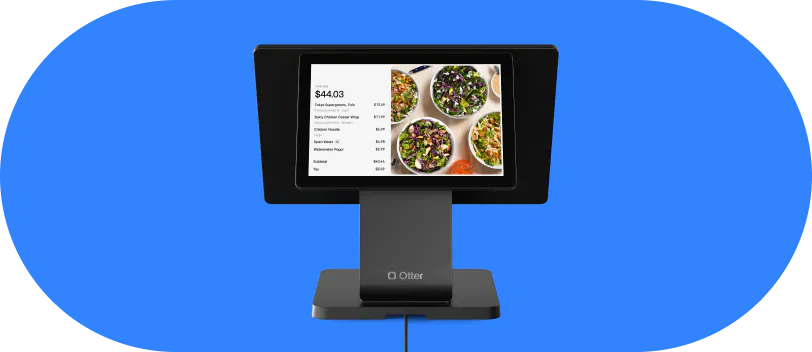
Otter POS consolidates all inbound delivery orders (DoorDash, Uber Eats, Grubhub) to a single screen and prints kitchen tickets automatically. No manual re-entry.
Christina Hong, owner of Seoulmates in Beverly Grove, Los Angeles, relies heavily on third-party marketplaces and describes the difference plainly: “One of my favorite things about Otter is the integration with the third-party deliveries. It makes my job as an owner so much easier. Everything is in one place and runs smoothly, because we rely on a lot of those third-party deliveries for our business.”
See how Otter brings all your delivery orders into one screen, no tech background required. Book a demo.
How the major platforms compare: DoorDash, Uber Eats, and Grubhub
DoorDash holds roughly two-thirds of U.S. delivery orders, with broad suburban and urban reach. It performs especially well for QSR, fast-casual, and convenience-style food. Commission fees typically run 15–30% depending on your plan tier.
Uber Eats has a strong U.S. presence, particularly in urban and college-town markets, and benefits from cross-promotion within the broader Uber ecosystem. Commission fees are similar to DoorDash.
Grubhub is smaller but established, with particular strength in Chicago and Northeast metro areas. It historically skews toward an older demographic. Commission fees sit in the same 15–30% range.
A few things worth knowing:
- None of these third-party delivery platforms change their fee structure based on whether you use integration or an order aggregator. The financial benefit of integration is operational: fewer errors, less labor, not a commission reduction
- Different platforms attract different customer profiles. Fast-casual operators often see better volume on DoorDash. Ghost kitchens running multiple virtual brands typically need to be on all three to maximize order flow
- Once you integrate, adding a second or third platform adds minimal operational overhead compared to managing them unintegrated
One risk to flag: some restaurants have been listed on platforms without their knowledge. If you discover a listing you didn't create, contact the platform directly and claim or correct it before a customer has a bad experience you don't even know about.
How third-party delivery platform integration works, step by step
Step 1: List your restaurant on each platform. This is done directly with DoorDash, Uber Eats, and Grubhub. Each has its own onboarding and approval process, typically a few days to a week per platform.
Step 2: Connect your point-of-sale (POS) to those platforms. With Otter, this is part of the POS setup. Otter connects with 100+ third-party restaurant services so order data flows in without manual configuration per order.
Step 3: Map your menu. Your in-POS menu is matched to each platform's menu format. Verify each modifier group translates correctly before you go live.
Step 4: Orders flow into one queue. When a customer on Grubhub places an order, it appears in the same order management view as a DoorDash order, with the same routing logic to your kitchen.
Step 5: Kitchen ticket prints automatically, firing to your kitchen display system (KDS). No verbal relay, no manual re-entry. Staff receive the ticket and start prep.
Step 6: Order status updates return to the platform. Prep time and ready status flow back so customers get real-time tracking and accurate ETAs in the app, which streamlines order processing. Reduce messages asking “where’s my order?” and improve customer experience.
What integration does not change: driver dispatch is still handled by each platform. Integration controls how your kitchen receives orders, not how couriers are assigned.
For multi-location operators, the same logic applies across locations, with consolidated per-platform sales data showing performance by location and by channel from one dashboard.
What to look for before you commit to a delivery integration setup
Before you choose a provider, run through these questions:
- Platform coverage: does the integration support every platform you're on or plan to add? Partial coverage means you still have a stray tablet, which defeats the purpose
- Menu sync capability: can you push 86's, price changes, and modifier edits to all platforms from one place? If not, you're solving the order routing problem but leaving the menu management problem unsolved
- Onboarding support: independent operators don't have IT teams. Ask whether the provider walks you through platform sign-up, menu mapping, and go-live, or hands you documentation and disappears
- Uptime and alerting: what happens when a platform API goes down mid-service? A reliable integration alerts you immediately, not after orders have silently failed during a rush
- Reporting depth: can you see per-platform sales data, order volume, revenue, and average ticket size, from one dashboard? Without this, you can't evaluate which platforms are earning their commission fees
- Pricing structure: some providers charge a per-platform fee that compounds as you add channels. Others charge a flat monthly rate. Calculate total cost across all your platforms before committing
- Support responsiveness: during a Friday dinner rush, you need a real person, not a ticket queue. Ask specifically about support hours and whether live chat or phone is available
Otter's setup team can also help you get listed on platforms you aren't yet on, so you're not navigating DoorDash or Grubhub onboarding alone.
How to know your integration is working once you're live
Most operators assume the integration is fine because orders are coming in. But "orders flowing" and "integration working correctly" are not the same thing. A menu that's 90% synced still causes wrong-item errors and hurts customer experience.
A few habits that keep your setup honest:
- Daily menu check: glance at your menu on each platform at the start of service to confirm it matches what you're actually offering. Spot-check modifiers and prices weekly, especially after any menu change
- Track order accuracy separately from kitchen accuracy: a spike in wrong-item complaints after going live almost always traces to a menu mapping error, not a kitchen error. Separate those two root causes before you retrain staff
- Watch per-platform sales data: if one platform's order count suddenly drops, it may signal a listing problem or a menu display error, not a real demand shift
- Monitor missed order alerts: Otter's live alerts flag order routing issues in real time so you're not discovering a missed order when a customer calls or a platform sends a penalty notice
- Watch for platform penalty signals: late-ticket flags from DoorDash or Uber Eats often reflect an order bottleneck at the point of entry into your kitchen workflow, not just kitchen execution speed
- Run a quarterly profitability review: calculate net revenue after commission fees for each platform. If one consistently produces low-margin orders or high cancel rates, use that per-platform sales data to decide whether to adjust pricing, reduce promotions, or deprioritize that channel
One screen is how you stay competitive in delivery
Running DoorDash, Uber Eats, and Grubhub from one screen is not about having fewer gadgets on the counter. It's about having a delivery operation you can actually manage, learn from, and scale.
More than half of operators want to reduce their reliance on third-party delivery platforms. But the answer isn't walking away from the volume those platforms bring. It's running them more efficiently than your competitors do.
The commission fees are fixed. Your operational costs are not. Labor drag, missed orders, and comp meals from manual re-entry are variables you control. Tablet consolidation is how you reduce them. And per-platform sales data is how you make smarter decisions about where to invest your time and margin.
For ghost kitchens and virtual brands: running multiple menu concepts without integrated order management is the fastest way to let errors compound across every concept simultaneously.
The advantage that often goes unspoken is visibility. When you can see per-platform sales data, order accuracy, and peak timing in one dashboard, you make better decisions about menu design, staffing, and promotions. That's what turns a "necessary evil" into a channel you run with intention. And what makes customer experience consistent across every order, regardless of which app it came through.
Ready to stop managing three tablets and start running one operation? See Otter in action.
Frequently asked questions about third-party delivery integration
What's the difference between using multiple tablets and using a delivery integration?
With multiple tablets, your staff reads each app separately and re-enters orders into your kitchen system by hand. Every handoff is a chance for an error or delay. A delivery integration routes all orders from DoorDash, Uber Eats, and Grubhub directly into one queue and prints kitchen tickets automatically, with no manual re-entry step.
Do I still pay commission fees if I use a delivery integration?
Yes. Your commission agreement with each platform doesn't change when you integrate. DoorDash, Uber Eats, and Grubhub each set their own commission fees, typically 15–30% depending on your plan. Integration reduces your operational overhead (missed orders, errors, labor), but it does not lower the platform fee.
If I update my menu in one place, will it sync to all delivery platforms automatically?
It depends on the integration. With Otter’s POS, changes you make (86ing an item, adjusting a price, editing a modifier) push to your connected delivery channels from one place. As a safeguard, glance at each platform right after a change, since modifier edits are the update most likely to slip.
Can I use third-party delivery integration if I run a ghost kitchen or virtual brand?
Yes, and it's especially critical in that context. Ghost kitchens and virtual brands often run multiple menu concepts from one kitchen across multiple platforms. Without integration, you may be managing six or nine separate tablet views at once. Otter's POS consolidates all of that, regardless of how many concepts or platforms you're operating.
How long does it take to set up third-party delivery integration?
Getting listed on each platform (if you aren't already) is the longest step, typically a few days to a week per platform for approval. Connecting your POS to platforms you're already on can take as little as a day. Menu mapping and modifier review add time depending on how complex your menu is, but it's a one-time investment.
What happens if a delivery platform goes down during a dinner rush?
A reliable integration should alert you immediately when a platform connection drops, not let orders silently fail while you're in the middle of service. Otter's live alerts flag order routing issues in real time. Ask any provider you evaluate specifically about their alerting process and what the fallback looks like when a platform API is unavailable.
Can I see which delivery platform is most profitable from one report?
Yes, if your integration includes consolidated per-platform sales data. Look for breakdowns of order volume, revenue, and average ticket size by platform. To calculate true profitability, factor each platform's commission fees against net revenue. This is the data that tells you whether your current channel mix is working or needs to shift.
Do I need to list my restaurant on each platform separately, or does integration handle that?
Listing your restaurant on each platform is a separate process handled directly with DoorDash, Uber Eats, and Grubhub. Some providers, including Otter, can help guide you through platform sign-up if you're not yet on a given channel.

Run all your delivery orders from one screen with Otter