
Table of contents
- What a POS terminal actually is
- POS terminal vs. POS system: why the difference matters for your restaurant
- The hardware your restaurant POS setup actually needs
- Types of POS terminals your restaurant might use
- Key features that separate a full POS system from a payment terminal
- What a restaurant POS setup actually costs
- Security and compliance you can't skip
- How to choose the right POS setup for your restaurant
- Most restaurants need a full POS system, not just a terminal
- Frequently Asked Questions About POS Terminals
You're searching "what is a POS terminal" because you're about to spend real money on hardware and you don't want to get it wrong. The problem is that the line between a terminal and a full POS system is easy to blur. For your restaurant, that distinction is the difference between a setup that works and one that creates more problems than it solves.
According to Future Market Insights, the U.S. restaurant POS terminals market is growing at a 6.0% CAGR through 2035, which means more vendors, more options, and more chances to buy the wrong thing.
By the end, you'll know exactly what a POS terminal is, how it differs from a full POS system, what hardware your counter actually needs, and how to calculate the real cost before you sign anything.
Key Insights
- A POS terminal processes a payment. A POS system runs your restaurant. Most restaurants need the system, and buying a terminal first often means paying for the same ground twice
- Restaurant hardware goes beyond a screen and a card reader. A complete setup includes a customer-facing display, a KDS or receipt printer for ticket routing, and potentially handhelds, before you take your first order
- The real cost of a POS setup has three layers: upfront hardware, monthly software fees, and per-transaction processing rates. A cheap terminal with high processing fees costs more over 12 months than a more expensive system with lower rates
- Support response time matters as much as the feature list. A system that crashes during your dinner rush with no live help on the line is an operational emergency, not a minor inconvenience
What a POS terminal actually is
A POS terminal is a hardware device, with embedded or connected software, that processes payment transactions at the point of sale. The point of sale is simply the moment and place where money changes hands.
A basic transaction looks like this:
- A customer selects an item.
- They tender payment: card swipe, chip insert, or tap.
- The terminal sends an authorization request through the payment gateway to the payment network.
- The payment processor approves or declines the card payment.
- A receipt prints and the sale is logged.
Every terminal has four core hardware components:
- Touchscreen display: where you or the customer interacts with the system.
- Card reader: handles swipe, chip (EMV), and tap (NFC/contactless), including tap to pay from mobile wallets. Modern credit card readers accept all three.
- Receipt printer: prints the customer's transaction record.
- Cash drawer: for cash transactions and change.
Think of the difference between a terminal and an old cash register this way: a cash register tallies a sale. A terminal processes electronic payments and logs the transaction digitally in real time. That digital record is what makes reporting, refunds, and dispute resolution possible.
POS terminal vs. POS system: why the difference matters for your restaurant
The distinction comes down to scope. A POS terminal is a device that processes a payment. A POS system is the full software-and-hardware platform that runs your entire operation, covering order entry, kitchen routing, menu management, reporting, and payment processing together.
A standalone terminal cannot:
- Route tickets to the kitchen
- Manage a menu with modifiers (no onions, add bacon, make it a combo)
- Apply discounts or comps
- Generate sales reporting by item, hour, or daypart
- Consolidate orders from delivery platforms alongside counter orders
A full POS system adds all of that:
- Order entry and kitchen ticket routing
- Menu and modifier management
- Real-time and end-of-day sales reporting
- Loyalty program integration
- Multi-channel order consolidation across counter, online, and delivery
The practical risk of buying a standalone terminal first: you pay for it, use it for a few weeks, and then realize you need the full system anyway. Now you're paying twice. Add staff retraining and data migration mid-service, and it's an avoidable cost that hits hard.
There is one honest exception. A very simple setup, such as a single-item coffee cart or a one-SKU popup, can survive with a terminal alone. Any operation handling modifiers, a kitchen, or delivery orders cannot.
Otter POS is a full point of sale system. It handles order entry, payment processing, menu management, KDS routing, and reporting in one system.
See how Otter's full POS handles orders, payments, and kitchen routing in one system.
The hardware your restaurant POS setup actually needs
Generic terminal lists always cover the same four items: screen, card reader, receipt printer, cash drawer. That list, built around a barcode scanner and shelf-based inventory management, was designed for a clothing boutique. Your restaurant needs more, and it helps to see the full restaurant technology picture before you buy.
A complete counter setup looks like this:
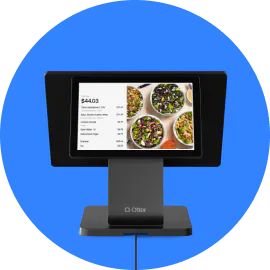
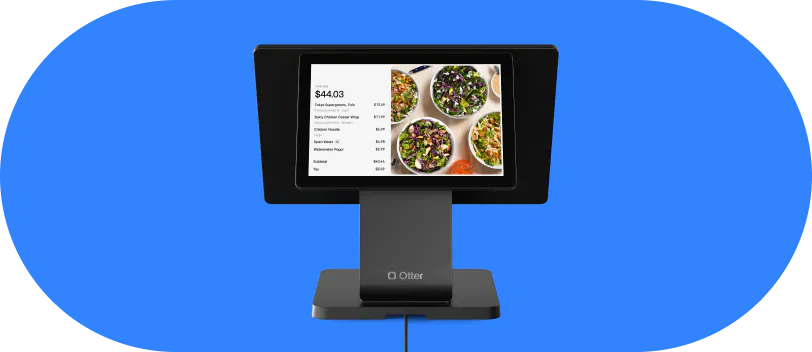
- Customer-facing display. A second screen turned toward the guest that shows the order summary as it's being entered. Guests catch mistakes before payment, which reduces errors and refunds. Customer displays like this are table stakes for a fast-casual counter.
- Kitchen display system (KDS) or kitchen ticket printer. This routes tickets from the front of house to the back in real time. Without it, your POS and your kitchen are two separate worlds, and staff are still shouting or handwriting tickets. A KDS is not optional if you have a kitchen.
- Handheld devices. Used for line-busting at busy counters or mobile ordering in hybrid fast-casual formats. Every handheld connects to the same POS system, so every order lands in the same queue. No parallel systems, no missed tickets.
- Counter mounting and cable management. A countertop terminal is a fixed unit. Mobile setups, including tablets and handhelds, require different mounting hardware and charging solutions. Plan your physical counter layout, including wi-fi coverage and ethernet drops for fixed terminals, before you order hardware, because retrofitting is expensive and disruptive.
- Receipt printer. A thermal receipt printer is the restaurant standard: fast, quiet, and low maintenance. If you're evaluating a hardware bundle versus buying piecemeal, printer specs like paper width, print speed, and a stable, non-slip base matter for fit and durability.
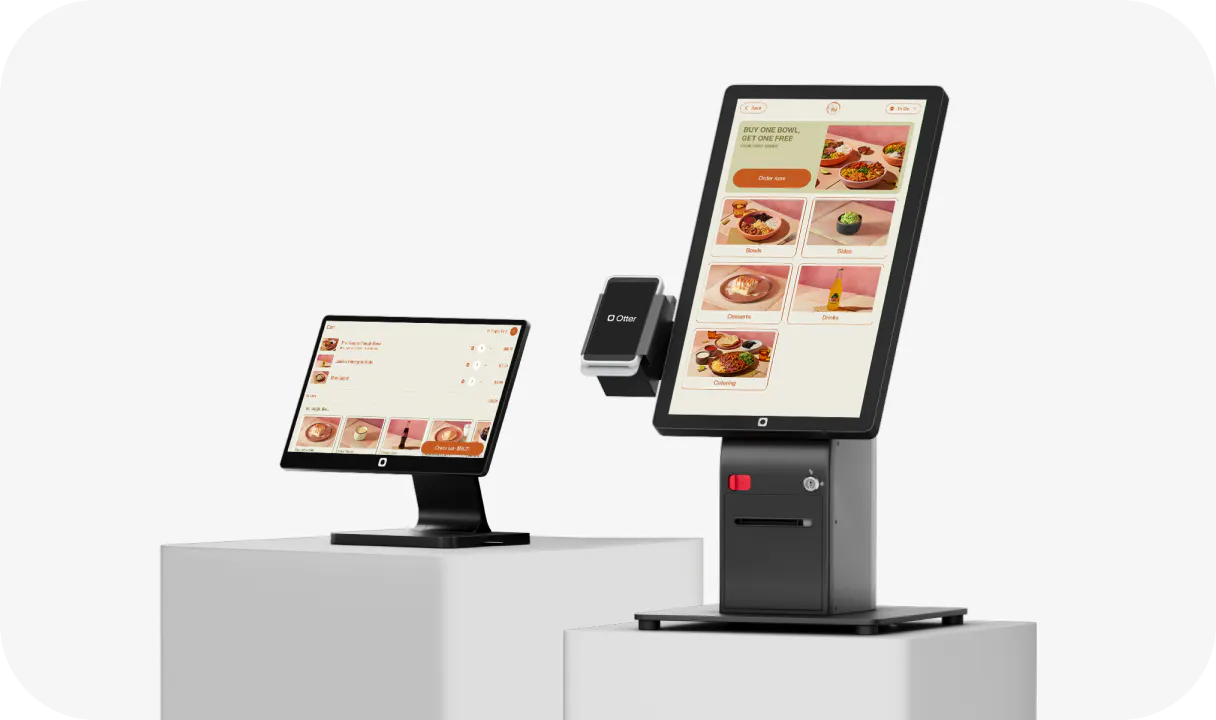
- Self-service kiosk. A guest-facing ordering terminal running on the same POS software. Hardware costs have dropped enough to make a self-service kiosk viable for independent QSR and fast-casual operators, not just chains. Kiosks reduce counter congestion during peak hours and can lift average order value.
Types of POS terminals your restaurant might use
- Countertop (traditional) terminal. A fixed unit at your service counter. Standard for most QSR and fast-casual operations, and the most reliable for high-volume, continuous-use environments. This is the starting point for any permanent restaurant location.
- Mobile POS (mPOS). A tablet or smartphone paired with a card reader. Ideal for food trucks, pop-ups, farmers markets, ghost kitchen pickup windows, or line-busting at a busy counter. Lower upfront cost, but less durable under heavy daily use.
- Cloud-based POS. Software runs on remote servers rather than a local machine. Data is accessible from anywhere over wi-fi or ethernet, updates happen automatically, and upfront costs are lower than legacy on-premise systems. This is the default for most new restaurant openings today.
- Self-service kiosk. A guest-facing touchscreen where customers place their own orders. Reduces labor pressure at the counter, can increase average order value, and shortens perceived wait times.
- Ghost kitchen and virtual brand context. Delivery-only and multi-brand kitchens typically run a cloud-based terminal plus a KDS. No customer-facing counter is needed, but order routing accuracy is critical. A mobile POS can also handle pickup handoffs cleanly.
Your service model points to one of these more than the others. If you're still weighing your options, compare the main types of POS systems for restaurants before you commit to hardware.

Key features that separate a full POS system from a payment terminal
- Payment processing. Both a terminal and a full POS handle this, connecting to a payment processor to process transactions. It's the floor, not the ceiling.
- Order management. A full POS captures every order, whether from the counter, kiosk, online, or delivery, and routes each to the right station. A standalone terminal sees only the payment, not the order behind it.
- Modifier handling. Build your menu once, apply modifiers, fire combo items, and set time-limited specials. None of this is possible on a payment terminal.
- Real-time sales reporting. See sales by item, hour, channel, and staff member without waiting for an end-of-day printout. A terminal issues receipts. A system builds reports you can actually act on.
- Multi-channel order consolidation. Otter's POS pulls in online and in-house orders so your kitchen staff sees everything on one screen. A standalone terminal has no concept of a delivery channel, which is where the manual re-entry problem comes from. That's a software gap, not a hardware one.
- Employee management. Track staff hours, set permissions, and break out sales by team members from the same system, instead of stitching together separate tools.
- Loyalty and CRM. Guest enrollment at the POS, card-linked purchase tracking, and customer relationship management (CRM) data are only possible inside a full system.
- Offline mode. A quality restaurant POS should keep processing orders and payments when your internet drops. Verify this with any vendor before you sign. A terminal that goes dark during a dinner rush is not an inconvenience. It's an emergency.
Nicole Kuti, co-owner of Telly's Charburgers in Santa Clarita, saw this firsthand: “We actually lost internet here and we were still getting our tickets. Otter has a backup, we run off cellular data and we still got our tickets. So I love that.”
What a restaurant POS setup actually costs
It's easy to fixate on hardware price and miss the other two cost layers. That's where the surprises come from.
- Layer 1: upfront hardware cost. The terminal unit, receipt printer, KDS screen, customer-facing display, and card reader. This is your one-time or financed purchase. Prices vary significantly by vendor and bundle configuration.
- Layer 2: monthly software fee. The ongoing subscription for the POS software. Varies by vendor, feature tier, and number of locations.
- Layer 3: per-transaction processing fees. Charged on every payment processed, typically a percentage of the transaction value plus a flat per-transaction fee. This compounds with volume. A busy counter processes hundreds of transactions per day.
Total cost of ownership math. A cheap terminal with high processing rates can cost significantly more over 12 months than a more expensive system with lower rates. Run the math at your actual transaction volume, and fold it into your broader restaurant accounting, before comparing vendors.
Questions to ask any vendor before committing
- What is the processing rate? Is it flat-rate or interchange-plus?
- Does the price include a merchant account, or is that billed separately?
- Are there monthly minimums?
- What are the cancellation terms and penalty structure?
Watch for steep cancellation penalties and multi-year contracts. Always read the exit clause before you sign anything.
Security and compliance you can't skip
- PCI DSS. Any business accepting card payments must comply with the Payment Card Industry Data Security Standard. Your POS vendor handles most of the technical requirements, but PCI compliance responsibility doesn't disappear on your end. You still complete a self-assessment questionnaire annually.
- EMV chip acceptance. The chip on modern credit cards dramatically reduces counterfeit fraud. If your terminal doesn't accept chip cards and a fraudulent chip-card transaction occurs, liability can shift from the card network to you. This is the EMV liability shift, and it's your problem, not the bank's.
- NFC and contactless payments. Apple Pay, Google Pay, and other contactless and digital wallet payments are increasingly expected by U.S. customers. Any payment terminal you buy today should support NFC and tap to pay out of the box.
- End-to-end encryption. Card data should be encrypted from the moment of swipe or tap and never stored in readable form on your local system. Ask vendors how they handle encryption.
- PCI scope reduction. Cloud-based POS systems can reduce your compliance burden because sensitive card data isn't stored on local hardware.
Your action item: before signing with any POS vendor, ask for their PCI compliance documentation. A reputable vendor will have it ready.
How to choose the right POS setup for your restaurant
Step 1: Define your service model
QSR counter service, fast-casual, food truck, ghost kitchen, or multi-location? Your format determines every hardware and software requirement that follows.
Tip: Write your format at the top of your vendor shortlist so every demo stays anchored to how you actually operate.
Step 2: Map your hardware touchpoints
Counter terminal? KDS? Handheld for line-busting? Kiosk? Customer-facing display? Write it down before you talk to a vendor.
Tip: Sketch your counter and kitchen layout and mark each device, including wi-fi and power, so nothing gets retrofitted later.
Step 3: Confirm software capabilities match your actual operation
Can it handle your modifier combinations? Does it consolidate delivery orders onto one screen? Does it work offline? Can you manage multiple locations or brands from one dashboard?
Tip: Bring your three most complicated menu items to the demo and have the vendor build them live.
Step 4: Calculate total cost of ownership
Run all three layers, covering hardware, software, and processing fees, at your actual transaction volume before comparing vendors side by side. Find out how much a restaurant POS system typically costs before you set your budget.
Insight: A lower monthly fee often hides a higher processing rate, so compare the 12-month total, not the sticker price.
Step 5: Test support before you sign
Call or chat with the vendor's support team during business hours and ask a real question. Note how long it takes to reach a human and whether they solve the problem.
Tip: Time the response. Slow support during a dinner-rush crash costs you real money.
Step 6: Verify scalability
If you open a second location or add a virtual brand, can your POS grow without a full system replacement?
Tip: Ask whether adding a location is a settings change or a new contract.
Otter POS supports multi-location management, multi-brand management, free personalized onboarding, and 24/7 support, built for restaurants that plan to scale beyond their first location.
Most restaurants need a full POS system, not just a terminal
If you searched "what is a POS terminal," there's a good chance that you need to understand what a full POS system does, and why choosing between them is the most consequential decision you'll make before opening.
In short: a terminal processes a payment; a system runs your restaurant.
The practical test is simple. If a customer has ever asked for "no onions," or you've taken a delivery order, or you've ever wanted to know which item sold most during the lunch rush, you already know you need more than a simple payment terminal.
The cost of getting this wrong is real. Starting with a standalone terminal and migrating to a full system later means duplicated hardware costs, staff retraining, and potential data loss during the transition. You'll pay for the same ground twice.
You now know the difference. You know what hardware your service model actually requires. And you have a framework to evaluate vendors and total cost before you commit to anything.
Ready to set up a POS that does more than process payments? Talk to Otter.
Frequently Asked Questions About POS Terminals
What is the difference between a POS terminal and a POS system?
A POS terminal is a hardware device that processes payments. A POS system is the full platform, combining hardware and software, that manages orders, your menu, kitchen routing, reporting, and payments together. Most restaurants need the system, not just the terminal.
What does POS terminal mean?
POS stands for "point of sale," the moment and place where a transaction happens. A POS terminal is the device used to complete that transaction. In a restaurant, it typically refers to the counter unit where orders are entered and payments are processed.
Can I use a tablet as a POS terminal for my restaurant?
Yes. A tablet running POS software with a connected card reader is a mobile POS (mPOS) setup. It works well for food trucks, pop-ups, and line-busting. For a fixed counter doing high volume, a purpose-built terminal is usually more durable and reliable over time.
Do I need a separate payment terminal if I already have a POS system?
Usually no. Most modern restaurant POS systems include an integrated card reader or connect directly to a payment device, so payment processing is built into the system rather than added on separately.
What is the difference between a POS system and a credit card machine?
A credit card machine only processes card payments. A POS system does that and much more: it takes orders, routes them to the kitchen, manages your menu and modifiers, tracks sales by item and daypart, and can run loyalty programs. A credit card machine is a single-function device. A POS system is your operational hub.
What is a mobile POS terminal?
A mobile POS (mPOS) terminal is a portable device, typically a smartphone or tablet with a card reader, that lets you process orders and payments from anywhere. It's most practical for food trucks, outdoor events, markets, and counter line-busting.
How much does a restaurant POS setup cost?
The real cost has three layers: upfront hardware (terminal, printer, KDS, card reader), a monthly software subscription fee, and per-transaction processing fees on every payment. Evaluating all three together, not just the hardware price, gives you the true cost of ownership over 12 months.
What security standards should a restaurant POS terminal meet?
Look for PCI DSS compliance, EMV chip acceptance to avoid the fraud liability shift, NFC and contactless payment support, and end-to-end encryption. Ask any vendor for their PCI compliance documentation before signing a contract.

See Otter POS in action