
Table of contents
Ipsos found that 74% of U.S. quick service customers surveyed had used a restaurant mobile app to order ahead. Your point of sale (POS) now has to do more than take a payment at the counter. It needs to get orders from each channel to the right kitchen station and keep pickup on track.
The best POS system for your quick service restaurant depends on how you sell. A small counter shop may value a simple setup, while a delivery-heavy kitchen needs stronger order consolidation. Use the comparison below to narrow your choices, then test the actual workflow before you sign.
Key insights
- Choose a QSR POS by your busiest order path, from checkout and modifiers to kitchen ticket and pickup
- Compare the full monthly cost, including hardware, payment processing, online ordering, kitchen displays, and add-ons
- Square and Clover can suit straightforward counter service; Toast, SpotOn, and Lightspeed offer different restaurant-focused paths
- Otter is strongest to consider when in-store, pickup, and delivery orders need one connected flow, but confirm the package and hardware that fit your shop
Quick comparison of six QSR POS systems
System | Best fit | QSR strength to test | Buying question |
|---|---|---|---|
Otter | Delivery-heavy counter service and multi-channel growth | One order flow across in-store, pickup, and delivery | Which channels and hardware are included in your quote? |
Toast | Restaurants that want a broad, restaurant-specific setup | Handheld ordering and kitchen display workflows | Which tools require a higher plan or add-on? |
SpotOn | Independent QSRs seeking a flexible suite | Counter, online, kiosk, and kitchen options | What is included versus added to the base package? |
Square for Restaurants | A smaller shop seeking a simple start | Counter checkout with online and kitchen options | Will the total cost still fit as your volume grows? |
Clover | Counter service with a choice of devices | POS hardware plus online ordering and kitchen options | How do your processor and reseller terms affect cost? |
Lightspeed Restaurant | Operators who also need deeper menu and inventory control | Menu, reporting, and multi-location tools | Does the workflow suit your service model and order mix? |

This is a fit guide, not a universal performance ranking. Features, availability, processing terms, and contract details vary by plan and market. Ask each provider to demonstrate your menu and give you a written quote for the same setup.
How to judge a quick service restaurant POS
Start with your real rush, not a feature checklist. Put a combo with substitutions through the counter, a mobile order through pickup, and a delivery order through the kitchen. Watch where staff must re-enter an item or move between screens. If you are choosing your first system, Otter’s small restaurant POS buying guide covers the broader setup questions.
Check these five parts of the flow:
- Order entry: Can staff add modifiers, combos, discounts, and tips without slowing the line?
- Kitchen routing: Do tickets show the right items, prep instructions, and promised times at the right station?
- Digital orders: Can your team see and act on pickup and delivery orders without manually copying tickets?
- Reporting: Can you compare sales by item, channel, shift, and location in a way you will use?
- Reliability and support: What happens at the counter during an internet outage, and when can you reach a person for help?
The six best POS systems for quick service restaurants
6. Lightspeed Restaurant: for menu and inventory control
Lightspeed Restaurant is worth a look when your quick service menu changes often or you manage several locations. Its restaurant tools include menu management, reporting, online ordering options, and a kitchen display system. Ask for a demo that shows the same item moving through each of your channels, since the exact setup depends on the products you choose.
Best fit: A growing cafe or fast casual group that puts a high value on menu data and inventory visibility. Watch for: The quote and setup can become more involved once you add the tools your kitchen and online channels need. Compare the full configuration with the other systems here.
5. Clover: for a choice of counter hardware
Clover offers several POS devices for different counter layouts, along with restaurant tools such as online ordering and kitchen display options. That flexibility can help if your shop has limited counter space or you want to choose among device formats.
Best fit: A small counter-service restaurant with a fairly direct ordering flow. Watch for: Clover can be sold through different providers. Confirm your processing rates, contract, hardware ownership, and add-on fees with the seller that will actually support your account. Ask how delivery tickets reach the kitchen in your proposed setup.
4. Square for Restaurants: for a straightforward start
Square for Restaurants is a familiar option for a small team that wants counter checkout, payments, and a clear path to add online ordering or a kitchen display. Its relatively simple starting workflow may be appealing when you have a short menu and limited staff training time.
Best fit: A single-location counter shop with uncomplicated service. Watch for: Price the exact features and devices you will need at your expected sales volume. If several delivery channels drive a large share of sales, test how their orders enter your kitchen before you decide.
3. SpotOn: for independent QSRs adding channels
SpotOn combines restaurant POS with optional tools for online ordering, handheld service, kiosks, kitchen displays, and guest engagement. That gives an independent QSR room to expand beyond the counter without choosing every tool on day one.
Best fit: An independent shop planning to add digital ordering or self-service. Watch for: Ask which pieces are included, which are add-ons, and how each order source appears during a rush. If a kiosk is on your list, use Otter’s fast food ordering kiosk guide to work out where the screen, pickup area, and staff handoff should go.
2. Toast: for a broad restaurant-specific setup
Toast is built for restaurants and offers counter POS, handheld devices, kitchen displays, online ordering, and other tools. It is a strong candidate when you want a large restaurant feature set and need to design a consistent front-of-house and back-of-house flow.
Best fit: A busy QSR or fast casual restaurant that wants to build much of its operation around one provider. Watch for: The package, hardware, payment processing, and optional tools can affect the total cost. Show the rep your current delivery mix and have them demonstrate the exact ticket path, not just the counter sale.
1. Otter: for in-store, pickup, and delivery orders in one flow
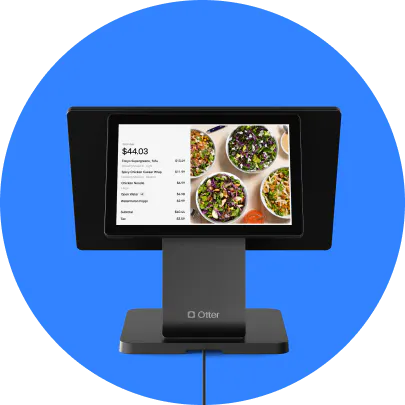
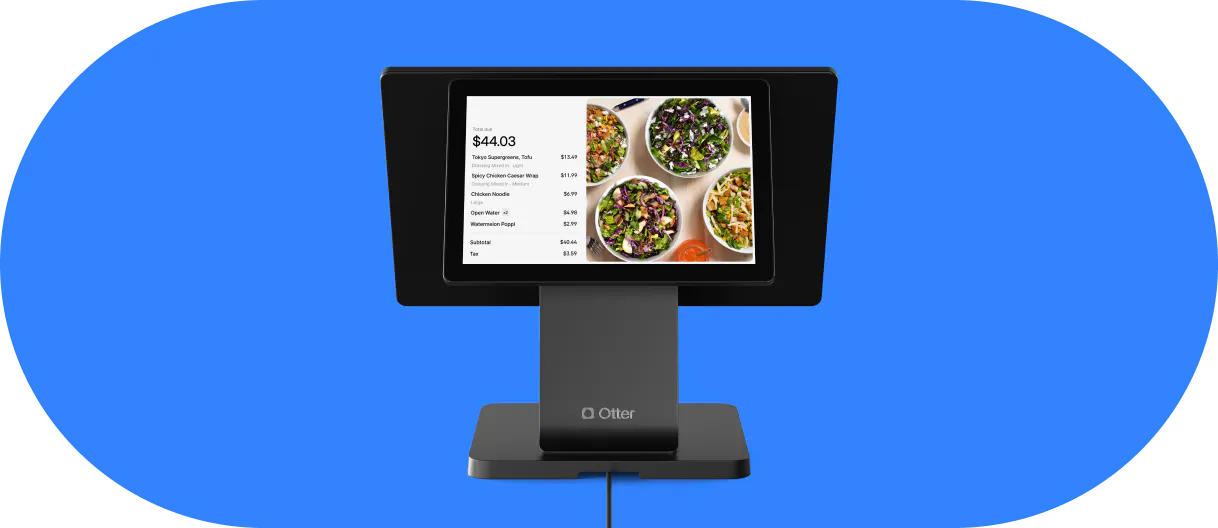
For a QSR that sells across several channels, Otter POS brings in-store, pickup, and delivery orders into one view and sends tickets to the kitchen. Its purpose-built terminal supports counter service, modifiers, combos, payments, and offline POS operation when the connection drops. Otter’s kitchen display can help staff work from a shared order flow, but do not assume every connected device works offline.
Best fit: A delivery-heavy shop or growing quick service group that wants fewer separate order screens. Watch for: A simple counter-only shop may not need every channel tool. Ask Otter to map your current apps, devices, and kitchen stations, then confirm exactly what your package includes and review current POS pricing.
“My favorite thing about the Otter POS with the way it looks is that front-facing display screen.”
Nicole Kuti, co-owner, Telly’s Charburgers, Santa Clarita, CA
What will your QSR POS really cost?
Compare the total cost of the same working setup, not the advertised starting rate. Ask every provider for a written breakdown of software, each terminal or handheld, card processing, installation, kitchen screens, online ordering, kiosk, loyalty, and support. Check any term length, cancellation fee, and the cost of adding another location.
Build two examples: your current month and a busy month with more digital orders. Use your own mix of in-person and online card payments when comparing processing. Once the system is live, a useful POS analytics routine helps you see whether the new setup is improving item sales and channel performance.
Choose the POS that clears your busiest order path
A good QSR POS lets a customer order quickly and lets your kitchen fulfill that order accurately. For a simple counter, begin with Square or Clover. For a broader restaurant suite, test Toast and SpotOn. Add Lightspeed when menu and inventory control carry more weight. If delivery and pickup create separate screens and manual work today, put Otter through a live demo of those channels.
Bring your menu, a few real orders, and a list of the devices you need. Have each vendor show checkout, kitchen routing, an edit, a refund, and the pickup handoff. Then choose the system your staff can run at your busiest hour at a total cost you understand. To see that flow with Otter, book a demo.
Frequently asked questions about quick service restaurant POS systems
What is the best POS system for a small quick service restaurant?
The best fit depends on your order volume and channels. Square or Clover may be enough for a simple counter; Toast and SpotOn offer broader restaurant tools. If delivery and pickup are a large part of your business, compare Otter’s connected order flow with your current process.
Which QSR POS features matter most during a rush?
Fast order entry, clear modifiers, reliable kitchen routing, and easy pickup handoff matter most. Test a complicated order and a change after checkout in a live demo. Ask staff to use the system, since the shortest path on a sales slide may feel different at the counter.
Can a quick service POS handle online and delivery orders?
Many systems offer online ordering and some way to connect delivery channels, but the details vary. Ask whether orders appear in the same queue, whether your team must accept or re-enter them, and how menu changes reach each channel. Demo the full path from customer order to kitchen ticket and pickup.
How should I compare QSR POS prices?
Request quotes for the same terminals, kitchen screens, order channels, payment volume, and support needs. Compare software and add-ons alongside processing fees, hardware, contract length, and cancellation terms. Recheck the quote if you add a location or channel, since a low starting rate may not reflect the setup you need.

Explore a faster QSR checkout