
Table of contents
- What can restaurant marketing automation take off your plate?
- How does Otter Marketing run delivery-app campaigns?
- How do you tell whether a campaign is worth the spend?
- How do Analytics and Ratings & Reviews support campaign decisions?
- What should you check before automating delivery promotions?
- Make each delivery campaign earn its place in your budget
- Frequently asked questions about Otter Marketing
Value offers are becoming a bigger part of how guests choose where to spend. In the National Restaurant Association’s Q3 2026 Consumer Insights Survey, 40% of consumers said they used discounts or value promotions more than usual, up from 35% in Q2. For your delivery campaigns, the challenge is choosing an offer that attracts orders while leaving enough margin to make the promotion worthwhile.
Otter Marketing uses AI to help run and optimize ads and promotions on delivery apps. You set the direction for your campaigns and review the results. That can reduce the time you spend making manual changes, but you still need to check whether the orders you gain justify the cost.
Key insights
- Otter Marketing focuses on delivery-app ads and promotions, so you can manage that work separately from email, social media, and loyalty programs
- Set a clear goal, choose eligible locations and channels, and decide how much you can spend before starting a campaign
- Review promoted sales alongside discounts, ad spend, and delivery fees to understand what your restaurant keeps
- Use campaign reporting, broader sales data, and guest feedback together, while treating Marketing, Analytics, and Ratings & Reviews as separate products

What can restaurant marketing automation take off your plate?
Restaurant marketing automation uses software to handle recurring campaign tasks, such as scheduling offers and reviewing performance. For delivery-app marketing, that means less time switching between accounts to manage ads and discounts.
Start with the work that takes the most time in your restaurant:
- Campaign upkeep: Checking which promotions are active and when they end
- Location checks: Keeping track of offers across stores and delivery channels
- Performance reviews: Comparing campaign spend with the sales attached to an offer
The useful question is whether automation changes a task you currently do by hand. It should give you more time to make decisions about your menu, service, and margins.
How does Otter Marketing run delivery-app campaigns?
Otter Marketing helps you create, automate, and track campaigns across connected delivery platforms. Its delivery-app tools support ads, promotions, and automated campaign management. The available options depend on your connected storefronts and the delivery platform.
You can plan the work in five steps.
1. Choose a goal you can measure
Pick the result you want before choosing an offer. You might want more orders during a quiet service period or more delivery sales at a specific location. Write down your current results so you have a starting point for comparison.
Tip: Give the campaign one main goal. If you change the offer, budget, menu, and hours together, you will have a harder time knowing what helped.
2. Select your locations and delivery channels
Choose the storefronts and connected delivery apps you want to include. Check eligibility before planning a wider rollout. One location may have a different menu, service capacity, or platform setup from another.
Tip: Start with a location whose manager can review results with you. A small test is easier to adjust before you apply it to more stores.
3. Choose the campaign approach
Ads help put your storefront in front of people browsing a delivery app. Promotions give guests an offer on their order. Automated campaign management handles ongoing adjustments within the parameters you set.
Tip: Check the offer types available on each platform. A discount you can run on one app may not be available on another.
4. Set spending limits and timing
Review your campaign’s budget or spend target, dates, and available scheduling controls. Match the spend to your goal and the amount you can afford to test. Check how the selected campaign type handles limits before activating it.
Tip: Count the cost of the offer as well as advertising. A small ad budget can still fund an expensive campaign if each order carries a large discount.
5. Review results before expanding
Use campaign reporting to review performance by campaign, channel, or storefront. Compare results with your starting point, then decide whether to continue, adjust, or pause. Give the location manager a chance to flag changes in prep time, order accuracy, or workload.
Tip: Compare similar days and service periods. A holiday or local event can affect demand even when your campaign stays the same.
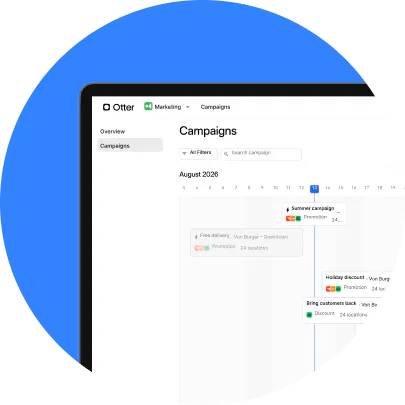
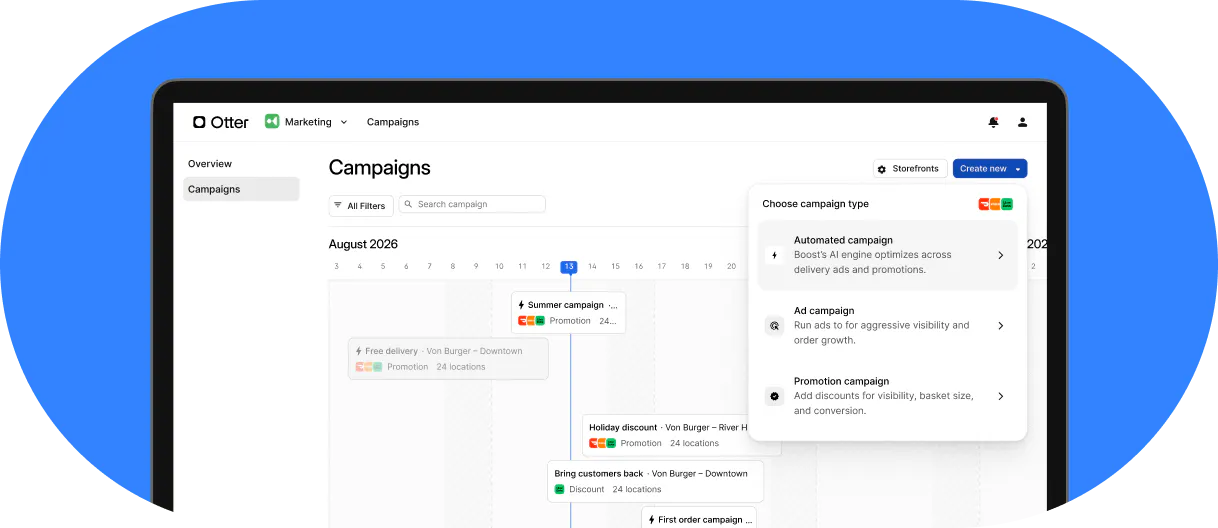
The time saved is part of the value. As one customer describes it:
“I don’t have to deal with running ads or promotions, anymore. I just do it all through Otter Marketing and it’s automatically scheduled.”
Manish Gaudi, owner, Midnight Cookie Co., Seattle, Washington

How do you tell whether a campaign is worth the spend?
Review what your restaurant keeps from the extra business, as well as the sales shown in a campaign report. A promoted order is tied to an offer, but that does not prove the guest would have skipped your restaurant without it.
Check sales and order changes
Compare your promoted and non-promoted sales, order volume, and average order value where the data is available. Look at the same location and channel over comparable periods. If promoted sales rise while total orders stay flat, investigate whether existing demand is moving onto a discount.
Count the costs behind the sale
Review discounts, ad spend, delivery-platform fees, ingredients, packaging, and any extra labor needed to fill orders. Keep these costs visible when you compare campaigns. The offer that brings the most sales may leave less money after costs than a smaller, more targeted promotion.
For a simple planning example, suppose an order brings in $30 before a $6 restaurant-funded discount. That leaves $24 before the other costs of the order. These are illustrative figures, not Otter prices or a forecast of campaign results.
Read the report’s metric definitions
A return figure is only useful when you know what it includes. Otter’s Analytics documentation describes promotion ROI as promoted sales divided by discounts. Treat that as a promotion sales-to-discount ratio, rather than a calculation of net profit or proof of incremental sales.
Check ad spend and operating costs separately before using a return figure to raise your budget. If you track return on ad spend, keep that calculation separate from a ratio based on discounts.
How do Analytics and Ratings & Reviews support campaign decisions?
Your campaign report shows one part of the business. Sales trends and guest feedback can help you understand what happens after an offer brings in an order. These are separate product functions; access to one should not be treated as access to all three.
Use sales data to check the wider result
Otter Analytics brings together sales and menu reporting across connected channels and locations. It also provides marketing reports that help you review promotion performance.
Use that wider view to ask whether total sales changed, which items sold, and whether order issues rose during the campaign. For example, an increase in canceled orders deserves attention before you spend more to attract demand.
Use guest feedback to find service problems
Otter Ratings & Reviews helps you manage guest reviews and responses. It serves a different purpose from buying visibility or running a discount.
If feedback repeatedly mentions missing items or poor packaging, make those fixes part of your campaign review. Otter’s guide to responding to restaurant customer feedback offers more detail on handling replies with AI support.
Plan for the visit after the promotion
Give a new guest a reason to choose you again through accurate orders, food that travels well, and a clear value proposition. A promotion can introduce your restaurant, but the experience needs to support a second purchase.
For the retention side of your plan, use Otter’s guide to increasing customer loyalty in restaurants. Keep the goal for repeat business distinct from the goal for a delivery-app campaign.

What should you check before automating delivery promotions?
Make sure your restaurant is ready to fulfill the demand you want to attract. Use this checklist before your first campaign:
- Menu accuracy: Check prices, item availability, modifiers, and photos on the channels you will promote
- Offer economics: Confirm which items can support a discount after food, packaging, and platform costs
- Kitchen capacity: Ask your team which service periods can handle more orders
- Campaign ownership: Name the person who checks spend and decides when to make changes
- Account readiness: Confirm storefront connections and campaign eligibility
If your biggest problem is orders reaching the kitchen late or staff re-entering tickets, address that workflow too. Otter’s overview of restaurant technology solutions explains how ordering, kitchen, and reporting tools serve different needs.
Make each delivery campaign earn its place in your budget
Automation can reduce the work of managing delivery-app campaigns. Your job is to give that automation a clear goal, an affordable spending plan, and regular checks against what happens in your restaurant.
Start with a focused test. Review sales, costs, and service together, then expand when the results support it. That gives you a practical way to judge Otter Marketing by the work it saves and the business it helps you build.
Talk through your locations, delivery channels, and campaign goals when you book a demo with Otter.
Frequently asked questions about Otter Marketing
What is Otter Marketing?
Otter Marketing is software that helps you run and optimize ads and promotions on connected delivery apps. You can use it to manage campaign work across eligible storefronts and review performance. Its delivery-app functions are distinct from loyalty and review management.
Which delivery apps can I use?
Otter’s delivery-app marketing documentation includes campaign controls for platforms such as Uber Eats and DoorDash. Eligibility and available campaign types vary by storefront and platform. Confirm your exact locations and channels before planning a rollout.
Can I control campaign spend and pause promotions?
Otter’s delivery-app tools include budget or spend-target controls, depending on the campaign type. You can also edit or pause campaigns. Review the controls for your selected setup before activating it, including how a budget limit affects an active campaign.
Does Otter Marketing manage email, social media, and direct-order promotions?
The delivery-app campaigns covered here apply to connected delivery platforms. They do not automatically apply to orders placed through your own website. Plan email, social media, and direct-order offers as separate activities, and confirm the tools you need for each.
Can I use Otter Marketing across multiple locations?
You can select eligible storefronts for delivery-app campaigns and review performance by storefront. Plan for differences in local demand, menus, and service capacity when setting up a multi-location test. Compare results at the location level before deciding that one offer should run everywhere.
How much does Otter Marketing cost?
Ask Otter for a quote based on your locations and the setup you need. Request a clear breakdown of software charges, delivery-app ad spend, and restaurant-funded discounts. Use the combined cost when deciding what campaign budget your restaurant can support.

Book a demo to see how Otter’s all-in-one platform can help your restaurant thrive.