
Table of contents
- What is a customer-facing display, exactly?
- How a customer-facing display works at the counter
- The real operational benefits for counter service restaurants
- Does it actually save your staff time?
- When a customer-facing display is worth it, and when it's not
- What can go wrong (and how to prevent it)
- What to look for in a POS with a built-in customer display
- Counter service operators who treat a CFD as a labor tool get the clearest return
- FAQ about customer facing display POS systems
You're running a busy counter, your cashier is moving fast, and a customer stops the line to argue about a charge they didn't see coming. That one dispute just cost you two minutes, a manager's attention, and the patience of everyone waiting behind them. A customer-facing display is supposed to prevent exactly that. But whether it's worth the $150-$500 hardware cost depends entirely on how your restaurant actually operates.
According to the National Restaurant Association's Restaurant Technology Trends Report, more than 3 in 4 operators say technology gives them a competitive edge, and that investment conversation almost always includes what the customer sees at checkout. Here is a straight answer on whether a CFD, also called a customer facing display or POS customer display depending on the vendor, belongs in your setup.
Key Insights
- A customer-facing display earns its place at counter QSR and fast-casual restaurants with consistent in-person volume, and is largely wasted hardware for ghost kitchens or delivery-first operations where there is no walk-in customer to look at the screen
- The strongest ROI case for a CFD is not customer experience alone, it is labor efficiency: when customers self-verify on screen, cashiers stop reading orders back verbally, cutting seconds per transaction that compound into meaningful throughput recovery over a full shift
- Display lag, wrong screen placement, and loose or exposed cables are the three most common failure points independent operators don't plan for, and all three directly undermine the order accuracy and trust benefits the CFD is supposed to deliver
- A CFD that is native to the POS hardware outperforms a third-party add-on screen: fewer connection failure points, faster real-time sync, and integrated loyalty display without extra configuration or staff steps
What is a customer-facing display, exactly?
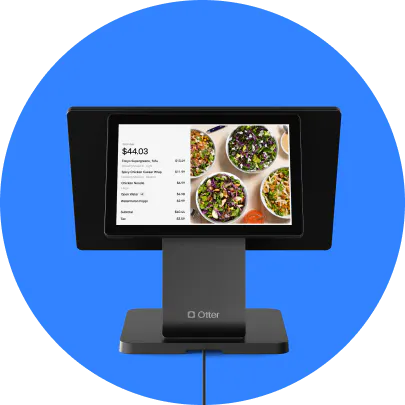
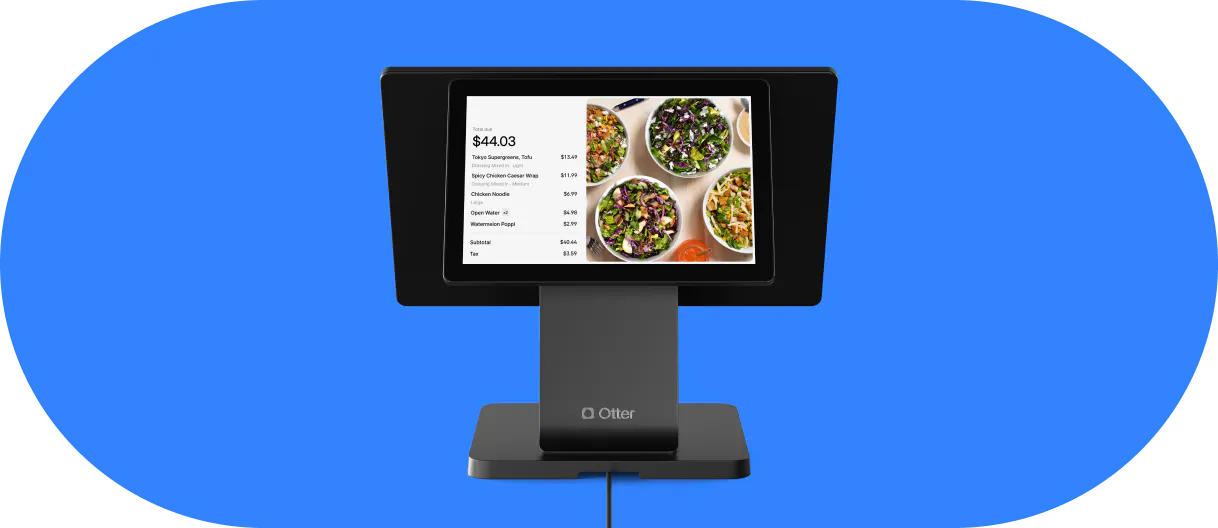
A customer-facing display (CFD) is a second screen, or secondary display, at the checkout counter. It faces the customer, not the cashier. As the cashier rings up each item on the point-of-sale (POS) system, that item appears on the customer-facing screen in real time. The customer watches the order build, sees the running subtotal update, and views the final total, including applied taxes, before any payment is requested.
The CFD is not a self-order kiosk. The cashier still controls the transaction from start to finish. The customer cannot tap the screen to change anything. It is read-only: a live mirror of the transaction information being entered on the POS terminal.
Here is what a customer typically sees during a normal transaction:
- Each item as it is added to the ticket
- A running subtotal that updates with every addition
- Applied discounts, taxes, or loyalty rewards
- The final total and available payment options
- A payment prompt when the cashier closes the order
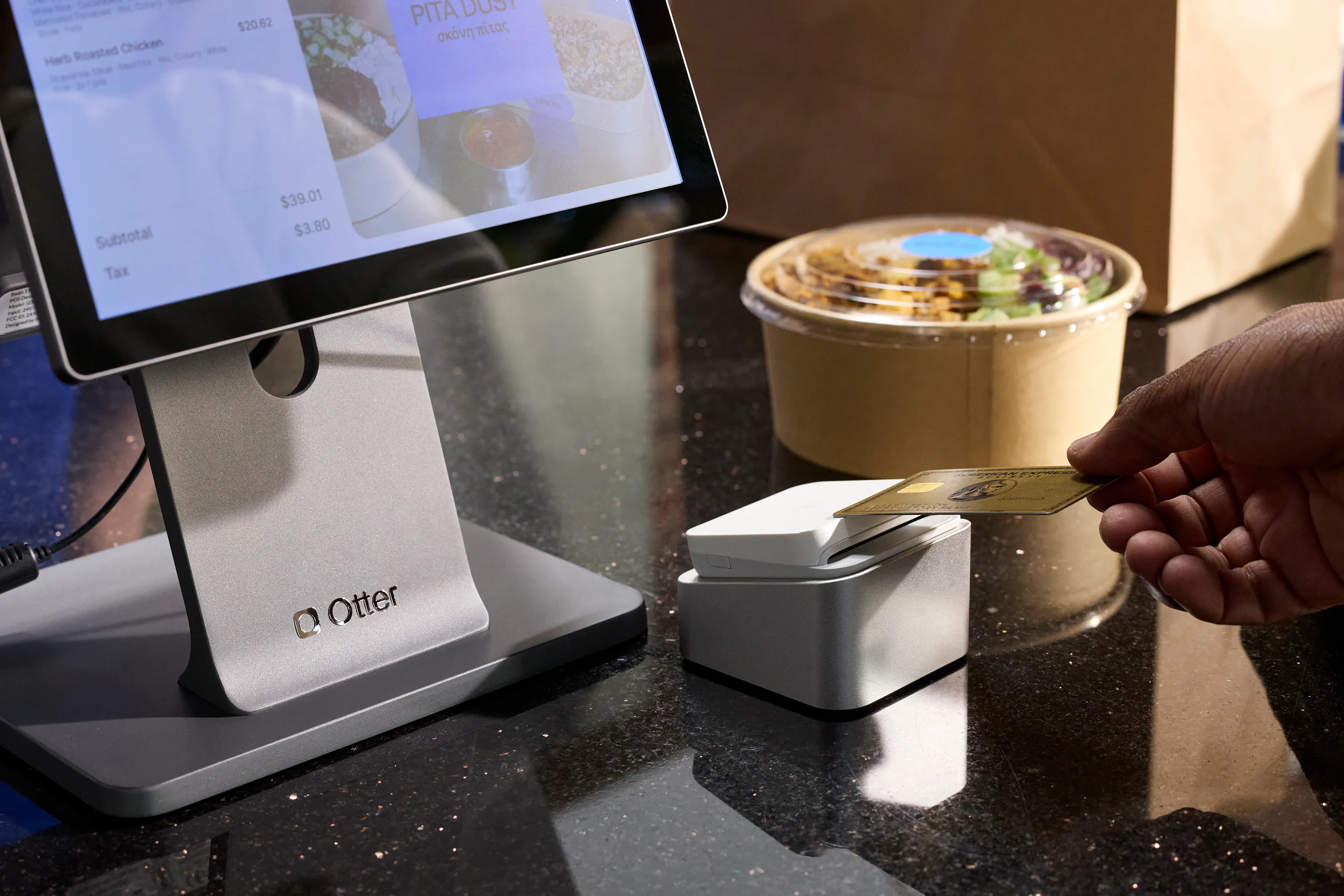
On the hardware side, CFDs come in two configurations. Some POS terminals, including Otter's POS terminal, have the customer display built directly into the unit, in a dual-screen format with a screen on the back that faces the guest. Others use a secondary screen connected to the main terminal via USB or HDMI, mounted separately on a pole or stand, sometimes called a customer pole display. Both work. The native version tends to be more reliable (more on that later). Square, Toast, Lightspeed, Clover, and Shopify POS all offer some version of a customer-facing display too, native on some hardware tiers and as a bolt-on accessory on others.
If you're still comparing systems at a more basic level, Otter's guide to the best POS systems for restaurants by use case covers customer-facing displays as one of several core hardware components to weigh, alongside card readers and kitchen display systems.
How a customer-facing display works at the counter
Picture a live transaction at a fast-casual counter. The cashier opens a new ticket on the POS system. The moment they tap the first item, say, a grain bowl, that item and its price appear on the CFD. The customer sees it immediately.
The cashier adds a modifier: extra protein. The subtotal on the CFD updates instantly. A loyalty discount kicks in, and the loyalty information appears alongside the new total. The cashier closes the order, the payment prompt appears, and the customer taps their card.
The key word throughout that sequence is simultaneous. The CFD updates as the cashier types, not at the end as a summary and not on the printed receipt after the fact. That real-time sync is what separates a CFD from a receipt printer. The customer can catch a wrong item or a missed modifier before the ticket ever reaches the kitchen, making order verification fast and friction-free.
Once configured, the CFD runs without any extra step from the cashier. Ring it up, and the screen does its job.
Between transactions, most systems let you display a logo, a promotional image, or a loyalty enrollment prompt on the idle screen, functioning like basic digital signage next to the register. That downtime, 20 or 30 seconds between customers, becomes low-cost, passive customer engagement and light upselling with zero staff effort.
The real operational benefits for counter service restaurants
Order accuracy
Customers catch errors at the POS, not at the pickup window. Fixing a wrong modifier before the ticket reaches the kitchen costs nothing. Fixing it after the food is made means a remake, wasted product, a refund in some cases, and a longer wait for the next person in line. At high-volume counters, even one avoided remake per shift adds up across a week.
Trust for first-time guests
Seeing every line item, discounts, and taxes on screen builds confidence instantly, especially at QSR and fast-casual spots where guests don't know the staff. A CFD delivers that transparency passively, on every single transaction, which is exactly the kind of low-effort customer experience improvement that tends to compound into repeat visits.
Loyalty visibility
When a loyalty reward appears on screen at checkout, points earned, discount applied, the guest sees the loyalty program working in real time. That moment reinforces the habit of coming back. Otter's built-in loyalty lets guests enroll via QR code at the counter and see rewards, and even gift card balances, applied automatically, with no extra step for the cashier. The CFD shows it happening. The cashier doesn't have to explain it.
Dispute reduction
Customers who watched the total build on screen before tapping their card are far less likely to challenge a charge afterward. Fewer post-payment disputes and refund requests protect the cashier's time and keep the line moving.
See how Otter POS handles the checkout experience, loyalty display, and counter operations in one system.
Does it actually save your staff time?
This is the angle most people miss. A CFD is a labor efficiency tool, not just a customer-experience add-on.
When customers can see the itemized order on screen, cashiers stop reading the order back verbally. That verbal confirmation is a 10-15 second habit that repeats on every single transaction. It feels small. It is not.
At 200 covers per shift, cutting just 8 seconds per transaction recovers roughly 26 minutes of throughput. No extra staff member, no menu changes, no other operational overhaul required. Faster ticket close means more covers per hour.
There is a second labor benefit: fewer post-payment disputes. When a customer questions a charge mid-rush, the cashier has to call a manager. That interruption can stall the line for 2-3 minutes. A CFD doesn't eliminate every dispute, but it removes the ones that happen simply because the customer didn't see the total before paying.
The ROI math: fewer verbal confirmations, faster ticket time, more covers per hour, more revenue from the same staff hours.
One important caveat: this benefit only materializes when customers can actually see the screen. Placement and angle are not afterthoughts. They are the whole game. A CFD mounted flat on the counter or tilted toward the cashier is invisible to the customer and delivers none of these benefits.
When a customer-facing display is worth it, and when it's not
Not every restaurant needs one. Here is an honest breakdown by operation type.
High value
- Counter QSR doing 150+ covers per day
- Fast-casual with a consistent pickup line
- Multi-station counters where in-person volume drives most of the revenue
Moderate value
Single-station cafe or neighborhood spot with a loyal repeat base. Accuracy still helps, but disputes are already rare and customers know the staff. The ROI is lower.
Low or no value
Ghost kitchens and delivery-only virtual brands. There is no walk-in customer and no checkout counter. A CFD is an expensive piece of idle hardware. That $200-$500 is better spent on a better kitchen display system or improved packaging. The same logic applies to delivery-heavy operators where in-person volume doesn't cross a meaningful daily threshold; if that's your operation, Otter's breakdown of POS systems built for delivery-heavy restaurants is a more useful starting point than a CFD purchase.
A simple self-test: if more than half your daily revenue comes from in-person counter transactions, a CFD earns its place. If most orders come through delivery apps or phone, that money is better spent elsewhere.
What can go wrong (and how to prevent it)
Screen placement
A CFD sitting flat on the counter or angled toward the cashier is unreadable for the customer. Mount it at customer eye level, tilted toward the guest. This is the most common and most avoidable setup mistake.
Display lag
On systems where the CFD connects over a network as a third-party add-on, a slow or inconsistent connection causes the display to fall behind the cashier's inputs. The customer sees a different subtotal than what is being rung. The fix: choose a POS where the CFD is a native component, not a bolt-on.
Timing mismatch
The payment prompt appears on screen before the cashier finishes building the order. This confuses the customer and slows the checkout process. It is a POS software and connection-quality issue, not user error.
Branding image problems
Low-resolution logos or wrong aspect ratios look unprofessional on the idle screen. Always test your images at the actual screen resolution before going live.
Cable vulnerability
USB and HDMI cables at a busy counter get yanked, stepped on, or hit with spills. Tightly managed cable routing, or a wireless-connected display, reduces this risk significantly.
Staff ignoring the screen
If cashiers announce the total verbally anyway, the CFD stops doing its job. Train one simple habit: ring it, show it, let the screen handle order verification. Don't read it out loud every time.
Offline behavior
Ask your POS vendor specifically what the CFD shows if the internet drops. A black screen mid-rush destroys the trust benefit instantly and looks worse than having no screen at all. You want a static fallback, not a blank one.
What to look for in a POS with a built-in customer display
Native vs. add-on
A CFD that is part of the POS hardware, or tightly integrated in the POS software, has fewer failure points than a secondary display connected through a third-party app. This is the single most important question to ask any vendor.
Real-time sync
Ask exactly how the CFD connects to the POS terminal. Is the update instantaneous, or does it poll on a delay? The answer tells you how reliable it will be at peak volume.
Screen size and mounting
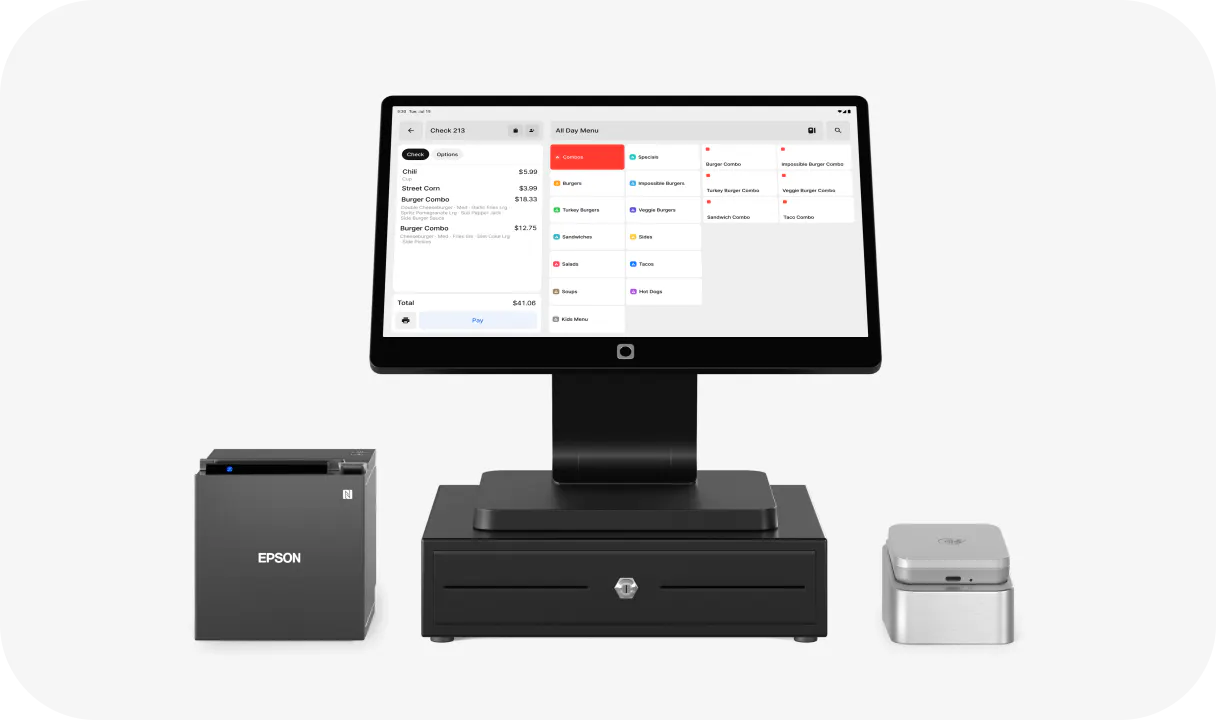
10-15 inch displays are standard for counter use. Confirm the vendor supports pole mounts or adjustable mounts so you control height and angle for your specific counter setup, right next to the cash register and card reader.
Branding control
Can you upload your logo, a promotional image, or a loyalty enrollment prompt for the idle screen? That idle time between orders is low-cost, passive marketing and customer engagement. Use it.
Loyalty display integration
If your POS has a built-in loyalty program, the CFD should show earned points and applied rewards automatically at checkout, with no manual step for staff. Otter's loyalty feature lets guests enroll at the counter via QR code, builds customer data you own with every enrollment, and reflects rewards on the checkout screen in real time. That is the experience that keeps guests coming back.
Offline fallback
Confirm the CFD shows a static screen or the last known state if the connection drops, not a blank screen.
Total cost of ownership
Factor in CFD hardware ($150-$500 typical), a receipt printer and card reader if you don't already have them, mounting hardware, any per-device software licensing, and repair or replacement cost in a high-traffic, spill-prone counter environment. Otter's payment processing and hardware bundle folds a lot of these pieces, card reader, cash drawer, barcode scanner, receipt printer, and the display itself, into one setup rather than a pile of separate vendor bills.
Counter service operators who treat a CFD as a labor tool get the clearest return
The CFD question is not simply yes or no. It is: for which operation, with which POS setup, and against which labor habits?
For counter QSR and fast-casual with consistent in-person volume, a native CFD pays for itself through reduced remakes, fewer post-payment disputes and refunds, and recovered throughput per shift. For ghost kitchens, delivery-first operators, or low-volume single-station shops, the hardware cost outpaces the benefit.
The clearest signal that you need one: if your team verbally confirms every order total today, they are doing the CFD's job manually. A working screen stops that habit, speeds up order verification, and lets your staff move faster without sacrificing accuracy.
"My favorite thing about the Otter POS with the way it looks is that front-facing display screen. When you're taking the order, the customer can see it in live time. When they come up, there are messages and prompts, like, 'Order your holiday pie with us.' That's cool, it's advertisement."
Nicole Kuti, co-owner of Telly's Charburgers, Santa Clarita, CA
Want to see what a fully integrated counter setup looks like in practice? Get started with Otter.
FAQ about customer facing display POS systems
What is a customer-facing display on a POS system?
A customer-facing display (CFD) is a second screen at the checkout counter that shows each item as the cashier rings it up, along with the running subtotal, any applied discounts, taxes, or loyalty rewards, the final total, available payment options, and the payment prompt, all in real time. The cashier still controls the transaction. The CFD is a read-only screen for the customer.
Does every restaurant need a customer-facing display?
No. A CFD delivers the strongest return for counter service QSR and fast-casual restaurants with consistent in-person volume. If most of your revenue comes through delivery apps or phone orders, as with ghost kitchens or delivery-only virtual brands, there is no customer at a counter to look at the screen, and the hardware cost is hard to justify.
How does a customer-facing display reduce order errors?
Customers can see each item added to their ticket and catch a mistake before the order is sent to the kitchen. Fixing an error at the POS costs nothing. Fixing it after the food is made means a remake, wasted product, and a longer wait for the customer behind them in line.
Can a customer-facing display support a loyalty program?
Yes, when the CFD is integrated with your POS's loyalty system. Applied points and rewards appear on screen at checkout automatically, without any extra step from the cashier. Customers see the program working in real time, which reinforces the habit of coming back.
What is the difference between a customer-facing display and a self-order kiosk?
A self-order kiosk lets customers browse the menu and place their own order. The customer controls the transaction. A customer-facing display is passive: the cashier still builds the order, and the CFD simply mirrors what is being entered in real time. They solve different problems and often exist side by side in the same restaurant.
What are the most common customer-facing display setup mistakes?
The three most common are: mounting the screen at the wrong height or angle so customers cannot read it, using a third-party add-on display with a slow network connection that causes display lag, and not testing branding images at actual screen resolution before going live. All three undermine the accuracy and trust benefits the CFD is supposed to deliver.
How much does a customer-facing display cost?
Standalone CFD hardware typically runs $150-$500 depending on screen size and build quality. Factor in mounting hardware and any per-device software licensing from your POS provider. Some POS terminals include a CFD in the hardware design, which can reduce add-on costs.
What happens to the customer-facing display if the internet goes down?
It depends on your POS. Some systems show a blank screen when the connection drops, which eliminates the trust benefit and looks unprofessional mid-rush. When evaluating any POS, ask specifically how the CFD behaves offline. It should display a static fallback screen or the last known state, not go black.
Do digital receipts work with a customer-facing display setup?
Often, yes. Many POS systems let the CFD prompt a customer to receive digital receipts by email or text instead of printing one, which pairs naturally with the same screen that already shows the order and total.

See Otter's built-in customer-facing display