Table of contents
- What is a ghost kitchen on DoorDash?
- DoorDash requirements for ghost kitchens: what you need before you apply
- Startup costs: what you'll actually spend to launch
- Choosing your kitchen setup
- Building a delivery-optimized menu that performs on DoorDash
- Modeling your margins: DoorDash commission tiers and break-even math
- Setting up your POS and kitchen operations
- Running multiple virtual brands from one kitchen on DoorDash
- Launch checklist and first 30 days on DoorDash
- Compliance first and margin math before you open: that's what separates the ghost kitchens that last
- Frequently asked questions about starting a ghost kitchen on DoorDash
The U.S. ghost kitchen market is projected to grow at a 62.5% CAGR from 2026 to 2033, according to Coherent Market Insights, and DoorDash sits at the center of that growth. But most ghost kitchens that fail on DoorDash don't fail because the food is bad. They fail because the operator skipped the permit step, priced the menu without running commission math, or launched with a tablet setup that collapsed under real order volume. The operators who fail in month two rarely overspent; they cut corners on compliance and math.
Every step is here: what DoorDash requires before your listing goes live, what you'll spend, how to build a delivery-optimized menu, and how to run the margin math before you commit to a commission tier
Key insights
- Your DoorDash pickup address field is not just a location. It sets your delivery radius. In a shared kitchen building, using a suite number or mailing address instead of the Dasher entrance address can shrink your coverage area before you serve a single order.
- Ghost kitchen margin math is structurally different from a traditional restaurant. No FOH labor costs and hourly kitchen rent change the break-even calculation entirely. Run the numbers at each commission tier before you go live, not after 60 days of compressed margins.
- Multi-brand ghost kitchens spread fixed kitchen costs across multiple revenue streams, but each virtual brand requires its own DoorDash merchant account. Managing separate tablets per brand is a reliability risk under volume that a unified POS eliminates through order consolidation.
- DoorDash enforces its virtual restaurant policy and removes non-compliant listings. A missing health department permit or unverified kitchen address can take down every brand at your address simultaneously. Compliance is the foundation of the model, not an optional upgrade.
What is a ghost kitchen on DoorDash?
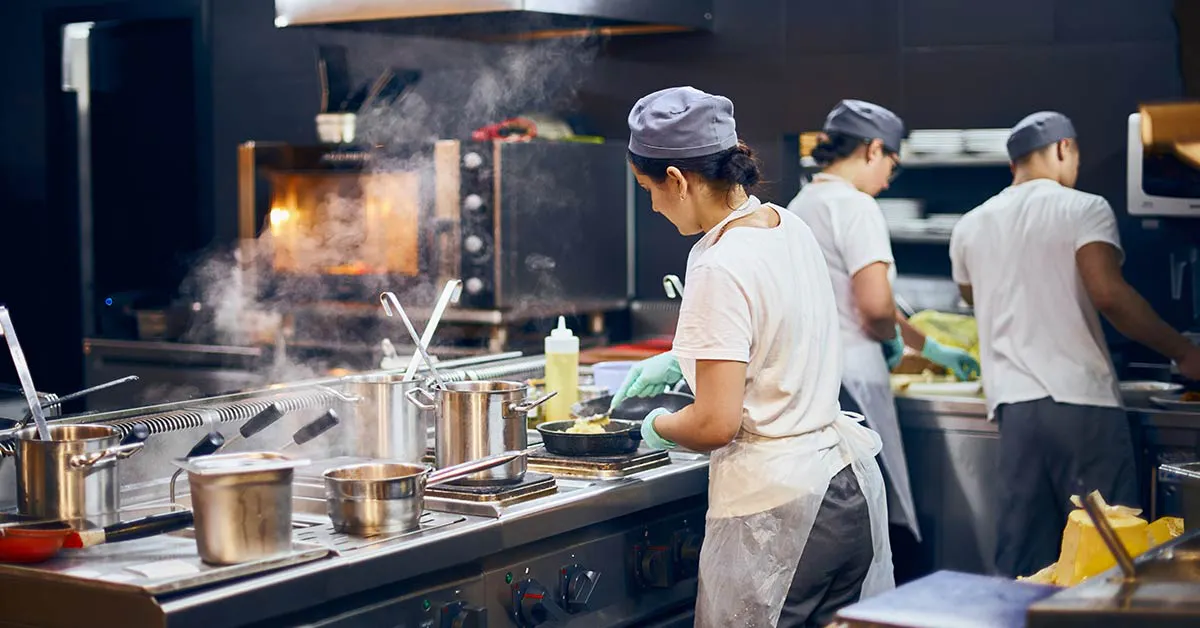
A ghost kitchen is a licensed commercial kitchen that prepares food exclusively for delivery. No dining room, no walk-in traffic, no storefront signage. Customers never see the physical space, they just see a listing on DoorDash.
That listing is called a virtual brand: the concept name, menu, and photos that customers order from inside the app. One ghost kitchen can host multiple virtual brands (also called virtual restaurants), each with its own DoorDash storefront and merchant account. The kitchen is the facility. The virtual brand is what the customer buys from.
The order flow works like this:
A customer orders through the DoorDash app, the order routes to your kitchen, your team preps and packages, a Dasher (one of DoorDash's delivery drivers) picks up at your confirmed address, and the order goes to the customer. You'll also hear the format called a "dark kitchen," "cloud kitchen," or "delivery-only restaurant." Same model, different names.
The format is growing because third-party delivery is growing. Digital ordering and delivery have grown 300% faster than dine-in traffic since 2014, according to the National Restaurant Association, which is why DoorDash has become the primary launch platform for delivery-only concepts. Many of those orders come from DashPass subscribers, DoorDash's delivery subscription members.
One thing to address upfront: there's real skepticism in operator communities about ghost kitchens, and some of it is warranted. DoorDash has removed listings for missing permits, unverified kitchen addresses, and non-compliance with local laws. The ghost kitchen model works when it's done compliantly. Compliance is the baseline, not an upgrade.
DoorDash requirements for ghost kitchens: what you need before you apply
This is the step most guides reduce to a single bullet. It deserves more, because incomplete applications are the most common reason listings get delayed or rejected.
Required documents
Before you open the DoorDash merchant portal, have all of these ready:
- Valid business license (state or city level, depending on your jurisdiction)
- Health department permit tied to the specific kitchen address where you'll operate
- Food handler certification for the operator or designated manager
- US business checking account (personal accounts cause activation delays and payout holds)
- Complete menu with photos: DoorDash requires item descriptions and photos before the listing goes live, minimum 1080×1080px, consistent lighting, no text overlays
The pickup address field matters more than you think
DoorDash uses your confirmed pickup address to set your delivery radius. In a shared or commissary kitchen building, you must use the address where Dashers will actually enter and pick up orders. Not a suite number, not a mailing address, not the building's administrative entrance.
Getting this wrong doesn't just send a Dasher wandering around a parking lot. It shrinks your potential delivery coverage area before you've served a single customer.
DoorDash virtual restaurant policy
If you plan to run multiple virtual brands at one address, DoorDash's virtual restaurant policy governs how many concepts can share that address and under what conditions. Listing multiple brands without following this policy risks rejection or suspension of all brands at that address, not just the new one.
Activation timeline
Expect 3–7 business days after all documents are submitted and verified. Partially completed applications don't hold a place in a queue. They restart the review clock. Gather every document before you open the portal.
Startup costs: what you'll actually spend to launch
Ghost kitchens cost far less to launch than a traditional restaurant. According to 7shifts, most run $20,000 to $100,000 when you rent space in a shared or turnkey facility, versus $175,000 to $750,000 or more for a full brick-and-mortar buildout; building out your own dedicated kitchen from scratch sits at the high end, roughly $100,000 to $300,000. "Less" doesn't mean free, though, and the cost structure is different enough that you need to model it on its own terms in your business plan.
Variable facility costs
- Shared or commissary kitchen rental: $15–$35/hr or $500–$2,500/month depending on market and facility type
- Dedicated ghost kitchen facility: $1,000–$3,500/month, higher fixed cost but guaranteed hours and dedicated storage
One-time compliance costs
- Business registration: $50–$500 depending on state
- Health permit: $100–$1,000+ depending on jurisdiction and kitchen type
- Food handler certifications: roughly $15–$30 per person
Operational costs before the first order
- Menu photography: $200–$600 for a basic professional shoot. DIY is possible with a smartphone and neutral background, but low-quality photos are the single biggest driver of low click-through on a new listing
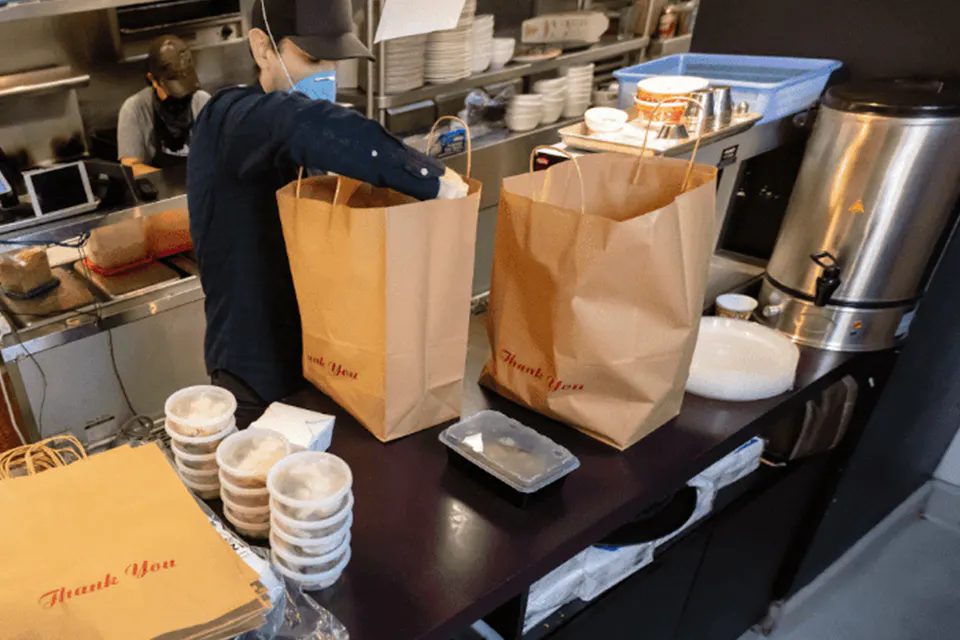
- Packaging: $0.50–$2.00 per order for delivery-optimized containers, tamper-evident seals, and insulated bags. Build this into your menu pricing before you go live
- POS and order management: required to track net revenue versus commissions (covered in the operations section below)
Working capital
Most ghost kitchen operators recommend 60–90 days of operating expenses in reserve before launch. Order volume ramps slowly in the first month while fixed kitchen costs are immediate.
Choosing your kitchen setup
Three models cover most situations.
1. Shared or commissary kitchen
Shared commercial kitchens rent by the hour or shift. Equipment is shared. Lowest barrier to entry and the right choice for concept validation before committing to higher fixed costs. Drawbacks include scheduling conflicts, limited dedicated storage, and peak-hour competition for equipment.
2. Dedicated ghost kitchen facility
Higher monthly cost but guaranteed hours, dedicated prep space, and easier volume scaling. Better fit once you've validated demand at 20+ orders per day.
3. Virtual spin-off from an existing licensed restaurant
Use your existing commercial kitchen during off-peak hours, typically 2–4pm or late night, to run a separate delivery-only brand under a new DoorDash listing. Nearly zero incremental facility cost. The pickup address on DoorDash must match your licensed kitchen address exactly.
Critical questions before signing anything
- Does the facility's health department permit cover your menu category? A commissary kitchen permit may not cover all food preparation types, so confirm your food service permit matches your menu.
- What is the delivery radius from this address? A kitchen in a dense urban core reaches far more of your target market than a suburban or industrial location. Confirm the coverage map before committing to a lease.
Modeling your margins: DoorDash commission tiers and break-even math
DoorDash's three standard commission tiers are approximately:
- Basic: ~15%
- Plus: ~25%
- Premier: ~30%
Higher tiers offer a wider delivery radius and more in-app placement, but compress per-order margin. The math for a ghost kitchen looks like this:
Sample break-even calculation
$18 average ticket × (1 − 0.25 commission) = $13.50 net revenue
Subtract:
- Kitchen cost per order: $3.00 (assuming $18/hr kitchen rate at 6 orders/hr)
- COGS (food cost) at 35% of menu price: $6.30
- Packaging: $1.00
Contribution margin: ~$3.20 per order
To cover a $1,500/month shared kitchen commitment at $3.20 per order, you need roughly 469 orders per month, about 16 per day.
Run this with your own numbers before choosing a tier. If 16 orders per day isn't realistic for your market and daypart, you need to raise your average ticket, reduce kitchen costs, or choose a lower commission tier.
The Plus vs. Premier trade-off
Premier adds 5% commission but may increase visibility and order volume. It only makes financial sense if the incremental volume more than offsets the commission difference. Calculate the crossover point before upgrading. Don't assume more placement automatically means more profit.
Track net revenue per order (after commissions) as your primary financial metric. Gross sales on DoorDash is a vanity number until commissions are subtracted.
Setting up your POS and kitchen operations
Your POS has one job above all others: receive every DoorDash Marketplace order instantly, route it to the right prep station, and confirm pickup to the Dasher. Any gap here causes order errors, cold food, and bad reviews.
Without a purpose-built system, you default to monitoring a DoorDash tablet. That breaks down when volume picks up, when multiple virtual brands are running, or when a tablet loses connection mid-rush.
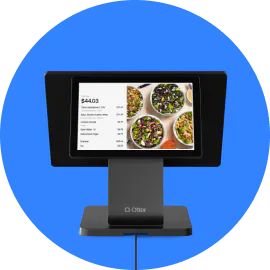
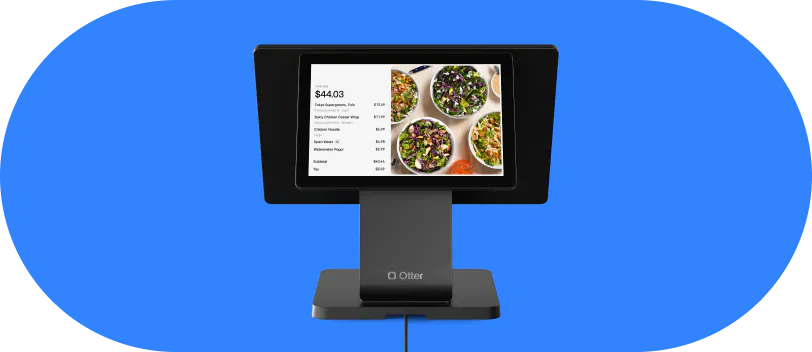
Otter is a restaurant POS built for this workflow. Its order consolidation feature pulls orders from DoorDash, Uber Eats, Grubhub, and other third-party delivery services into a single kitchen display, routes tickets automatically by station, and surfaces per-order financial reporting so you can see actual net revenue without building a manual spreadsheet after every shift. Otter can also help you list on the DoorDash commerce platform and other delivery apps and build your menu across channels, which reduces setup time before launch.
KDS basics for ghost kitchens
Each prep station should see only the tickets relevant to its function. A sandwich station doesn't need to scroll past drink orders. Proper routing reduces errors and speeds ticket times.
Set a maximum unacknowledged ticket alert so no order sits idle. DoorDash tracks prep time and factors it into your listing's performance score.
Staffing model
Ghost kitchens typically run 2–4 kitchen staff per shift with no front-of-house. Roles must be explicit because there's no floor manager to catch errors in real time. Your POS and KDS are your quality control layer.
Running multiple virtual brands from one kitchen on DoorDash
Running two or three virtual brands from one kitchen is the highest-leverage move available to you as a ghost kitchen operator. It spreads fixed kitchen costs across multiple revenue streams without adding any facility expense.
What DoorDash requires for multiple brands
Each virtual brand needs its own separate DoorDash merchant account. You cannot list two distinct brand names under one account at the same address. DoorDash's virtual restaurant policy requires separate applications per brand, and DoorDash reviews order history and kitchen legitimacy before approving additional listings at one address.
Establish a track record with your first brand, typically 60–90 days and a stable rating, before applying for a second.
The tablet sprawl problem
Without a unified system, each brand generates its own tablet, its own order stream, and its own error risk. Managing four tablets during a Friday dinner rush is a reliability problem, not a staffing problem.
Otter's order consolidation brings multiple DoorDash virtual brand storefronts into one kitchen display and routes each brand's tickets to the correct prep station, removing the need for a separate tablet per brand.
Otter also supports different pricing per channel, which is useful when virtual brands have different price positioning or when you're testing a premium concept alongside a value-oriented one. Otter also supports a direct ordering link and loyalty programs, which build repeat customers and keep more of each sale off third-party commissions.
Seoulmates, a Korean American concept in Los Angeles, runs exactly this play. Owner Christina Hong started with a pandemic popup, later added a food truck, and now operates a virtual kitchen called Boffin Bird out of the same address as her main brand. Both menus run through one Otter system across her kiosk and every delivery platform. In her words: “It helps me run multiple brands… It makes the ordering system for both restaurants, through the same system, very easy.”
Brand identity discipline
Each brand should have distinct packaging, menu naming, and photography, even on a shared prep line. Customers who discover two brands share an address and the food looks identical often leave negative reviews flagging it as misleading.
Track each brand's metrics separately: per-brand order volume, average ticket, customer rating, and net revenue will tell you which concept to invest in and which to retire before it drags down your kitchen's overall DoorDash standing.
Launch checklist and first 30 days on DoorDash
Pre-launch checklist
- Business license confirmed
- Health department permit for kitchen address on file
- Food handler certifications complete
- US business bank account linked
- Full menu with photos submitted to DoorDash merchant portal
- POS configured and order routing tested
- Packaging inventory stocked
Activation and early operations
Expect 3–7 business days after full document submission. Follow up through DoorDash merchant support if confirmation hasn't arrived by day 8. Don't start promoting the brand until activation is confirmed.
Seed early reviews deliberately. Your first 10–20 reviews set the listing's reputation baseline. Execute flawlessly on every early order.
Start with one daypart. Concentrate volume on your single highest-demand window, typically dinner from 5–9pm, rather than covering all dayparts. This protects your quality rating during the operational learning curve and makes staffing predictable.
Metrics to track in the first 30 days
- Orders per day
- Average ticket size
- Customer rating
- Average prep time per ticket
- Net revenue after commissions
If your POS isn't surfacing all of these automatically, you're making decisions without complete information.
30-day decision gate
After one month of validated data, evaluate whether to expand hours, apply to add a second virtual brand, or move from a shared kitchen to a dedicated facility. Expand on evidence, not optimism.
Compliance first and margin math before you open: that's what separates the ghost kitchens that last
The most common failure modes are not food quality or marketing. They're permit gaps that trigger listing suspension and pricing that can't survive commission math.
Compliance is non-negotiable. Business license, health department permit for your specific kitchen address, food handler certifications. DoorDash has removed listings for each of these gaps individually, and removal can affect all brands at your address simultaneously.
The margin math must be run before launch. Choose a commission tier, calculate contribution margin per order at your expected average ticket, and find the weekly order count required to cover kitchen costs. If that number isn't realistic for your market and daypart, adjust pricing or kitchen costs before you go live.
Start with one concept, one daypart, one commission tier. Validate the model with real data, then layer in a second virtual brand, extended hours, and a higher-volume kitchen space as the numbers justify it. That's how you build a durable ghost kitchen business on DoorDash.
Ready to set up your ghost kitchen on DoorDash with a POS built for delivery operations? Get started with a demo.
Frequently asked questions about starting a ghost kitchen on DoorDash
What documents do I need to list a ghost kitchen on DoorDash?
Have four essentials ready before you apply: a business license, a health department permit for the exact kitchen address, a food handler certification, and a US business checking account. DoorDash also asks for a finished menu with photos that meet its image spec. Missing any one of these is what stalls most applications at the merchant portal stage.
What is the difference between a ghost kitchen and a virtual restaurant on DoorDash?
Think of the ghost kitchen as the address and the virtual restaurant as the sign out front. The kitchen is the licensed commercial space where cooking happens, while the virtual restaurant, or virtual brand, is the storefront diners tap to order. Because the two are separate, one kitchen can power several virtual restaurants at once, each with its own listing and merchant account.
How long does DoorDash take to activate a new ghost kitchen listing?
Plan on three to seven business days once every document has been submitted and verified. The review clock only starts when your application is complete, so a single missing permit resets it and is the usual reason a listing drags past a week. Assemble the full document set before you open the portal to keep the timeline tight.
Can I run multiple virtual brands from one kitchen address on DoorDash?
You can, and spreading fixed kitchen costs across brands is a big reason the model works. Each brand still needs its own merchant account and has to satisfy DoorDash's virtual restaurant policy. In practice, DoorDash wants to see a steady order history and a solid rating on your first concept before it clears a second at the same address.
What commission rates does DoorDash charge ghost kitchens?
DoorDash publishes three partnership plans, roughly 15%, 25%, and 30%, running from Basic up to Premier. Paying more buys a wider delivery radius and stronger placement, but it also thins the margin on every order. Model the break-even at each plan against your average order value before you commit.
Do I need a commercial kitchen to start a ghost kitchen on DoorDash?
Yes. A home kitchen will not clear DoorDash's verification, so you need a licensed commercial space with an active health department permit on file. Most operators get there one of three ways: booking hours in a shared or commissary kitchen, leasing a dedicated facility, or borrowing an existing restaurant's kitchen during slow hours.
How should I price my menu to account for DoorDash commissions?
Work backward from the net you want to keep, then add the commission on top. If you need $10 after a 25% plan, the menu price has to start around $13.33, and that is before COGS, packaging, and kitchen time per order. Layer those costs in to find the real price floor so commissions never quietly erase your profit margins.
Can one POS manage orders from multiple DoorDash virtual brands?
Yes. Otter pulls every virtual brand storefront into one kitchen display and sends each ticket to the right station, so a busy line runs on a single screen instead of a tablet per brand. It also lets you set different pricing by channel, which helps when a premium concept and a value concept share the same prep line.

Start your ghost kitchen on DoorDash